> ## Documentation Index
> Fetch the complete documentation index at: https://docs.requestly.com/llms.txt
> Use this file to discover all available pages before exploring further.
# SAML SSO with Okta
If your company uses Okta as an Identity Provider, then you can set up the single sign-on feature for use with Requestly. This gives your employees the convenience of a one-click login, without using additional multi-factor authentication.
## **Step 1. Create and configure a SAML application in Okta**
1. Log in to your Okta account and head to the **Applications** page.
2. Click on `Create App Integration` and select `SAML 2.0`
3/images/setup-sso-with-okta/a70c4b4f-a380-424e-b1c6-de6ef0559d4b.png" align="center" fullwidth="false" />
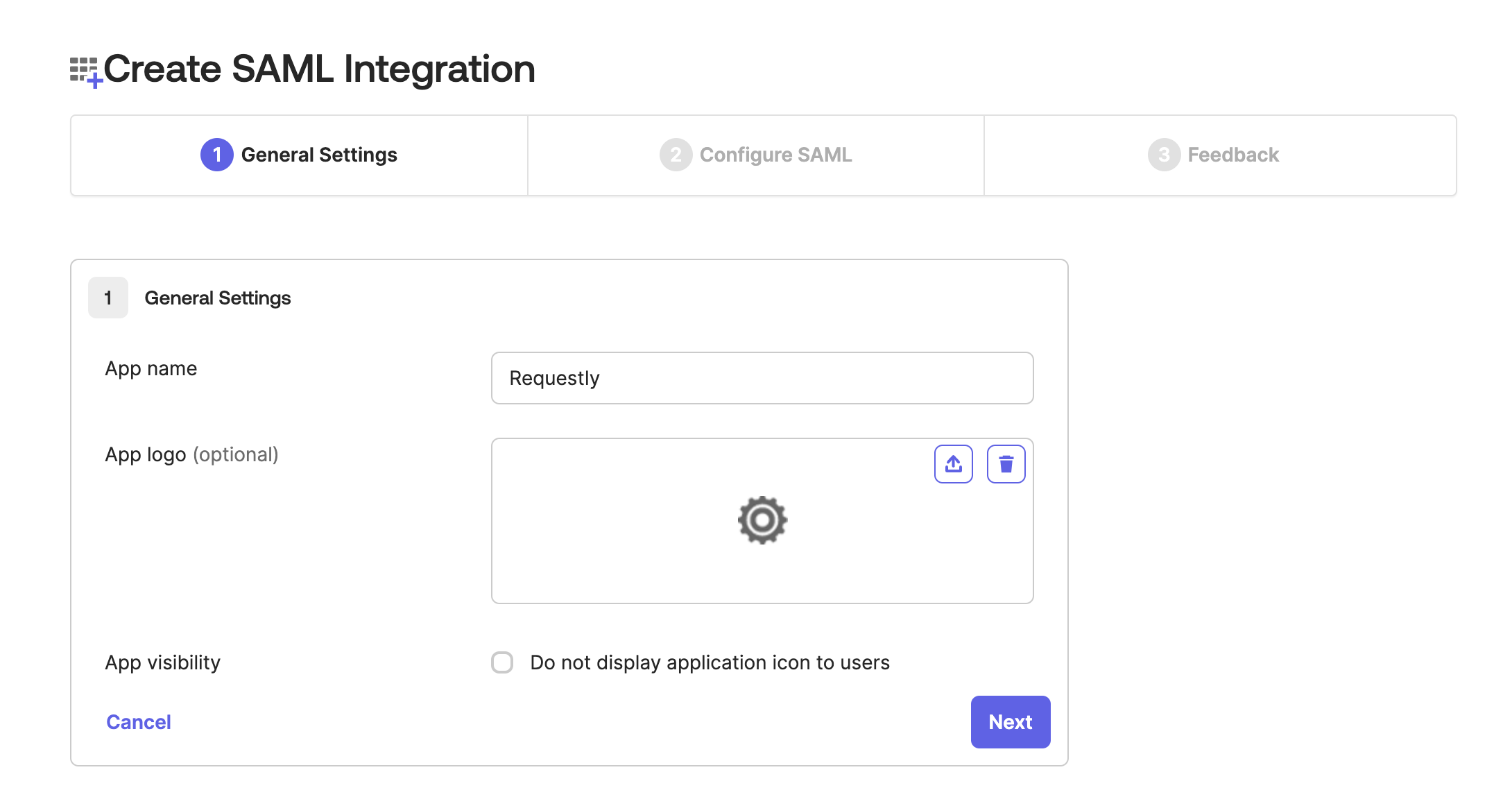
In the `1. General Settings` step, add App Name as `Requestly` and then click `Next`
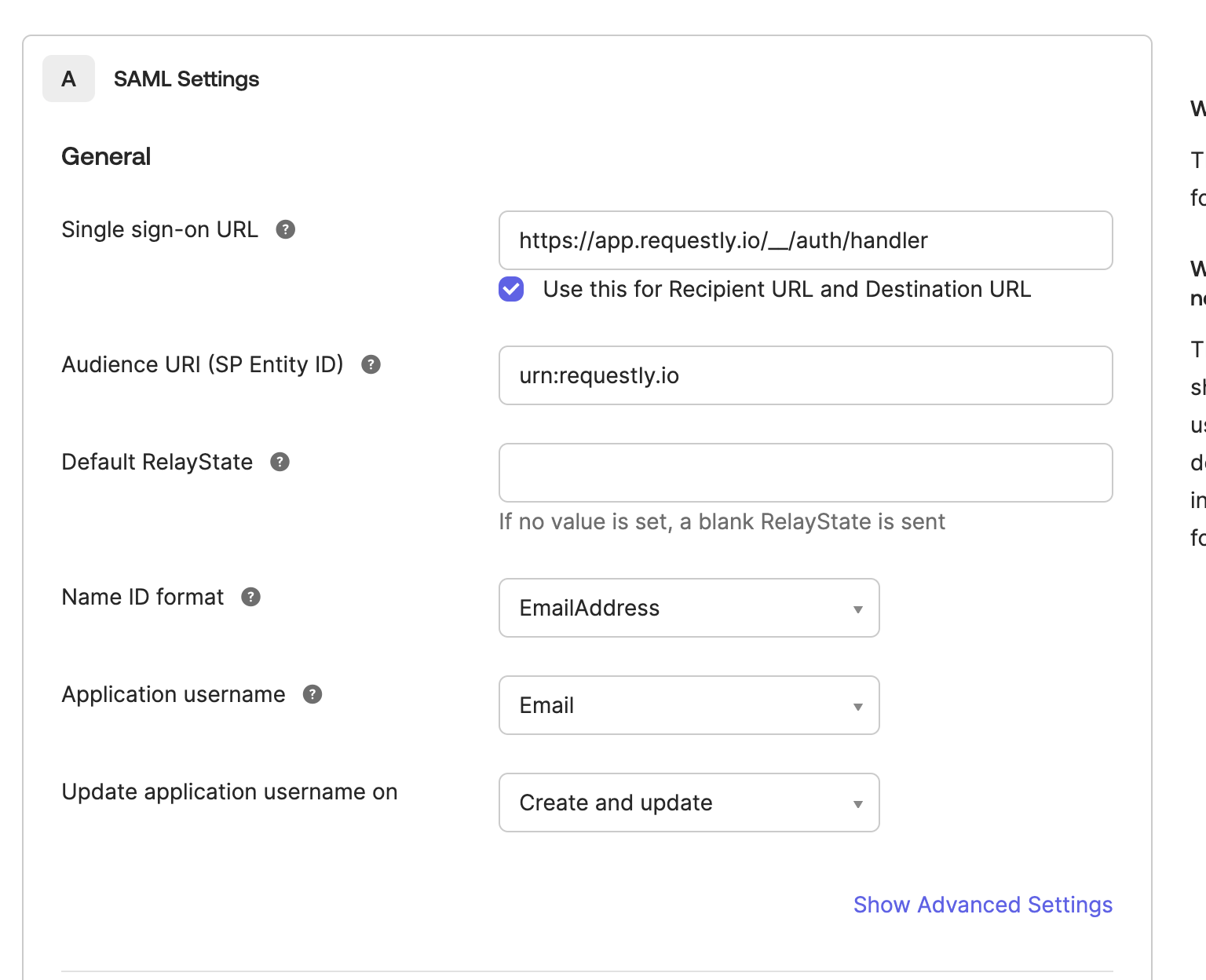
 4. In the `2. Configure SAML` step, add the following details and then click `Next`
| Single sign-on URL | `https://app.requestly.io/__/auth/handler` |
| --------------------------- | ------------------------------------------ |
| Audience URI (SP Entity ID) | `urn:requestly.io` |
| Name ID format | Email Addresss |
| Application username | Email |
4. In the `2. Configure SAML` step, add the following details and then click `Next`
| Single sign-on URL | `https://app.requestly.io/__/auth/handler` |
| --------------------------- | ------------------------------------------ |
| Audience URI (SP Entity ID) | `urn:requestly.io` |
| Name ID format | Email Addresss |
| Application username | Email |
 ## **Step 2. Share SAML metadata with Requestly**
1/images/setup-sso-with-okta/fb4784b9-6f59-4525-87bb-bbdfc1d457a1.png" align="center" fullwidth="false" />
Copy the **Metadata URL**.
2. Share the copied value with us [`contact@requestly.io`](mailto:contact@requestly.io)
## **Step 2. Share SAML metadata with Requestly**
1/images/setup-sso-with-okta/fb4784b9-6f59-4525-87bb-bbdfc1d457a1.png" align="center" fullwidth="false" />
Copy the **Metadata URL**.
2. Share the copied value with us [`contact@requestly.io`](mailto:contact@requestly.io)