> ## Documentation Index
> Fetch the complete documentation index at: https://docs.requestly.com/llms.txt
> Use this file to discover all available pages before exploring further.
# Component Library
> Keep schemas, parameters, responses, and other OpenAPI components in one place per project and reference them from any specification with $ref.
A pagination parameter, an error response, a `User` schema: the same handful of definitions turn up in every specification you write. The Component Library is where they live once. Each entry is an ordinary OpenAPI component object, and any specification in the project can point at it with a `$ref`.
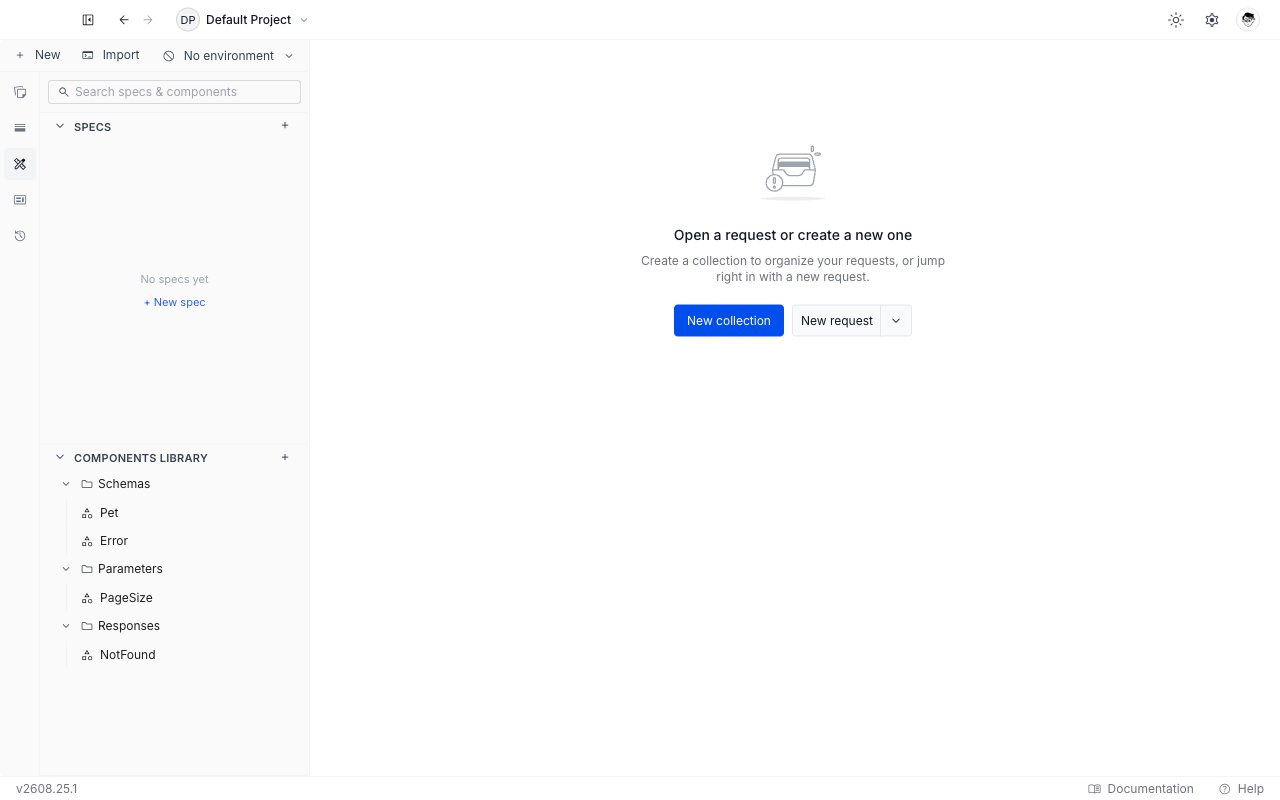
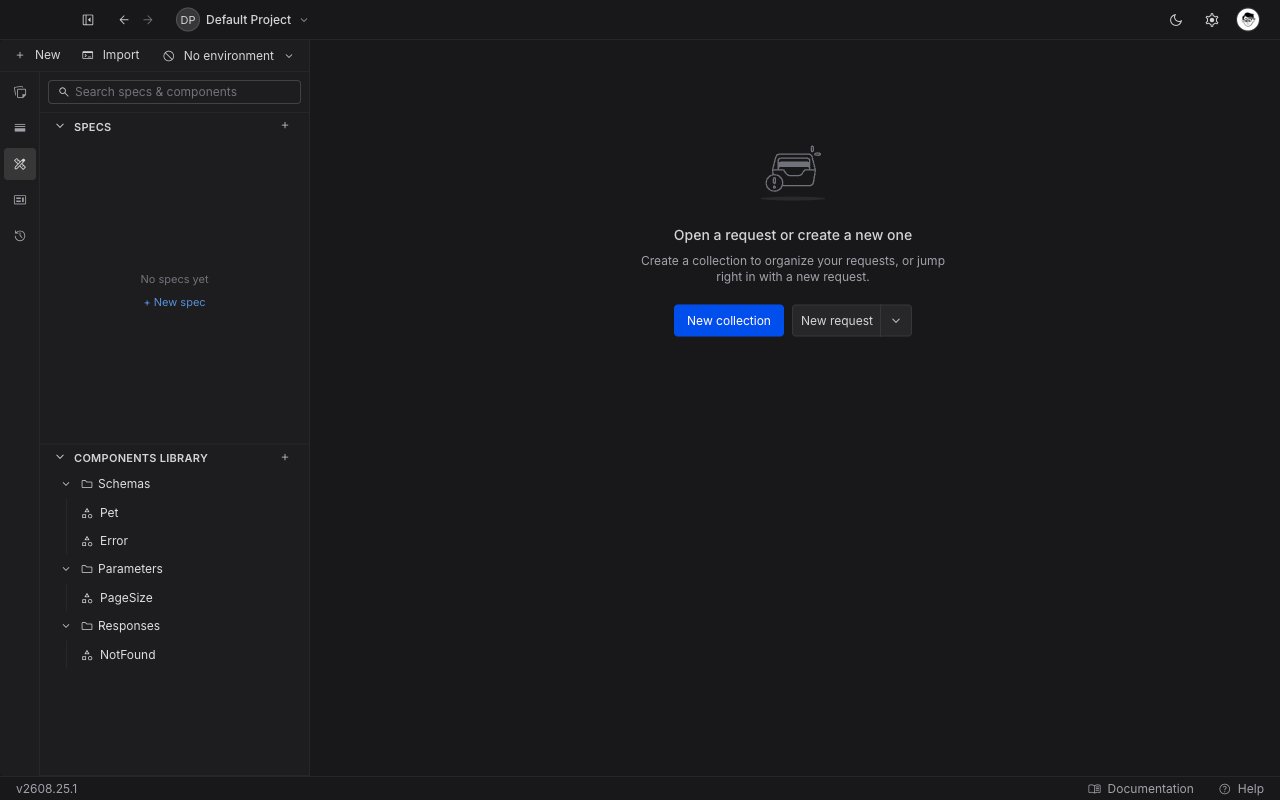
There is exactly one library per project, shared by every specification in it. Find it under **Components Library** in the **API Design** sidebar panel, below **Specs**. The section starts collapsed, so click the header to open it.
 ## Categories
Entries are grouped by category, and the categories are OpenAPI's own. All ten are available.
| Category | Holds |
| -------------------- | ---------------------------------------------------------------------- |
| **Schemas** | Data shapes. The most-used category by a wide margin. |
| **Parameters** | A single path, query, header, or cookie parameter. |
| **Responses** | A complete response: description, content, headers. |
| **Headers** | A single response header definition. |
| **Request bodies** | A complete request body: description, content, whether it is required. |
| **Security schemes** | An authentication scheme, such as a bearer token or an API key. |
| **Examples** | A named example value. |
| **Links** | A relationship from one operation's response to another operation. |
| **Callbacks** | An out-of-band request the API makes back to the caller. |
| **Path items** | A reusable set of operations on one path. |
Path items are an OpenAPI 3.1 feature. Referencing one from a 3.0 document is reported as an issue rather than silently accepted.
## Create a component
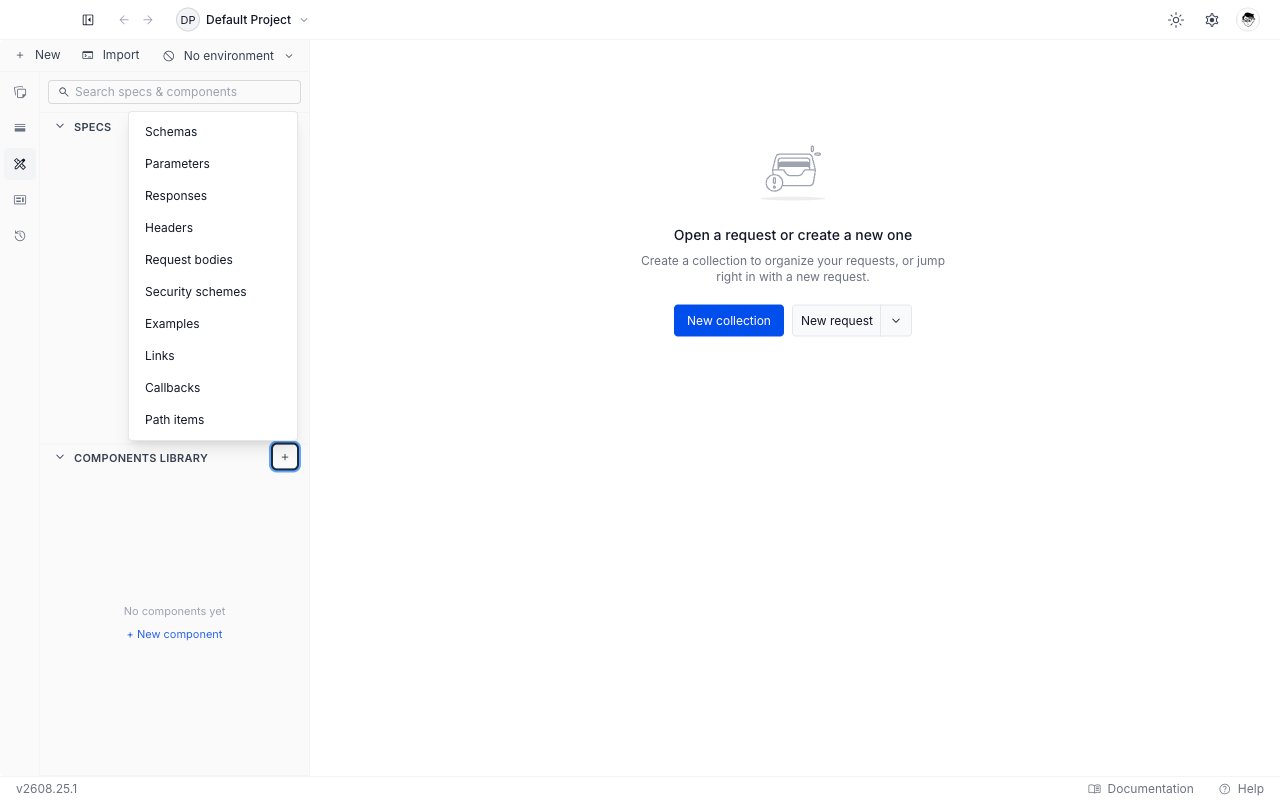
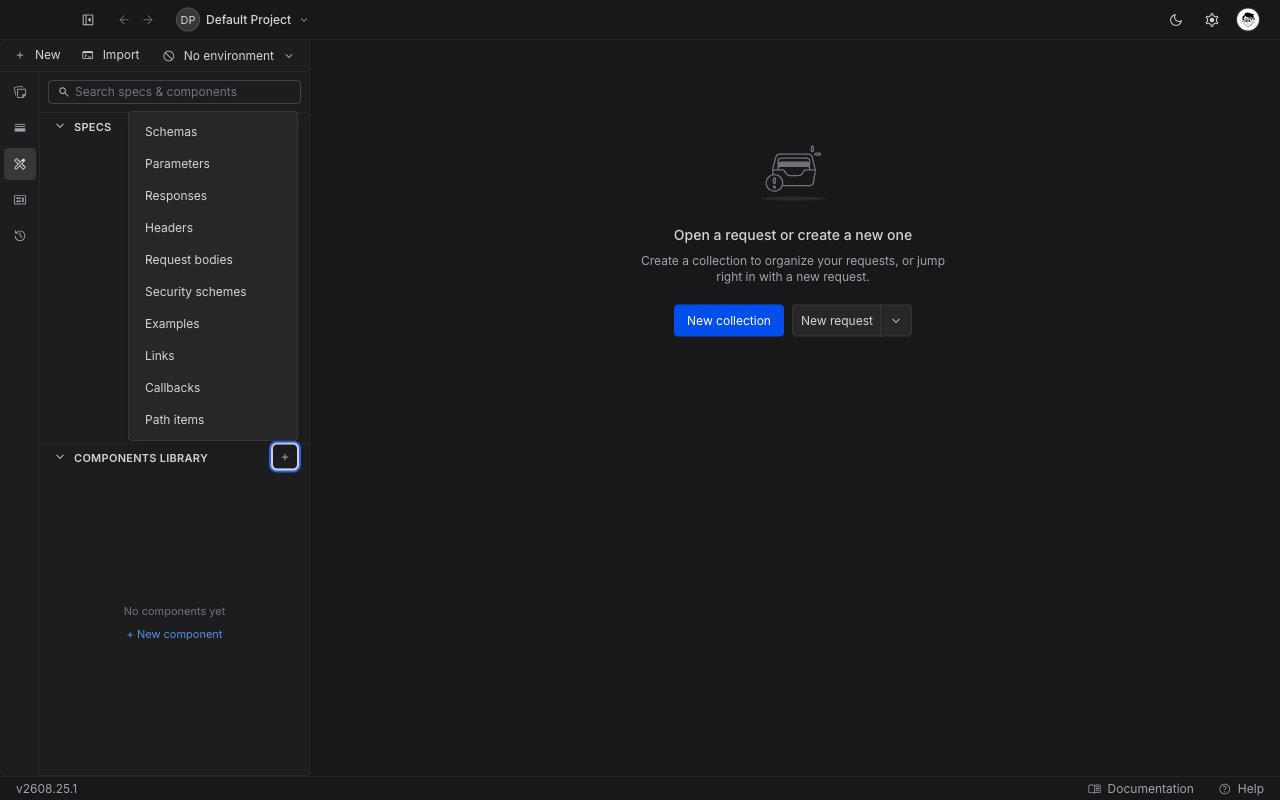
Click the `+` on the **Components Library** header and choose a category from the menu. To go straight into one category, hover its group row instead and click the `+` there.
The same menu is on **+ New → Component** in the sidebar toolbar.
## Categories
Entries are grouped by category, and the categories are OpenAPI's own. All ten are available.
| Category | Holds |
| -------------------- | ---------------------------------------------------------------------- |
| **Schemas** | Data shapes. The most-used category by a wide margin. |
| **Parameters** | A single path, query, header, or cookie parameter. |
| **Responses** | A complete response: description, content, headers. |
| **Headers** | A single response header definition. |
| **Request bodies** | A complete request body: description, content, whether it is required. |
| **Security schemes** | An authentication scheme, such as a bearer token or an API key. |
| **Examples** | A named example value. |
| **Links** | A relationship from one operation's response to another operation. |
| **Callbacks** | An out-of-band request the API makes back to the caller. |
| **Path items** | A reusable set of operations on one path. |
Path items are an OpenAPI 3.1 feature. Referencing one from a 3.0 document is reported as an issue rather than silently accepted.
## Create a component
Click the `+` on the **Components Library** header and choose a category from the menu. To go straight into one category, hover its group row instead and click the `+` there.
The same menu is on **+ New → Component** in the sidebar toolbar.
 The component opens in a new tab with its name focused in the breadcrumb. Type a name and press Enter.
A name may use letters, digits, dots, hyphens, and underscores, up to 128 characters. It has to be unique within its category, and it is case sensitive: `User` and `user` are two different schemas, which is what OpenAPI itself does.
The editor is seeded with a minimal valid object for the category you chose, so you are editing rather than starting from nothing. A new schema arrives as:
```yaml theme={null}
type: object
properties:
id:
type: string
required:
- id
```
Write the component object only. There is no `components:` wrapper and no name key inside the body: the name is the entry's name in the sidebar.
Press `Cmd/Ctrl + S` or click **Save**. A `• unsaved` marker sits beside the name until you do.
A component's category is fixed once it is created. Moving a definition from **Schemas** to **Responses** means creating the new entry and deleting the old one, then repointing the references.
## The component editor
The component opens in a new tab with its name focused in the breadcrumb. Type a name and press Enter.
A name may use letters, digits, dots, hyphens, and underscores, up to 128 characters. It has to be unique within its category, and it is case sensitive: `User` and `user` are two different schemas, which is what OpenAPI itself does.
The editor is seeded with a minimal valid object for the category you chose, so you are editing rather than starting from nothing. A new schema arrives as:
```yaml theme={null}
type: object
properties:
id:
type: string
required:
- id
```
Write the component object only. There is no `components:` wrapper and no name key inside the body: the name is the entry's name in the sidebar.
Press `Cmd/Ctrl + S` or click **Save**. A `• unsaved` marker sits beside the name until you do.
A component's category is fixed once it is created. Moving a definition from **Schemas** to **Responses** means creating the new entry and deleting the old one, then repointing the references.
## The component editor
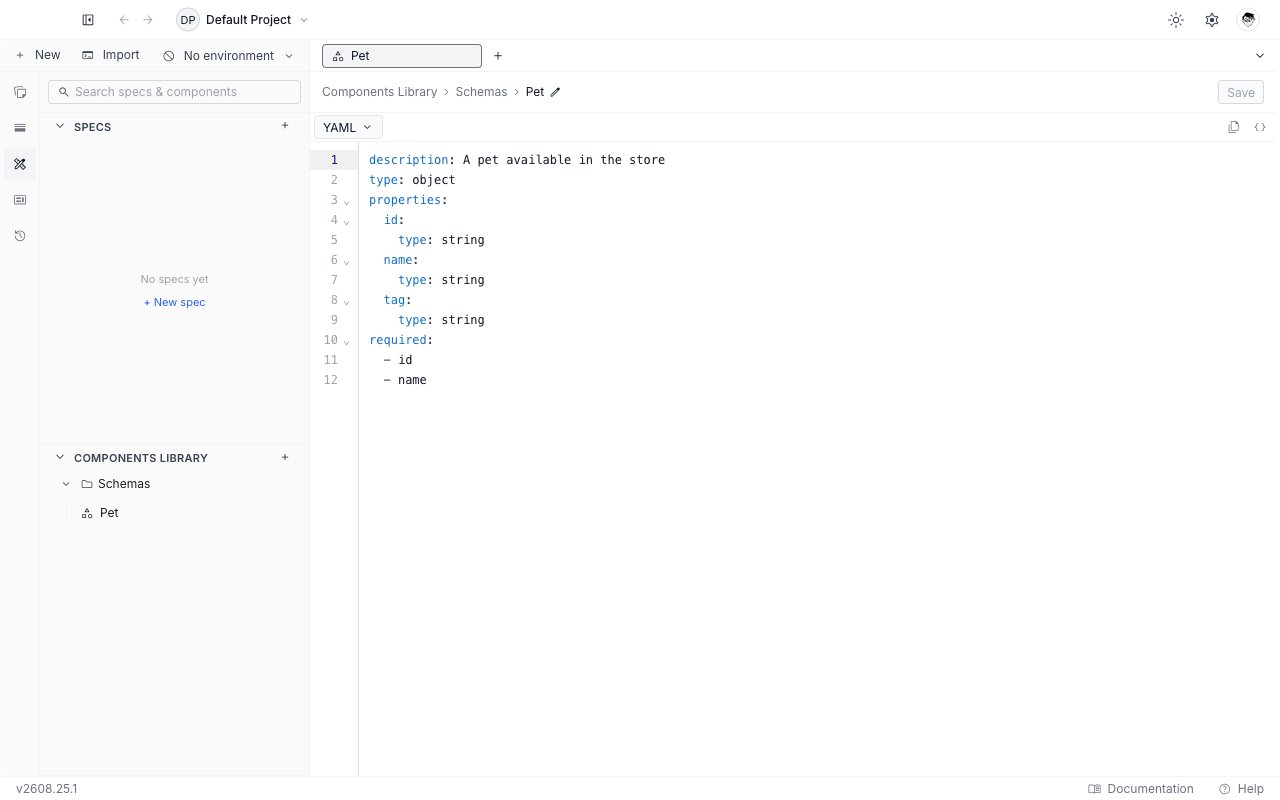
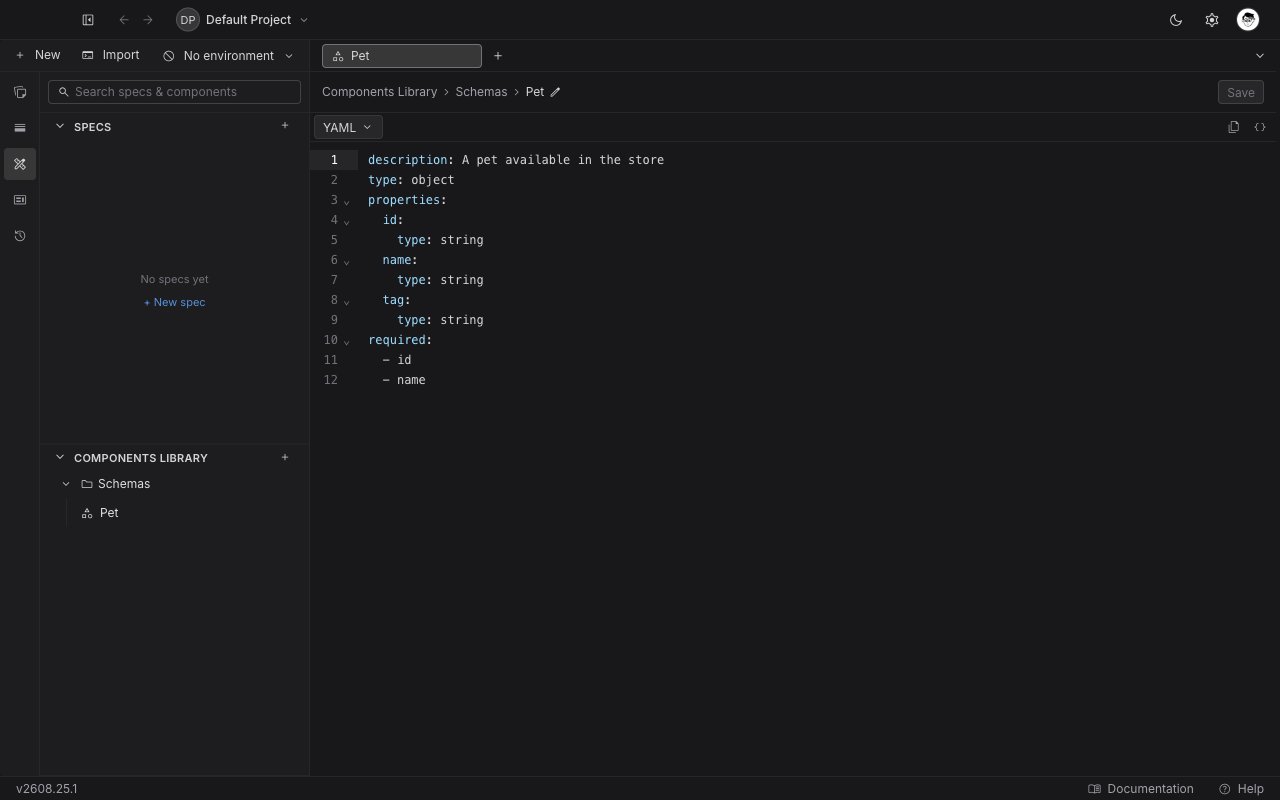 A single editor pane, in YAML or JSON, with a **YAML / JSON** dropdown, **Copy**, and **Format** in the toolbar. There is no outline and no documentation rail: a component is one object, not a whole document.
`$ref` completion works here too, so a component can reference another component. A `NotFound` response that points at an `Error` schema is written exactly the way a specification would write it.
## Reference a component from a specification
In the specification editor, type `$ref:` and pick the entry from the list. Library entries are labelled `library` in the right-hand column, and selecting one writes the path for you:
```yaml theme={null}
paths:
/pets:
get:
summary: List pets
responses:
'200':
description: OK
content:
application/json:
schema:
$ref: '../../components/schemas/Pet.yaml'
'404':
$ref: '../../components/responses/NotFound.yaml'
```
These are standard OpenAPI relative references. Requestly does not invent a syntax of its own, so a document that references the library is still a document any other OpenAPI tool can read once the pieces travel with it.
Let the completion write the path. Hand-typing the relative depth is the easiest way to create a reference that resolves nowhere.
In the editor, a library reference is drawn as a chip carrying the entry's name and category rather than the raw path. Hover it for the target's description and a preview of its body, and `Cmd/Ctrl + click` it to open that component in its own tab. See [create and edit a specification](/api-client/api-design/create-and-edit-a-specification#reference-a-component-with-ref) for the rest of the `$ref` behaviour.
## When a reference does not resolve
Requestly checks every reference against the library and flags the ones that fail, both inline in the editor and in the Issues panel.
| What went wrong | What you see |
| --------------- | ------------------------------------------------------------------------------------------------------------------------------------------------------------------- |
| No such entry | The reference names a category and entry the project's library does not have. Check the spelling and the case. |
| Wrong category | The reference points at the right name in the wrong category, for example a schema where a response is expected. The message names the category that belongs there. |
| Invalid name | The name in the path uses characters OpenAPI component names do not allow. |
| A URL | References to a component on another host are not supported. Bring the definition into the library instead. |
Full triage, including the governance rules that run alongside these checks, is in [issues and governance](/api-client/api-design/issues-and-governance).
## Rename or delete
Both are on the entry's `⋯` menu in the sidebar, and renaming is also available by clicking the name in the breadcrumb.
Renaming changes the path every reference uses, so references written against the old name stop resolving and are flagged in the specifications that hold them. Deleting asks you to confirm and warns that references to the entry will break. Neither can be undone.
In a local project, library entries are files on disk under `components//`, so a rename or a delete is a change you can review and commit like any other.
A single editor pane, in YAML or JSON, with a **YAML / JSON** dropdown, **Copy**, and **Format** in the toolbar. There is no outline and no documentation rail: a component is one object, not a whole document.
`$ref` completion works here too, so a component can reference another component. A `NotFound` response that points at an `Error` schema is written exactly the way a specification would write it.
## Reference a component from a specification
In the specification editor, type `$ref:` and pick the entry from the list. Library entries are labelled `library` in the right-hand column, and selecting one writes the path for you:
```yaml theme={null}
paths:
/pets:
get:
summary: List pets
responses:
'200':
description: OK
content:
application/json:
schema:
$ref: '../../components/schemas/Pet.yaml'
'404':
$ref: '../../components/responses/NotFound.yaml'
```
These are standard OpenAPI relative references. Requestly does not invent a syntax of its own, so a document that references the library is still a document any other OpenAPI tool can read once the pieces travel with it.
Let the completion write the path. Hand-typing the relative depth is the easiest way to create a reference that resolves nowhere.
In the editor, a library reference is drawn as a chip carrying the entry's name and category rather than the raw path. Hover it for the target's description and a preview of its body, and `Cmd/Ctrl + click` it to open that component in its own tab. See [create and edit a specification](/api-client/api-design/create-and-edit-a-specification#reference-a-component-with-ref) for the rest of the `$ref` behaviour.
## When a reference does not resolve
Requestly checks every reference against the library and flags the ones that fail, both inline in the editor and in the Issues panel.
| What went wrong | What you see |
| --------------- | ------------------------------------------------------------------------------------------------------------------------------------------------------------------- |
| No such entry | The reference names a category and entry the project's library does not have. Check the spelling and the case. |
| Wrong category | The reference points at the right name in the wrong category, for example a schema where a response is expected. The message names the category that belongs there. |
| Invalid name | The name in the path uses characters OpenAPI component names do not allow. |
| A URL | References to a component on another host are not supported. Bring the definition into the library instead. |
Full triage, including the governance rules that run alongside these checks, is in [issues and governance](/api-client/api-design/issues-and-governance).
## Rename or delete
Both are on the entry's `⋯` menu in the sidebar, and renaming is also available by clicking the name in the breadcrumb.
Renaming changes the path every reference uses, so references written against the old name stop resolving and are flagged in the specifications that hold them. Deleting asks you to confirm and warns that references to the entry will break. Neither can be undone.
In a local project, library entries are files on disk under `components//`, so a rename or a delete is a change you can review and commit like any other.