> ## Documentation Index
> Fetch the complete documentation index at: https://docs.requestly.com/llms.txt
> Use this file to discover all available pages before exploring further.
# API Design
> Write and edit OpenAPI specifications inside Requestly, with a project-wide library of reusable schemas, parameters, and responses.
Most work in the API Client starts from a request you send. API Design starts from the other end: you write the contract first, as an OpenAPI document, and everything else follows from it. The document lives in your project alongside your collections, so the design and the requests you send against it stay in one place.
Open it from the **API Design** icon in the API Client sidebar.
 ## Design a specification or build a collection?
Both describe the same API. They are good at different things.
| Reach for | When |
| ------------------- | -------------------------------------------------------------------------------------------------------------------------------------------------------------------------------------------------- |
| A **specification** | The contract is the deliverable. You are agreeing on endpoints before anyone implements them, you need the shape reviewed, or you want one definition that generates collections, mocks, and docs. |
| A **collection** | Calling the API is the deliverable. You want to send a request, script against the response, write tests, and run the whole thing in CI. |
You are not choosing once. A specification can generate a collection you then send requests from, and a collection can be exported as an OpenAPI file. See [sync a collection from a specification](/api-client/api-design/sync-a-collection-from-a-specification) for the link between the two, and [import an OpenAPI spec](/api-client/import-export/import-openapi-spec) to bring an existing file in as either one.
## What a specification is here
A specification is an OpenAPI 3.x document you edit as text, in YAML or JSON, with the editor helping you as you type: completion for OpenAPI keys, an outline of the document in the sidebar, a live documentation preview beside it, and problems flagged inline as you introduce them.
You can author **OpenAPI 3.1** (the default) and **OpenAPI 3.0**. Swagger 2.0 files can be imported, but only as a collection: they cannot be edited as a specification. There is no AsyncAPI authoring.
Requestly stores the standard document and nothing else. There are no Requestly-only keys added to your file, so what you export is what you wrote.
## How specifications sit in a project
Everything under API Design is scoped to one project.
* **Specs** are the documents themselves. A project can hold as many as you like.
* The **Components Library** is a single shared library per project. Every specification in the project can reference the same schema, parameter, or response instead of repeating it. See [the Component Library](/api-client/api-design/component-library).
In a local project, both are ordinary files you can commit: specifications under `specs/`, library entries under `components//`. In a team project they sync like the rest of your project, and your role applies. On a read-only role you can open and read every specification and component, but **Save**, rename, and delete are disabled with the reason on hover.
## The sidebar
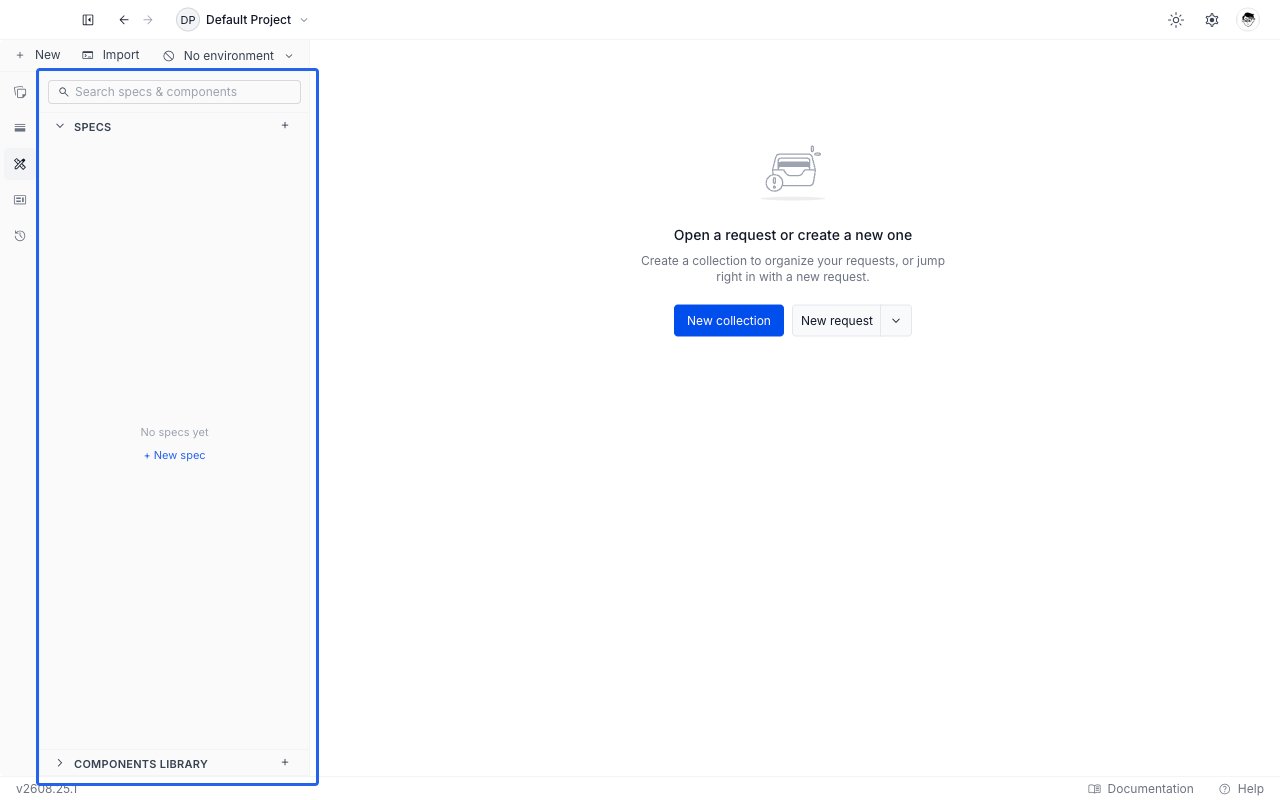
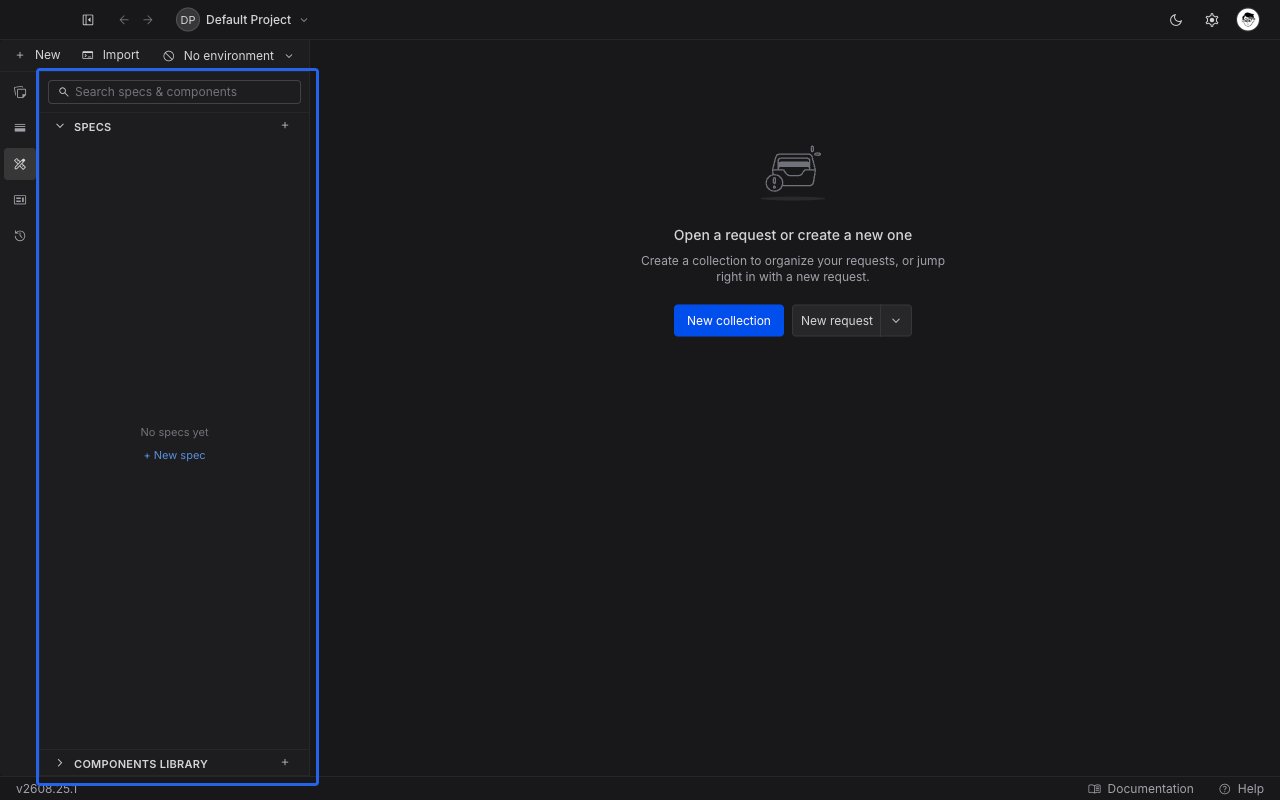
The panel has two sections, a search box across the top, and a `+` button on each section header.
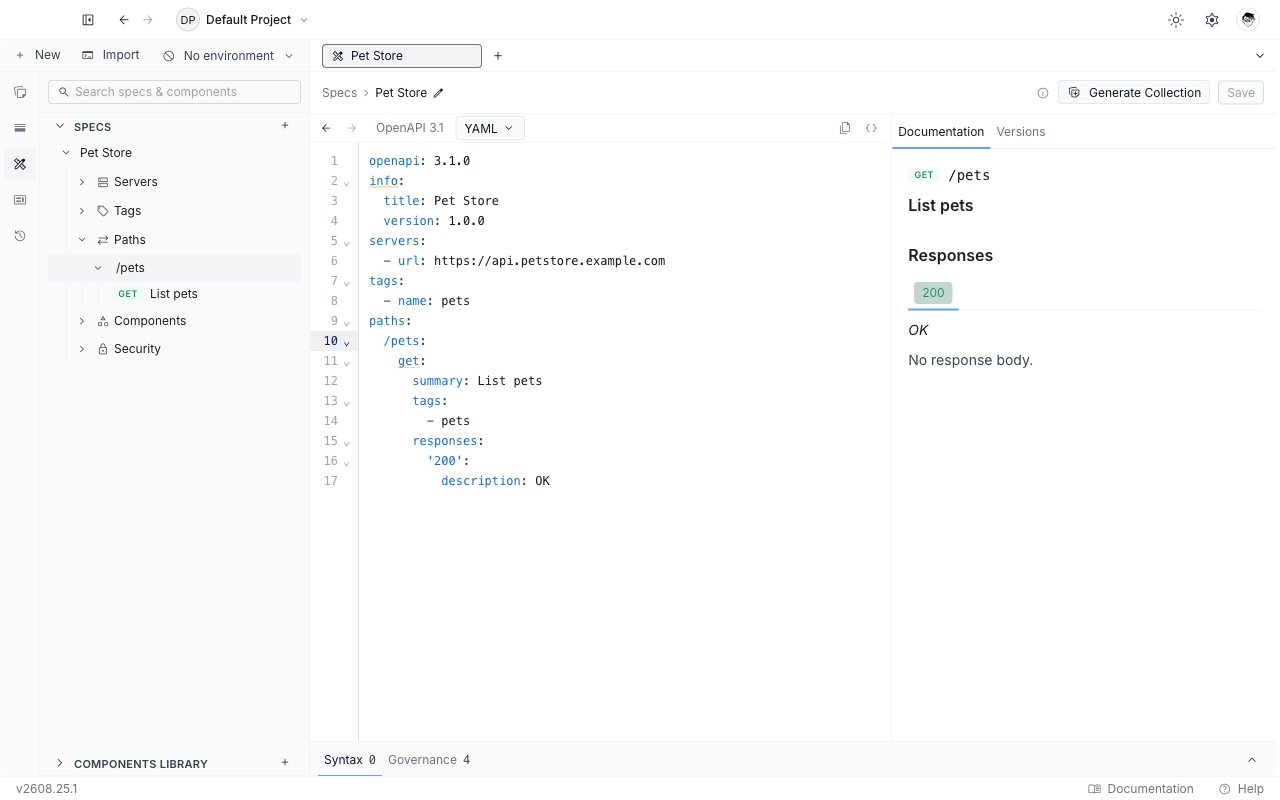
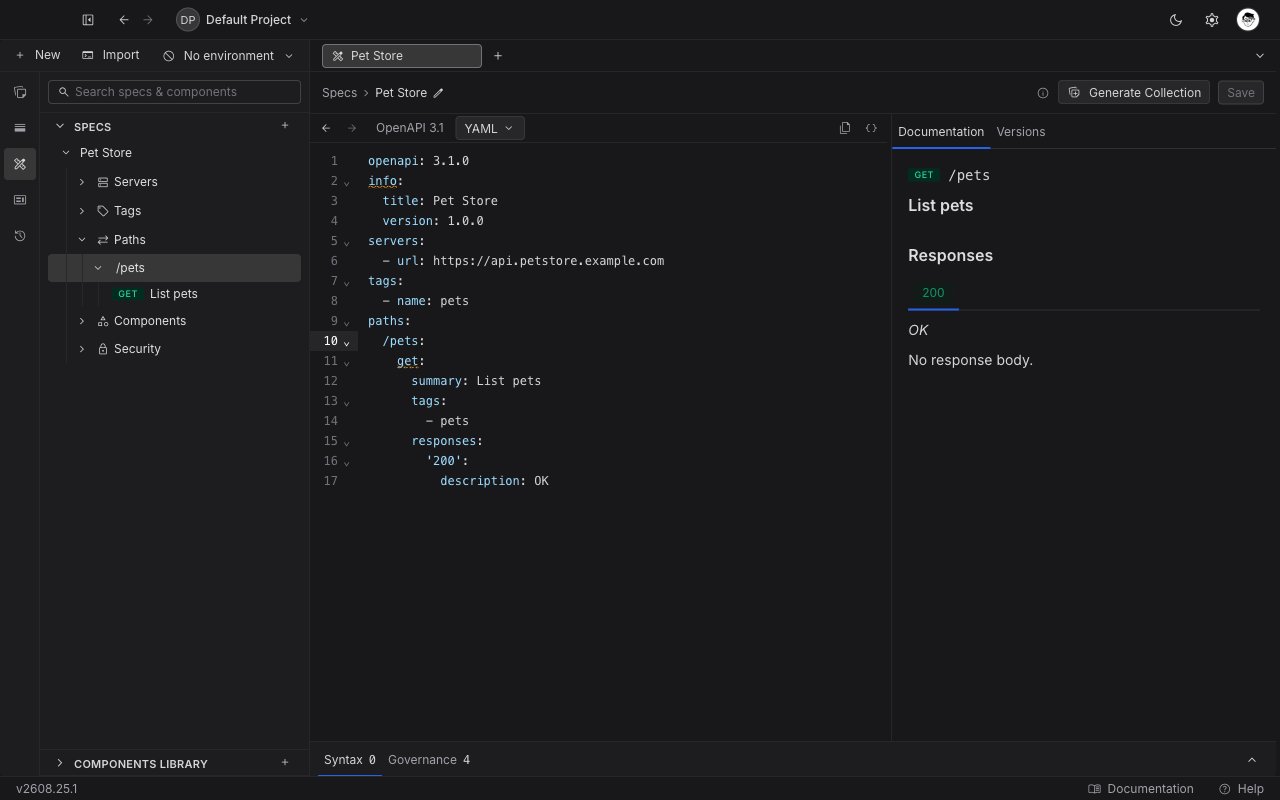
* **Specs** lists every specification in the project. Expand one and you get its outline: **Servers**, **Tags**, **Paths**, **Components**, and **Security**. Paths expand into their operations, each with its method badge. Clicking an outline row jumps the editor to that line.
* **Components Library** lists the project's reusable pieces, grouped by category. It starts **collapsed**, because most of the time you are working in a document rather than browsing the library. Click the header to open it.
## Design a specification or build a collection?
Both describe the same API. They are good at different things.
| Reach for | When |
| ------------------- | -------------------------------------------------------------------------------------------------------------------------------------------------------------------------------------------------- |
| A **specification** | The contract is the deliverable. You are agreeing on endpoints before anyone implements them, you need the shape reviewed, or you want one definition that generates collections, mocks, and docs. |
| A **collection** | Calling the API is the deliverable. You want to send a request, script against the response, write tests, and run the whole thing in CI. |
You are not choosing once. A specification can generate a collection you then send requests from, and a collection can be exported as an OpenAPI file. See [sync a collection from a specification](/api-client/api-design/sync-a-collection-from-a-specification) for the link between the two, and [import an OpenAPI spec](/api-client/import-export/import-openapi-spec) to bring an existing file in as either one.
## What a specification is here
A specification is an OpenAPI 3.x document you edit as text, in YAML or JSON, with the editor helping you as you type: completion for OpenAPI keys, an outline of the document in the sidebar, a live documentation preview beside it, and problems flagged inline as you introduce them.
You can author **OpenAPI 3.1** (the default) and **OpenAPI 3.0**. Swagger 2.0 files can be imported, but only as a collection: they cannot be edited as a specification. There is no AsyncAPI authoring.
Requestly stores the standard document and nothing else. There are no Requestly-only keys added to your file, so what you export is what you wrote.
## How specifications sit in a project
Everything under API Design is scoped to one project.
* **Specs** are the documents themselves. A project can hold as many as you like.
* The **Components Library** is a single shared library per project. Every specification in the project can reference the same schema, parameter, or response instead of repeating it. See [the Component Library](/api-client/api-design/component-library).
In a local project, both are ordinary files you can commit: specifications under `specs/`, library entries under `components//`. In a team project they sync like the rest of your project, and your role applies. On a read-only role you can open and read every specification and component, but **Save**, rename, and delete are disabled with the reason on hover.
## The sidebar
The panel has two sections, a search box across the top, and a `+` button on each section header.
* **Specs** lists every specification in the project. Expand one and you get its outline: **Servers**, **Tags**, **Paths**, **Components**, and **Security**. Paths expand into their operations, each with its method badge. Clicking an outline row jumps the editor to that line.
* **Components Library** lists the project's reusable pieces, grouped by category. It starts **collapsed**, because most of the time you are working in a document rather than browsing the library. Click the header to open it.
 Typing in the search box filters both trees at once and opens both sections while the query is active, so a match in the library is never hidden behind a collapsed header.
With more than one project active, the panel shows one collapsible section per project, each with its own Specs and Components Library.
## Create your first specification
Click the **API Design** icon in the API Client sidebar. If the project has no specifications yet, the **Specs** section shows "No specs yet" with a **New spec** button.
Click **New spec** (or the `+` on the **Specs** header) and choose **OpenAPI 3.1 (default)** or **OpenAPI 3.0**. The same choice is available from **+ New → API spec** in the sidebar toolbar.
Typing in the search box filters both trees at once and opens both sections while the query is active, so a match in the library is never hidden behind a collapsed header.
With more than one project active, the panel shows one collapsible section per project, each with its own Specs and Components Library.
## Create your first specification
Click the **API Design** icon in the API Client sidebar. If the project has no specifications yet, the **Specs** section shows "No specs yet" with a **New spec** button.
Click **New spec** (or the `+` on the **Specs** header) and choose **OpenAPI 3.1 (default)** or **OpenAPI 3.0**. The same choice is available from **+ New → API spec** in the sidebar toolbar.
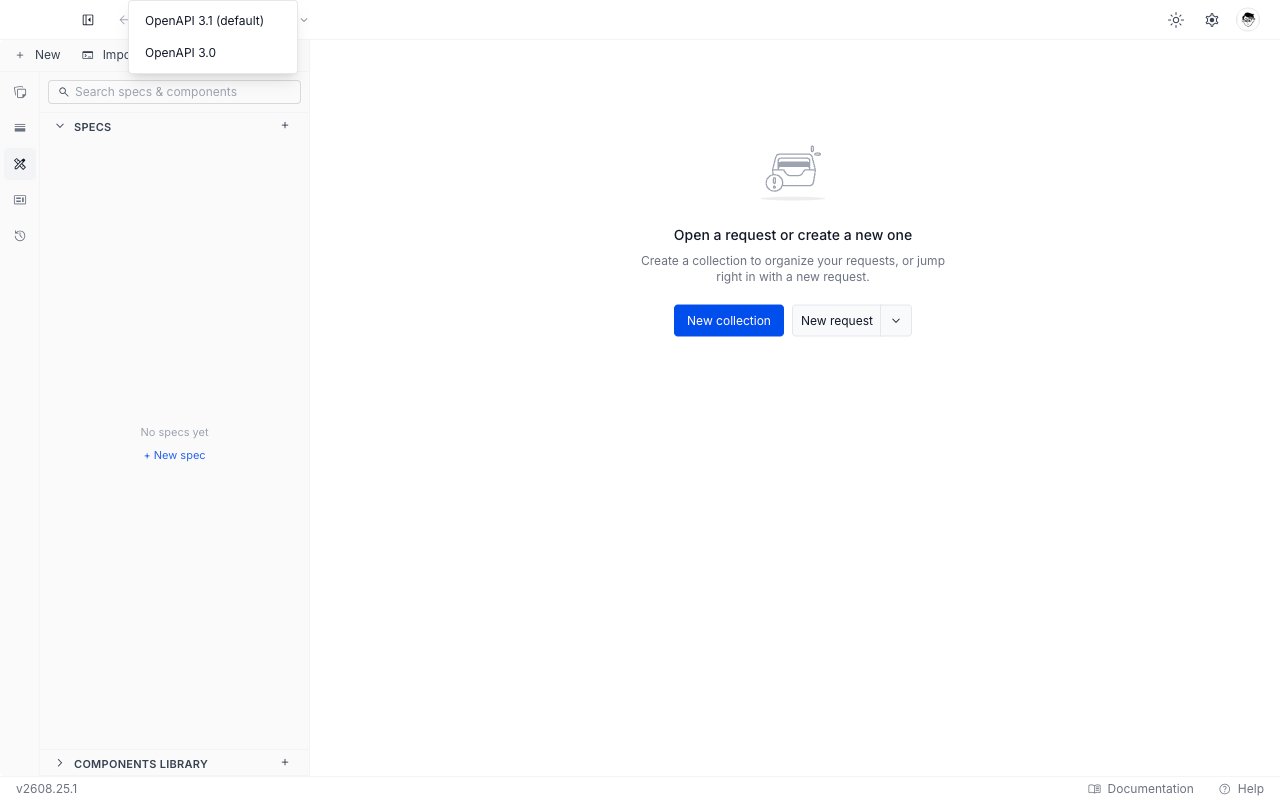
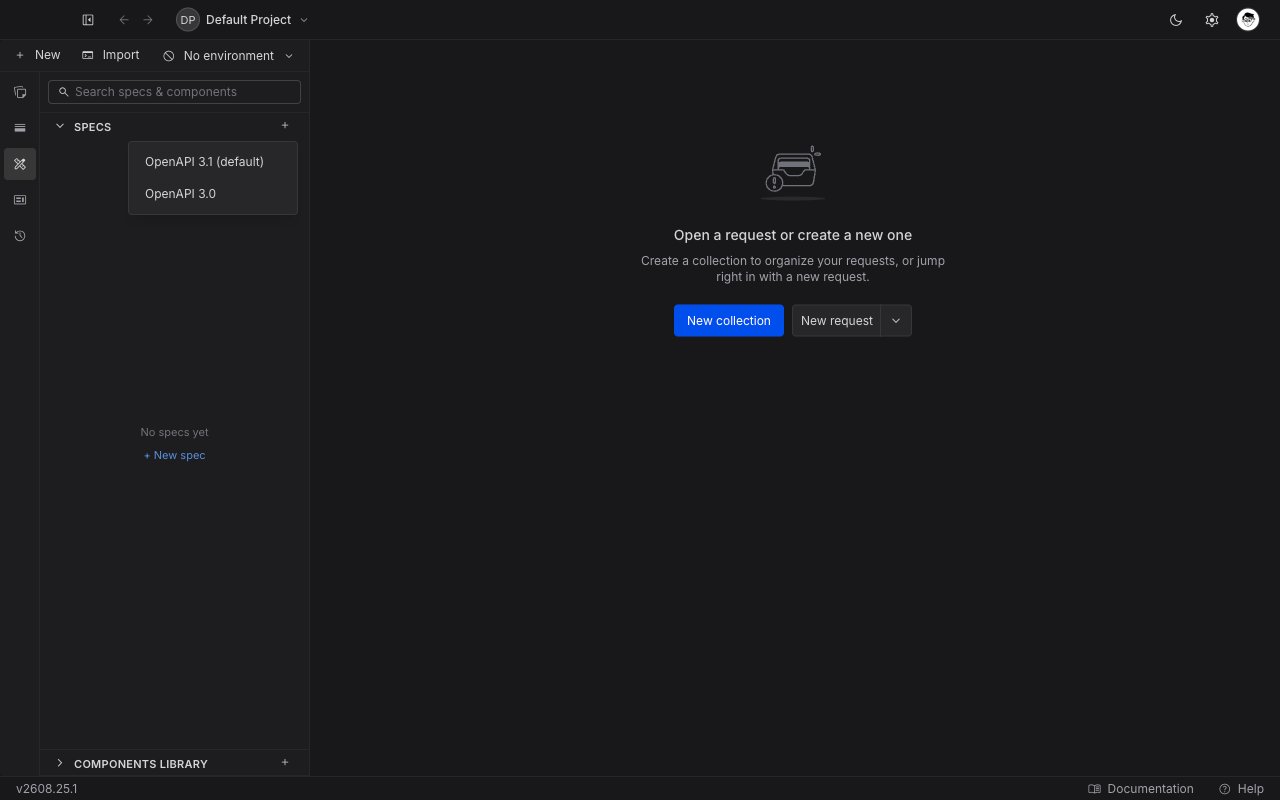 The specification opens in a new tab as a draft, seeded with a minimal valid document, and the name in the breadcrumb is focused. Type a name and press Enter.
Press `Cmd/Ctrl + S` or click **Save**. Nothing is written to the project until you save, so a draft you abandon leaves nothing behind.
Next: [create and edit a specification](/api-client/api-design/create-and-edit-a-specification) covers the editor itself.
## What you can do with a specification
Once a specification exists, the rest of API Design hangs off it.
* **Read it as documentation.** The rail beside the editor renders the document as you type: operations, parameters, request and response bodies, and schema trees.
* **Keep it clean.** Problems are flagged inline in the editor and collected in an Issues panel, with a governance ruleset you can tune per project. See [issues and governance](/api-client/api-design/issues-and-governance).
* **Turn it into requests.** Generate a collection from the specification and keep the two in step as the document changes. See [sync a collection from a specification](/api-client/api-design/sync-a-collection-from-a-specification).
* **Cut a version.** Freeze the current document as a named release you can come back to. See [versions and releases](/api-client/api-design/versions-and-releases).
Deleting a component that specifications still reference breaks those references. Requestly warns you before the delete and then flags every broken `$ref` in the affected documents.
The specification opens in a new tab as a draft, seeded with a minimal valid document, and the name in the breadcrumb is focused. Type a name and press Enter.
Press `Cmd/Ctrl + S` or click **Save**. Nothing is written to the project until you save, so a draft you abandon leaves nothing behind.
Next: [create and edit a specification](/api-client/api-design/create-and-edit-a-specification) covers the editor itself.
## What you can do with a specification
Once a specification exists, the rest of API Design hangs off it.
* **Read it as documentation.** The rail beside the editor renders the document as you type: operations, parameters, request and response bodies, and schema trees.
* **Keep it clean.** Problems are flagged inline in the editor and collected in an Issues panel, with a governance ruleset you can tune per project. See [issues and governance](/api-client/api-design/issues-and-governance).
* **Turn it into requests.** Generate a collection from the specification and keep the two in step as the document changes. See [sync a collection from a specification](/api-client/api-design/sync-a-collection-from-a-specification).
* **Cut a version.** Freeze the current document as a named release you can come back to. See [versions and releases](/api-client/api-design/versions-and-releases).
Deleting a component that specifications still reference breaks those references. Requestly warns you before the delete and then flags every broken `$ref` in the affected documents.