> ## Documentation Index
> Fetch the complete documentation index at: https://docs.requestly.com/llms.txt
> Use this file to discover all available pages before exploring further.
# Collection & SubCollection Variables
**Collection** and **SubCollection Variables** in Requestly let you define scoped values that are only available within a specific collection or a nested sub-group of requests. These variables are ideal when you want to manage shared data for a group of related requests, without affecting global or environment-level variables.
They help you build modular, reusable collections and make it easy to organize values related to a particular service, API module, or test scenario.
If both a collection and subcollection define a variable with the same name, **SubCollection variables take precedence** during execution.\`
## **How to Create Collection Variables**
### **Step 1: Access the Collections Tab**
**Sub-collection** variables can be created and take precedence over their parent collection variables. If a variable in the sub-collection shares the same key as one in the parent collection, the sub-collection variable will be used during request execution.
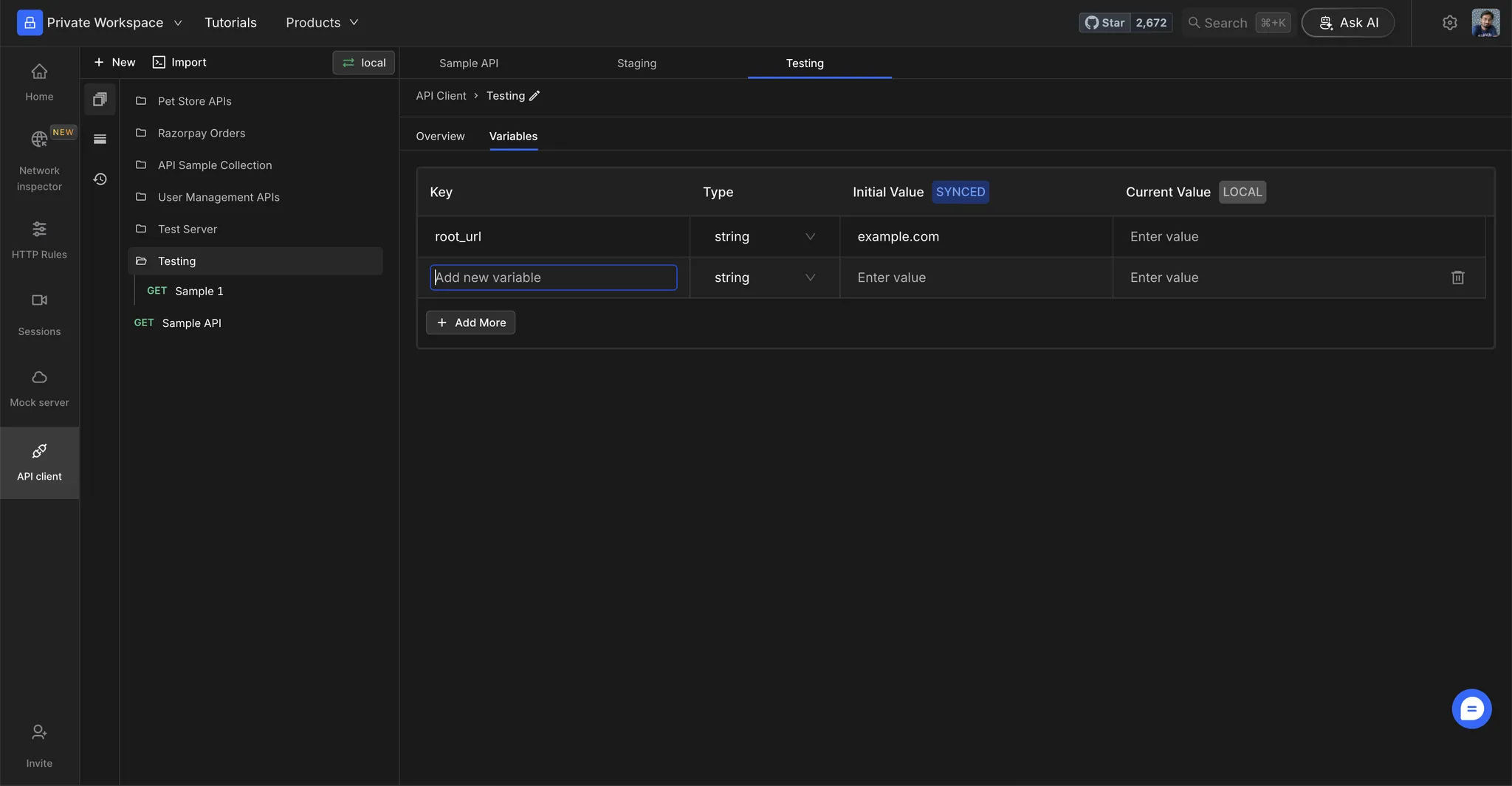
Click on the **Collection Name** to open **Collection Overview** and switch to **Variables** tab.
### **Step 2: Add Variables**
Add variables in the table by specifying the following details:
* **Key:** The name of the variable that you will be referencing when sending requests. Note, an environment cannot have keys with the same name.
* **Type:** The type of value the variable will store. It can be a **string**, **number**, or **boolean**.
* **Initial value (synced):** Initial values will be synced across the workspace. These values will be used by default if no user-defined Current value is set for the variable.
* **Current value (local):** Current values are user-defined entries that are not synced across the workspace. These values will override the defined Initial values. If the current value is empty or left blank, then the initial value of the variable will be used.
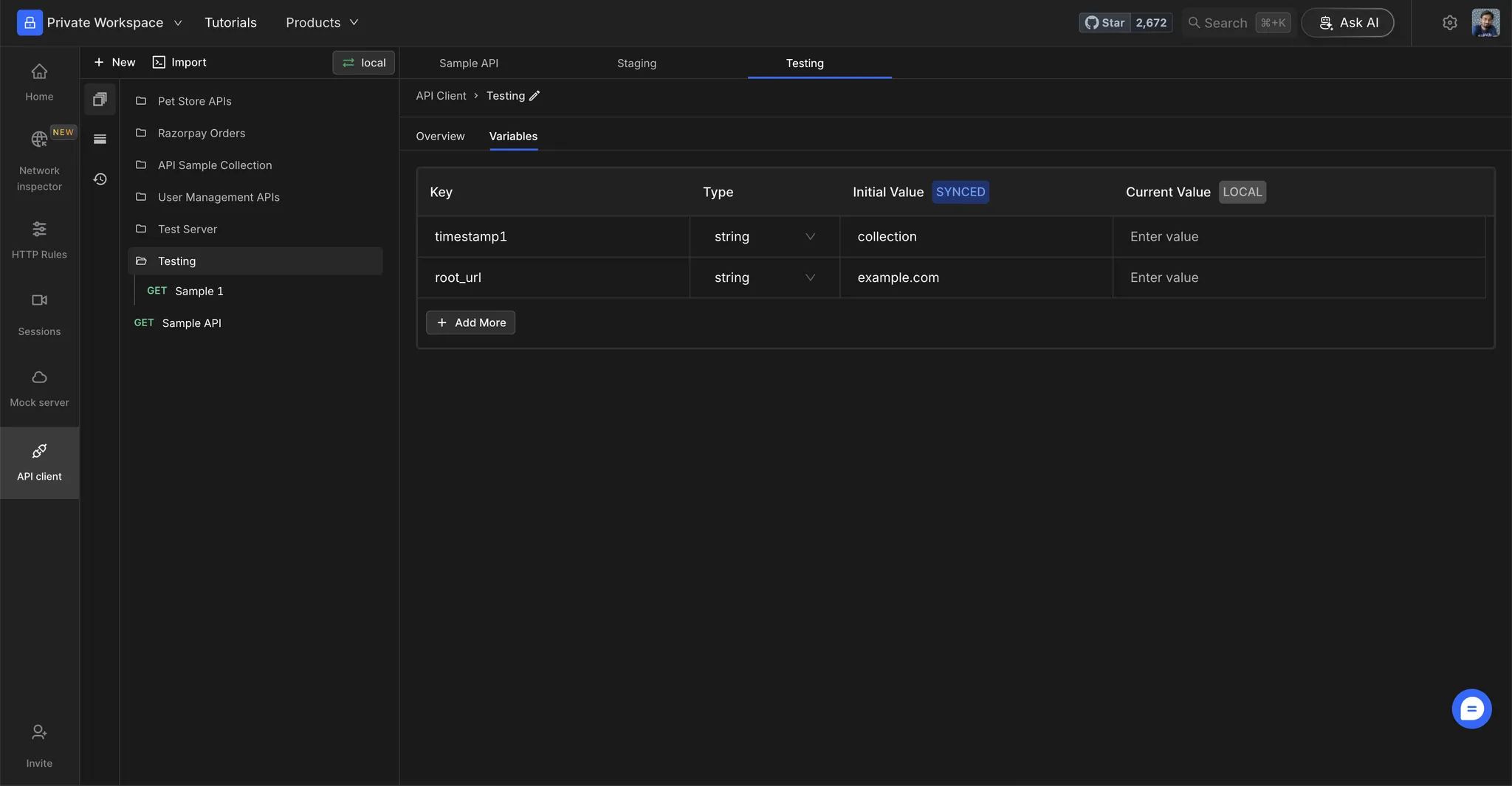 ### **Step 2: Add Variables**
Add variables in the table by specifying the following details:
* **Key:** The name of the variable that you will be referencing when sending requests. Note, an environment cannot have keys with the same name.
* **Type:** The type of value the variable will store. It can be a **string**, **number**, or **boolean**.
* **Initial value (synced):** Initial values will be synced across the workspace. These values will be used by default if no user-defined Current value is set for the variable.
* **Current value (local):** Current values are user-defined entries that are not synced across the workspace. These values will override the defined Initial values. If the current value is empty or left blank, then the initial value of the variable will be used.
### **Step 2: Add Variables**
Add variables in the table by specifying the following details:
* **Key:** The name of the variable that you will be referencing when sending requests. Note, an environment cannot have keys with the same name.
* **Type:** The type of value the variable will store. It can be a **string**, **number**, or **boolean**.
* **Initial value (synced):** Initial values will be synced across the workspace. These values will be used by default if no user-defined Current value is set for the variable.
* **Current value (local):** Current values are user-defined entries that are not synced across the workspace. These values will override the defined Initial values. If the current value is empty or left blank, then the initial value of the variable will be used.