> ## Documentation Index
> Fetch the complete documentation index at: https://docs.requestly.com/llms.txt
> Use this file to discover all available pages before exploring further.
# Runtime Variables
Runtime variables in Requestly are **temporary variables** that last until the session is closed. Unlike environment or collection variables, they are available globally across all workspaces.
Runtime variables are the only type of variables that work **across multiple workspaces**.
You can choose whether variables should **persist** it’s value after restarting the app .
## Why use runtime variables?
Runtime variables are designed to give you flexibility when testing APIs across different workspaces. Some common use cases include:
* **Quick testing**: Store temporary values like access tokens or session IDs while debugging.
* **Cross-workspace usage**: Share the same variable across multiple local workspaces without redefining it each time.
* **Persistence control**: Choose whether the variable should survive after restarting the app or clear automatically for a fresh start.
Runtime variables are **not synced to the cloud**. They only exist locally on your device. If you switch machines or reinstall the app, these variables will not carry over.
## Creating a runtime variable
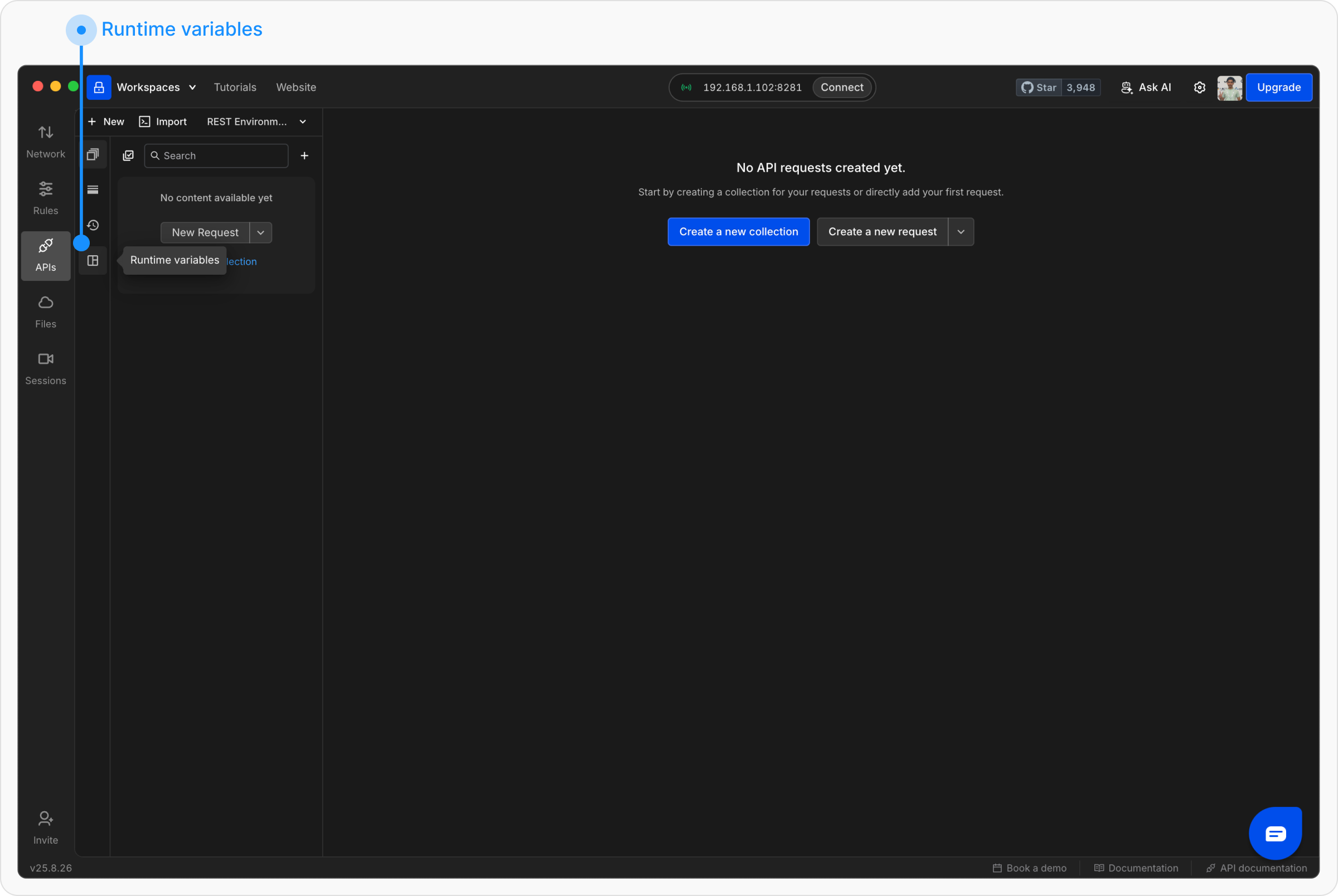
From the sidebar, click on **Runtime variables**.
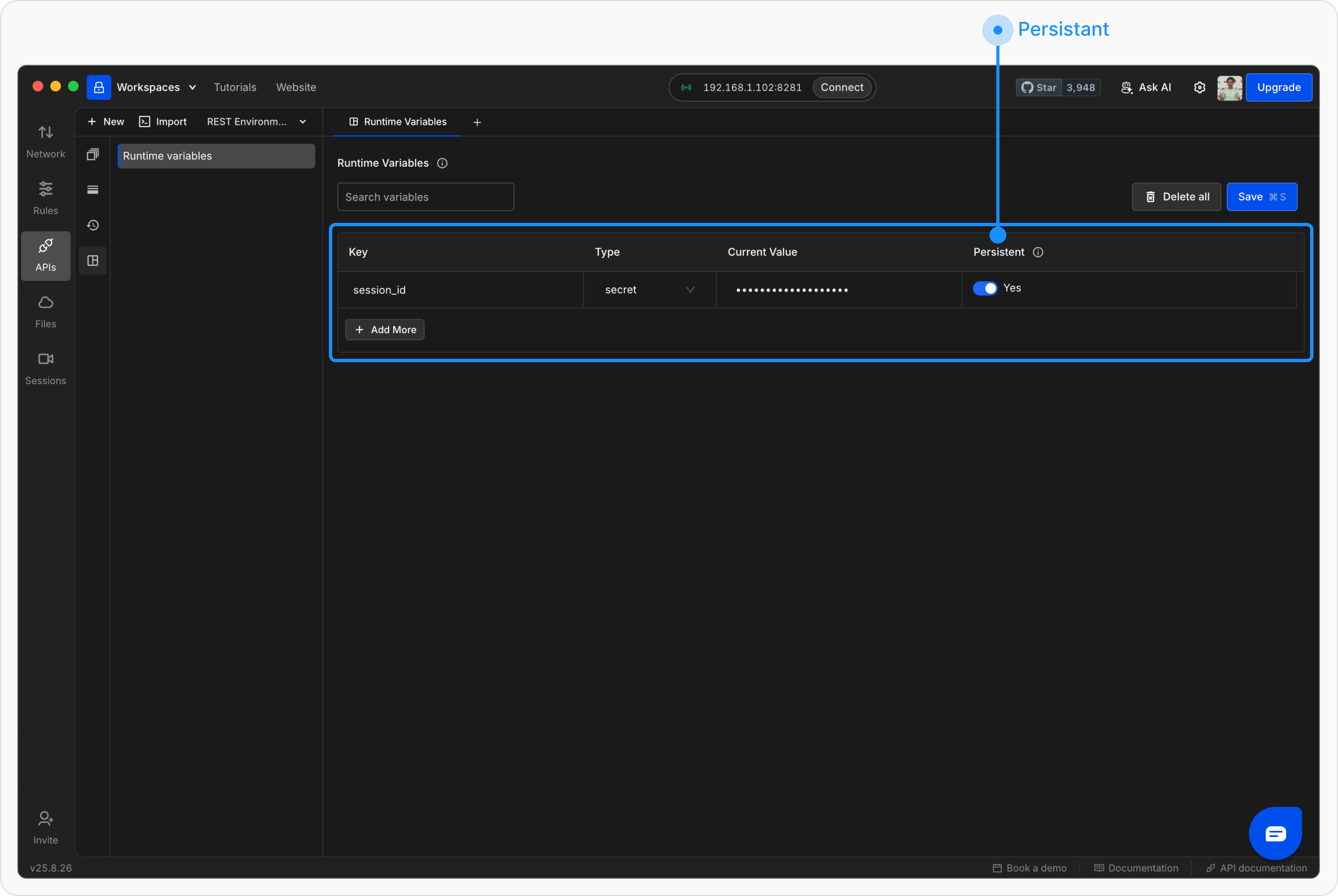
 In the variables table, click **+ Add More** and enter the variable details:
* **Key** – The variable name (e.g., `session_id`).
* **Value** – The value you want to store.
* **Type** – Select from **String**, **Number**, **Boolean**, or **Secret**.
* **Persistent** – Toggle whether the variable should be saved across app restarts.
* **Yes** → Keeps its value after restarting the app.
* **No** → Clears itself automatically on restart.
In the variables table, click **+ Add More** and enter the variable details:
* **Key** – The variable name (e.g., `session_id`).
* **Value** – The value you want to store.
* **Type** – Select from **String**, **Number**, **Boolean**, or **Secret**.
* **Persistent** – Toggle whether the variable should be saved across app restarts.
* **Yes** → Keeps its value after restarting the app.
* **No** → Clears itself automatically on restart.
 ## Using runtime variables
**Method 1: Insert variables directly in requests**
You can use runtime variables just like environment or collection variables. Wrap the variable name in double curly braces `{{ }}`:
`https://api.example.com/users/{{session_id}}`
**Method 2: Set variables in scripts**\
You can define or update runtime variables in the **Scripts** tab using the `rq.variables` object.
```javascript theme={null}
rq.variables.set("token", "12345");
rq.variables.get("token");
```
## Using runtime variables
**Method 1: Insert variables directly in requests**
You can use runtime variables just like environment or collection variables. Wrap the variable name in double curly braces `{{ }}`:
`https://api.example.com/users/{{session_id}}`
**Method 2: Set variables in scripts**\
You can define or update runtime variables in the **Scripts** tab using the `rq.variables` object.
```javascript theme={null}
rq.variables.set("token", "12345");
rq.variables.get("token");
```