> ## Documentation Index
> Fetch the complete documentation index at: https://docs.requestly.com/llms.txt
> Use this file to discover all available pages before exploring further.
# Create Request & Response Examples
> Save, manage, and reuse examples in Requestly. Create snapshots of your API requests with different configurations for quick reuse.
Examples are a pairing of a request and its corresponding response. Each example captures the complete state of an API call, including the request details (method, URL, parameters, headers, and body) and the response details (status code, body, and headers).
You can attach multiple examples to a single request, all organized under that parent request in the sidebar. This makes it easy to navigate between different scenarios without duplicating or modifying the original request.
Having multiple examples for one request helps you represent how an API behaves in different situations. For instance, you can save examples for successful responses, error states like 400 or 404, or cases where the response data changes.
## Why Use Examples
* **Test multiple scenarios**\
Save different configurations like valid inputs, edge cases, and error states, and switch between them instantly.
* **Collaborate with your team**\
Examples are shared within your workspace so others can view and use the exact configurations.
* **Retain request and response data**\
Each example stores both the request and its response, making it easy to revisit past executions.
## Save a request & responses as an example
You can create an example from any HTTP or GraphQL request that has been sent at least once.
Navigate to an existing API request in your workspace or send a new request.
Click the **Save** dropdown in the request view and select **Save as Example**. \
This stores the current configuration including URL, method, headers, parameters, and body.
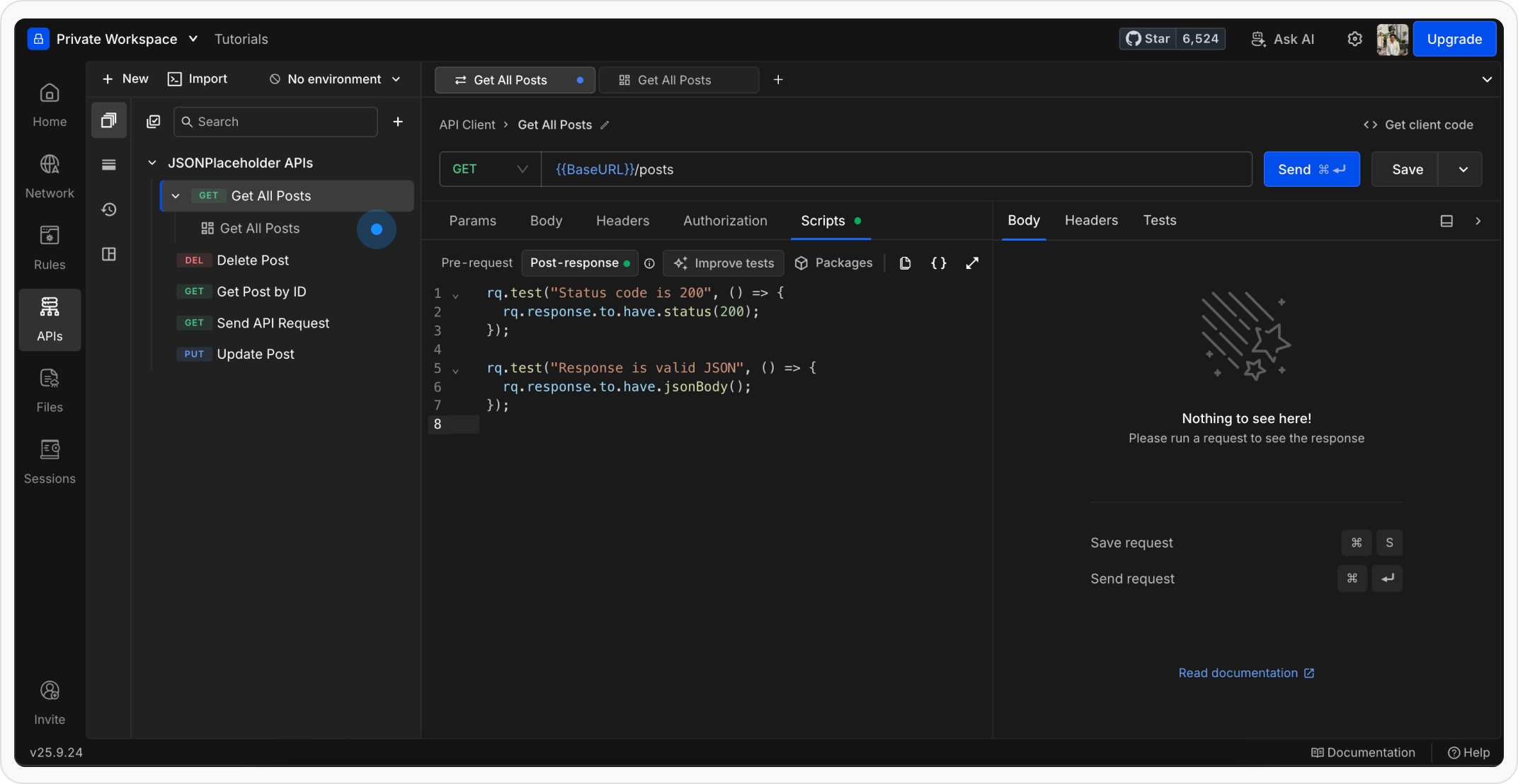
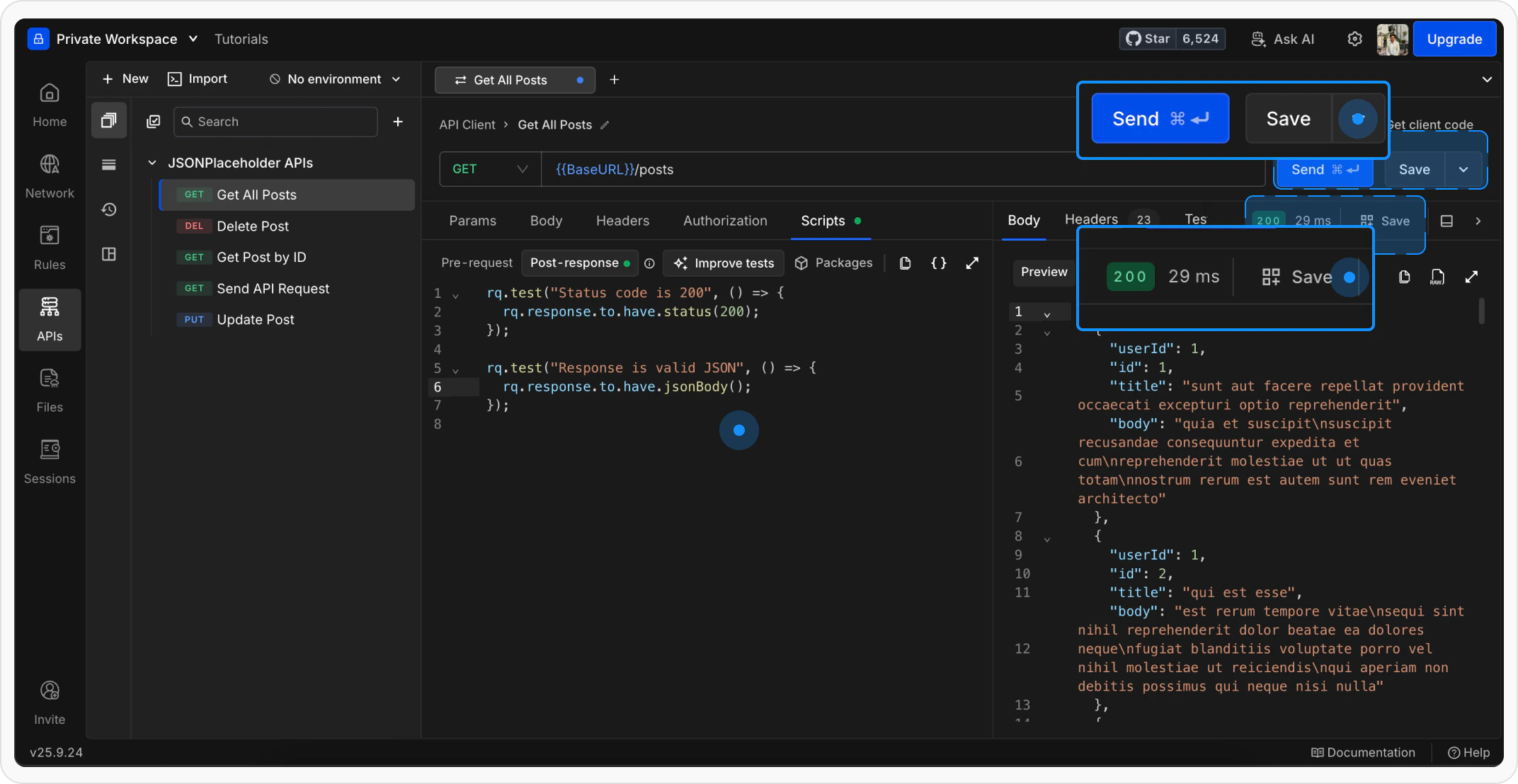 The example opens in a new tab. The parent request in the sidebar expands to show the newly created example beneath it.
 You can also save examples from the request's context menu in the sidebar by right-clicking the request and selecting the save option.
## Manage examples in the sidebar
Examples appear as collapsible children under their parent request in the sidebar. Click the expand arrow next to any request to reveal its examples.
### Open an example
Click on an example in the sidebar to open it in a new tab. The example loads with the saved request configuration and response data.
You can also save examples from the request's context menu in the sidebar by right-clicking the request and selecting the save option.
## Manage examples in the sidebar
Examples appear as collapsible children under their parent request in the sidebar. Click the expand arrow next to any request to reveal its examples.
### Open an example
Click on an example in the sidebar to open it in a new tab. The example loads with the saved request configuration and response data.
.png?fit=max&auto=format&n=ngLDafOW0LQ7Vo0B&q=85&s=4c7978793af1a8864067386d9bceb178) ### Rename an example
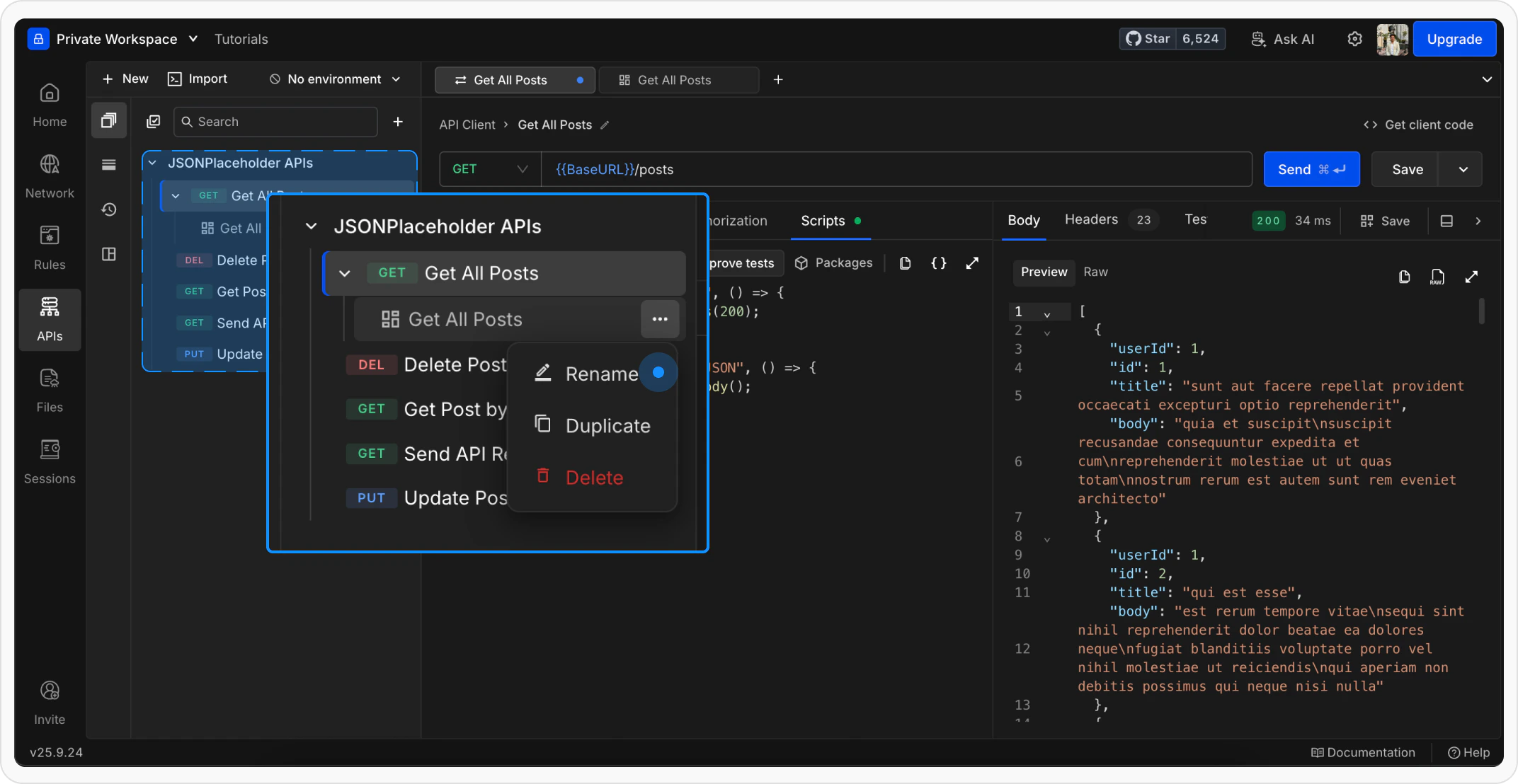
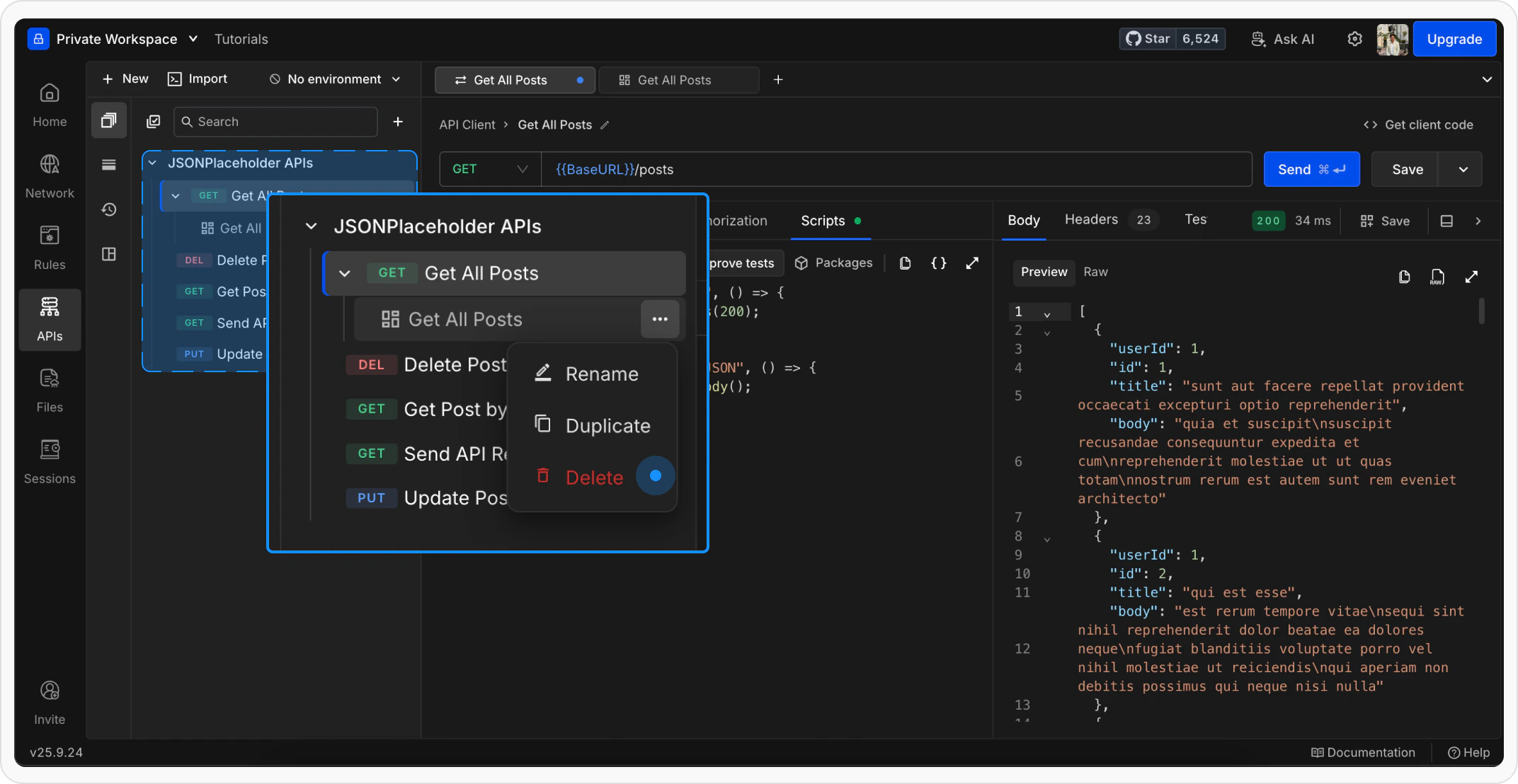
Right-click the example in the sidebar and select **Rename**, or double-click the example name. Type the new name and press **Enter** to save.
### Rename an example
Right-click the example in the sidebar and select **Rename**, or double-click the example name. Type the new name and press **Enter** to save.
 ### Duplicate an example
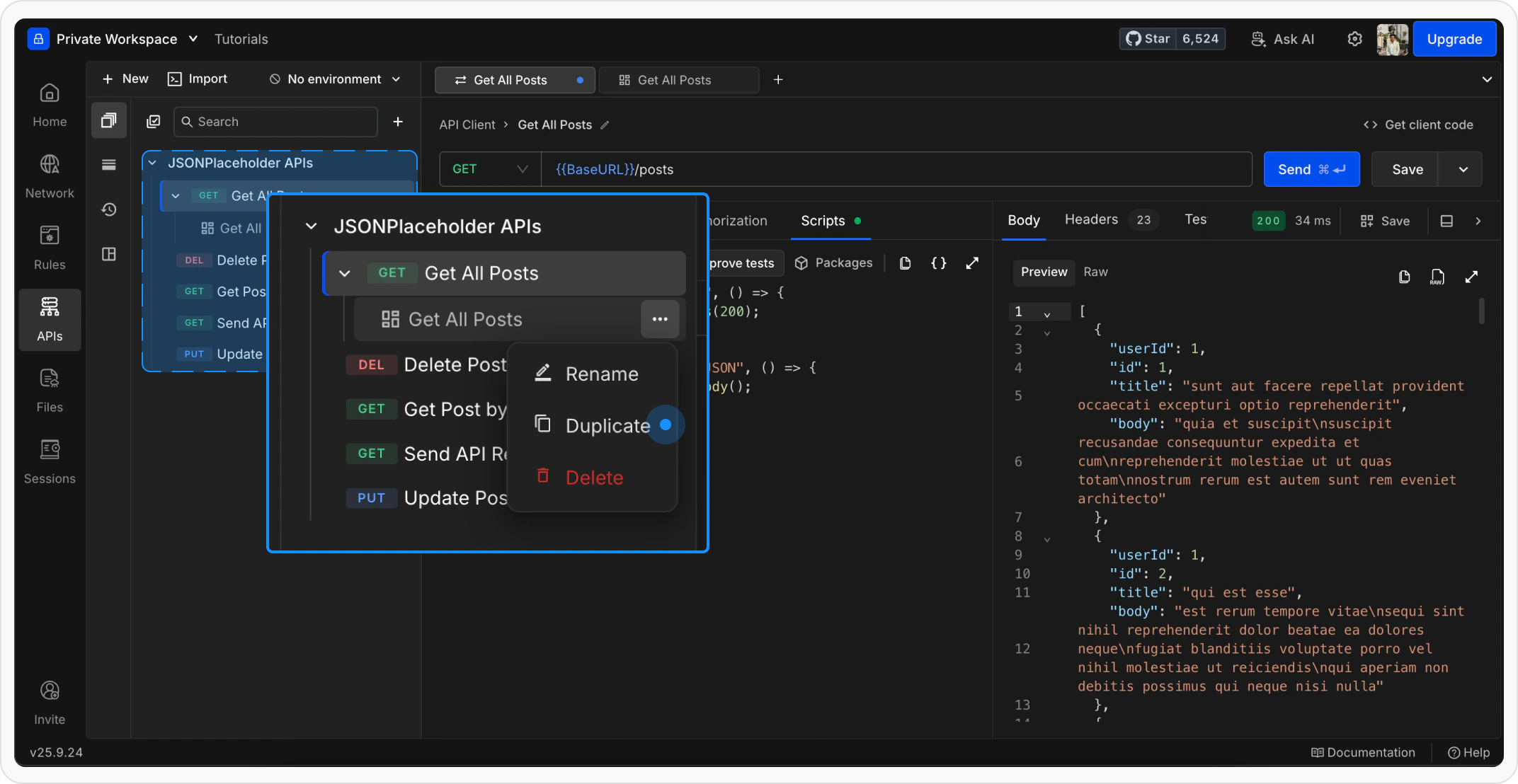
Right-click the example in the sidebar and select **Duplicate**. A copy of the example is created under the same parent request.
### Duplicate an example
Right-click the example in the sidebar and select **Duplicate**. A copy of the example is created under the same parent request.
 ### Delete an example
Right-click the example in the sidebar and select **Delete**. Confirm the action in the prompt that appears.
### Delete an example
Right-click the example in the sidebar and select **Delete**. Confirm the action in the prompt that appears.
 Deleting an example is permanent and cannot be undone.
## Use an example as a template
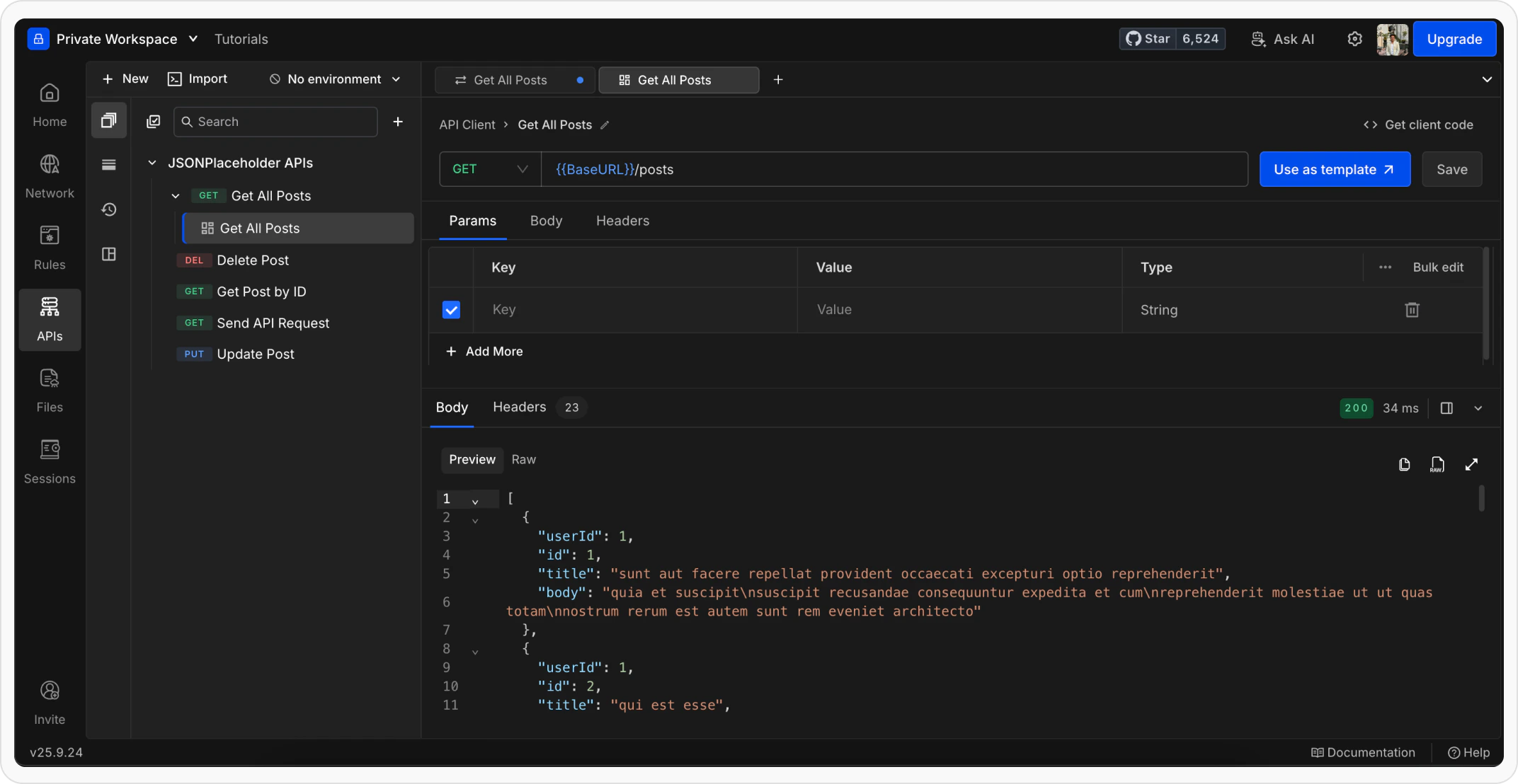
When viewing an example, click **Use as Template** to load its configuration into a new draft request. This lets you start a new request based on an existing example without modifying the original.
Deleting an example is permanent and cannot be undone.
## Use an example as a template
When viewing an example, click **Use as Template** to load its configuration into a new draft request. This lets you start a new request based on an existing example without modifying the original.
 ## What's next?
Organize your requests into collections and folders
Use variables to make requests reusable across environments
Add pre-request scripts and tests to automate your workflow
## What's next?
Organize your requests into collections and folders
Use variables to make requests reusable across environments
Add pre-request scripts and tests to automate your workflow