> ## Documentation Index
> Fetch the complete documentation index at: https://docs.requestly.com/llms.txt
> Use this file to discover all available pages before exploring further.
# Switch and create branches
> Open the branch picker from the Requestly sidebar to switch branches, create one, resolve uncommitted changes during a switch, and delete a branch you no longer need.
Requestly shows the branch you are on in the sidebar status bar, and puts the whole branch list one click behind it. You can switch, create, and delete branches without a terminal. Git applies to [local projects](/api-client/git/overview#requirements) only, so the **Git** tab is hidden while a team project is active.
Git requires the **desktop app**. [Download Requestly](https://requestly.com/downloads).
## Open the branch picker
The status bar at the bottom of the sidebar shows the current branch name, on every tab and not only on the **Git** tab. Click the branch name to open the **Branches** window.
The window holds three parts, top to bottom:
* A **Search branches** box.
* The branch list.
* A **Create branch** row.
The branch name is not clickable while a merge or a rebase is in progress. Finish the merge first, then switch.
## Read the branch list
Each row is one branch.
| What you see | What it means |
| ------------------------- | --------------------------------------------------------------------------------- |
| A green check at the left | The branch you are on. The row is not clickable, and it carries no delete action. |
| A **DEFAULT** tag | The branch is named `main` or `master`. It is a marker, not an action. |
| A trash icon on hover | Deletes that branch. See [Delete a branch](#delete-a-branch). |
Type in **Search branches** to narrow the list by name. A search that matches nothing reads "No branches match."
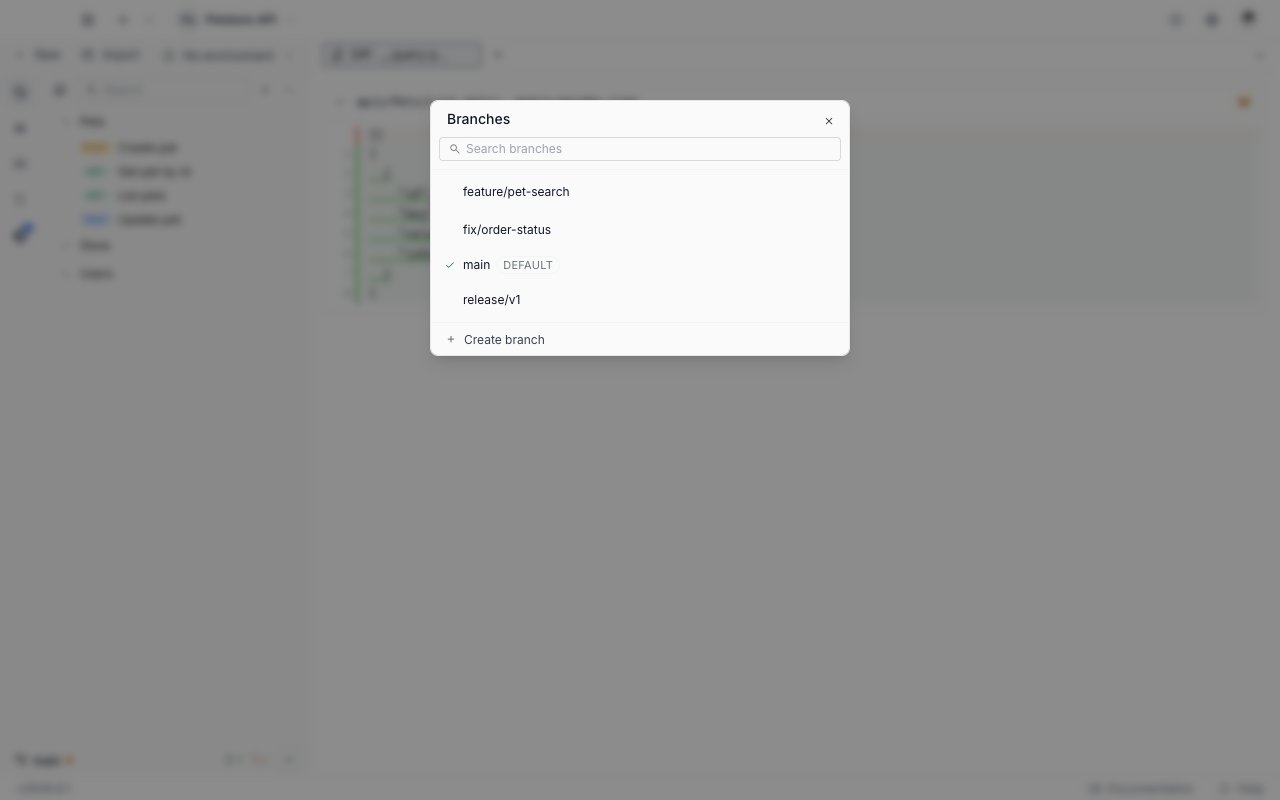
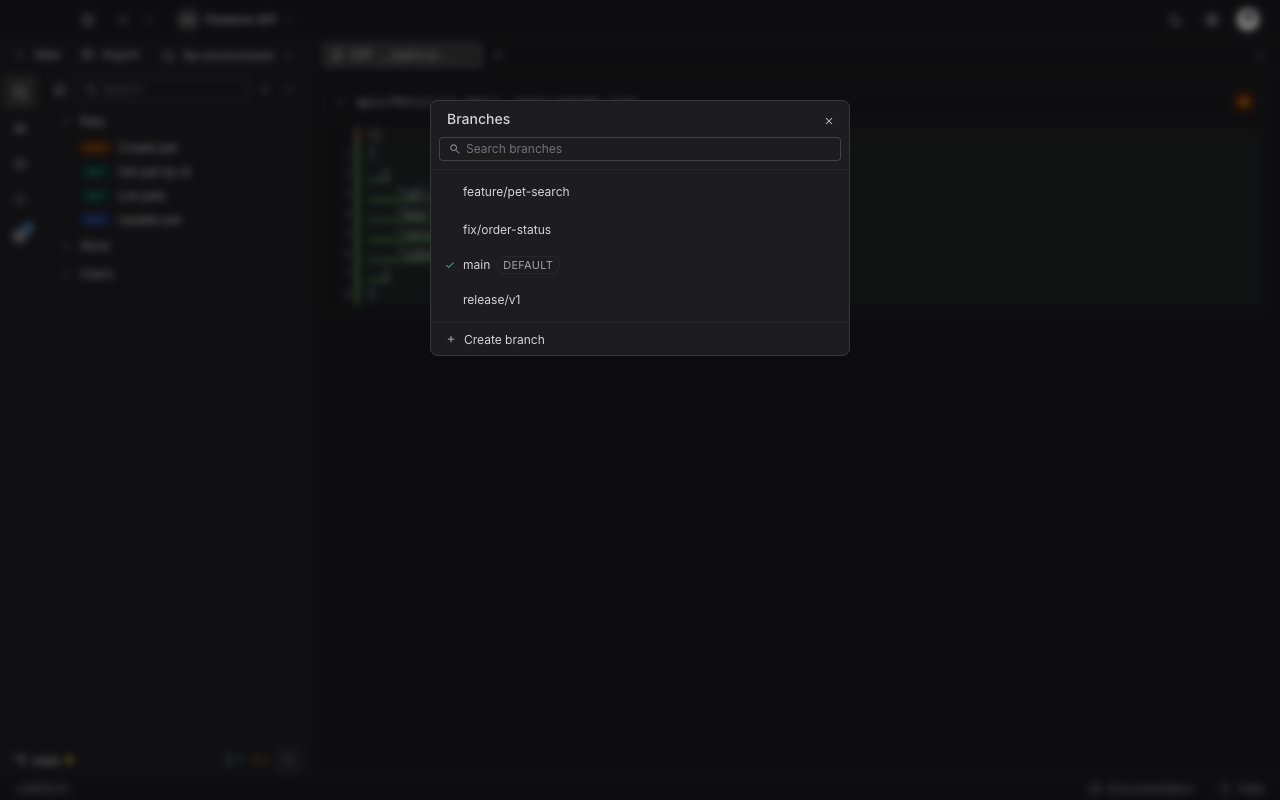 The list holds your local branches. A branch that exists only on the remote does not appear, and Requestly does not check one out. Pull instead, to bring the remote's commits into the branch you are on.
## Switch to another branch
Click the branch name in the sidebar status bar.
Click the row you want. With a clean working tree, Requestly switches and closes the window.
With staged or unstaged changes in the tree, the **Uncommitted changes** dialog opens first. Choose how to handle them, as described below.
While a switch runs, the window stays open and its controls are disabled. It closes on its own once the switch succeeds.
### When the working tree is not clean
Switching would lose changes you have not committed, so Requestly asks first. The dialog reads "Switching to `` would lose your current changes. Stash them or discard?" and offers three buttons.
| Button | What it does |
| ------------------ | ------------------------------------------------------------------------------------------------------------------------------------------------------------------------------------------------------------- |
| **Stash & switch** | Stashes your changes, including untracked files, then switches. The stash is recorded as "WIP before switching to ``" and appears in the [Stashes section](/api-client/git/stashes) of the Git panel. |
| **Discard** | Throws the uncommitted changes away and switches, in one step. |
| **Cancel** | Leaves you on the current branch with your changes intact. |
The list holds your local branches. A branch that exists only on the remote does not appear, and Requestly does not check one out. Pull instead, to bring the remote's commits into the branch you are on.
## Switch to another branch
Click the branch name in the sidebar status bar.
Click the row you want. With a clean working tree, Requestly switches and closes the window.
With staged or unstaged changes in the tree, the **Uncommitted changes** dialog opens first. Choose how to handle them, as described below.
While a switch runs, the window stays open and its controls are disabled. It closes on its own once the switch succeeds.
### When the working tree is not clean
Switching would lose changes you have not committed, so Requestly asks first. The dialog reads "Switching to `` would lose your current changes. Stash them or discard?" and offers three buttons.
| Button | What it does |
| ------------------ | ------------------------------------------------------------------------------------------------------------------------------------------------------------------------------------------------------------- |
| **Stash & switch** | Stashes your changes, including untracked files, then switches. The stash is recorded as "WIP before switching to ``" and appears in the [Stashes section](/api-client/git/stashes) of the Git panel. |
| **Discard** | Throws the uncommitted changes away and switches, in one step. |
| **Cancel** | Leaves you on the current branch with your changes intact. |
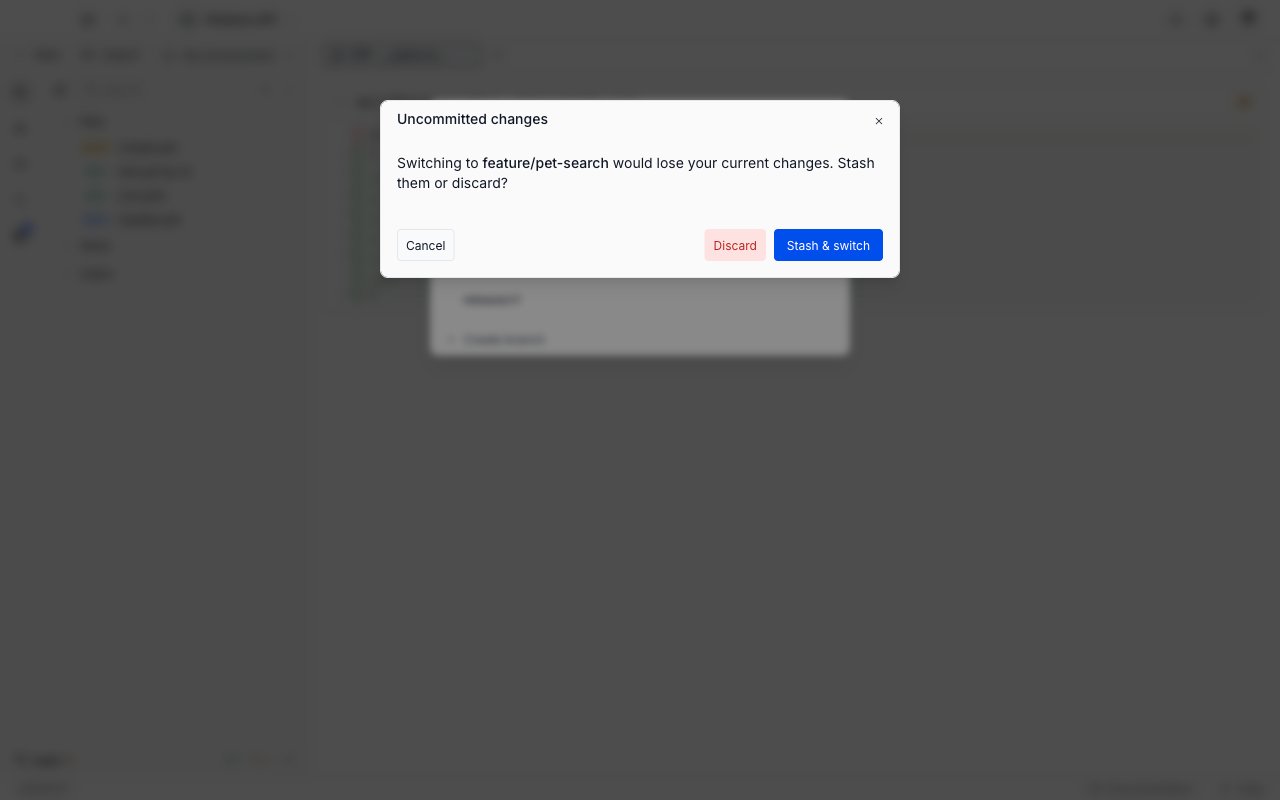
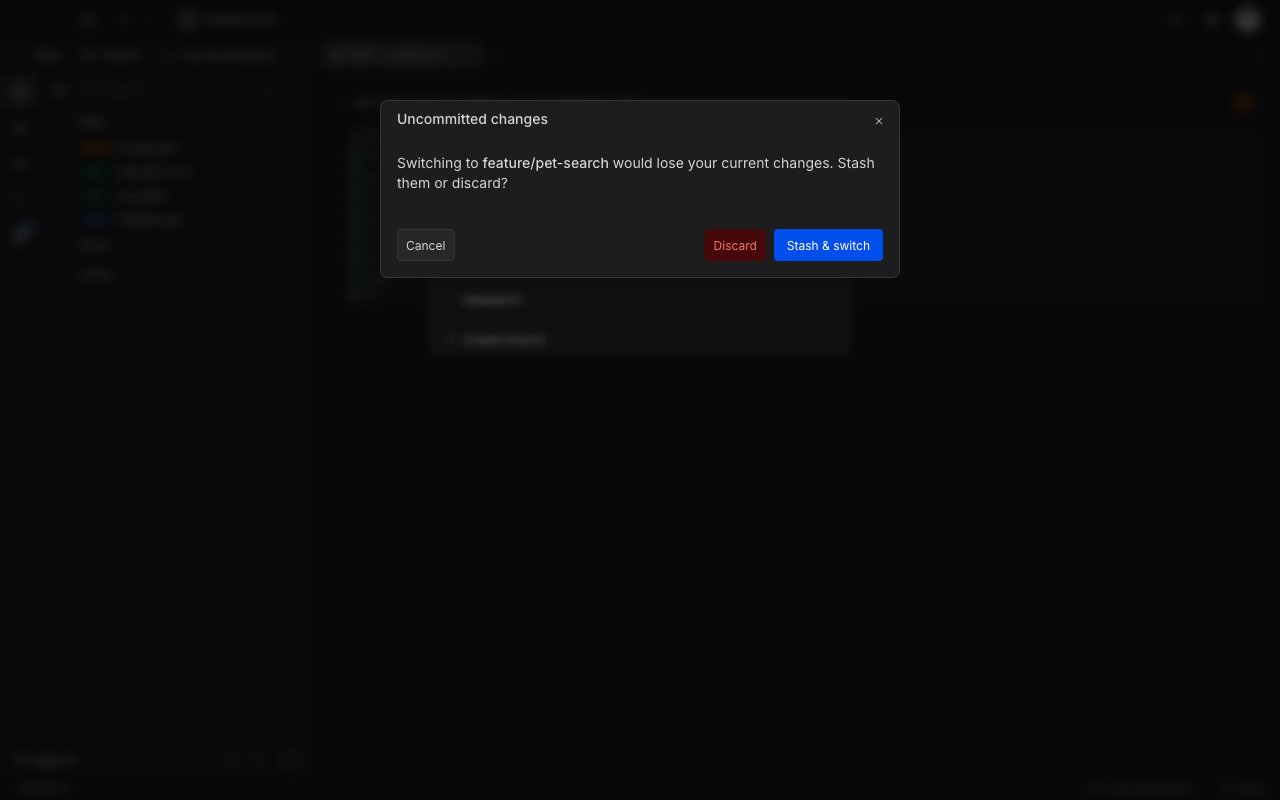 **Discard** cannot be undone. Git keeps no copy of uncommitted work, so use **Stash & switch** whenever you may want the changes back.
## Create a branch
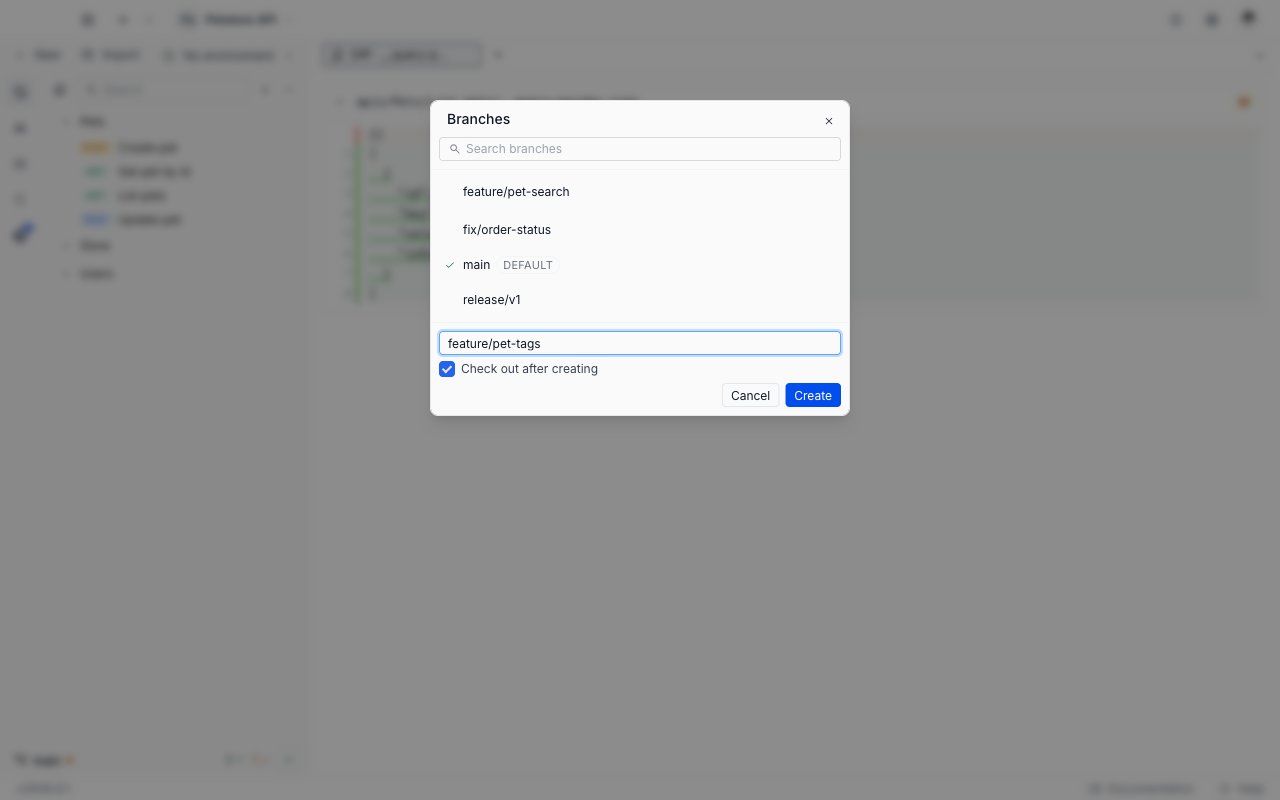
Click **Create branch** at the bottom of the **Branches** window.
Type the name. Requestly checks it as you type and blocks **Create** until the name is valid.
**Check out after creating** is selected by default, so the new branch becomes the current one. Clear it to create the branch and stay where you are.
Click **Create**. The new branch starts from the commit you are on, and the window closes.
**Discard** cannot be undone. Git keeps no copy of uncommitted work, so use **Stash & switch** whenever you may want the changes back.
## Create a branch
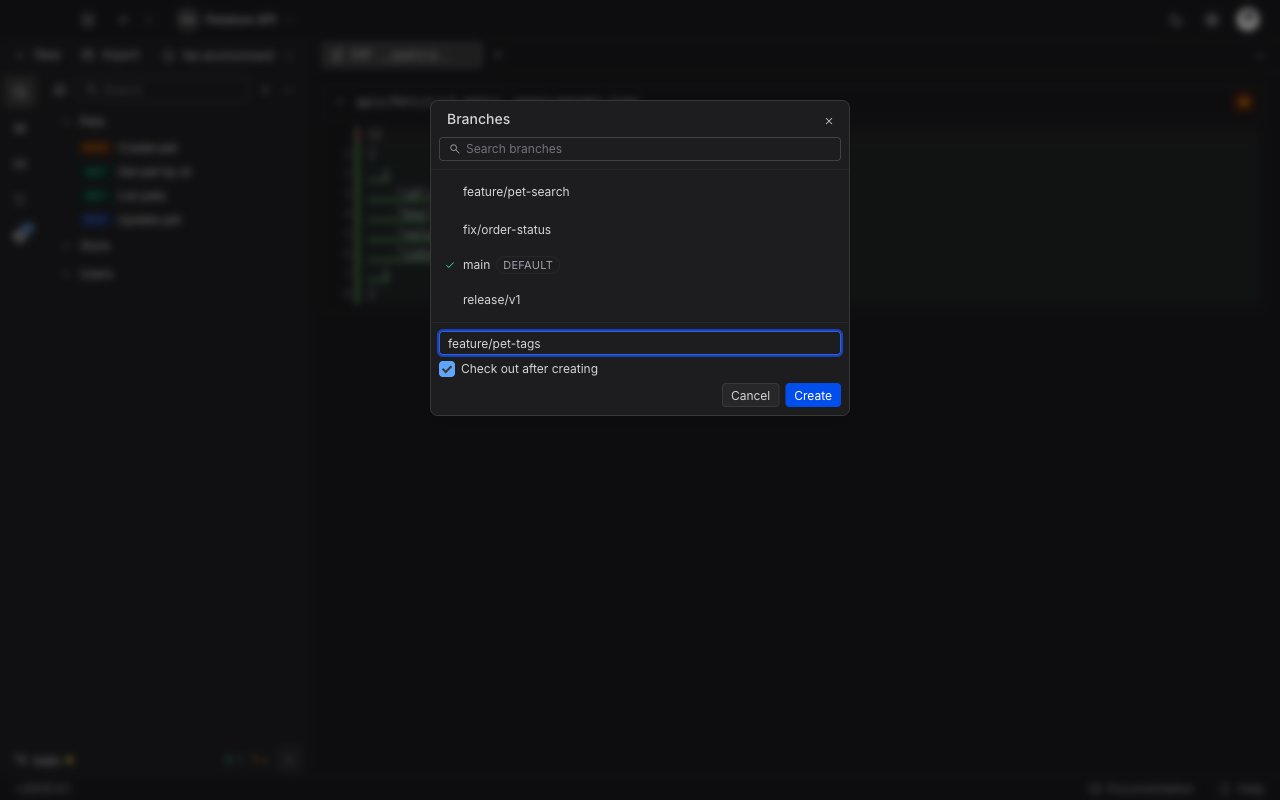
Click **Create branch** at the bottom of the **Branches** window.
Type the name. Requestly checks it as you type and blocks **Create** until the name is valid.
**Check out after creating** is selected by default, so the new branch becomes the current one. Clear it to create the branch and stay where you are.
Click **Create**. The new branch starts from the commit you are on, and the window closes.
 ### Names Requestly refuses
| What the field shows | Why |
| ----------------------------------------- | ----------------------------------------------------------------------------------------------------------------------------------------- |
| "Branch names cannot contain spaces." | The name holds a space. |
| "Invalid branch name." | The name holds a character Git refuses (`~`, `^`, `:`, `?`, `*`, `[`, `\`), contains `..`, starts or ends with `/`, or ends with `.lock`. |
| "A branch with that name already exists." | The repository already has that branch. The composer stays open so you can rename and retry. |
## Delete a branch
Hover the branch you want to remove. The trash icon appears at the right of the row. The branch you are on has none, so switch away from a branch before deleting it.
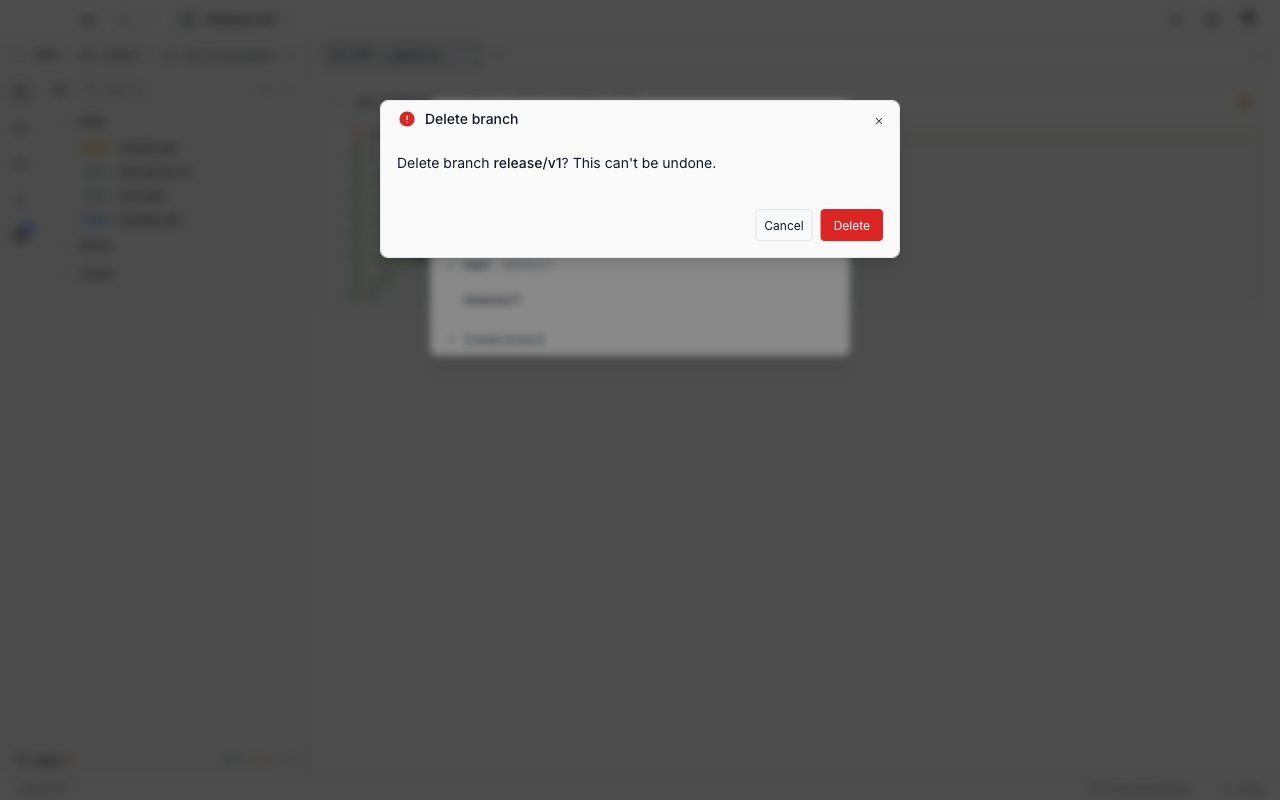
The **Delete branch** dialog asks "Delete branch ``? This can't be undone." Click **Delete**.
### Names Requestly refuses
| What the field shows | Why |
| ----------------------------------------- | ----------------------------------------------------------------------------------------------------------------------------------------- |
| "Branch names cannot contain spaces." | The name holds a space. |
| "Invalid branch name." | The name holds a character Git refuses (`~`, `^`, `:`, `?`, `*`, `[`, `\`), contains `..`, starts or ends with `/`, or ends with `.lock`. |
| "A branch with that name already exists." | The repository already has that branch. The composer stays open so you can rename and retry. |
## Delete a branch
Hover the branch you want to remove. The trash icon appears at the right of the row. The branch you are on has none, so switch away from a branch before deleting it.
The **Delete branch** dialog asks "Delete branch ``? This can't be undone." Click **Delete**.
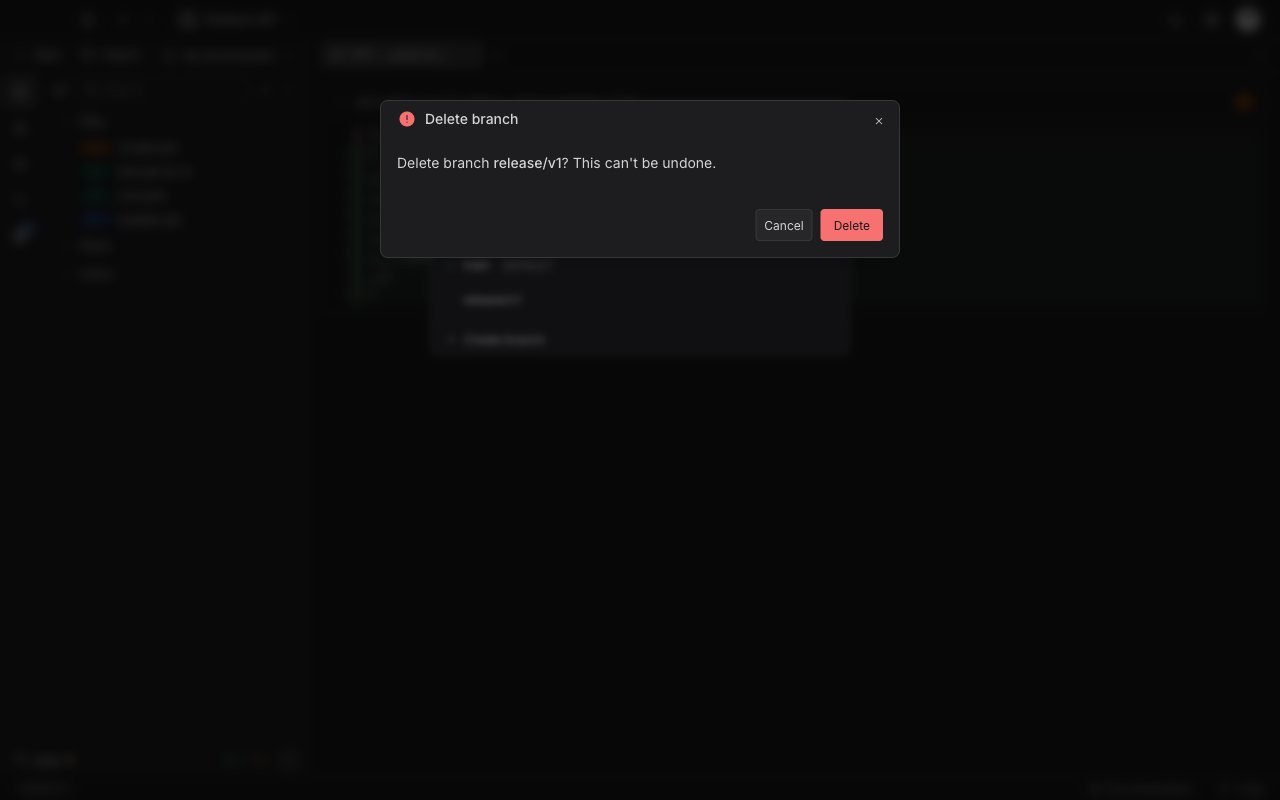 A branch holding commits that are not merged anywhere else cannot be deleted normally. The dialog becomes **Branch not fully merged** and offers **Force delete**, which removes the branch and its unmerged commits with it.
**Force delete** discards the commits that live only on that branch. Merge or push them first if you want to keep them.
The deleted branch leaves the list straight away, so you can delete several in one visit.
## Next steps
Read a branch's commits on a graph, and open a read-only diff for a commit or a file.
Read the change list, stage or discard files, and write a commit.
A branch holding commits that are not merged anywhere else cannot be deleted normally. The dialog becomes **Branch not fully merged** and offers **Force delete**, which removes the branch and its unmerged commits with it.
**Force delete** discards the commits that live only on that branch. Merge or push them first if you want to keep them.
The deleted branch leaves the list straight away, so you can delete several in one visit.
## Next steps
Read a branch's commits on a graph, and open a read-only diff for a commit or a file.
Read the change list, stage or discard files, and write a commit.