> ## Documentation Index
> Fetch the complete documentation index at: https://docs.requestly.com/llms.txt
> Use this file to discover all available pages before exploring further.
# Resolve merge conflicts
> Work through a merge that stopped on conflicting files from inside the Requestly desktop app: read the conflicted file list, pick a side per block in the merge editor, finish the merge, or abort it.
A pull brings your teammates' commits in as a merge. When their edits and yours touch the same lines, Git stops and hands the file back with both versions in it. Requestly takes over from there: the **Git** panel lists the conflicted files, and each one opens in an editor where you choose what the merged file says. Git applies to [local projects](/api-client/git/overview#requirements) only, so the **Git** tab is hidden while a team project is active.
Git requires the **desktop app**. [Download Requestly](https://requestly.com/downloads).
## When a merge stops
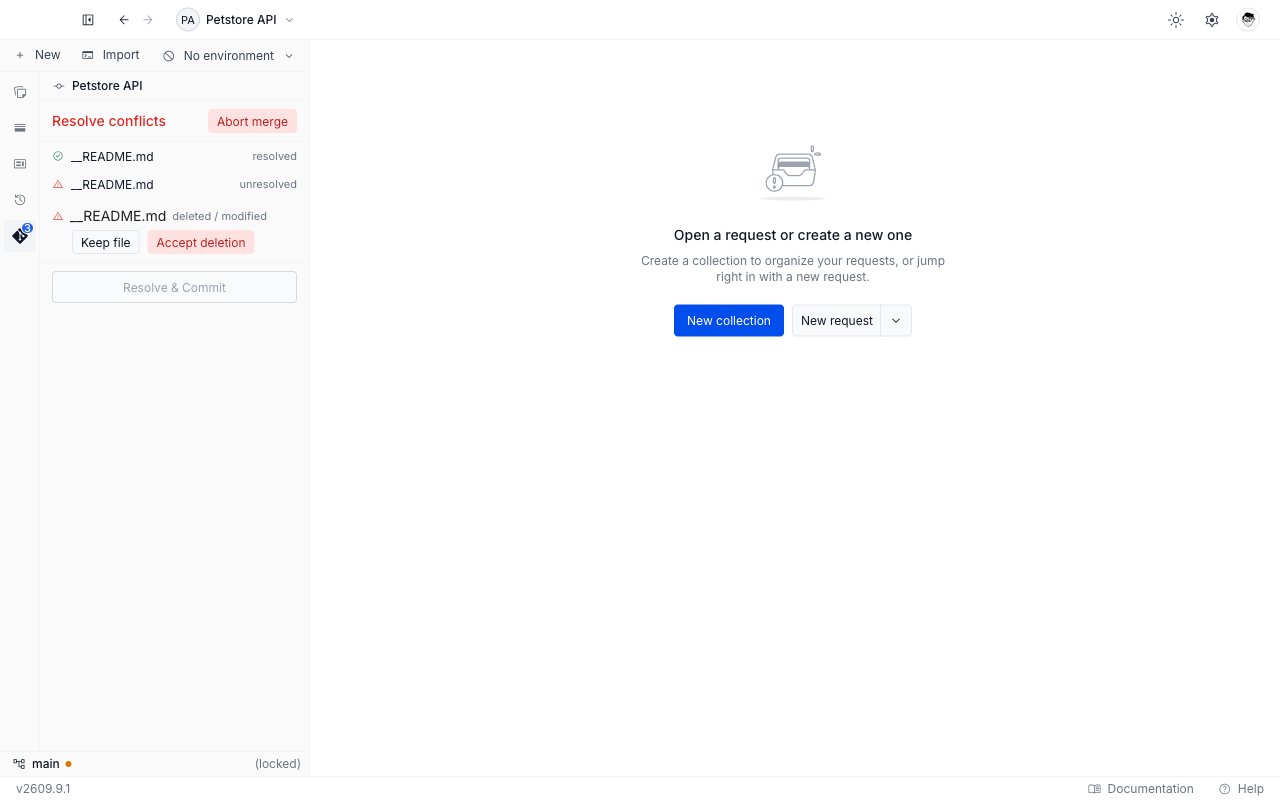
A conflict raises no toast. The **Git** panel changes instead, and the change is hard to miss.
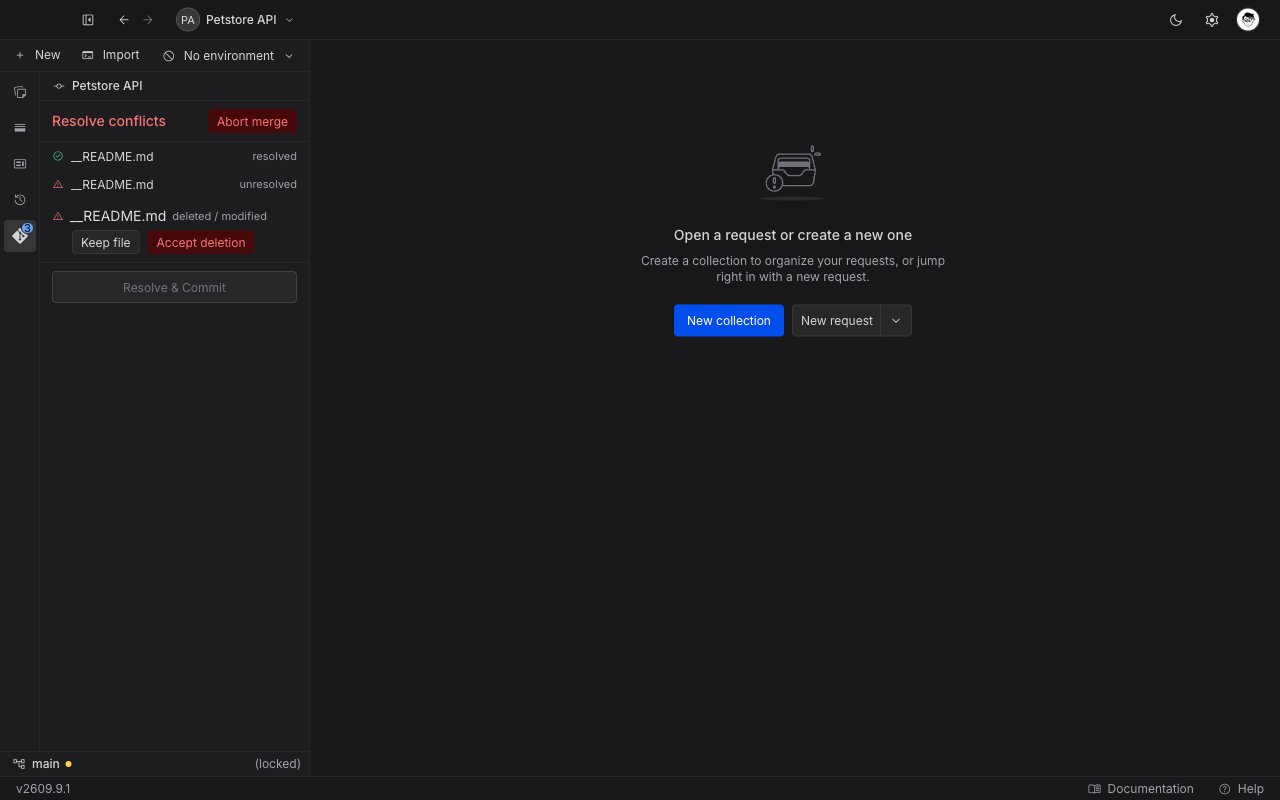
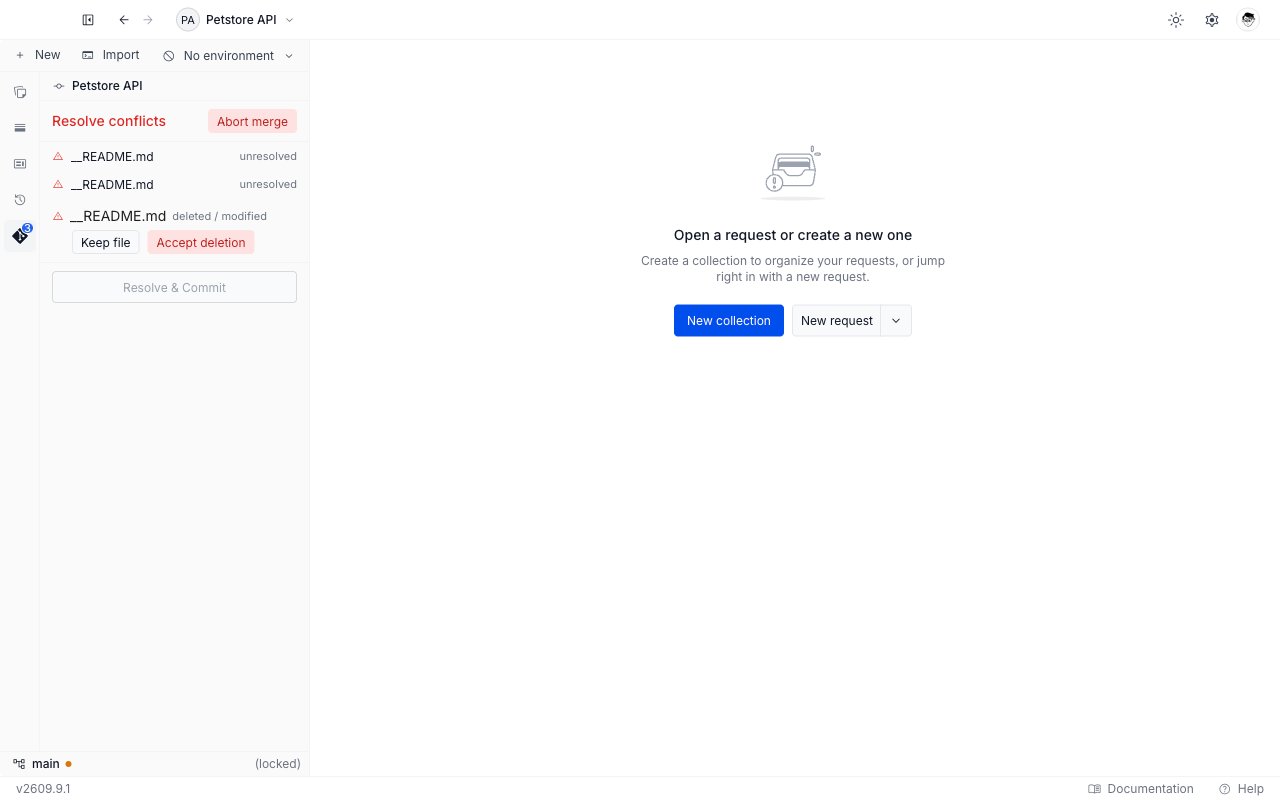
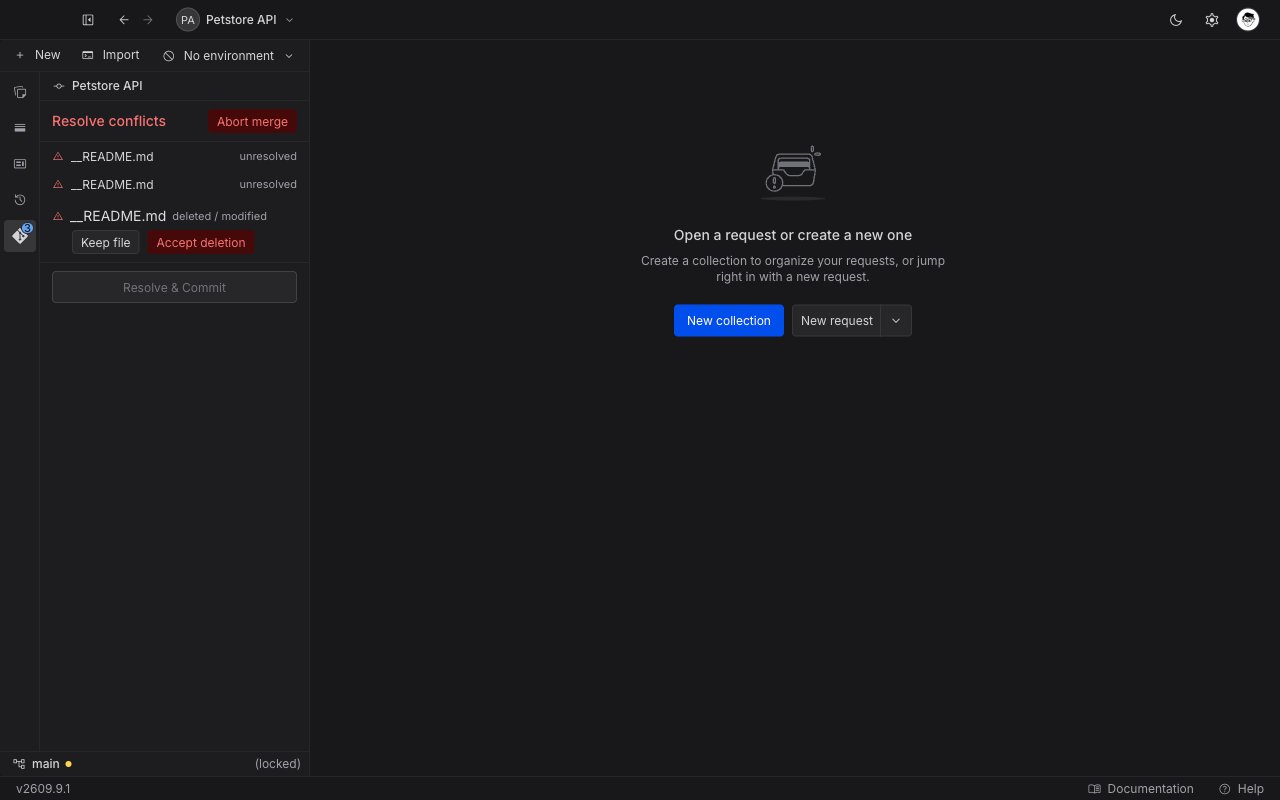
* The panel body is replaced by the conflict surface, headed **Resolve conflicts** in red.
* The commit box, the **Changes** and **Staged** sections, and the **Commits**, **Stashes**, **Remotes**, and **Sync** sections are all hidden. The panel gives its whole height to the conflict.
* The sidebar status bar shows `(locked)` in place of the ahead and behind counts, and the branch name stops opening the [branch picker](/api-client/git/branches).
Pulling is the usual way to get here. **Merge anyway**, the action on the unrelated-histories message, also runs a merge and can land you in the same place. See [Push and pull](/api-client/git/push-and-pull#when-a-sync-fails).
## Read the conflicted file list
The surface lists one row per conflicted file, under the **Abort merge** button.
| Part of a row | What it shows |
| ------------------------------------------- | --------------------------------------------------------------------------------------------------------------------------------------------------------------- |
| A red warning icon | The file is still unresolved. |
| A green check | You have resolved the file. |
| The file name | The name only. Hover it to read the full path. |
| **unresolved** or **resolved** at the right | The same state in words. |
| **deleted / modified** at the right | One side deleted the file while the other changed it. This kind has no editor. See [Resolve a deleted and modified file](#resolve-a-deleted-and-modified-file). |
While Requestly reads the list the panel shows "Loading conflicts…". A merge with nothing left to resolve reads "No conflicted files."
 ## Resolve a file in the merge editor
Click a file name to open it as a tab beside your requests, named `Conflict · `. The editor shows the file with every block the two sides disagree about marked, and three buttons on each block. The text itself is read-only: you settle the file with the buttons rather than by typing in it.
The three buttons read left to right in this order.
| Button | What it keeps |
| ------------------- | ----------------------------------------------------------- |
| **Accept Incoming** | Their version of the block. Your version is dropped. |
| **Accept Current** | Your version of the block. The incoming version is dropped. |
| **Accept Both** | Both versions, one after the other, yours first. |
Undo a choice you did not mean with Cmd+Z on macOS or Ctrl+Z on Windows and Linux, and redo it with Shift added.
Click its name in the **Resolve conflicts** list.
Work down the file, choosing a button on each block. Two buttons in the footer settle the whole file at once: **Keep all current** takes your side everywhere, and **Take all incoming** takes theirs everywhere.
## Resolve a file in the merge editor
Click a file name to open it as a tab beside your requests, named `Conflict · `. The editor shows the file with every block the two sides disagree about marked, and three buttons on each block. The text itself is read-only: you settle the file with the buttons rather than by typing in it.
The three buttons read left to right in this order.
| Button | What it keeps |
| ------------------- | ----------------------------------------------------------- |
| **Accept Incoming** | Their version of the block. Your version is dropped. |
| **Accept Current** | Your version of the block. The incoming version is dropped. |
| **Accept Both** | Both versions, one after the other, yours first. |
Undo a choice you did not mean with Cmd+Z on macOS or Ctrl+Z on Windows and Linux, and redo it with Shift added.
Click its name in the **Resolve conflicts** list.
Work down the file, choosing a button on each block. Two buttons in the footer settle the whole file at once: **Keep all current** takes your side everywhere, and **Take all incoming** takes theirs everywhere.
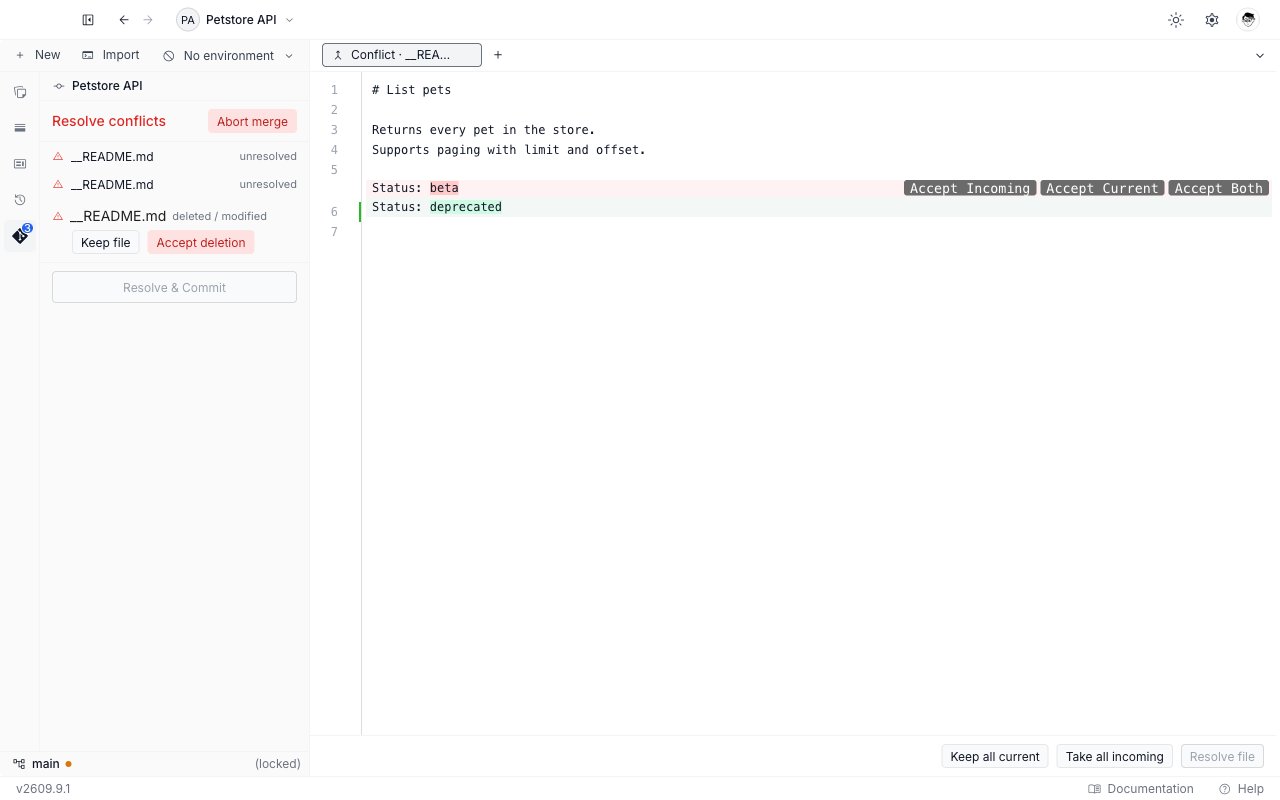
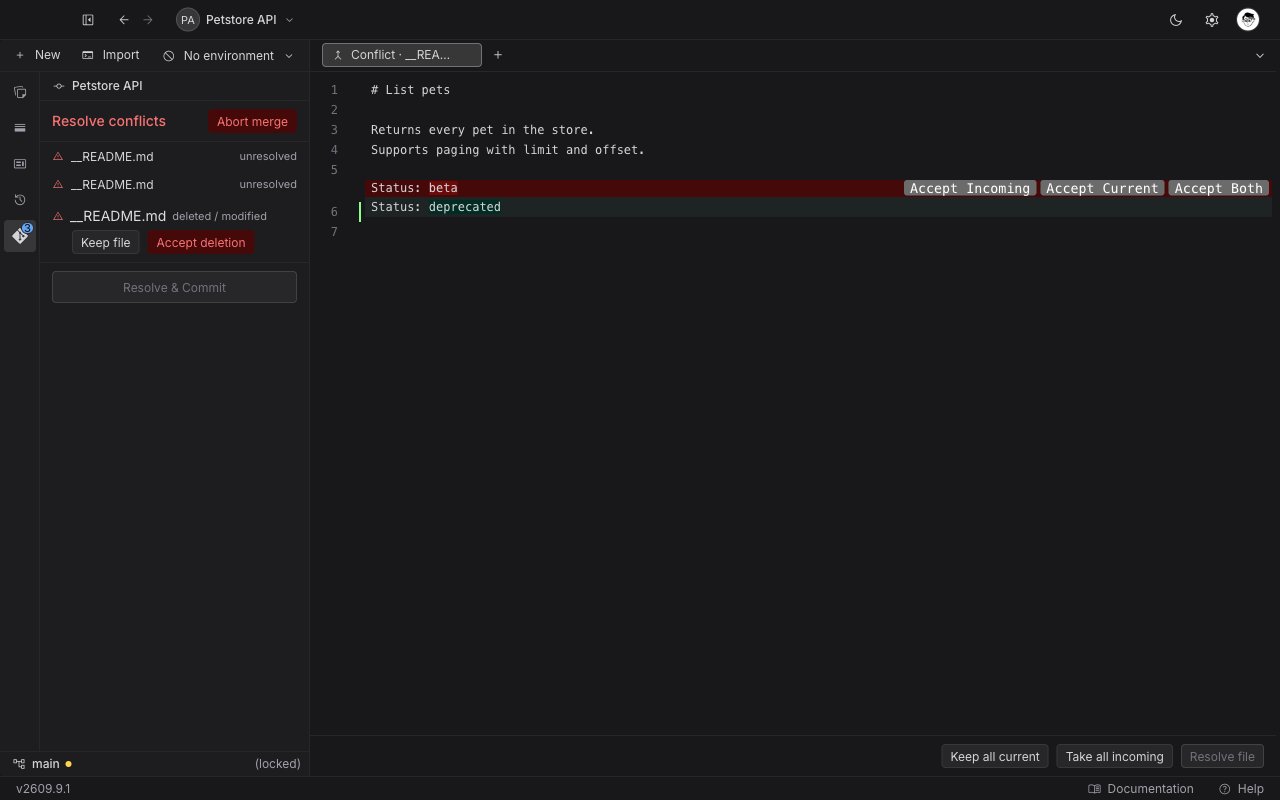 **Resolve file** in the footer stays disabled until no block is left. Click it. The tab closes, and the file's row in the panel turns to a green check.
**Resolve file** records your merged text for the final commit. It does not write the file to disk on its own. Requestly writes every resolved file when you finish the merge.
### When a file is too large or binary
A file Requestly cannot render in the editor opens on a panel headed "File too large to resolve here", which explains that the file is binary or larger than the diff size limit. It offers one action, **Keep current version**, which resolves the whole file with your copy.
## Resolve a deleted and modified file
When one side deleted a file and the other side changed it, there is no text to merge. The row carries two buttons instead of opening an editor.
| Button | What it does |
| ------------------- | -------------------------------------------------------- |
| **Keep file** | Keeps your version of the file and cancels the deletion. |
| **Accept deletion** | Deletes the file. |
Both resolve the file immediately, and the row turns to a green check.
**Resolve file** in the footer stays disabled until no block is left. Click it. The tab closes, and the file's row in the panel turns to a green check.
**Resolve file** records your merged text for the final commit. It does not write the file to disk on its own. Requestly writes every resolved file when you finish the merge.
### When a file is too large or binary
A file Requestly cannot render in the editor opens on a panel headed "File too large to resolve here", which explains that the file is binary or larger than the diff size limit. It offers one action, **Keep current version**, which resolves the whole file with your copy.
## Resolve a deleted and modified file
When one side deleted a file and the other side changed it, there is no text to merge. The row carries two buttons instead of opening an editor.
| Button | What it does |
| ------------------- | -------------------------------------------------------- |
| **Keep file** | Keeps your version of the file and cancels the deletion. |
| **Accept deletion** | Deletes the file. |
Both resolve the file immediately, and the row turns to a green check.
 ## Finish the merge
**Resolve & Commit** sits at the bottom of the surface. It stays disabled until every file in the list carries a green check.
Every row should show a green check. A row still on the red warning icon is not resolved yet.
Requestly writes each merged file to disk, stages it, and records the merge commit. The panel returns to its usual change list.
The merge commit's message is written for you and reads "Merge: resolve conflicts". You cannot change it before the commit, so amend it afterwards if you need a different one.
If Git still finds an unresolved file, the commit fails with "Resolve the remaining conflicts before continuing the merge." Resolve the remaining files, then click **Resolve & Commit** again.
## Abort the merge
Aborting throws the merge away and puts your working tree back the way it was before the pull.
The button sits at the top right of the **Resolve conflicts** header.
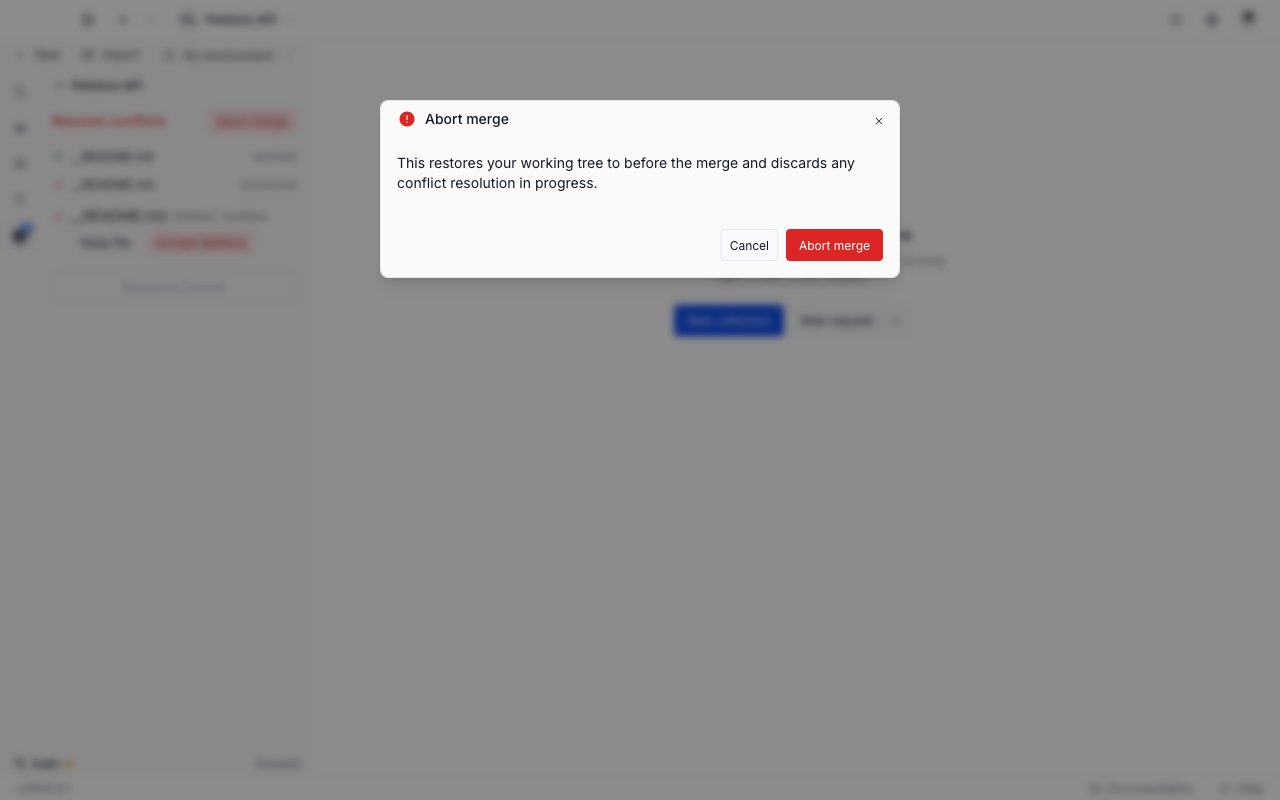
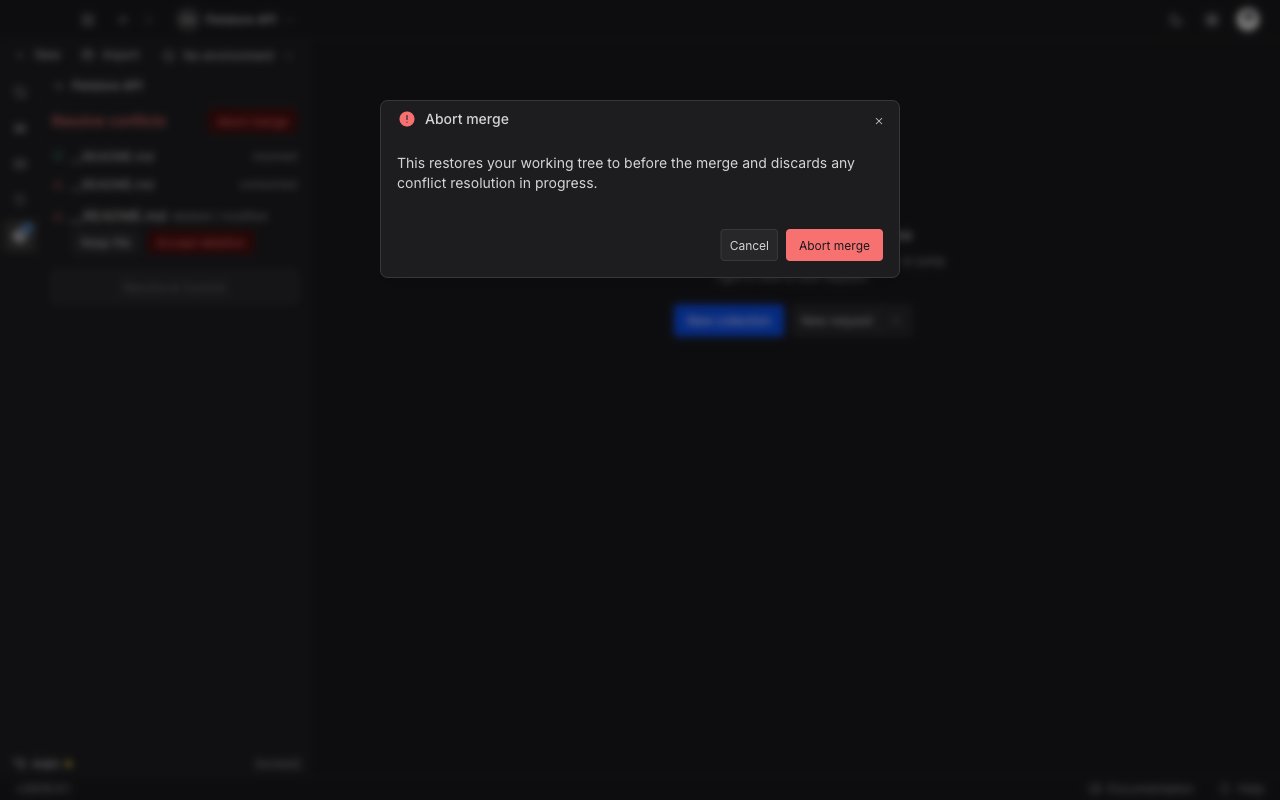
The **Abort merge** window explains that this restores your working tree to before the merge and discards any conflict resolution in progress. Click **Abort merge** to confirm, or **Cancel** to stay in the merge.
## Finish the merge
**Resolve & Commit** sits at the bottom of the surface. It stays disabled until every file in the list carries a green check.
Every row should show a green check. A row still on the red warning icon is not resolved yet.
Requestly writes each merged file to disk, stages it, and records the merge commit. The panel returns to its usual change list.
The merge commit's message is written for you and reads "Merge: resolve conflicts". You cannot change it before the commit, so amend it afterwards if you need a different one.
If Git still finds an unresolved file, the commit fails with "Resolve the remaining conflicts before continuing the merge." Resolve the remaining files, then click **Resolve & Commit** again.
## Abort the merge
Aborting throws the merge away and puts your working tree back the way it was before the pull.
The button sits at the top right of the **Resolve conflicts** header.
The **Abort merge** window explains that this restores your working tree to before the merge and discards any conflict resolution in progress. Click **Abort merge** to confirm, or **Cancel** to stay in the merge.
 Aborting discards every choice you have made in the merge editor so far, on every file. The incoming commits stay on the remote, so you can pull again when you are ready to work through them.
The [Git overview](/api-client/git/overview#messages-you-may-see) lists every message Requestly can show, with what each one means.
## Next steps
Fetch from the remote, read the ahead and behind counts, and sync your work.
Park uncommitted work before a pull, and resolve a stash that applies with conflicts.
Read the change list, stage or discard files, and write a commit.
Read the commit graph, and open a read-only diff for a commit or a changed file.
Aborting discards every choice you have made in the merge editor so far, on every file. The incoming commits stay on the remote, so you can pull again when you are ready to work through them.
The [Git overview](/api-client/git/overview#messages-you-may-see) lists every message Requestly can show, with what each one means.
## Next steps
Fetch from the remote, read the ahead and behind counts, and sync your work.
Park uncommitted work before a pull, and resolve a stash that applies with conflicts.
Read the change list, stage or discard files, and write a commit.
Read the commit graph, and open a read-only diff for a commit or a changed file.