> ## Documentation Index
> Fetch the complete documentation index at: https://docs.requestly.com/llms.txt
> Use this file to discover all available pages before exploring further.
# Import from cURL
> Paste any cURL command into Requestly and convert it into a fully editable API request in seconds.
Requestly converts cURL commands into fully editable API requests. This makes it easy to migrate from terminal workflows, import requests from documentation, or grab a request straight from your browser's DevTools network panel.
## How to Import a cURL Command
Download and launch the Requestly Desktop App.
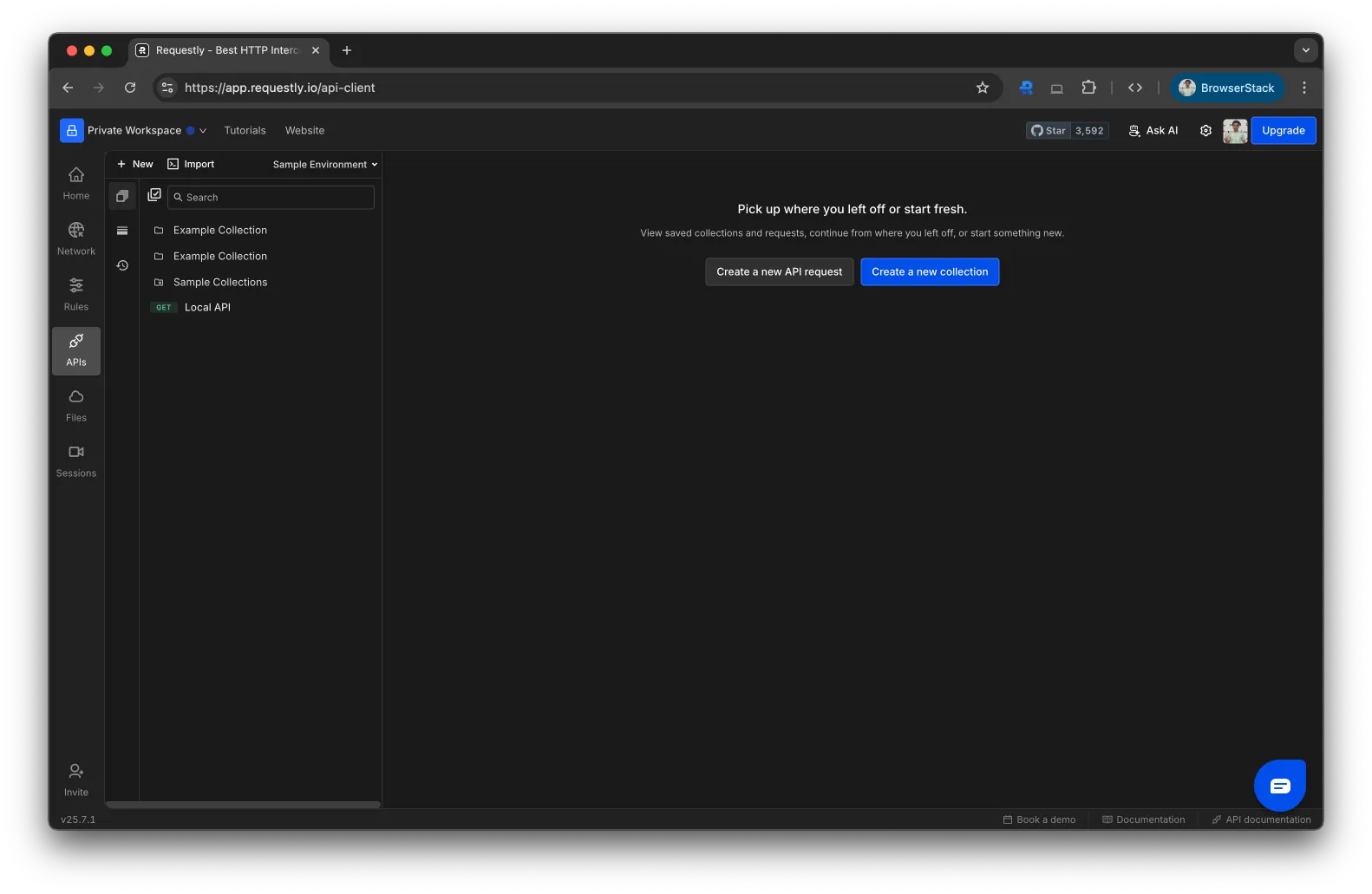 In the top-left corner of the API Client, click the **Import** button. Choose **cURL** from the dropdown.
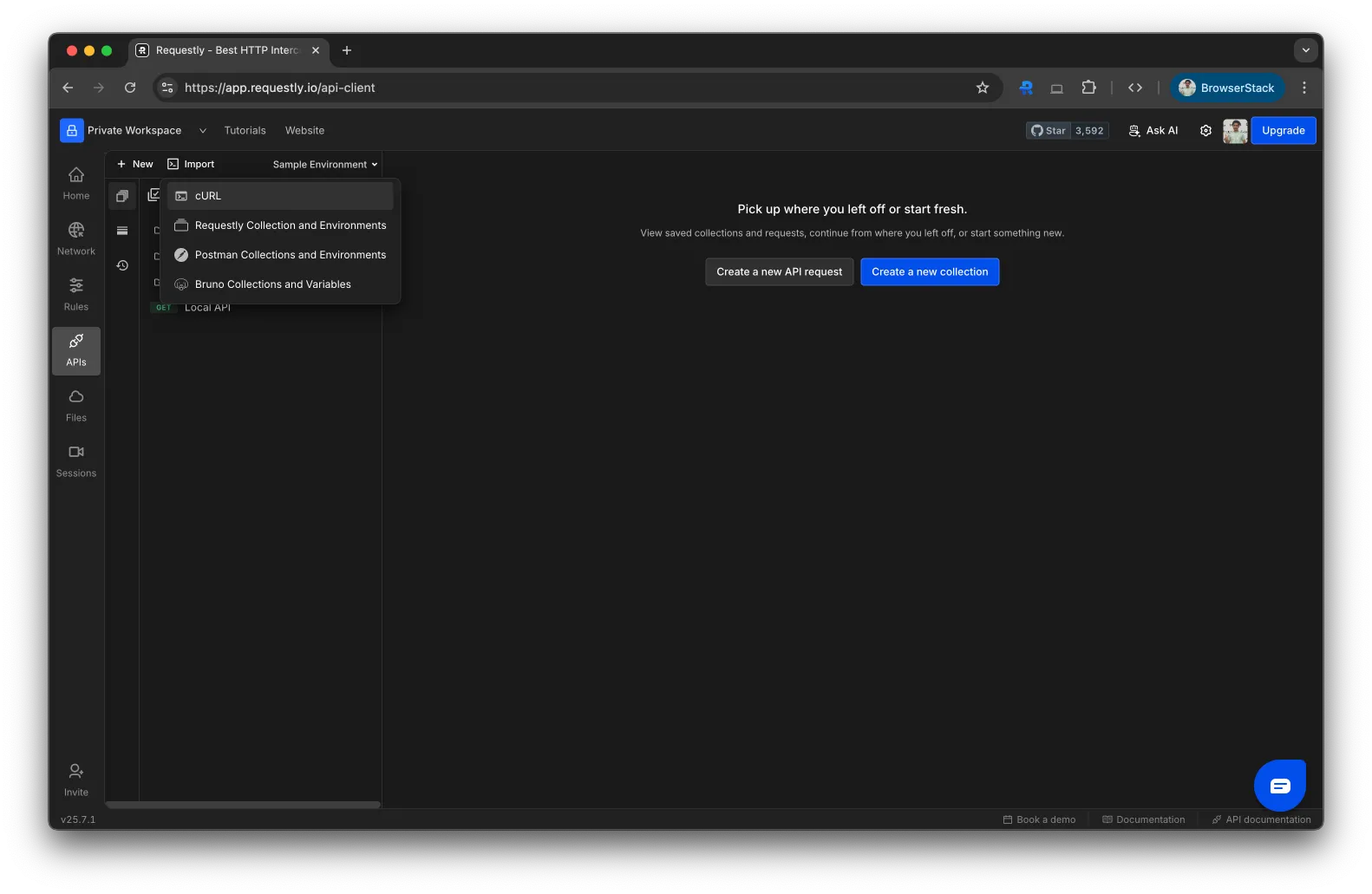 Paste your raw cURL command into the input box.
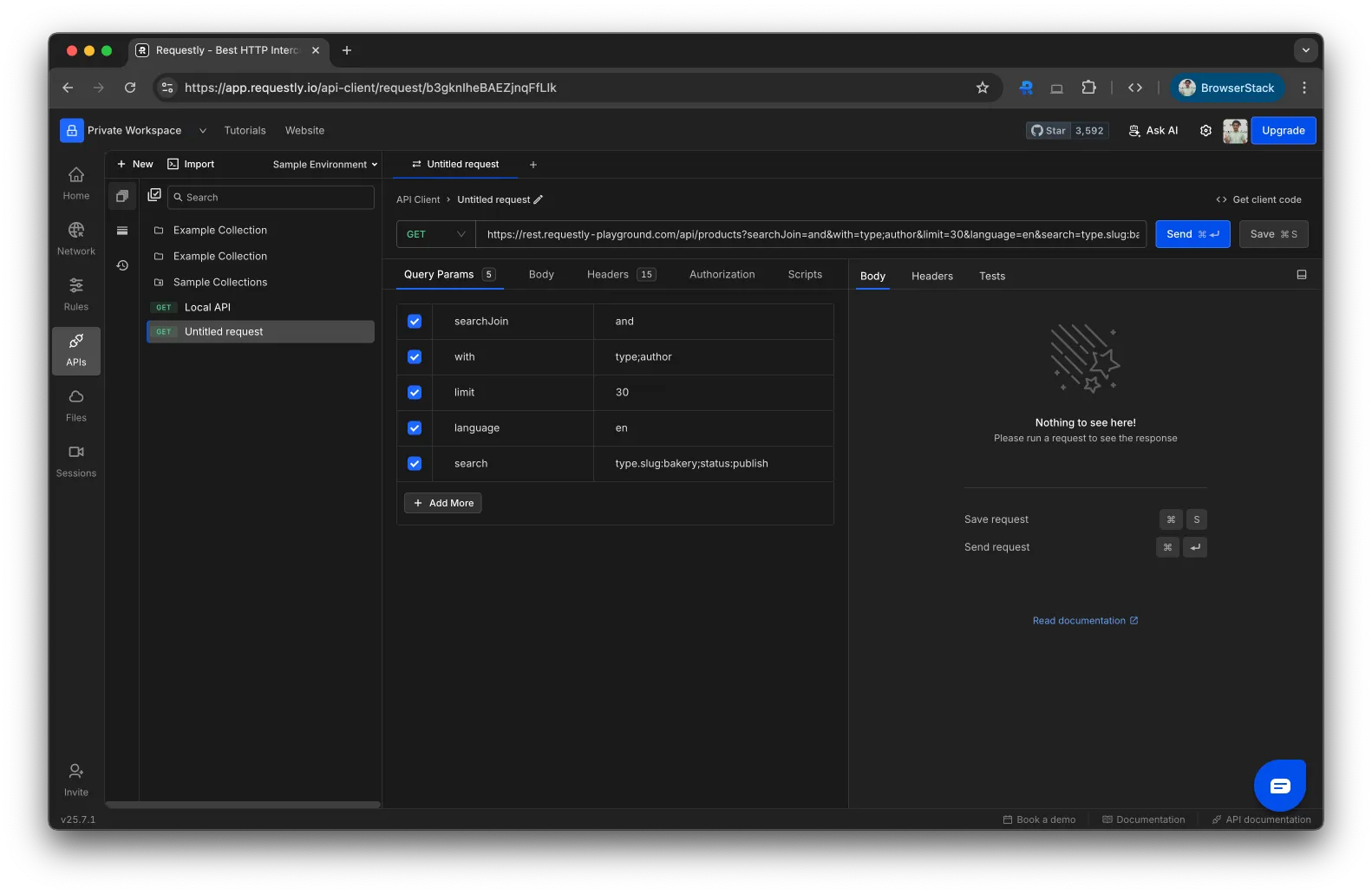
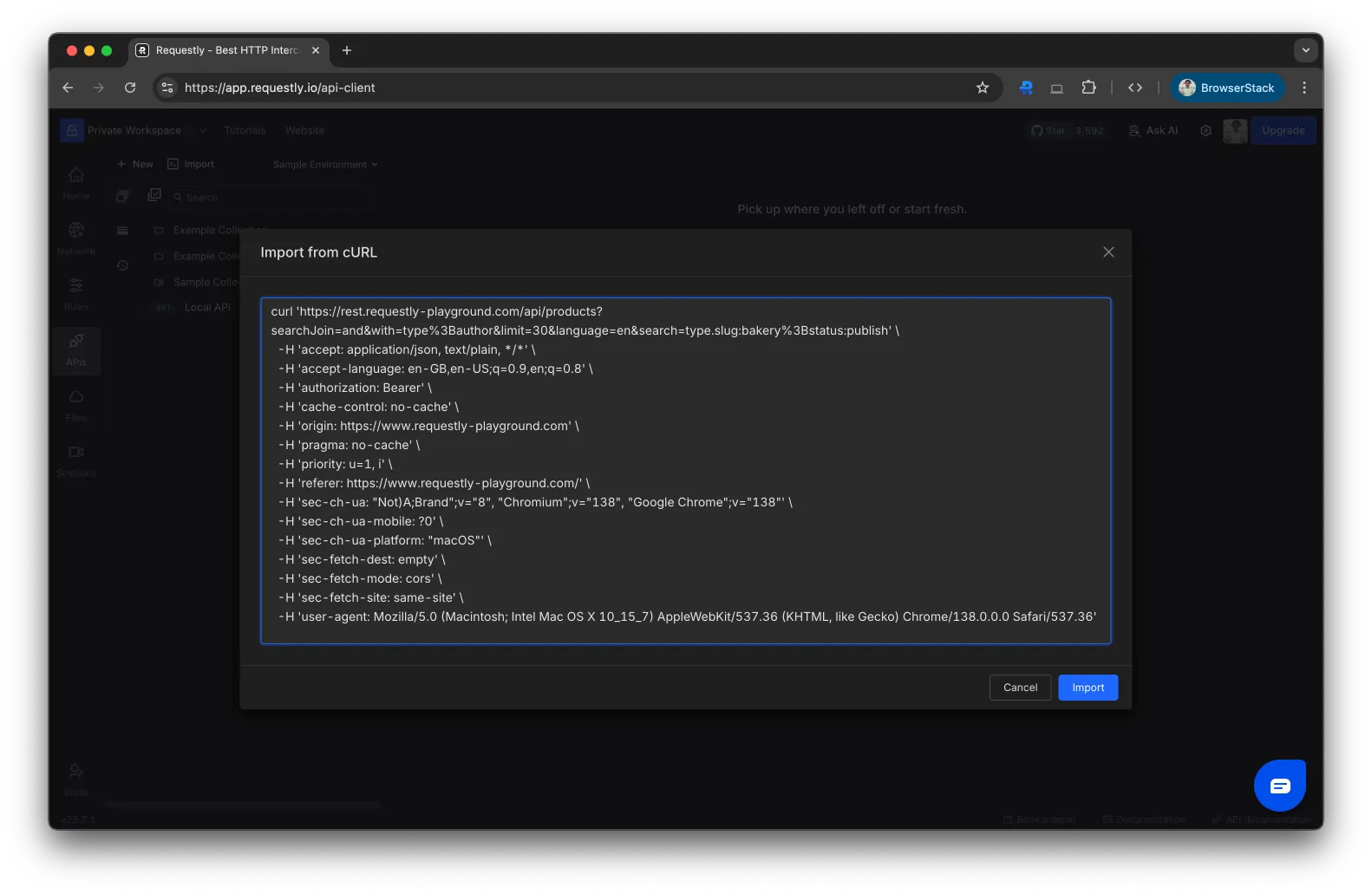 Click **Import**. Requestly converts the cURL into an editable API request, ready to send or save to a collection.
 ## cURL Examples
Paste any of these directly into the import dialog to see how they convert.
**Simple GET request**
```bash theme={null}
curl https://api.example.com/users
```
**GET with headers and query param**
```bash theme={null}
curl "https://api.example.com/users?page=2" \
--header "Authorization: Bearer YOUR_TOKEN" \
--header "Accept: application/json"
```
**POST with JSON body**
```bash theme={null}
curl --request POST \
--url https://api.example.com/users \
--header "Authorization: Bearer YOUR_TOKEN" \
--header "Content-Type: application/json" \
--data '{"name":"Jane Doe","email":"jane@example.com"}'
```
**PUT to update a resource**
```bash theme={null}
curl --request PUT \
--url https://api.example.com/users/42 \
--header "Authorization: Bearer YOUR_TOKEN" \
--header "Content-Type: application/json" \
--data '{"name":"Jane Smith"}'
```
**DELETE request**
```bash theme={null}
curl --request DELETE \
--url https://api.example.com/users/42 \
--header "Authorization: Bearer YOUR_TOKEN"
```
**POST with Basic Auth**
```bash theme={null}
curl --request POST \
--url https://api.example.com/login \
--user "myuser:mypassword" \
--header "Content-Type: application/json" \
--data '{"remember_me": true}'
```
You can copy cURL commands directly from your browser's DevTools. Open DevTools → Network tab → right-click any request → **Copy as cURL**.
## What Gets Imported
When you paste a cURL command, Requestly extracts:
* HTTP method (`-X`, `--request`)
* URL and query parameters
* Headers (`-H`, `--header`)
* Request body (`-d`, `--data`, `--data-raw`, `--data-binary`)
* Basic Auth credentials (`-u`, `--user`)
## What's Next?
Organize imported requests into collections
Replace hardcoded values with reusable variables
Migrate entire Postman collections
## cURL Examples
Paste any of these directly into the import dialog to see how they convert.
**Simple GET request**
```bash theme={null}
curl https://api.example.com/users
```
**GET with headers and query param**
```bash theme={null}
curl "https://api.example.com/users?page=2" \
--header "Authorization: Bearer YOUR_TOKEN" \
--header "Accept: application/json"
```
**POST with JSON body**
```bash theme={null}
curl --request POST \
--url https://api.example.com/users \
--header "Authorization: Bearer YOUR_TOKEN" \
--header "Content-Type: application/json" \
--data '{"name":"Jane Doe","email":"jane@example.com"}'
```
**PUT to update a resource**
```bash theme={null}
curl --request PUT \
--url https://api.example.com/users/42 \
--header "Authorization: Bearer YOUR_TOKEN" \
--header "Content-Type: application/json" \
--data '{"name":"Jane Smith"}'
```
**DELETE request**
```bash theme={null}
curl --request DELETE \
--url https://api.example.com/users/42 \
--header "Authorization: Bearer YOUR_TOKEN"
```
**POST with Basic Auth**
```bash theme={null}
curl --request POST \
--url https://api.example.com/login \
--user "myuser:mypassword" \
--header "Content-Type: application/json" \
--data '{"remember_me": true}'
```
You can copy cURL commands directly from your browser's DevTools. Open DevTools → Network tab → right-click any request → **Copy as cURL**.
## What Gets Imported
When you paste a cURL command, Requestly extracts:
* HTTP method (`-X`, `--request`)
* URL and query parameters
* Headers (`-H`, `--header`)
* Request body (`-d`, `--data`, `--data-raw`, `--data-binary`)
* Basic Auth credentials (`-u`, `--user`)
## What's Next?
Organize imported requests into collections
Replace hardcoded values with reusable variables
Migrate entire Postman collections