> ## Documentation Index
> Fetch the complete documentation index at: https://docs.requestly.com/llms.txt
> Use this file to discover all available pages before exploring further.

# Import / Export OpenAPI Spec

> Learn how to import OpenAPI Specification (Swagger) files to instantly generate API collections and environments.

Import your **OpenAPI Specification** files directly into the **Requestly,** and instantly create organized API collections without any manual setup.

This helps you bring your existing API definitions from Swagger, Postman, or your backend documentation straight into Requestly in just a few clicks.

<iframe className="w-full aspect-video rounded-xl" src="https://www.youtube.com/embed/N3ZqNfI5omw?si=2oWuS5ySagf6NWJK" />

## What You Can Import

The importer supports both **YAML** and **JSON** OpenAPI files. When you upload a spec, Requestly automatically reads the file and creates API collections and requests based on your defined endpoints.

### How It Imports

<Steps>
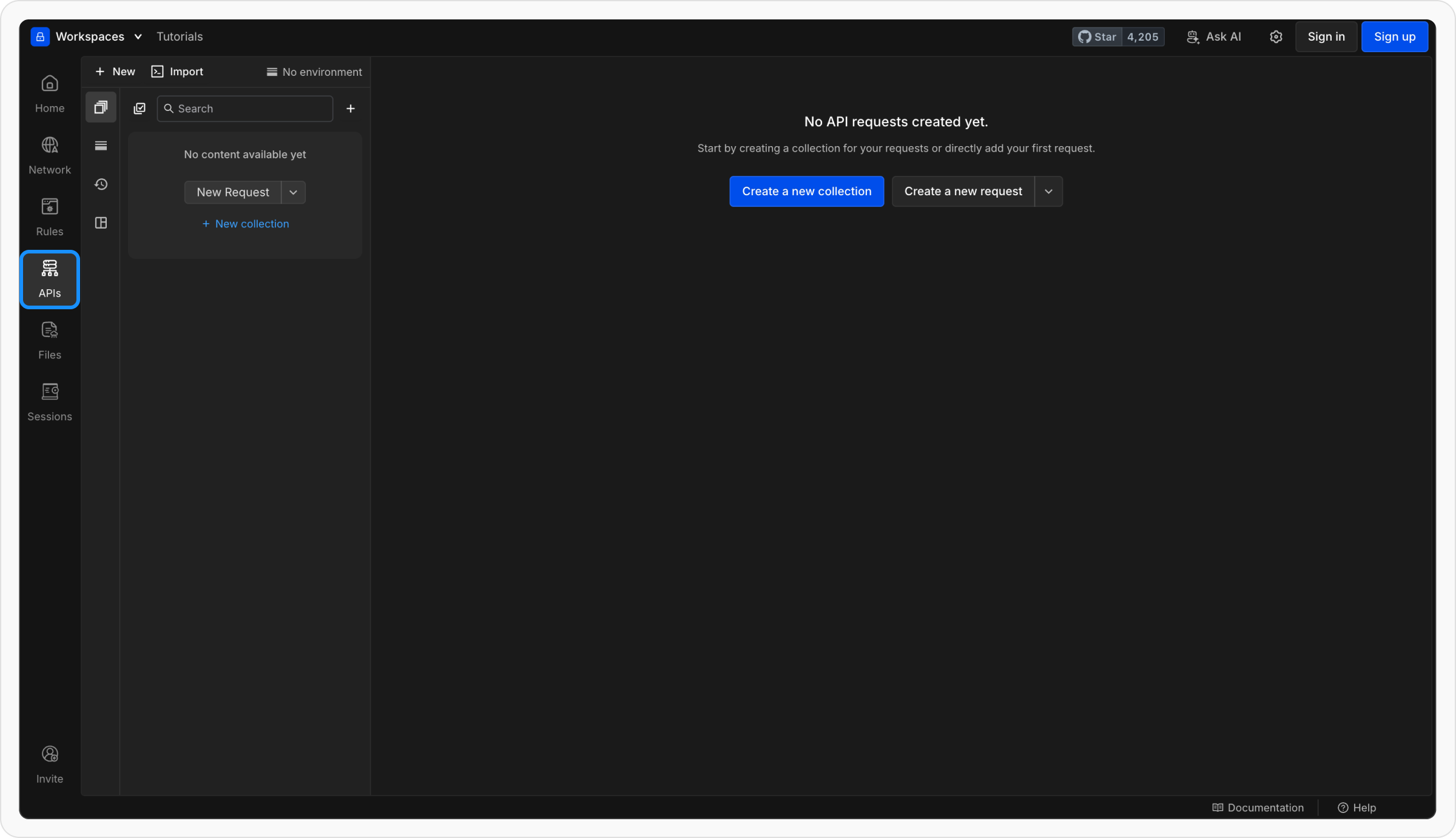
  <Step title="Open the API Client">
    Open **Requestly Desktop App**. Make sure you’re in the Project where you want to import your API collection.

    <img src="https://mintcdn.com/requestly/26y8f37-V_AAbmI0/images/import-openapi-spec/414a2152-813e-41de-b431-2d5bb26206fa.png?fit=max&auto=format&n=26y8f37-V_AAbmI0&q=85&s=fbfc942c4e161cebf636e3ccb8b3eea6" align="left" fullwidth="false" width="2400" height="1382" data-path="images/import-openapi-spec/414a2152-813e-41de-b431-2d5bb26206fa.png" />
  </Step>

  <Step title="Import Your OpenAPI File">
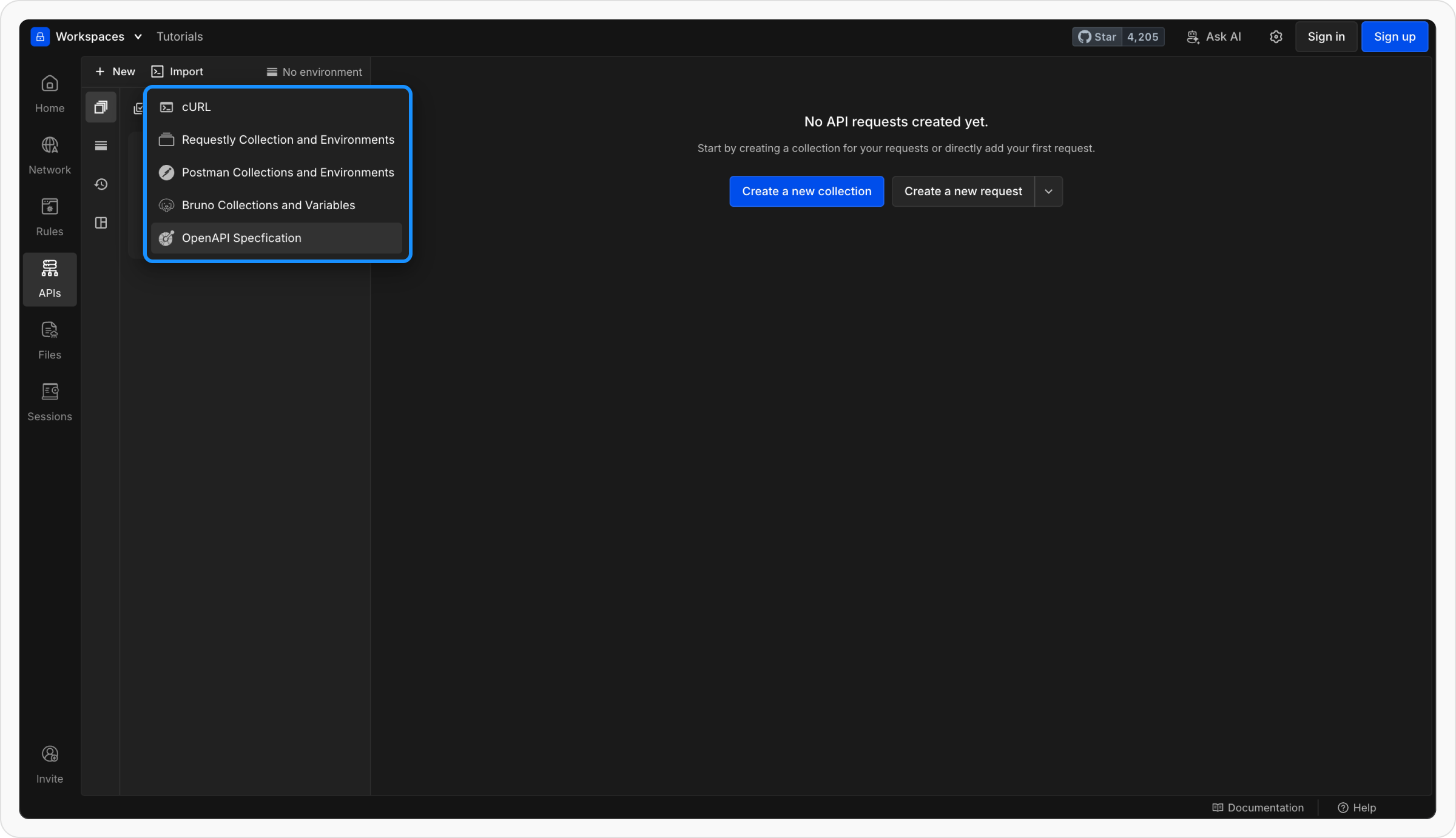
    Click **Import → OpenAPI** and select your `.yaml` or `.json` file.

    <img src="https://mintcdn.com/requestly/26y8f37-V_AAbmI0/images/import-openapi-spec/08259fe4-3f9d-40b8-8cf3-12061d4eccbd.png?fit=max&auto=format&n=26y8f37-V_AAbmI0&q=85&s=b340f8b90965d89f7b690c801b02a466" align="center" fullwidth="false" width="2400" height="1382" data-path="images/import-openapi-spec/08259fe4-3f9d-40b8-8cf3-12061d4eccbd.png" />
  </Step>

  <Step title="Preview Before Import">
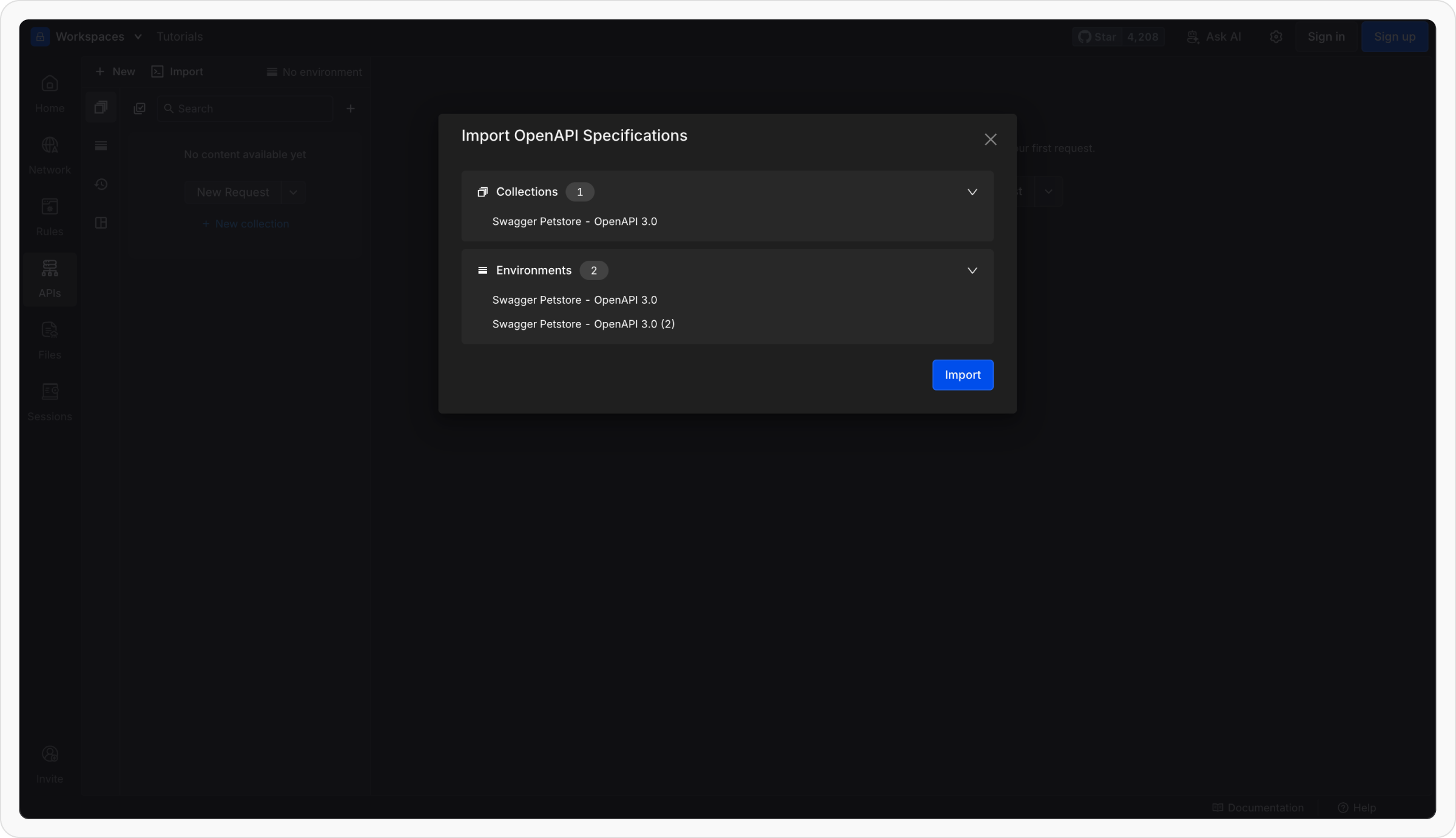
    Requestly will show a preview of what will be imported, including:

    * The collections that will be created
    * The environments and variables that will be set up

    Review the preview and confirm to complete the import.

    <img src="https://mintcdn.com/requestly/26y8f37-V_AAbmI0/images/import-openapi-spec/09014102-1733-4f1b-b08a-d3222a630f93.png?fit=max&auto=format&n=26y8f37-V_AAbmI0&q=85&s=686e776e81288e46007238870931ebdd" align="center" fullwidth="false" width="2400" height="1382" data-path="images/import-openapi-spec/09014102-1733-4f1b-b08a-d3222a630f93.png" />
  </Step>

  <Step title="Requestly builds your collection">
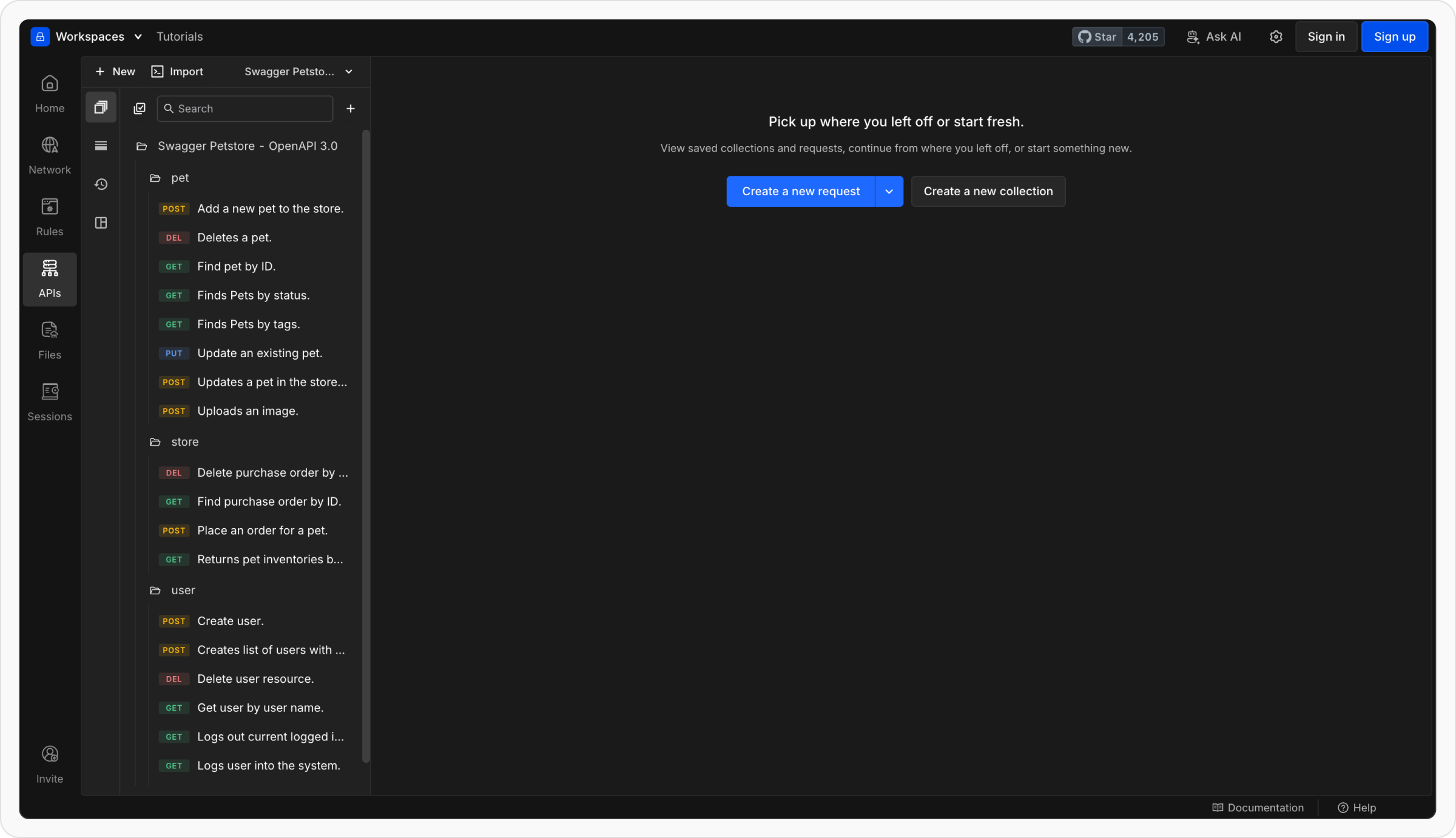
    * Each **path** in your OpenAPI file becomes an individual **request**.
    * Requests are grouped under collections named after your API or service.
    * Requestly automatically fills in the **method, URL, headers, and body** (if defined in the spec).

    <img src="https://mintcdn.com/requestly/26y8f37-V_AAbmI0/images/import-openapi-spec/d9055f27-0b15-4076-babe-dc2b8e65cd5c.png?fit=max&auto=format&n=26y8f37-V_AAbmI0&q=85&s=310ca42397e4949118c8661da3dd825f" align="center" fullwidth="false" width="2400" height="1382" data-path="images/import-openapi-spec/d9055f27-0b15-4076-babe-dc2b8e65cd5c.png" />
  </Step>

  <Step title="Environments are created automatically">
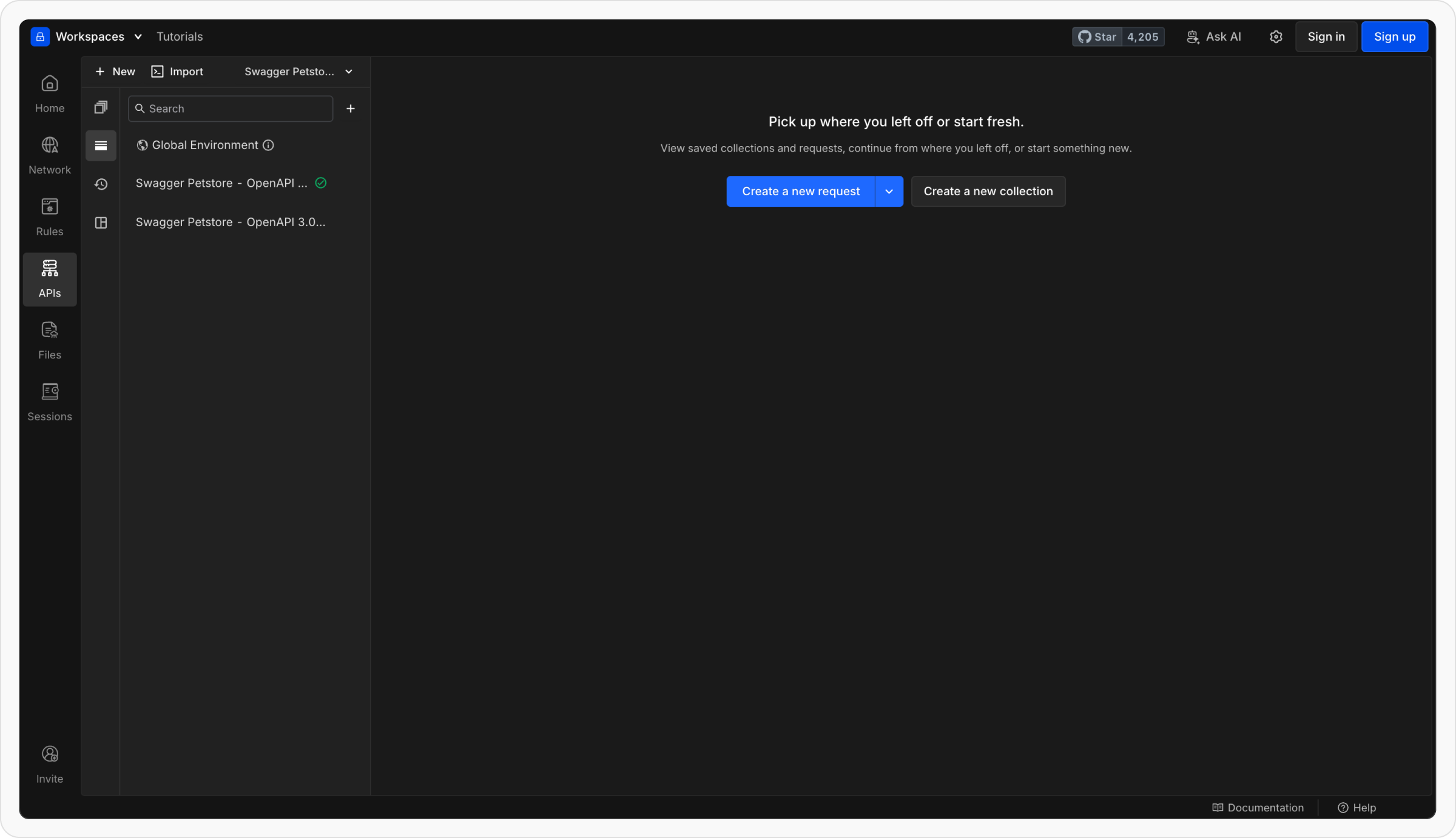
    * If your spec defines multiple servers (e.g., staging, production), Requestly creates matching environments.
    * Each environment includes a `{{base_url}}` variable set to the server URL.
    * You can switch environments easily from the environment dropdown.

    <img src="https://mintcdn.com/requestly/26y8f37-V_AAbmI0/images/import-openapi-spec/e00529b0-d431-4388-97e7-3a63a052fc33.png?fit=max&auto=format&n=26y8f37-V_AAbmI0&q=85&s=faa498951a8c2210e39ef0acc98575d4" align="center" fullwidth="false" width="2400" height="1382" data-path="images/import-openapi-spec/e00529b0-d431-4388-97e7-3a63a052fc33.png" />
  </Step>
</Steps>

## What Happens After Import

Once imported, Requestly automatically maps elements from your OpenAPI file to your workspace structure.

| **OpenAPI Element**             | **Where It Appears in Requestly**                                       |
| ------------------------------- | ----------------------------------------------------------------------- |
| **Paths**                       | Individual requests inside the imported collection                      |
| **Methods (GET, POST, etc.)**   | Reflected automatically in each request                                 |
| **Servers (root level)**        | Creates environments with a `{{base_url}}` variable for each server URL |
| **Servers (path level)**        | Used as **collection variables in parent**                              |
| **Schemas / Components**        | Used internally for request and response structure                      |
| **Request bodies & parameters** | Automatically mapped to request body and query params                   |

## Exporting an OpenAPI Spec

Need an OpenAPI definition for sharing or documentation? You can export any API collection as a standard OpenAPI (Swagger) file directly from Requestly.

### How to Export

<Steps>
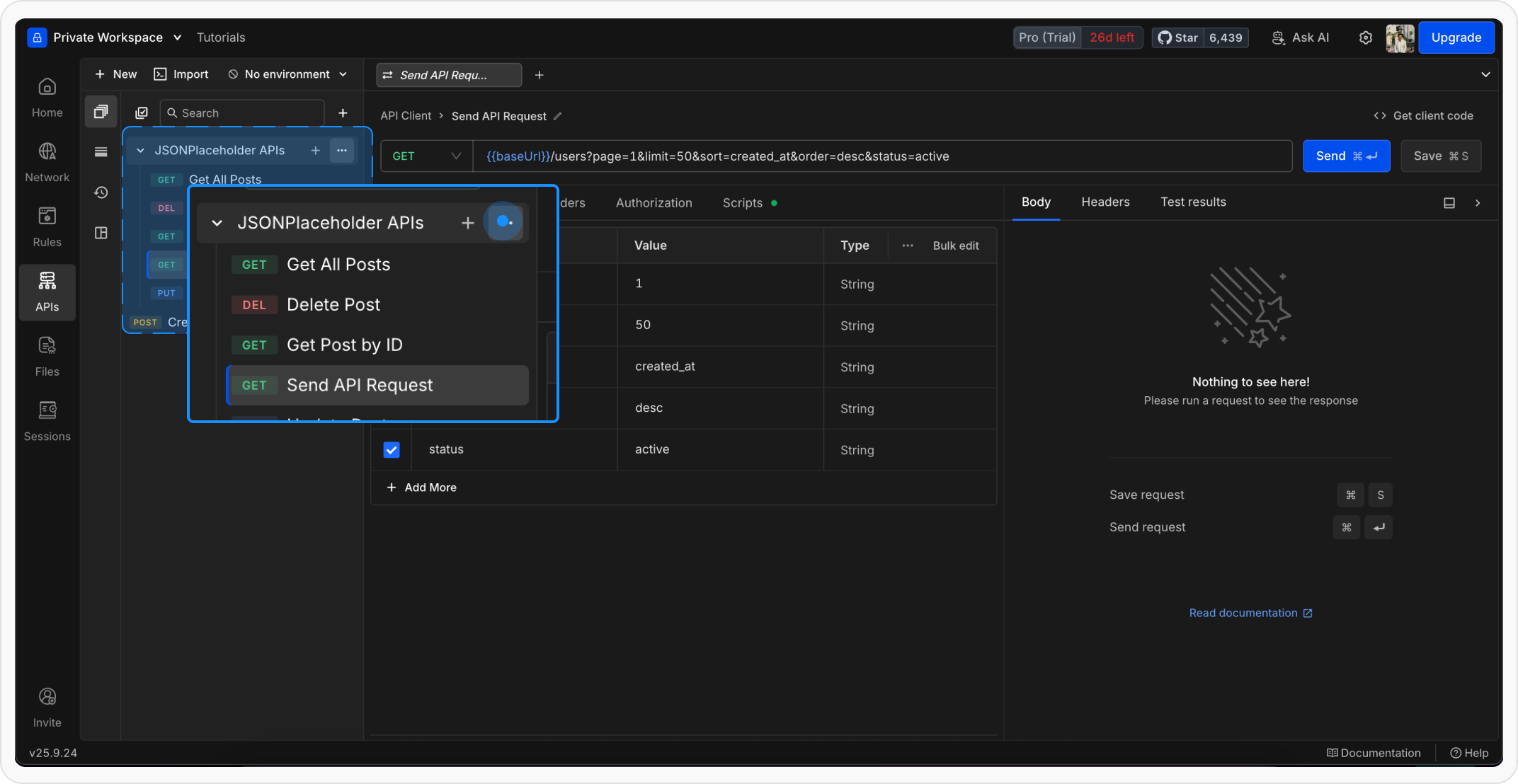
  <Step title="Locate the Collection">
    Hover over the collection you wish to export and click the **three‑dot menu (⋯)**.

    <Frame>
      <img src="https://mintcdn.com/requestly/na-oOr4eMkwiirqG/images/import-openapi-spec/exportopen-apispec.png?fit=max&auto=format&n=na-oOr4eMkwiirqG&q=85&s=c3eb66c8126eacfae8335c77752d1a01" alt="Exportopen Apispec" width="2144" height="1108" data-path="images/import-openapi-spec/exportopen-apispec.png" />
    </Frame>
  </Step>

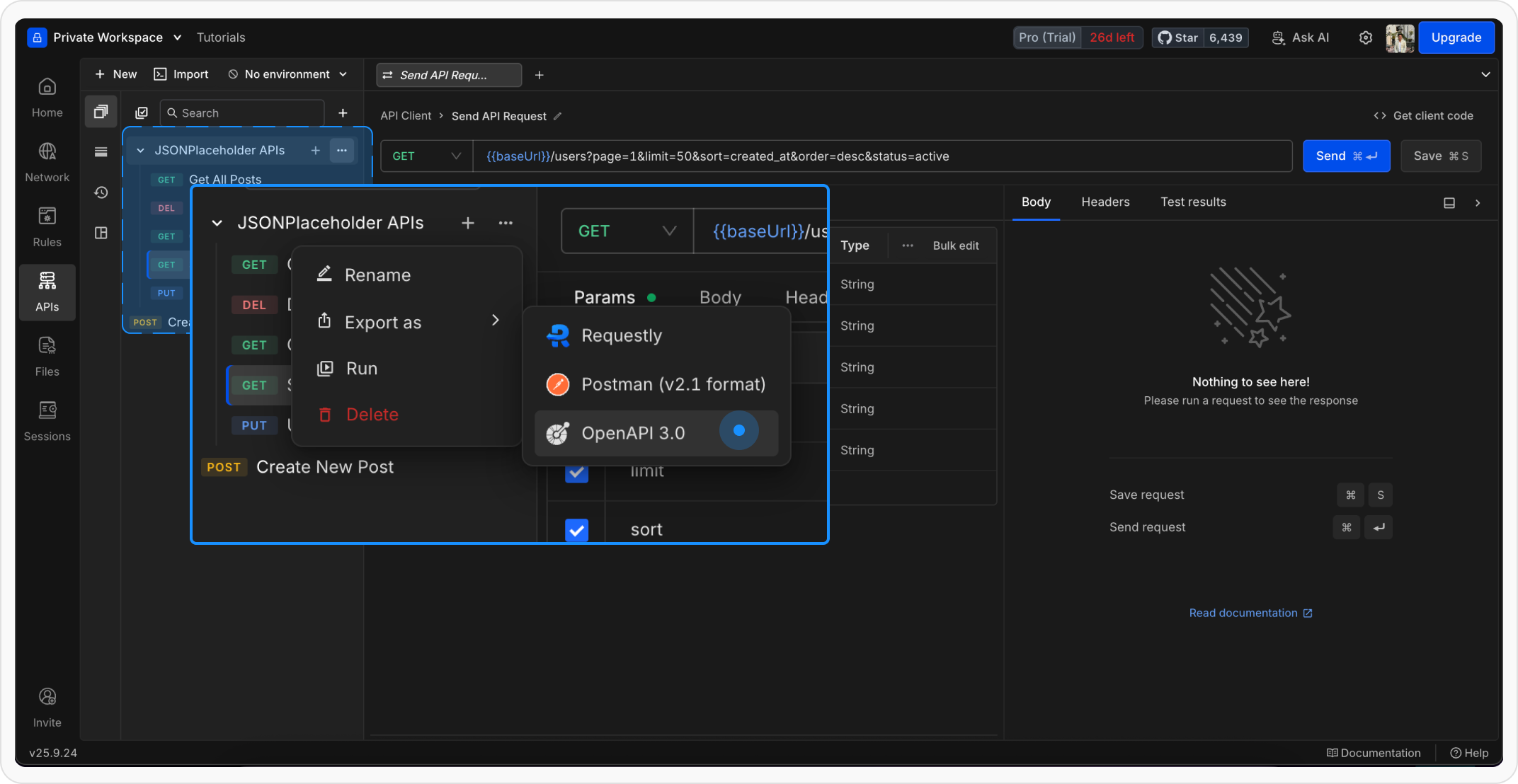
  <Step title="Choose the Export Option">
    Select **Export → OpenAPI** (or **Export as OpenAPI Spec** in some releases). Requestly will generate the spec based on the requests and variables in the collection.

    <Frame>
      <img src="https://mintcdn.com/requestly/na-oOr4eMkwiirqG/images/import-openapi-spec/exportopen-apispec2.png?fit=max&auto=format&n=na-oOr4eMkwiirqG&q=85&s=6a5c0a959870ed8863cfea51fee13d20" alt="Exportopen Apispec2" width="2144" height="1108" data-path="images/import-openapi-spec/exportopen-apispec2.png" />
    </Frame>
  </Step>

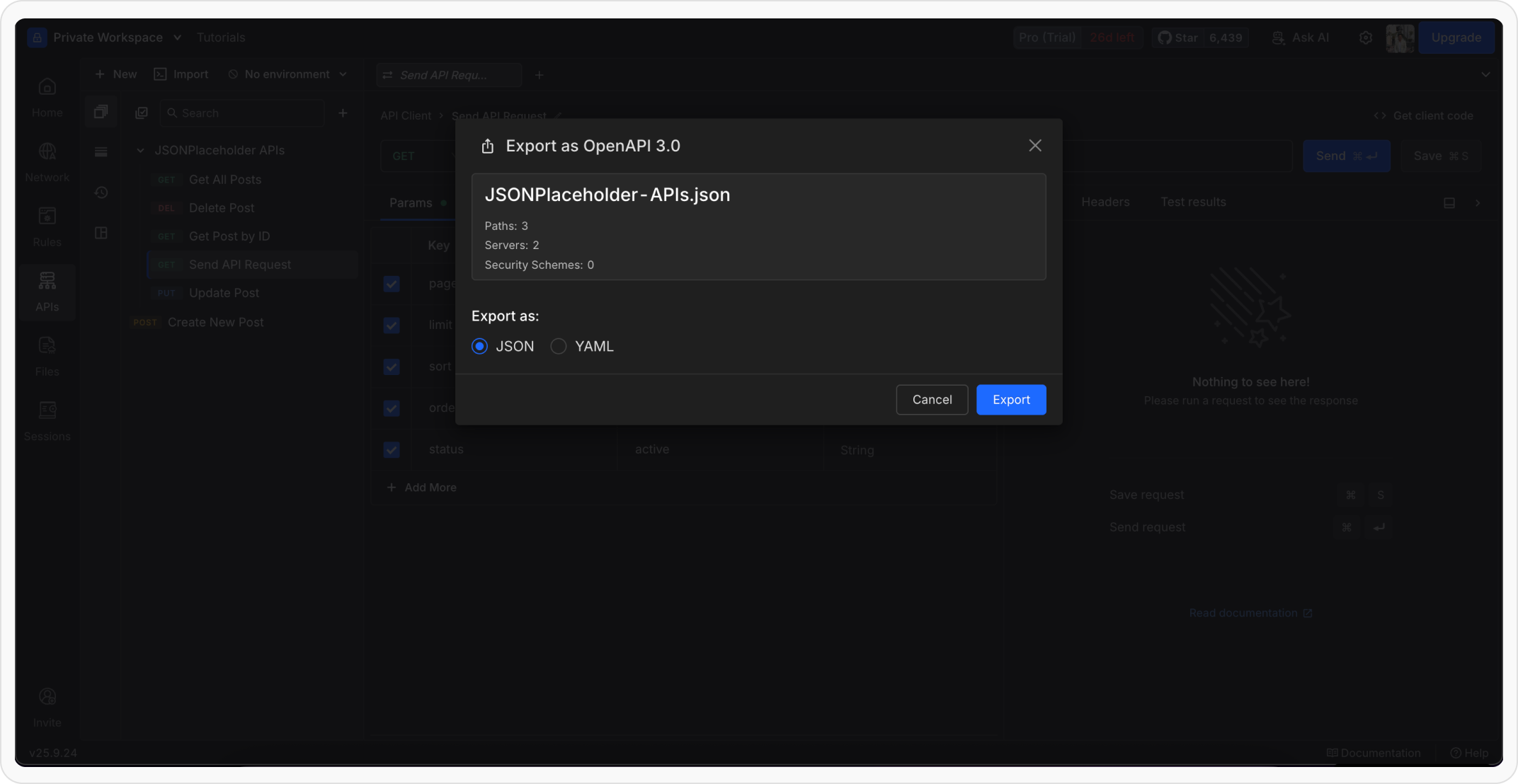
  <Step title="Download the Spec">
    A modal previews the generated file. Click **Download** to save the `.yaml` (or `.json`) spec to your device.

    <Frame>
      <img src="https://mintcdn.com/requestly/na-oOr4eMkwiirqG/images/import-openapi-spec/exportopen-apispec3.png?fit=max&auto=format&n=na-oOr4eMkwiirqG&q=85&s=a25a7fb0479f6cd66ed4f51e9cd814c8" alt="Exportopen Apispec3" width="2144" height="1108" data-path="images/import-openapi-spec/exportopen-apispec3.png" />
    </Frame>
  </Step>
</Steps>

<Tip>
  **Tip**: Make sure the collection’s requests and environment variables are up to date, the exported spec reflects the current state of the collection.
</Tip>