> ## Documentation Index
> Fetch the complete documentation index at: https://docs.requestly.com/llms.txt
> Use this file to discover all available pages before exploring further.
# Private Mocks
> Require a secret token on a Requestly cloud mock so only callers sending the x-api-key header can reach it, and rotate or revoke that token at any time.
A cloud mock is reachable by anyone who has its URL. That is usually what you want while you are developing against it, but not when the mock stands in for a paid API, returns data you would rather not publish, or simply should not answer traffic you did not send.
Making a mock **private** puts a secret token in front of it, and the mock URL never changes when you do. Callers must send that token in an `x-api-key` header on every request. Anyone who does not gets a `404`, exactly as if the mock did not exist.
## Prerequisites
* You are signed in and a cloud project is active. Mock servers are cloud-only, so privacy is not available in local projects.
* Your role has permission to update mocks in the project. Without it, a public mock shows the **Private** switch disabled with a tooltip explaining why, and an already-private mock shows a read-only **Private** badge instead.
The privacy control is rolling out gradually. If you do not see a **Private** switch at the end of the URL strip, it is not enabled for your account yet.
## Make a mock private
Open the mock from the **Mocks** section in the sidebar. At the far end of the URL strip, past the copy button, is a **Private** switch.
Switch **Private** on. Requestly generates a token and shows it to you in a dialog. Tokens start with `rqmock_`.
Click **Copy** to put the token on your clipboard, or use the copy button on the `curl` block below it to take the whole command at once. Requestly stores the token hashed and cannot show it to you again.
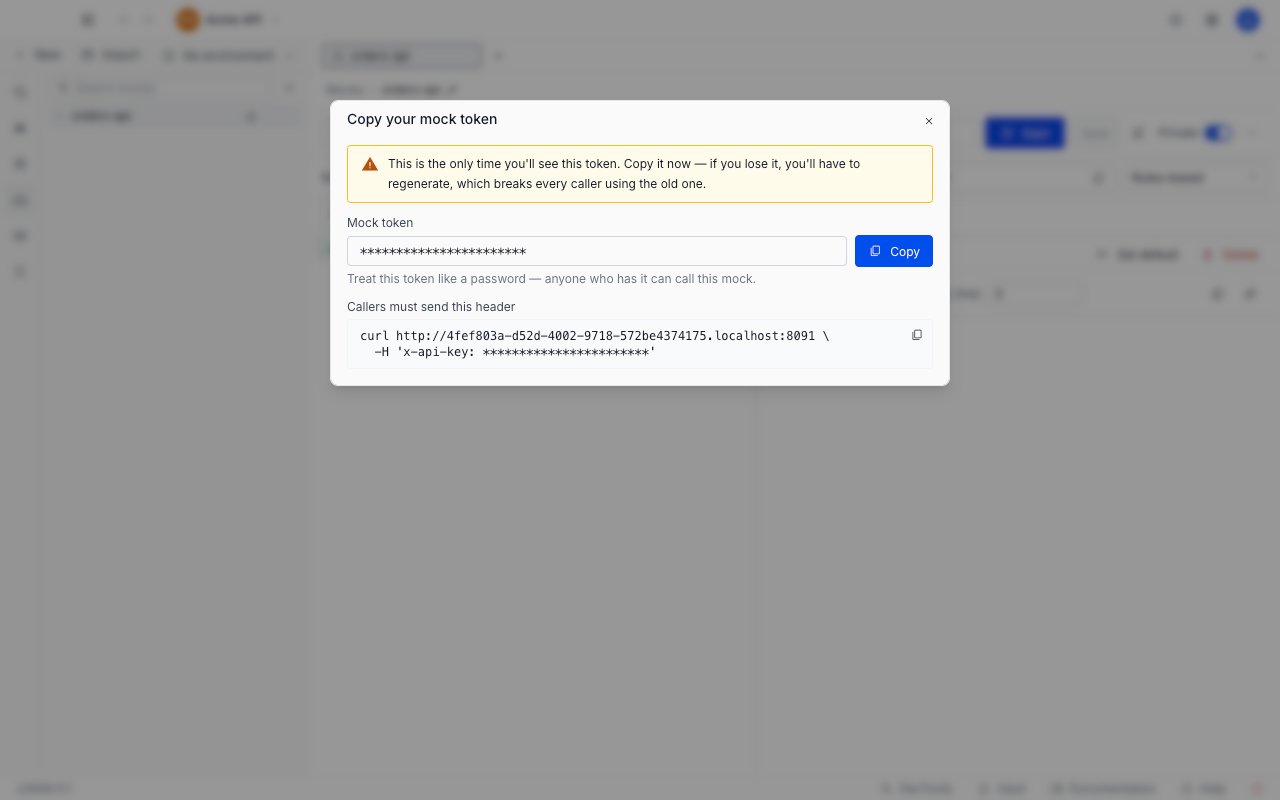
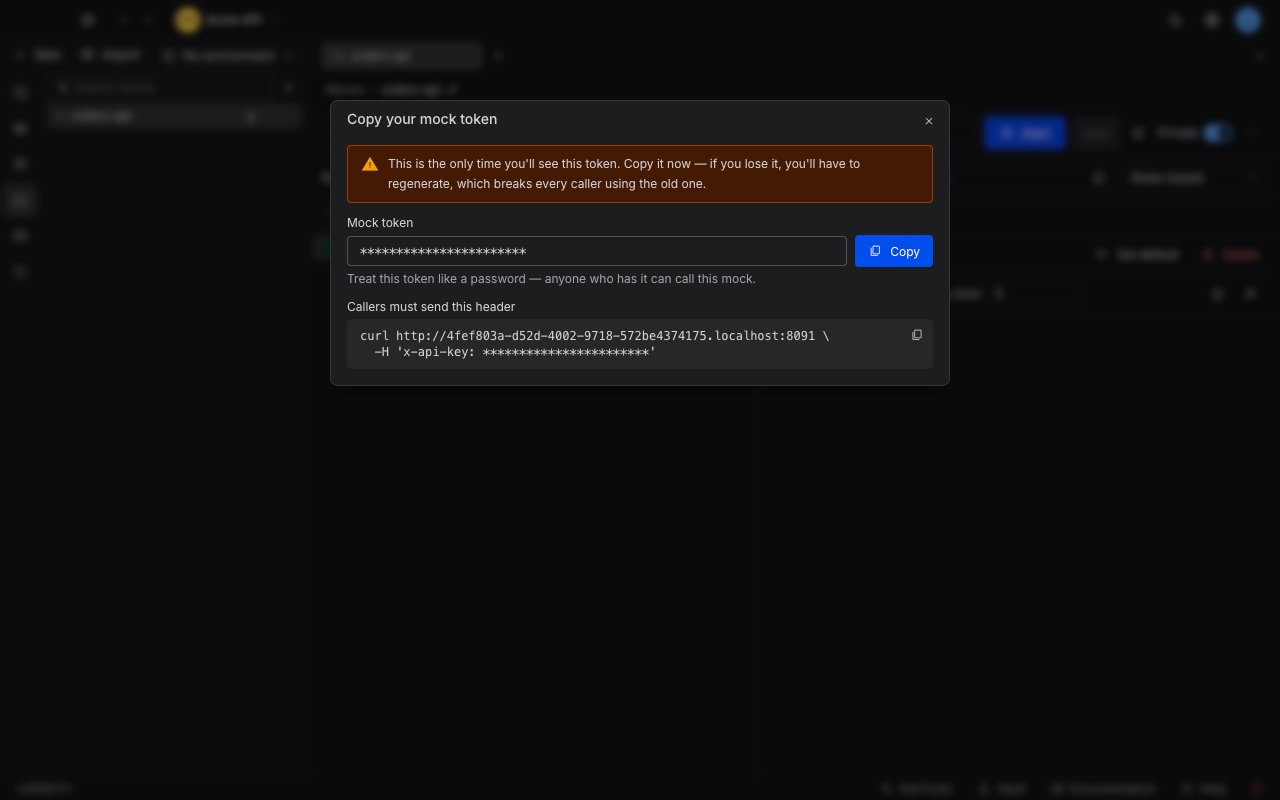 This is the only time the token is shown. If you close the dialog without copying it, your only recovery is to regenerate, which breaks every caller already using the old one.
If you try to dismiss the dialog before copying anything, Requestly asks you to confirm first. Choose **Keep showing** to go back, or **Discard anyway** if you meant it.
Send the token in an `x-api-key` header on every request:
```bash theme={null}
curl https://.mocks.requestly.cloud/hello \
-H 'x-api-key: rqmock_YOUR_TOKEN'
```
You get back the response you configured, exactly as before. The URL is unchanged - only the header is new. The `curl` block in the reveal dialog is the same command with your base URL and token already filled in, so copy it and append your route path.
## What callers without a token see
A request that is missing the token, or sends the wrong one, gets the same `404` that an unknown mock URL returns. The response says nothing about the mock existing, being private, or being stopped, and it carries no `WWW-Authenticate` header.
That is deliberate. A reject that looked different from "no such mock" would confirm to anyone probing your URLs that something real is there.
Because the reject explains nothing, a `404` on your own mock is the symptom you will hit first if a caller is misconfigured. Check the `x-api-key` header before you go looking for a routing problem.
The token must travel in the header. Putting it in a query string does not work.
## Where privacy shows up
Once a mock is private, a lock icon appears next to its name in the **Mocks** sidebar, so you can tell at a glance which mocks in the project need a token. Hovering the icon confirms it: callers must send `x-api-key`.
This is the only time the token is shown. If you close the dialog without copying it, your only recovery is to regenerate, which breaks every caller already using the old one.
If you try to dismiss the dialog before copying anything, Requestly asks you to confirm first. Choose **Keep showing** to go back, or **Discard anyway** if you meant it.
Send the token in an `x-api-key` header on every request:
```bash theme={null}
curl https://.mocks.requestly.cloud/hello \
-H 'x-api-key: rqmock_YOUR_TOKEN'
```
You get back the response you configured, exactly as before. The URL is unchanged - only the header is new. The `curl` block in the reveal dialog is the same command with your base URL and token already filled in, so copy it and append your route path.
## What callers without a token see
A request that is missing the token, or sends the wrong one, gets the same `404` that an unknown mock URL returns. The response says nothing about the mock existing, being private, or being stopped, and it carries no `WWW-Authenticate` header.
That is deliberate. A reject that looked different from "no such mock" would confirm to anyone probing your URLs that something real is there.
Because the reject explains nothing, a `404` on your own mock is the symptom you will hit first if a caller is misconfigured. Check the `x-api-key` header before you go looking for a routing problem.
The token must travel in the header. Putting it in a query string does not work.
## Where privacy shows up
Once a mock is private, a lock icon appears next to its name in the **Mocks** sidebar, so you can tell at a glance which mocks in the project need a token. Hovering the icon confirms it: callers must send `x-api-key`.
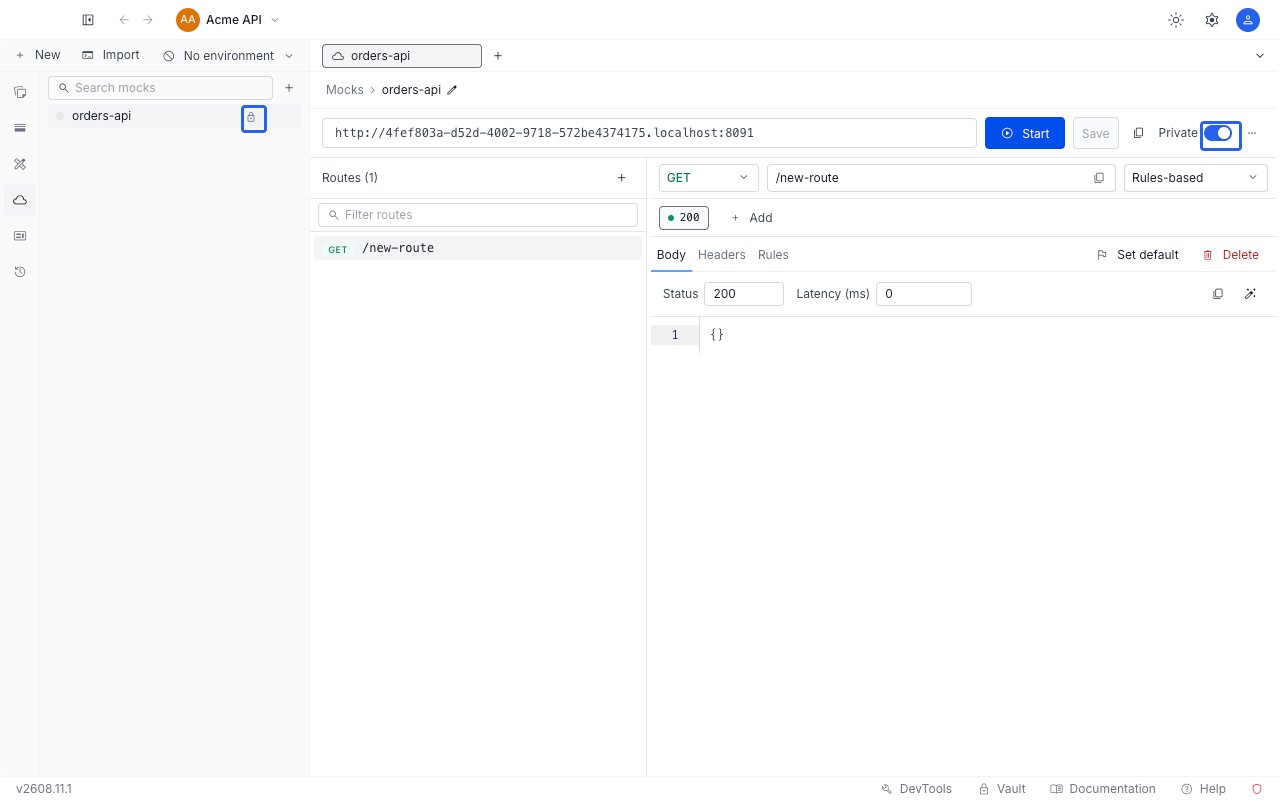
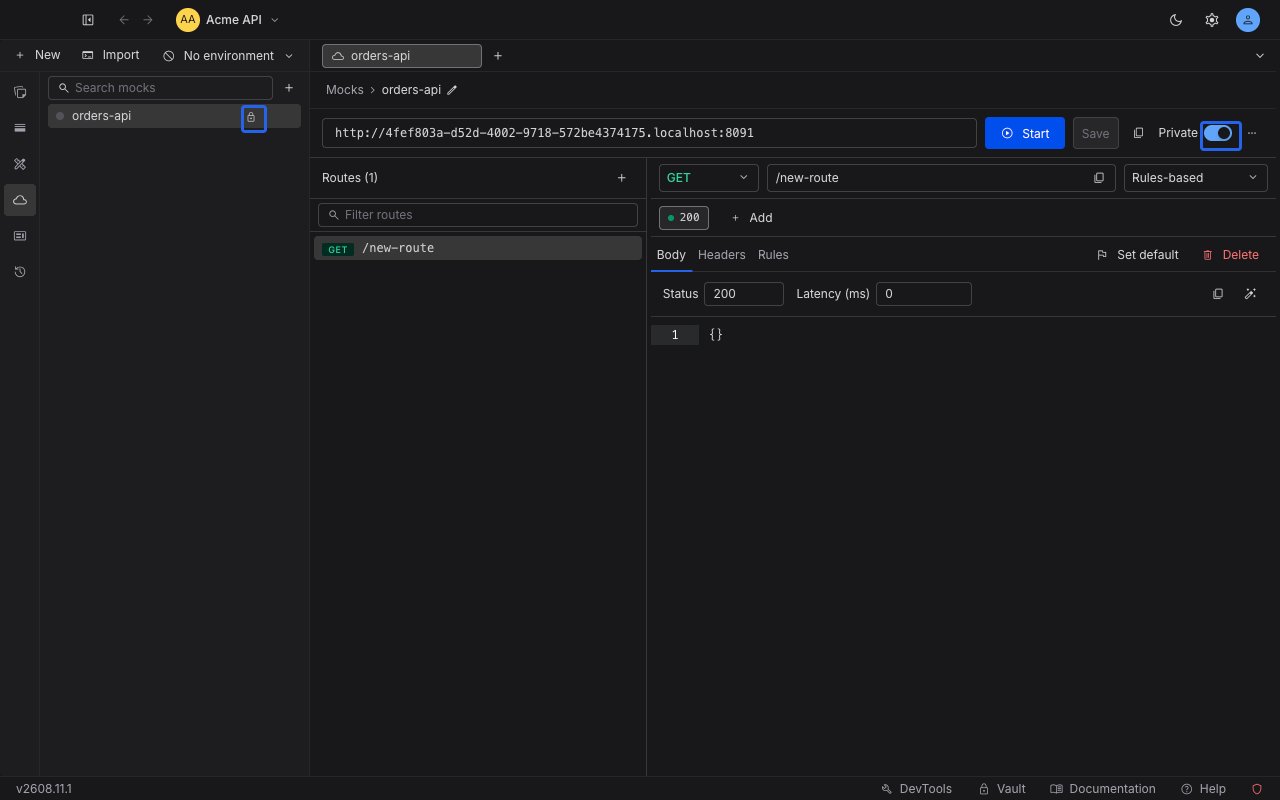 In the editor, the **Private** switch itself is the indicator - it stays on for as long as the mock is private.
## Regenerate the token
Regenerating replaces the mock's token with a new one. Reach for it when a token has leaked, when someone who had it leaves the project, or when you have lost your copy.
With the mock private, click the **⋯** button beside the **Private** switch and choose **Regenerate token…**. The menu also shows when the token was last rotated, so you can check whether someone has already done it.
Requestly asks you to confirm, because the consequence lands on other people.
In the editor, the **Private** switch itself is the indicator - it stays on for as long as the mock is private.
## Regenerate the token
Regenerating replaces the mock's token with a new one. Reach for it when a token has leaked, when someone who had it leaves the project, or when you have lost your copy.
With the mock private, click the **⋯** button beside the **Private** switch and choose **Regenerate token…**. The menu also shows when the token was last rotated, so you can check whether someone has already done it.
Requestly asks you to confirm, because the consequence lands on other people.
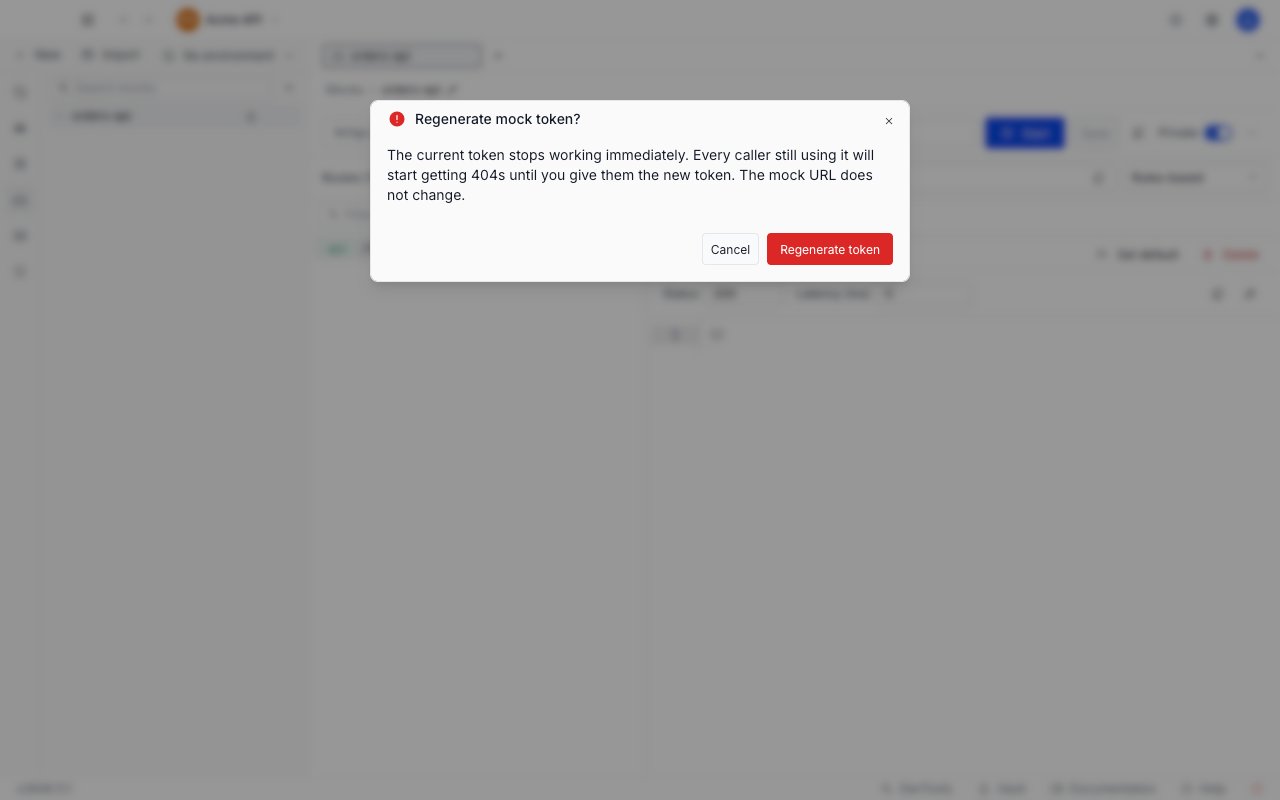
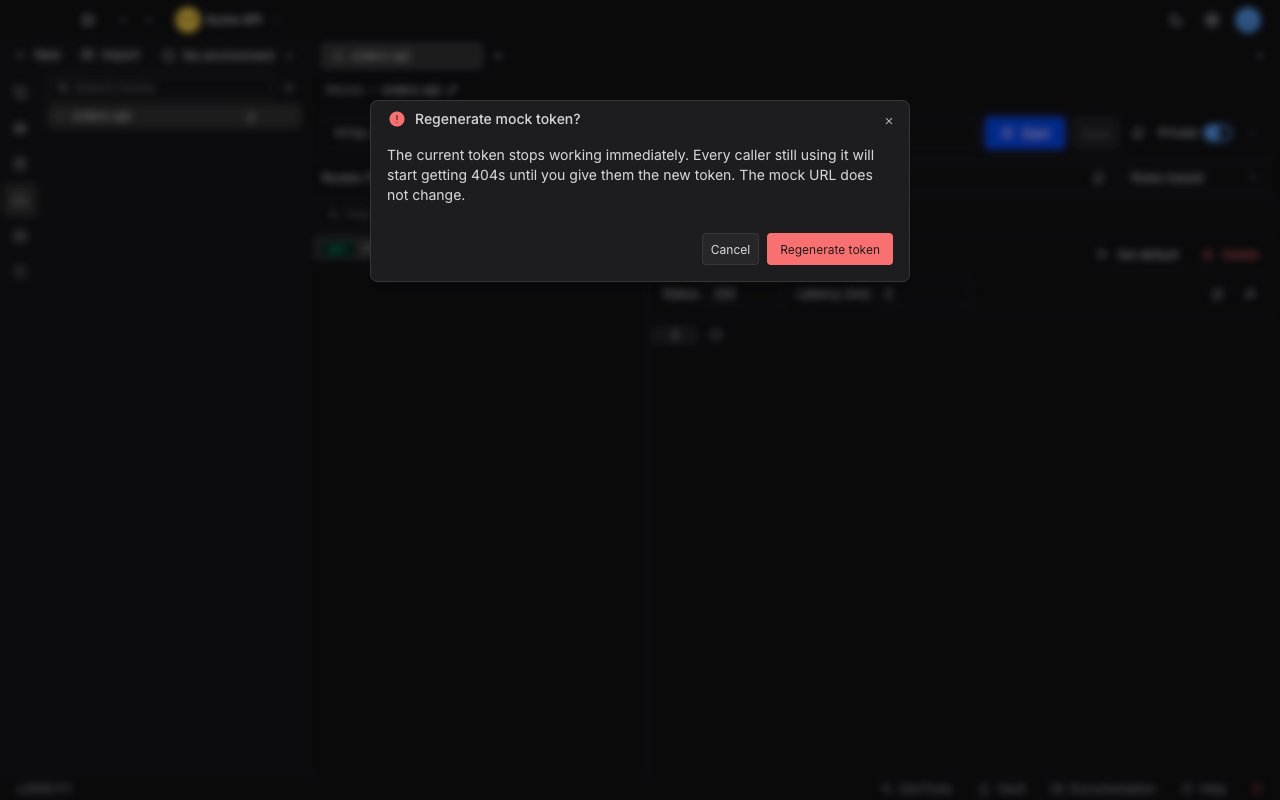 The old token stops working the moment you confirm. Every caller still using it starts getting `404`s until you hand out the new one.
The same one-time reveal dialog opens with the new token. Copy it and distribute it, exactly as you did the first time. The mock URL does not change.
## Make a mock public again
Switch **Private** off. The mock goes back to answering anyone with its URL, and its token is deleted.
Turning privacy back on later mints a brand new token. The old one is gone for good, so a caller that still has it will not start working again.
## Token limits and lifetime
* **A mock has exactly one token.** There is no way to issue a second token for the same mock, or to give different callers different tokens. Everyone who calls the mock shares one credential.
* **A token stays valid until you replace it.** Regenerating, making the mock public, or deleting the mock are the three things that invalidate it. Tokens do not expire on their own, so treat one like a password: anyone holding it can call the mock.
* **Privacy is independent of start and stop.** A private mock that is stopped returns the same `404` to a caller without a token, rather than the `503` a stopped public mock returns. A caller sending the correct token still gets the normal `503`.
* **Requestly consumes the `x-api-key` header.** On a private mock it is stripped before your [matching rules](/api-client/mock-server/rules) and [response templates](/api-client/mock-server/responses) see it, so the live token is never reflected back to the caller. Every other header behaves normally.
The old token stops working the moment you confirm. Every caller still using it starts getting `404`s until you hand out the new one.
The same one-time reveal dialog opens with the new token. Copy it and distribute it, exactly as you did the first time. The mock URL does not change.
## Make a mock public again
Switch **Private** off. The mock goes back to answering anyone with its URL, and its token is deleted.
Turning privacy back on later mints a brand new token. The old one is gone for good, so a caller that still has it will not start working again.
## Token limits and lifetime
* **A mock has exactly one token.** There is no way to issue a second token for the same mock, or to give different callers different tokens. Everyone who calls the mock shares one credential.
* **A token stays valid until you replace it.** Regenerating, making the mock public, or deleting the mock are the three things that invalidate it. Tokens do not expire on their own, so treat one like a password: anyone holding it can call the mock.
* **Privacy is independent of start and stop.** A private mock that is stopped returns the same `404` to a caller without a token, rather than the `503` a stopped public mock returns. A caller sending the correct token still gets the normal `503`.
* **Requestly consumes the `x-api-key` header.** On a private mock it is stripped before your [matching rules](/api-client/mock-server/rules) and [response templates](/api-client/mock-server/responses) see it, so the live token is never reflected back to the caller. Every other header behaves normally.