> ## Documentation Index
> Fetch the complete documentation index at: https://docs.requestly.com/llms.txt
> Use this file to discover all available pages before exploring further.
# Responses and selection modes
> Configure a Requestly mock route's responses - body, status, latency, headers, and dynamic values - and choose how the mock picks which response to serve.
A route can have several responses, and you decide how the mock picks between them. This page covers configuring a single response (body, status, latency, headers, dynamic values) and the three selection modes that choose which response to serve on each request.
For how requests are matched to a route in the first place, see [Routes](/api-client/mock-server/routes).
## Multiple responses
Each route's responses are shown as tiles in a horizontal strip in the response pane. Click a tile to edit it, click **Add** to create another, and drag tiles to reorder them. A colored dot on each tile reflects its status code: green for `2xx`, blue for `3xx`, amber for `4xx`, red for `5xx`.
Every route must keep at least one response, so the delete control is disabled when only one remains. In **Rules-based** mode you can mark one response as the **default** with the flag toggle. The default is served when no other response's rules match. The default flag is ignored in the other two modes.
Each response has three sub-tabs: **Body**, **Headers**, and **Rules**. Rules are covered on their own page - see [Matching rules](/api-client/mock-server/rules).
## Body, status, and latency
On the **Body** tab, edit the response body in the editor and set the **Status** code. Use the copy and prettify buttons for JSON and XML bodies. Inline bodies are capped at 5 MB, and the editor warns you as you approach the limit.
Inline bodies do not get a content type automatically. When returning JSON, add a `Content-Type: application/json` header on the **Headers** tab so the caller parses it correctly.
Set a **Latency** delay in milliseconds to simulate a slow endpoint. The mock waits that long before responding. For example, a `GET /slow` route with status `503`, a latency of `1500`, and this body:
```json theme={null}
{"error":"Service Unavailable","simulated":true}
```
returns the configured status after roughly 1.5 seconds:
```bash theme={null}
curl -s -w '[status=%{http_code}] [time=%{time_total}s]' \
https://.mocks.requestly.cloud/slow
```
```json theme={null}
{"error":"Service Unavailable","simulated":true}
[status=503] [time=1.507750s]
```
The hosted mock caps latency at 5000 ms, so any delay up to five seconds is honored in full.
## Headers
On the **Headers** tab, add response headers as key-value pairs, with autocomplete for common header names such as `Content-Type` and `Cache-Control`. Every header you add is returned verbatim to the caller.
For example, a `GET /headers` route with `Content-Type: application/json`, `X-Custom-Header: rq-mock-demo`, and `X-Powered-By: Requestly-Mock`:
```bash theme={null}
curl -i https://.mocks.requestly.cloud/headers
```
```text theme={null}
HTTP/1.1 200 OK
X-Powered-By: Requestly-Mock
Content-Type: application/json
X-Custom-Header: rq-mock-demo
{"ok":true}
```
## Dynamic values
You can insert placeholders into a response body or header value, and the mock replaces them with values from the incoming request each time it serves. Wrap a placeholder in double curly braces.
Request-derived placeholders:
* `{{request.method}}` - the HTTP method of the request.
* `{{request.path}}` - the request path.
* `{{request.urlParam.}}` - a path parameter captured by `:name`, or `{{request.urlParam.0}}` for a `*` wildcard.
* `{{request.queryParam.}}` - a query-string value.
* `{{request.header.}}` - a request header value.
* `{{request.body.}}` - a field from the JSON request body.
* `{{request.cookie.}}` - a request cookie value.
Generated placeholders:
* `{{$randomUUID}}` - a random UUID.
* `{{$timestamp}}` - the current timestamp.
For example, echoing a captured path parameter back in the body:
```json theme={null}
{"userId":"{{request.urlParam.id}}"}
```
served from `GET /users/:id` returns the id from the URL:
```bash theme={null}
curl https://.mocks.requestly.cloud/users/42
```
```json theme={null}
{"userId":"42"}
```
## Selection modes
Once a request matches a route, that route's **selection mode** decides which of its responses to serve. Set it from the mode dropdown at the top of the response pane.
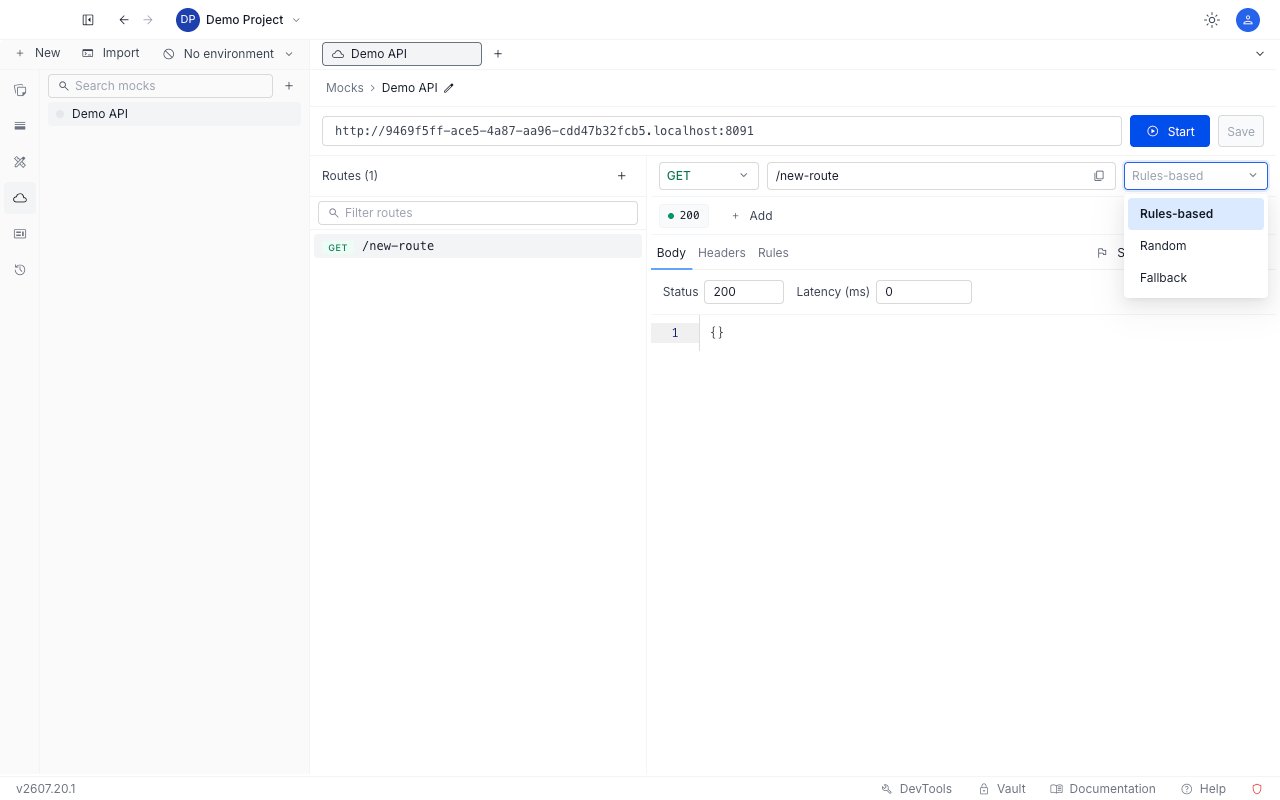
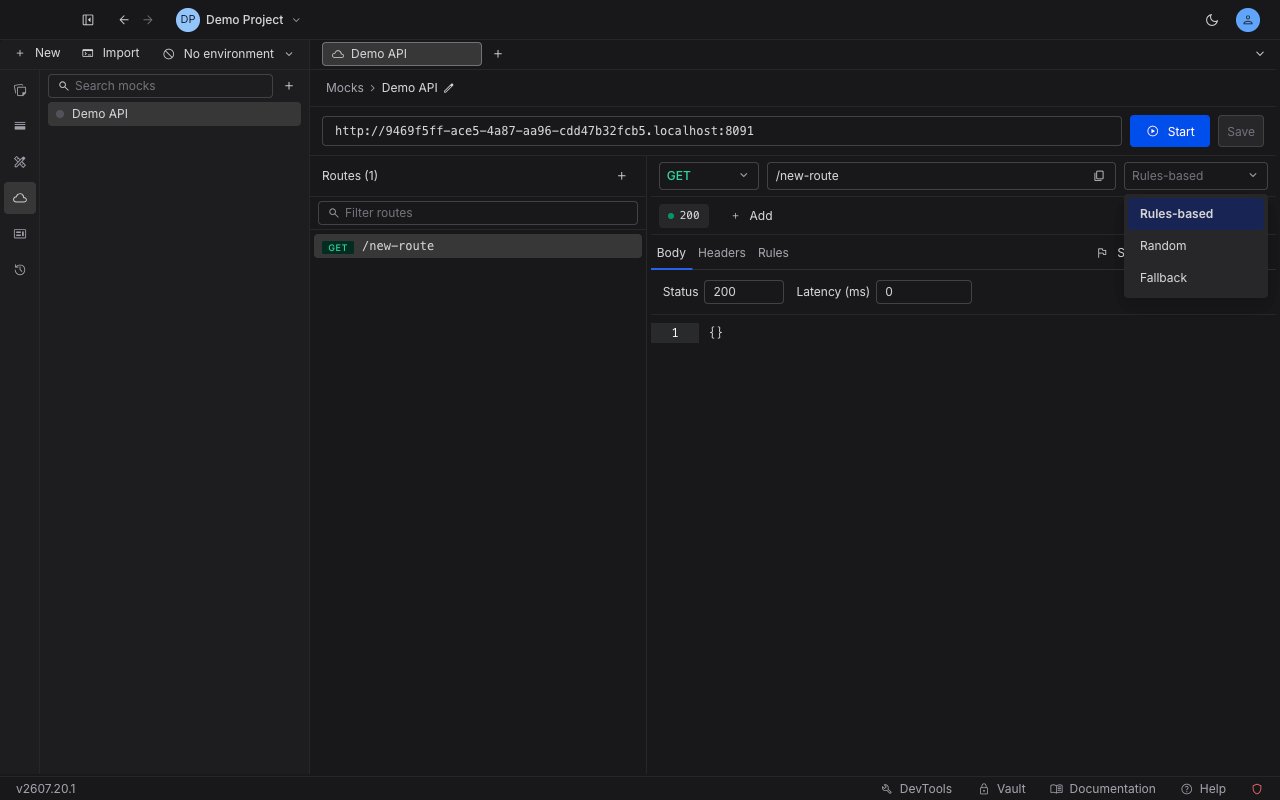 | Mode | What it does | When to use it |
| --------------- | ---------------------------------------------------------------------------------------------------------------------------------------------- | --------------------------------------------------------------------------------------------------------------------------------------------- |
| **Rules-based** | Serves the first response whose rules all match. If none match, serves the response marked **default**. If there is no default, returns `404`. | The everyday choice. Branch on request content: a happy-path `200`, a `403` when auth is missing, a premium payload only for `?plan=premium`. |
| **Random** | Picks one of the route's responses uniformly at random. Rules and the default flag are ignored. | Chaos and resilience testing - make the client tolerate a mix of responses (for example a `200` and a `500`) hit unpredictably. |
| **Fallback** | Runs the current route's rules. If none match, it does not use a default - it falls through to the next route that matches the same request. | Layering a specific mock over a broad catch-all route without either route needing to know about the other. |
### Rules-based
Rules-based mode returns the first response whose rules all match, and falls back to the **default** response when none do. For example, a `GET /account` route with a "premium" response gated by a rule (`?plan=premium`) and a "free" response marked default:
```bash theme={null}
curl "https://.mocks.requestly.cloud/account?plan=premium"
```
```json theme={null}
{"plan":"premium","features":["dashboards","sso"]}
```
```bash theme={null}
curl "https://.mocks.requestly.cloud/account?plan=basic"
```
```json theme={null}
{"plan":"free"}
```
The `?plan=basic` request matches no rule, so it falls back to the default. See [Matching rules](/api-client/mock-server/rules) for how to write the rule.
If a rules-based route has no matching rule and no response is marked default, the mock returns `404`.
### Random
Random mode picks one response at random on every request. For example, a `GET /random` route with two responses, `{"pick":"A"}` and `{"pick":"B"}`, returns a mix across identical requests:
```bash theme={null}
for i in $(seq 1 30); do curl -s https://.mocks.requestly.cloud/random; echo; done | sort | uniq -c
```
```text theme={null}
10 {"pick":"A"}
20 {"pick":"B"}
```
### Fallback
Fallback mode tries the current route's rules and, if none match, hands the request to the next route that matches it. For example, a first `GET /fallback` route in fallback mode answers only when `?x=1`, and a following `* /fallback` route answers everything else:
```bash theme={null}
curl "https://.mocks.requestly.cloud/fallback?x=1"
```
```json theme={null}
{"result":"rule-matched-on-first-route (x=1)"}
```
```bash theme={null}
curl "https://.mocks.requestly.cloud/fallback"
```
```json theme={null}
{"result":"fell-through-to-NEXT-matching-route default"}
```
The request without `x=1` matches no rule on the first route, so it falls through and is resolved by the second route. Route order controls which route is tried first - see [route ordering](/api-client/mock-server/routes#ordering-and-shadowing).
| Mode | What it does | When to use it |
| --------------- | ---------------------------------------------------------------------------------------------------------------------------------------------- | --------------------------------------------------------------------------------------------------------------------------------------------- |
| **Rules-based** | Serves the first response whose rules all match. If none match, serves the response marked **default**. If there is no default, returns `404`. | The everyday choice. Branch on request content: a happy-path `200`, a `403` when auth is missing, a premium payload only for `?plan=premium`. |
| **Random** | Picks one of the route's responses uniformly at random. Rules and the default flag are ignored. | Chaos and resilience testing - make the client tolerate a mix of responses (for example a `200` and a `500`) hit unpredictably. |
| **Fallback** | Runs the current route's rules. If none match, it does not use a default - it falls through to the next route that matches the same request. | Layering a specific mock over a broad catch-all route without either route needing to know about the other. |
### Rules-based
Rules-based mode returns the first response whose rules all match, and falls back to the **default** response when none do. For example, a `GET /account` route with a "premium" response gated by a rule (`?plan=premium`) and a "free" response marked default:
```bash theme={null}
curl "https://.mocks.requestly.cloud/account?plan=premium"
```
```json theme={null}
{"plan":"premium","features":["dashboards","sso"]}
```
```bash theme={null}
curl "https://.mocks.requestly.cloud/account?plan=basic"
```
```json theme={null}
{"plan":"free"}
```
The `?plan=basic` request matches no rule, so it falls back to the default. See [Matching rules](/api-client/mock-server/rules) for how to write the rule.
If a rules-based route has no matching rule and no response is marked default, the mock returns `404`.
### Random
Random mode picks one response at random on every request. For example, a `GET /random` route with two responses, `{"pick":"A"}` and `{"pick":"B"}`, returns a mix across identical requests:
```bash theme={null}
for i in $(seq 1 30); do curl -s https://.mocks.requestly.cloud/random; echo; done | sort | uniq -c
```
```text theme={null}
10 {"pick":"A"}
20 {"pick":"B"}
```
### Fallback
Fallback mode tries the current route's rules and, if none match, hands the request to the next route that matches it. For example, a first `GET /fallback` route in fallback mode answers only when `?x=1`, and a following `* /fallback` route answers everything else:
```bash theme={null}
curl "https://.mocks.requestly.cloud/fallback?x=1"
```
```json theme={null}
{"result":"rule-matched-on-first-route (x=1)"}
```
```bash theme={null}
curl "https://.mocks.requestly.cloud/fallback"
```
```json theme={null}
{"result":"fell-through-to-NEXT-matching-route default"}
```
The request without `x=1` matches no rule on the first route, so it falls through and is resolved by the second route. Route order controls which route is tried first - see [route ordering](/api-client/mock-server/routes#ordering-and-shadowing).