> ## Documentation Index
> Fetch the complete documentation index at: https://docs.requestly.com/llms.txt
> Use this file to discover all available pages before exploring further.
# Code Snippets in Scripts
> Use built-in code snippets to quickly insert common patterns into your pre-request and post-response scripts in Requestly.
The script editor includes a library of ready-to-use code snippets for common scripting tasks - writing tests, reading and setting variables, and logging request or response details. Instead of typing these patterns from scratch, you can browse, search, and insert them with a single click.
## Opening the snippets panel
In any pre-request or post-response script editor, click the **Snippets** button in the toolbar above the editor. A panel opens with a search box at the top and a categorized list of snippets below.
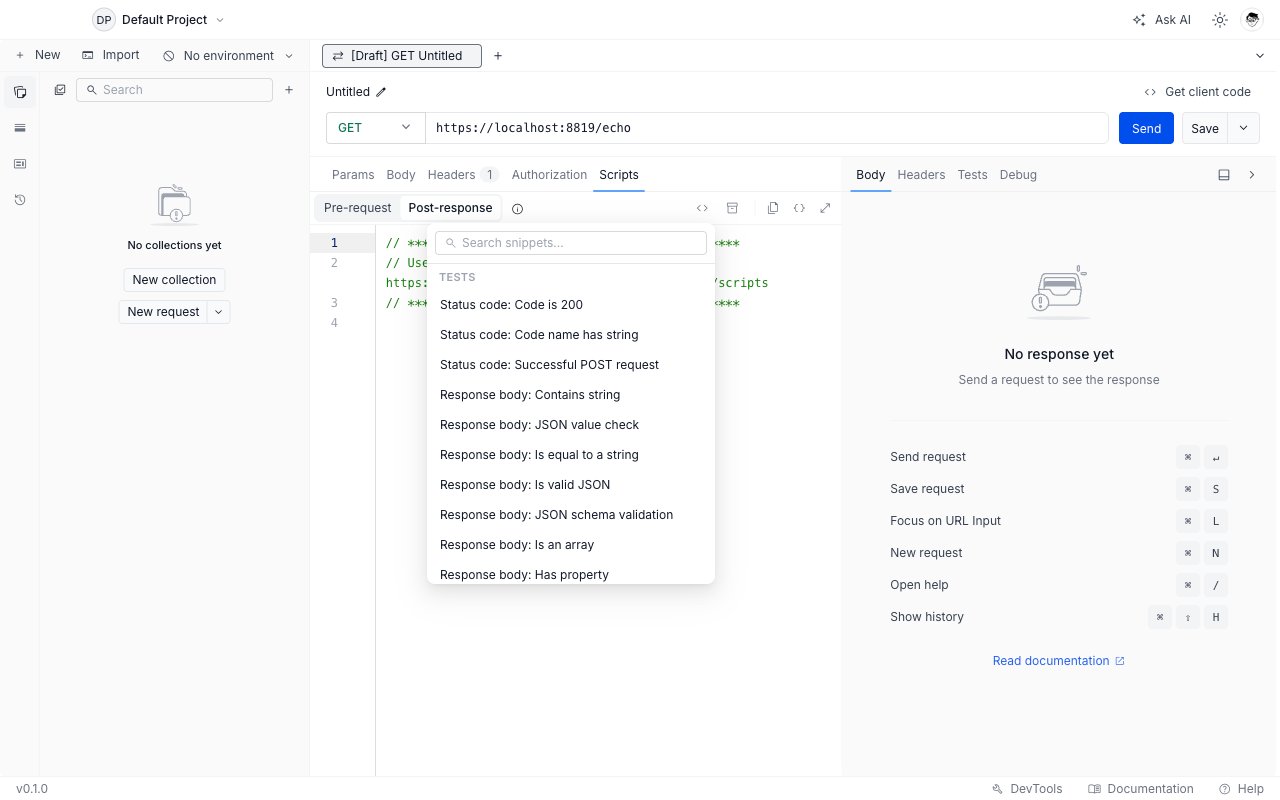
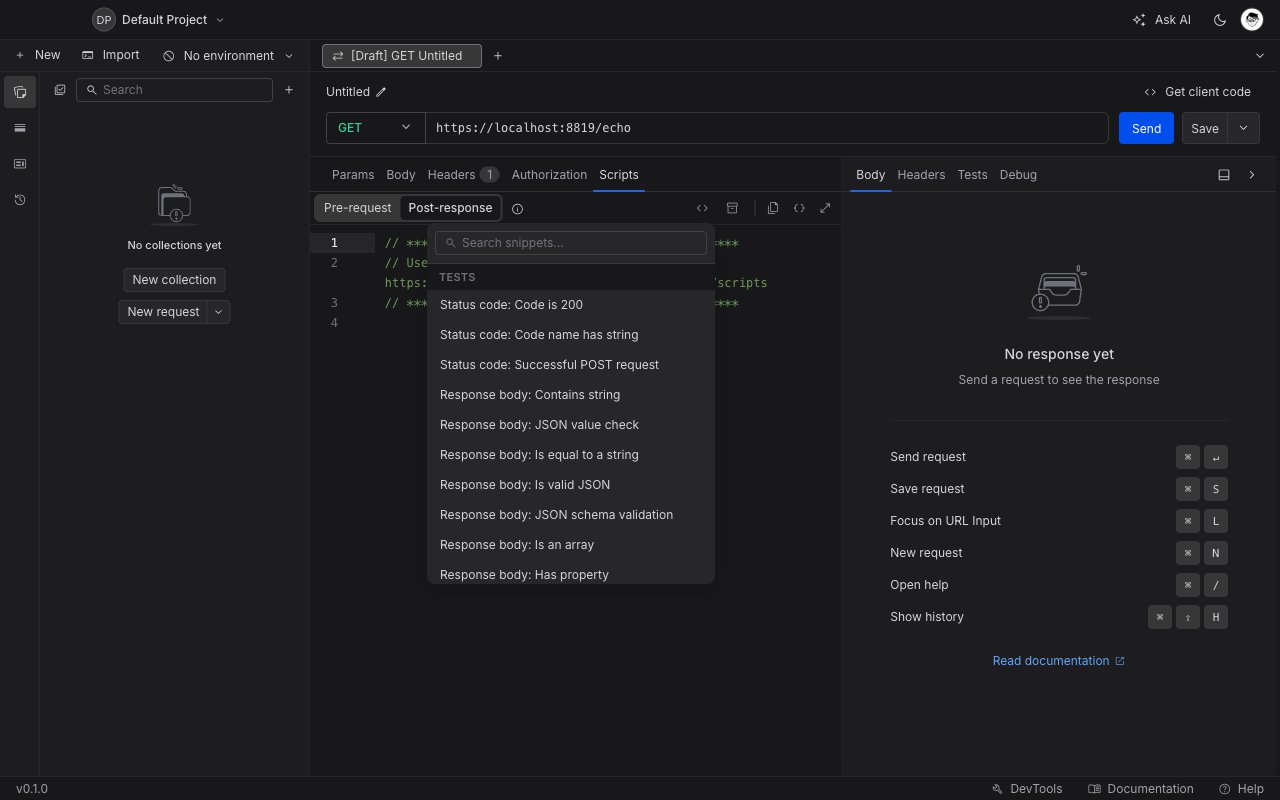 The snippets shown adapt to the active script phase. For example, response assertions only appear when you are editing a post-response script - they are hidden in the pre-request editor where `rq.response` is not available.
## Searching for a snippet
Type in the search box to filter snippets by name. The list narrows to matches as you type. Clear the search to return to the full list.
## Inserting a snippet
Click any snippet name to insert its code at the current cursor position in the editor. The panel stays open so you can insert multiple snippets in one session.
***
## Available snippets
### Tests
These snippets are available in **post-response scripts only**.
#### Status code
| Snippet | Code inserted |
| :----------------------------------- | :--------------------------------------------------------------------------- |
| Status code: Code is 200 | `rq.test("Status code is 200", () => { rq.response.to.have.status(200); });` |
| Status code: Code name has string | Checks `rq.response.statusText` includes `"OK"` |
| Status code: Successful POST request | Asserts `rq.response.status` is one of `[201, 202]` |
#### Response body
| Snippet | What it tests |
| :------------------------------------ | :--------------------------------------------- |
| Response body: Contains string | Body includes a given string |
| Response body: JSON value check | A specific JSON field equals an expected value |
| Response body: Is equal to a string | Entire body equals an exact string |
| Response body: Is valid JSON | Body is parseable JSON |
| Response body: JSON schema validation | Body matches a JSON Schema object you define |
| Response body: Is an array | Body is an array |
| Response body: Has property | Body object has a specific property key |
Example - JSON schema validation:
```javascript theme={null}
const schema = {
type: "object",
properties: {
id: { type: "number" },
name: { type: "string" },
},
required: ["id", "name"],
};
rq.test("Response matches schema", () => {
rq.response.to.have.jsonSchema(schema);
});
```
#### Response headers
| Snippet | What it tests |
| :----------------------------------- | :---------------------------------------- |
| Response headers: Content-Type check | Response includes a `content-type` header |
#### Response time
| Snippet | What it tests |
| :------------------------------- | :-------------------------------------- |
| Response time is less than 200ms | `rq.response.responseTime` is below 200 |
***
### Variables
These snippets are available in **both pre-request and post-response scripts**.
#### Get a variable
| Snippet | Code inserted |
| :-------------------------- | :-------------------------------------------- |
| Get a variable | `rq.variables.get("variable_key");` |
| Get a global variable | `rq.globals.get("variable_key");` |
| Get an environment variable | `rq.environment.get("variable_key");` |
| Get a collection variable | `rq.collectionVariables.get("variable_key");` |
#### Set a variable
| Snippet | Code inserted |
| :-------------------------- | :-------------------------------------------------------------- |
| Set a variable | `rq.variables.set("variable_key", "variable_value");` |
| Set a global variable | `rq.globals.set("variable_key", "variable_value");` |
| Set an environment variable | `rq.environment.set("variable_key", "variable_value");` |
| Set a collection variable | `rq.collectionVariables.set("variable_key", "variable_value");` |
A common pattern is to extract a token from a response and store it for use in subsequent requests:
```javascript theme={null}
// Post-response script on your login endpoint
const body = rq.response.json();
rq.environment.set("authToken", body.token);
```
For a worked example of chaining two requests where the second depends on data from the first, see [Chaining API requests](/api-client/scripts#chaining-api-requests).
#### Clear a variable
| Snippet | Code inserted |
| :---------------------------- | :---------------------------------------------- |
| Clear a global variable | `rq.globals.unset("variable_key");` |
| Clear an environment variable | `rq.environment.unset("variable_key");` |
| Clear a collection variable | `rq.collectionVariables.unset("variable_key");` |
***
### Request / Other
These snippets are available in both phases unless noted.
| Snippet | Phase | Code inserted |
| :------------------ | :----------------- | :------------------------------------------------------------ |
| Log request details | Both | `console.log("Request:", rq.request.method, rq.request.url);` |
| Log response body | Post-response only | Logs `rq.response.status` and `rq.response.body` |
Logs appear in the **DevTools** console tab, tagged with `#script`. See [DevTools](/api-client/devtools) for details.
***
## Related pages
* [Pre-request and Post-response Scripts](/api-client/scripts) - overview of the scripting system and the `rq` API
* [Tests](/api-client/tests) - running and viewing test results after a request
* [Import packages into your scripts](/api-client/import-packages-into-your-scripts) - use external libraries like `moment` and `uuid` in scripts
The snippets shown adapt to the active script phase. For example, response assertions only appear when you are editing a post-response script - they are hidden in the pre-request editor where `rq.response` is not available.
## Searching for a snippet
Type in the search box to filter snippets by name. The list narrows to matches as you type. Clear the search to return to the full list.
## Inserting a snippet
Click any snippet name to insert its code at the current cursor position in the editor. The panel stays open so you can insert multiple snippets in one session.
***
## Available snippets
### Tests
These snippets are available in **post-response scripts only**.
#### Status code
| Snippet | Code inserted |
| :----------------------------------- | :--------------------------------------------------------------------------- |
| Status code: Code is 200 | `rq.test("Status code is 200", () => { rq.response.to.have.status(200); });` |
| Status code: Code name has string | Checks `rq.response.statusText` includes `"OK"` |
| Status code: Successful POST request | Asserts `rq.response.status` is one of `[201, 202]` |
#### Response body
| Snippet | What it tests |
| :------------------------------------ | :--------------------------------------------- |
| Response body: Contains string | Body includes a given string |
| Response body: JSON value check | A specific JSON field equals an expected value |
| Response body: Is equal to a string | Entire body equals an exact string |
| Response body: Is valid JSON | Body is parseable JSON |
| Response body: JSON schema validation | Body matches a JSON Schema object you define |
| Response body: Is an array | Body is an array |
| Response body: Has property | Body object has a specific property key |
Example - JSON schema validation:
```javascript theme={null}
const schema = {
type: "object",
properties: {
id: { type: "number" },
name: { type: "string" },
},
required: ["id", "name"],
};
rq.test("Response matches schema", () => {
rq.response.to.have.jsonSchema(schema);
});
```
#### Response headers
| Snippet | What it tests |
| :----------------------------------- | :---------------------------------------- |
| Response headers: Content-Type check | Response includes a `content-type` header |
#### Response time
| Snippet | What it tests |
| :------------------------------- | :-------------------------------------- |
| Response time is less than 200ms | `rq.response.responseTime` is below 200 |
***
### Variables
These snippets are available in **both pre-request and post-response scripts**.
#### Get a variable
| Snippet | Code inserted |
| :-------------------------- | :-------------------------------------------- |
| Get a variable | `rq.variables.get("variable_key");` |
| Get a global variable | `rq.globals.get("variable_key");` |
| Get an environment variable | `rq.environment.get("variable_key");` |
| Get a collection variable | `rq.collectionVariables.get("variable_key");` |
#### Set a variable
| Snippet | Code inserted |
| :-------------------------- | :-------------------------------------------------------------- |
| Set a variable | `rq.variables.set("variable_key", "variable_value");` |
| Set a global variable | `rq.globals.set("variable_key", "variable_value");` |
| Set an environment variable | `rq.environment.set("variable_key", "variable_value");` |
| Set a collection variable | `rq.collectionVariables.set("variable_key", "variable_value");` |
A common pattern is to extract a token from a response and store it for use in subsequent requests:
```javascript theme={null}
// Post-response script on your login endpoint
const body = rq.response.json();
rq.environment.set("authToken", body.token);
```
For a worked example of chaining two requests where the second depends on data from the first, see [Chaining API requests](/api-client/scripts#chaining-api-requests).
#### Clear a variable
| Snippet | Code inserted |
| :---------------------------- | :---------------------------------------------- |
| Clear a global variable | `rq.globals.unset("variable_key");` |
| Clear an environment variable | `rq.environment.unset("variable_key");` |
| Clear a collection variable | `rq.collectionVariables.unset("variable_key");` |
***
### Request / Other
These snippets are available in both phases unless noted.
| Snippet | Phase | Code inserted |
| :------------------ | :----------------- | :------------------------------------------------------------ |
| Log request details | Both | `console.log("Request:", rq.request.method, rq.request.url);` |
| Log response body | Post-response only | Logs `rq.response.status` and `rq.response.body` |
Logs appear in the **DevTools** console tab, tagged with `#script`. See [DevTools](/api-client/devtools) for details.
***
## Related pages
* [Pre-request and Post-response Scripts](/api-client/scripts) - overview of the scripting system and the `rq` API
* [Tests](/api-client/tests) - running and viewing test results after a request
* [Import packages into your scripts](/api-client/import-packages-into-your-scripts) - use external libraries like `moment` and `uuid` in scripts