> ## Documentation Index
> Fetch the complete documentation index at: https://docs.requestly.com/llms.txt
> Use this file to discover all available pages before exploring further.
# Digest Auth
> Authenticate requests with HTTP Digest access authentication (RFC 7616).
Digest auth proves you know a password without ever putting the password on the wire. The server answers your first request with a `401` and a `WWW-Authenticate` challenge. Requestly hashes your credentials together with values from that challenge and replays the request with an `Authorization: Digest` header.
You never fill in the challenge values yourself. Enter a username and a password, pick the algorithm and quality of protection your API expects, and send.
Digest applies to HTTP requests. It is not offered for gRPC, and a WebSocket, Socket.IO, or GraphQL request cannot perform the challenge exchange.
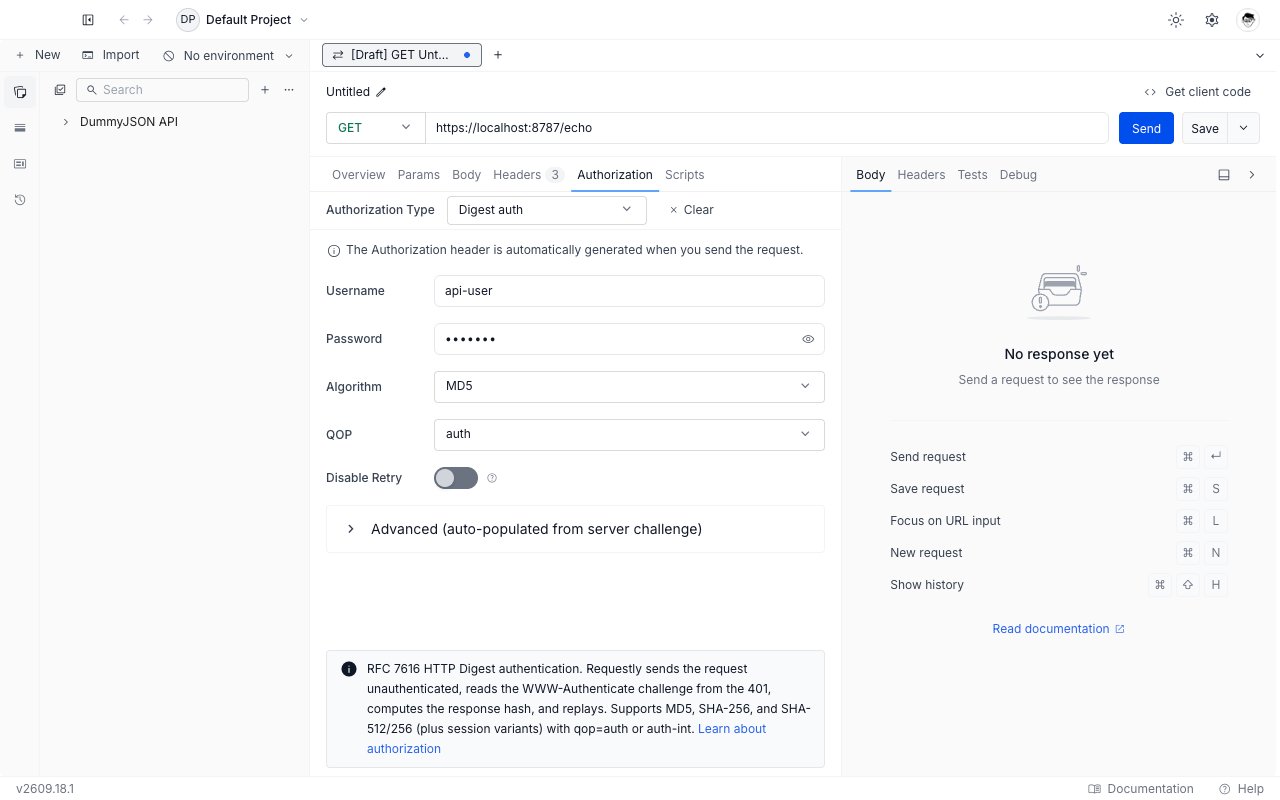
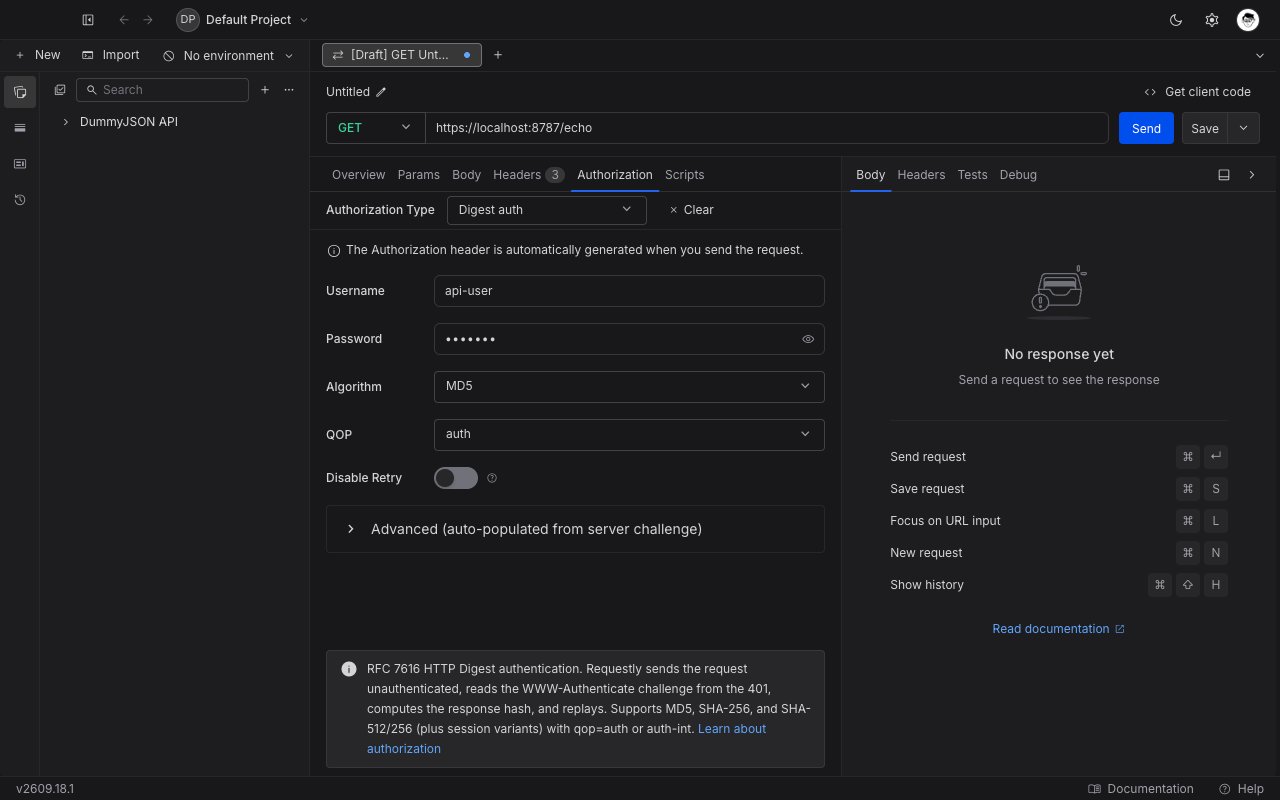 ## Set up Digest auth
Open any request or collection, then go to the **Authorization** tab.
Pick **Digest auth** from the **Authorization Type** dropdown. The Digest fields appear below the dropdown.
Fill in **Username** and **Password**. Both accept Requestly [variables](../../environments-and-variables) and [vault](../../vault/vault) references, so you can write `{{vault:staging_password}}` instead of pasting a password into the request.
Leave **Algorithm** on `MD5` and **QOP** on `auth` unless your API documentation names something else. See the field reference below.
Click **Send**. Requestly performs the challenge exchange and replays the request for you.
## Field reference
| Field | Purpose |
| ----------------- | --------------------------------------------------------------------------------------------------- |
| **Username** | The account name the server expects. |
| **Password** | The password for that account. Requestly hashes it; the plain value is never sent. |
| **Algorithm** | The hash function used to build the response. Six choices, listed below. |
| **QOP** | Quality of protection. `auth` signs the method and the URI. `auth-int` also signs the request body. |
| **Disable Retry** | When on, Requestly shows you the first `401` instead of replaying the request. |
### Algorithm
Pick the algorithm your API advertises in its challenge:
| Algorithm | Notes |
| -------------------- | ----------------------------------------------------------------------------------------------- |
| **MD5** | The RFC 2617 default, and still the most widely deployed. |
| **MD5-sess** | Session variant. Derives a per-session secret so the password hash is not reused across nonces. |
| **SHA-256** | RFC 7616 modern default. Prefer it when your API supports it. |
| **SHA-256-sess** | Session variant of SHA-256. |
| **SHA-512-256** | SHA-512 truncated to 256 bits, per RFC 7616. |
| **SHA-512-256-sess** | Session variant of SHA-512/256. |
If the server's challenge names a different algorithm than the one you picked, the server's choice wins. The same applies to QOP.
### QOP
* **auth** (default): the signature covers the HTTP method and the request URI. Correct for almost every API.
* **auth-int**: the signature also covers the request body, so a proxy cannot alter the body in transit. Pick it only when your API documentation requires it, and only for requests whose body is text.
### Disable Retry
Turn this on while debugging. Requestly sends the request once, stops at the `401`, and hands you the response so you can read the server's `WWW-Authenticate` header and see exactly which realm, nonce, algorithm, and QOP it is asking for. Turn it back off to authenticate normally.
## Advanced fields
Expand **Advanced (auto-populated from server challenge)** to see the five values that come from the server:
| Field | Where it comes from |
| ---------------- | ----------------------------------------------------------------------------------------------- |
| **Realm** | The protection space named in the server's challenge. |
| **Nonce** | The one-time value the server issued for this exchange. |
| **Nonce Count** | How many times Requestly has used this nonce, as an eight-digit hex counter such as `00000001`. |
| **Client Nonce** | A random value Requestly generates to prove the response is fresh. |
| **Opaque** | An opaque string the server asked you to echo back unchanged. |
These start empty and fill in after the first send. You can edit them, but the next send overwrites them with whatever the server returns, so treat the panel as a read-out rather than as configuration.
Leave every advanced field blank on a new request. Requestly fills them in from the challenge.
## Inherit Digest auth from a collection
Set Digest auth once on a collection and leave every request inside it on **Inherit from parent**. Requestly walks up from the request to the nearest ancestor that sets a concrete auth type and uses that configuration.
Two things to know:
* A request that picks its own auth type stops inheriting.
* A collection or folder whose auth type is cleared or left unset stops the walk, so requests below it send no credentials even if a higher collection sets Digest.
## Troubleshooting
Read the server's `WWW-Authenticate` header first: turn on **Disable Retry**, send once, and compare the realm, algorithm, and `qop` it lists against what you configured. A username or password with a stray trailing space is the next most common cause.
`auth-int` hashes the request body, so it needs a body it can read as text. Switch **QOP** back to `auth` unless your API documentation explicitly requires `auth-int`.
Requestly sends the request at most three times in total. If the third attempt still comes back with a challenge, the send fails with an error rather than returning the last response. A server that rejects every nonce it just issued is usually rotating nonces faster than the exchange can complete, or is behind a load balancer sending each attempt to a different backend.
## What's Next?
The other challenge-response scheme in the dropdown.
Keep the password out of the collection.
Back to every auth type Requestly supports.
## Set up Digest auth
Open any request or collection, then go to the **Authorization** tab.
Pick **Digest auth** from the **Authorization Type** dropdown. The Digest fields appear below the dropdown.
Fill in **Username** and **Password**. Both accept Requestly [variables](../../environments-and-variables) and [vault](../../vault/vault) references, so you can write `{{vault:staging_password}}` instead of pasting a password into the request.
Leave **Algorithm** on `MD5` and **QOP** on `auth` unless your API documentation names something else. See the field reference below.
Click **Send**. Requestly performs the challenge exchange and replays the request for you.
## Field reference
| Field | Purpose |
| ----------------- | --------------------------------------------------------------------------------------------------- |
| **Username** | The account name the server expects. |
| **Password** | The password for that account. Requestly hashes it; the plain value is never sent. |
| **Algorithm** | The hash function used to build the response. Six choices, listed below. |
| **QOP** | Quality of protection. `auth` signs the method and the URI. `auth-int` also signs the request body. |
| **Disable Retry** | When on, Requestly shows you the first `401` instead of replaying the request. |
### Algorithm
Pick the algorithm your API advertises in its challenge:
| Algorithm | Notes |
| -------------------- | ----------------------------------------------------------------------------------------------- |
| **MD5** | The RFC 2617 default, and still the most widely deployed. |
| **MD5-sess** | Session variant. Derives a per-session secret so the password hash is not reused across nonces. |
| **SHA-256** | RFC 7616 modern default. Prefer it when your API supports it. |
| **SHA-256-sess** | Session variant of SHA-256. |
| **SHA-512-256** | SHA-512 truncated to 256 bits, per RFC 7616. |
| **SHA-512-256-sess** | Session variant of SHA-512/256. |
If the server's challenge names a different algorithm than the one you picked, the server's choice wins. The same applies to QOP.
### QOP
* **auth** (default): the signature covers the HTTP method and the request URI. Correct for almost every API.
* **auth-int**: the signature also covers the request body, so a proxy cannot alter the body in transit. Pick it only when your API documentation requires it, and only for requests whose body is text.
### Disable Retry
Turn this on while debugging. Requestly sends the request once, stops at the `401`, and hands you the response so you can read the server's `WWW-Authenticate` header and see exactly which realm, nonce, algorithm, and QOP it is asking for. Turn it back off to authenticate normally.
## Advanced fields
Expand **Advanced (auto-populated from server challenge)** to see the five values that come from the server:
| Field | Where it comes from |
| ---------------- | ----------------------------------------------------------------------------------------------- |
| **Realm** | The protection space named in the server's challenge. |
| **Nonce** | The one-time value the server issued for this exchange. |
| **Nonce Count** | How many times Requestly has used this nonce, as an eight-digit hex counter such as `00000001`. |
| **Client Nonce** | A random value Requestly generates to prove the response is fresh. |
| **Opaque** | An opaque string the server asked you to echo back unchanged. |
These start empty and fill in after the first send. You can edit them, but the next send overwrites them with whatever the server returns, so treat the panel as a read-out rather than as configuration.
Leave every advanced field blank on a new request. Requestly fills them in from the challenge.
## Inherit Digest auth from a collection
Set Digest auth once on a collection and leave every request inside it on **Inherit from parent**. Requestly walks up from the request to the nearest ancestor that sets a concrete auth type and uses that configuration.
Two things to know:
* A request that picks its own auth type stops inheriting.
* A collection or folder whose auth type is cleared or left unset stops the walk, so requests below it send no credentials even if a higher collection sets Digest.
## Troubleshooting
Read the server's `WWW-Authenticate` header first: turn on **Disable Retry**, send once, and compare the realm, algorithm, and `qop` it lists against what you configured. A username or password with a stray trailing space is the next most common cause.
`auth-int` hashes the request body, so it needs a body it can read as text. Switch **QOP** back to `auth` unless your API documentation explicitly requires `auth-int`.
Requestly sends the request at most three times in total. If the third attempt still comes back with a challenge, the send fails with an error rather than returning the last response. A server that rejects every nonce it just issued is usually rotating nonces faster than the exchange can complete, or is behind a load balancer sending each attempt to a different backend.
## What's Next?
The other challenge-response scheme in the dropdown.
Keep the password out of the collection.
Back to every auth type Requestly supports.