> ## Documentation Index
> Fetch the complete documentation index at: https://docs.requestly.com/llms.txt
> Use this file to discover all available pages before exploring further.
# NTLM
> Authenticate against Windows and Active Directory endpoints with NTLM.
NTLM is the challenge-response scheme Windows services use. It is what you reach for against IIS endpoints, on-premise SharePoint and Exchange, and internal APIs joined to an Active Directory domain.
Like Digest, NTLM is a conversation rather than a single header. Requestly sends the request, reads the server's challenge, answers it with a response derived from your password, and replays. All three exchanges travel over the same connection.
NTLM applies to HTTP requests. It is not offered for gRPC, and a WebSocket, Socket.IO, or GraphQL request cannot perform the handshake.
NTLM authentication requires the desktop app. [Download Requestly](https://requestly.com/downloads).
In the web app NTLM cannot be selected.
 ## Set up NTLM
Open any request or collection in the desktop app, then go to the **Authorization** tab.
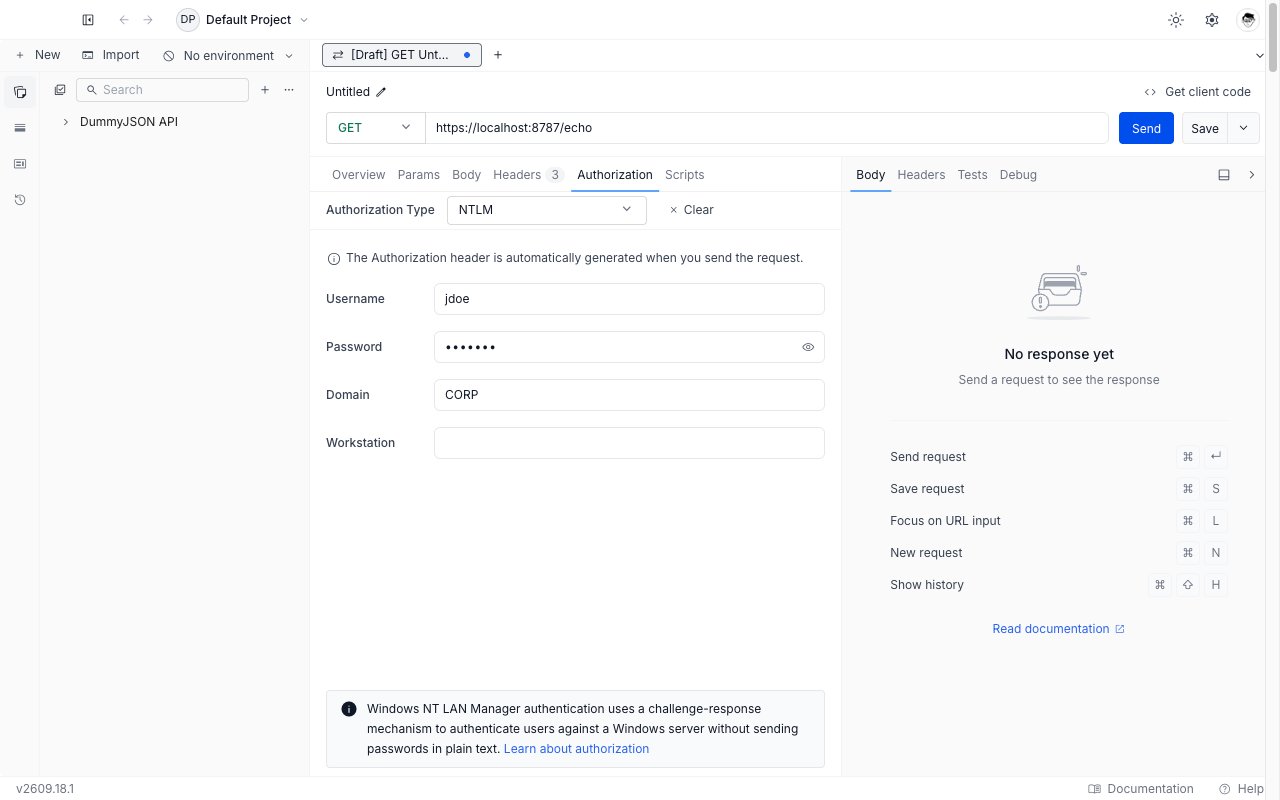
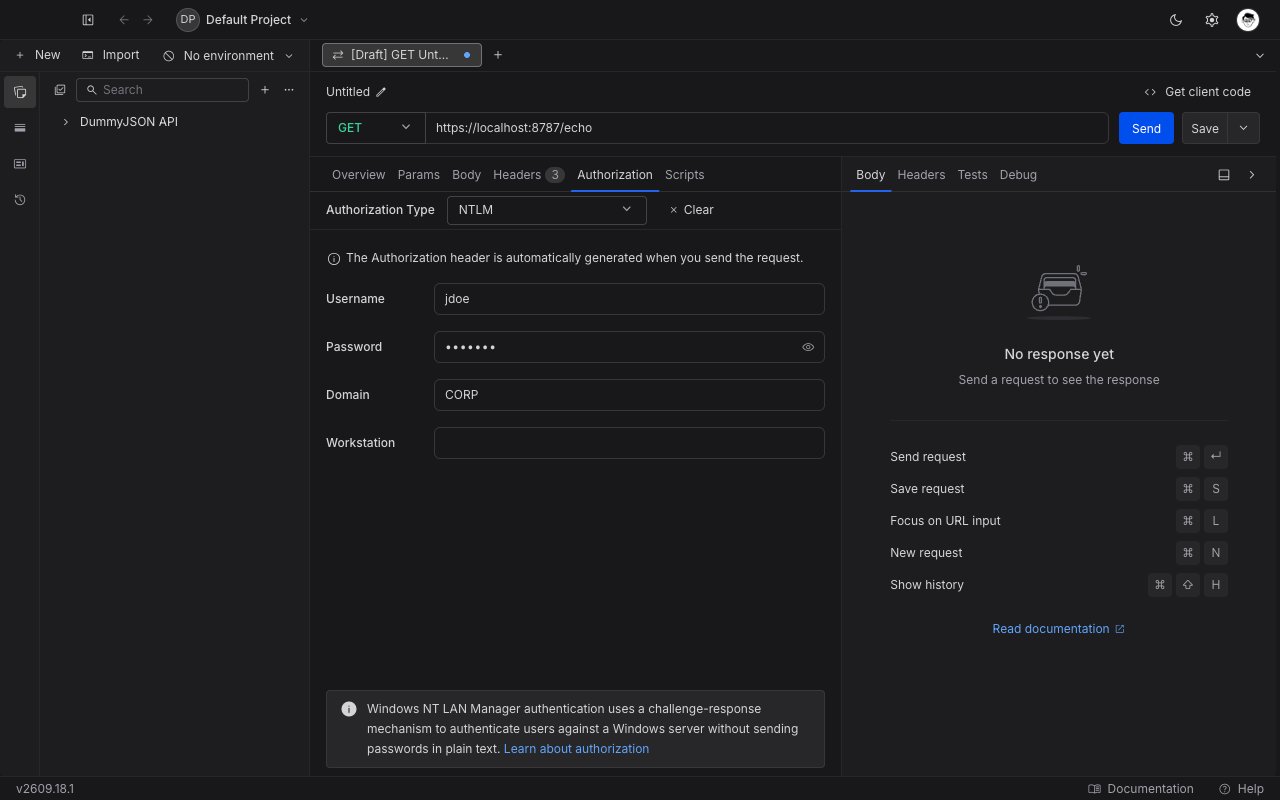
Pick **NTLM** from the **Authorization Type** dropdown. The four NTLM fields appear below the dropdown.
Fill in **Username** and **Password**, then **Domain** if your account belongs to one. See the field reference below.
Click **Send**. Requestly completes the three-message handshake and returns the authenticated response.
## Field reference
| Field | Purpose |
| --------------- | ------------------------------------------------------------------------------------------------------------------------------------------------------ |
| **Username** | Your account name. You can write it bare (`jdoe`) and set **Domain** separately, or use the combined `DOMAIN\jdoe` form and leave **Domain** blank. |
| **Password** | The password for that account. |
| **Domain** | The Active Directory or Windows domain the account belongs to, such as `CORP`. Leave blank for a local machine account. |
| **Workstation** | Optional. The client machine name to report to the server. Most servers ignore it; leave it blank unless your administrator asks for a specific value. |
All four fields accept Requestly [variables](../../environments-and-variables) and [vault](../../vault/vault) references.
A domain password unlocks far more than one API. Store it as a [vault](../../vault/vault) secret and reference it as `{{vault:corp_password}}` so it never travels inside an exported collection.
## Inherit NTLM from a collection
A domain usually fronts many endpoints, so NTLM is a good fit for collection-level auth. Set it once on the collection and leave every request inside on **Inherit from parent**. Requestly walks up from the request to the nearest ancestor that sets a concrete auth type.
A request that picks its own auth type stops inheriting, and a collection or folder whose auth type is cleared or left unset stops the walk for everything below it.
## Troubleshooting
The web app cannot use NTLM. Open the same project in the [desktop app](https://requestly.com/downloads). In the desktop app, NTLM is also unavailable while the execution target is the Cloud Agent, so switch the target back to your own machine.
Check how you split the account name. `DOMAIN\jdoe` in **Username** with `DOMAIN` also in **Domain** sends the domain twice and fails. Use one or the other.
Requestly signs with NTLMv2. A server configured for Kerberos or SPNEGO only will refuse the handshake. Ask your administrator whether the endpoint accepts NTLM fallback.
## What's Next?
The other challenge-response scheme in the dropdown.
Keep domain credentials off the collection.
Back to every auth type Requestly supports.
## Set up NTLM
Open any request or collection in the desktop app, then go to the **Authorization** tab.
Pick **NTLM** from the **Authorization Type** dropdown. The four NTLM fields appear below the dropdown.
Fill in **Username** and **Password**, then **Domain** if your account belongs to one. See the field reference below.
Click **Send**. Requestly completes the three-message handshake and returns the authenticated response.
## Field reference
| Field | Purpose |
| --------------- | ------------------------------------------------------------------------------------------------------------------------------------------------------ |
| **Username** | Your account name. You can write it bare (`jdoe`) and set **Domain** separately, or use the combined `DOMAIN\jdoe` form and leave **Domain** blank. |
| **Password** | The password for that account. |
| **Domain** | The Active Directory or Windows domain the account belongs to, such as `CORP`. Leave blank for a local machine account. |
| **Workstation** | Optional. The client machine name to report to the server. Most servers ignore it; leave it blank unless your administrator asks for a specific value. |
All four fields accept Requestly [variables](../../environments-and-variables) and [vault](../../vault/vault) references.
A domain password unlocks far more than one API. Store it as a [vault](../../vault/vault) secret and reference it as `{{vault:corp_password}}` so it never travels inside an exported collection.
## Inherit NTLM from a collection
A domain usually fronts many endpoints, so NTLM is a good fit for collection-level auth. Set it once on the collection and leave every request inside on **Inherit from parent**. Requestly walks up from the request to the nearest ancestor that sets a concrete auth type.
A request that picks its own auth type stops inheriting, and a collection or folder whose auth type is cleared or left unset stops the walk for everything below it.
## Troubleshooting
The web app cannot use NTLM. Open the same project in the [desktop app](https://requestly.com/downloads). In the desktop app, NTLM is also unavailable while the execution target is the Cloud Agent, so switch the target back to your own machine.
Check how you split the account name. `DOMAIN\jdoe` in **Username** with `DOMAIN` also in **Domain** sends the domain twice and fails. Use one or the other.
Requestly signs with NTLMv2. A server configured for Kerberos or SPNEGO only will refuse the handshake. Ask your administrator whether the endpoint accepts NTLM fallback.
## What's Next?
The other challenge-response scheme in the dropdown.
Keep domain credentials off the collection.
Back to every auth type Requestly supports.