> ## Documentation Index
> Fetch the complete documentation index at: https://docs.requestly.com/llms.txt
> Use this file to discover all available pages before exploring further.
# OAuth 1.0
> Sign API requests with OAuth 1.0 using HMAC, RSA, or Plaintext signature methods.
OAuth 1.0 is a signature-based authorization scheme. Each request is signed with credentials you hold (a consumer key and access token, plus secrets) using a signature method you pick. The signature, signing parameters, and your credentials are sent in the `Authorization` header or in the request body.
Use OAuth 1.0 when an API explicitly requires it (Twitter API v1.1, older Atlassian and Yahoo APIs, parts of Magento, and various RFC 5849 implementations). Most modern APIs use OAuth 2.0 instead.
 ## Choose OAuth 1.0 as the auth type
Open any request or collection, then go to the **Authorization** tab.
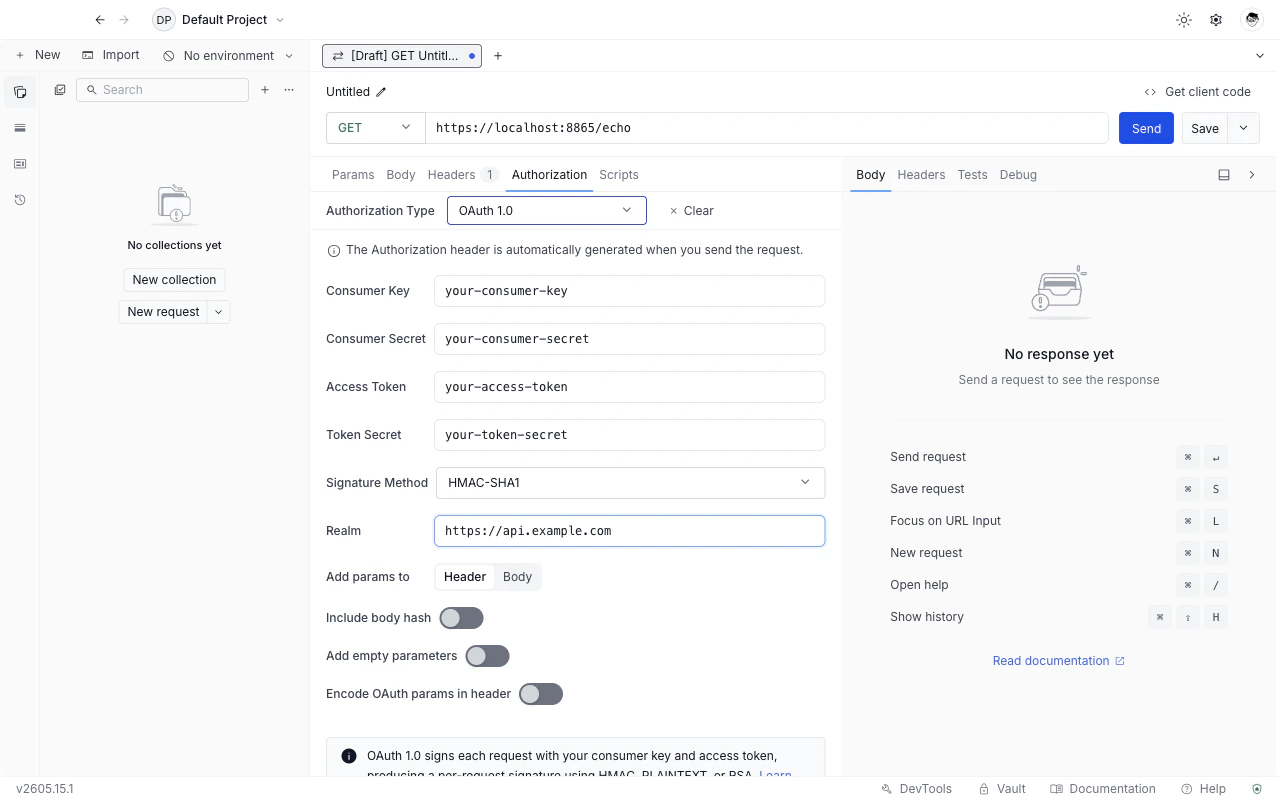
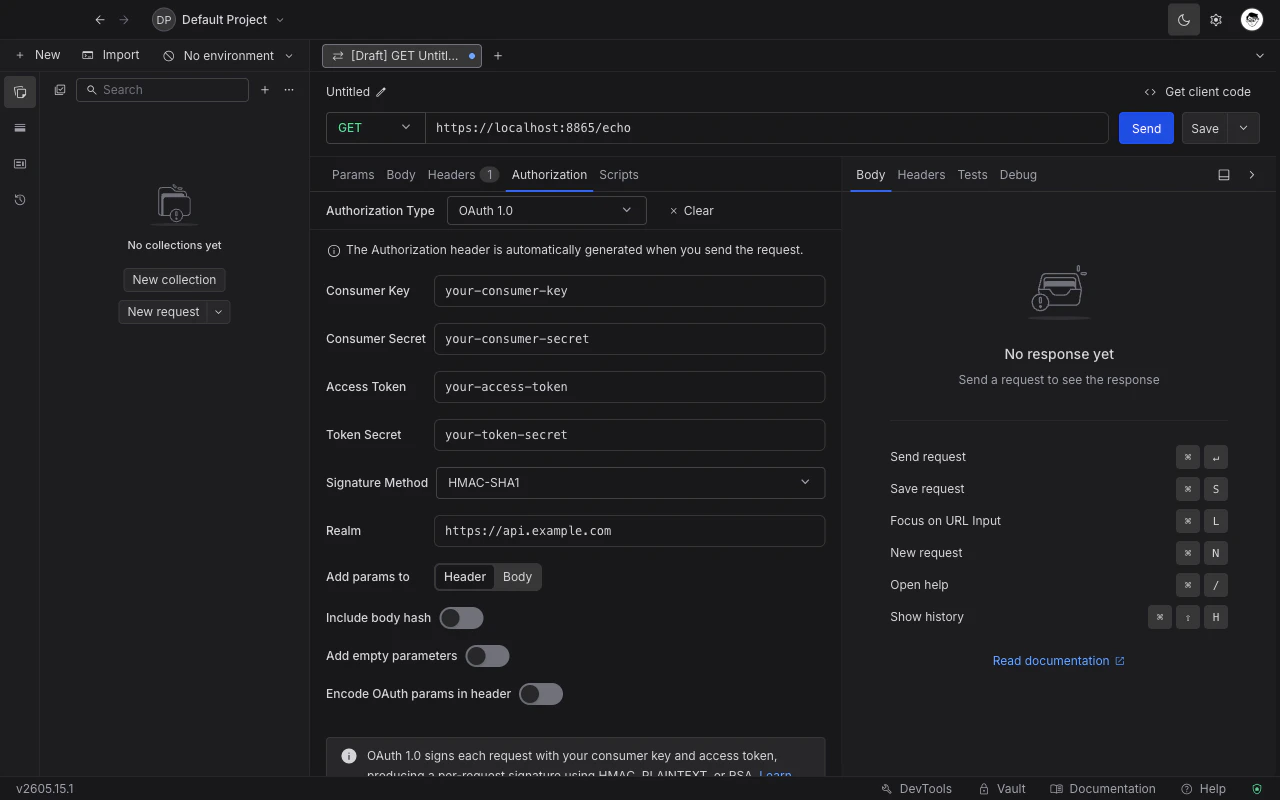
Pick **OAuth 1.0** from the **Authorization type** dropdown. The OAuth 1.0 fields appear below the dropdown.
See the field reference below.
Click **Send**. Requestly computes the signature and attaches it to the request automatically.
## Field reference
### Credentials
| Field | Purpose |
| ------------------- | ------------------------------------------------------------------------------------------------------- |
| **Consumer Key** | Public identifier the provider issued for your application. |
| **Consumer Secret** | Shared secret paired with the consumer key. Used to sign the request. |
| **Access Token** | Token that represents the resource owner's grant to your application. |
| **Token Secret** | Shared secret paired with the access token. Used together with the consumer secret to sign the request. |
All four fields accept Requestly [variables](../../environments-and-variables) and [vault](../../vault/vault) references. Reference secrets by name (for example `{{vault:twitter_consumer_secret}}`) rather than pasting them inline.
### Signature Method
Pick the algorithm used to sign the request. Requestly supports seven methods:
| Method | What it uses |
| --------------- | ------------------------------------------------------------------------------ |
| **HMAC-SHA1** | HMAC keyed by your consumer and token secrets. Most widely supported. |
| **HMAC-SHA256** | HMAC variant using SHA-256. Stronger than SHA-1; supported by newer providers. |
| **HMAC-SHA512** | HMAC variant using SHA-512. |
| **PLAINTEXT** | Sends the secrets directly, with no signing. Only safe over HTTPS. |
| **RSA-SHA1** | RSA signature using your private key and SHA-1 digest. |
| **RSA-SHA256** | RSA signature with SHA-256 digest. |
| **RSA-SHA512** | RSA signature with SHA-512 digest. |
When you pick an `RSA-*` method, an **RSA Private Key** field appears. Paste the PEM-encoded private key (the block that starts with `-----BEGIN RSA PRIVATE KEY-----` or `-----BEGIN PRIVATE KEY-----`). The consumer secret and token secret fields are still used to populate the standard OAuth parameters, but the signature itself is computed from the RSA key.
### Realm
Optional. If the provider expects a `realm` parameter inside the `Authorization` header (RFC 5849 §3.5.1), set it here. Leave blank when the provider does not require it.
### Add params to
Where to put the OAuth parameters. Two choices:
* **Header** (default): Requestly sends them in the `Authorization` header as `OAuth oauth_consumer_key="…", oauth_token="…", …`.
* **Body**: Requestly sends them as `application/x-www-form-urlencoded` fields in the request body. Only valid when the request has a form body and uses a method that carries one (`POST`, `PUT`, `PATCH`).
Header is correct for the vast majority of providers. Use **Body** only if the API documentation specifies it.
### Include body hash
When on, Requestly adds the `oauth_body_hash` extension parameter (OAuth Request Body Hash spec) to the signature for requests whose body is not `application/x-www-form-urlencoded`. Some providers (notably parts of the Yahoo and Google legacy APIs) require this; most do not.
### Add empty parameters
When on, query parameters and form fields that have a name but an empty value are included in the signature base string. Some providers require empty parameters to be signed; the default is off because most do not.
### Encode OAuth params in header
When on, the `oauth_*` values inside the `Authorization` header are percent-encoded a second time. This matches a stricter reading of RFC 5849 §3.5.1 that some providers enforce. If signature verification keeps failing for no obvious reason, try toggling this.
## What Requestly does for you automatically
You do **not** need to fill in these OAuth parameters manually:
* `oauth_nonce` (a fresh random nonce per request)
* `oauth_timestamp` (current Unix time)
* `oauth_signature_method` (driven by the Signature Method dropdown)
* `oauth_version` (always `1.0`)
* `oauth_signature` (computed from the signature base string and your secrets / private key)
Requestly generates all five on every send, so the same configuration produces a fresh, valid signature each time.
## Troubleshooting
Recompute the signature manually using the provider's debugger (most large providers have one) and compare against Requestly's signature base string. The most common causes:
* A required parameter is missing from the request (the API expects it, the signature base string excludes it).
* The clock on your machine is skewed by more than a few minutes - some providers reject stale timestamps.
* **Encode OAuth params in header** does not match the provider's expectation. Try toggling it.
Check that **Consumer Secret** and **Token Secret** have not been accidentally URL-encoded before you pasted them in. Requestly performs the OAuth encoding itself; double-encoding produces an invalid signature.
Confirm the key is PEM-encoded (begins with `-----BEGIN`). Encrypted PEM keys with a passphrase are not supported - decrypt the key first, or generate an unencrypted copy for use here.
## What's Next?
Set up grant-type-driven OAuth 2.0 flows.
Store OAuth secrets securely outside your collection.
Reference OAuth credentials by name across requests.
## Choose OAuth 1.0 as the auth type
Open any request or collection, then go to the **Authorization** tab.
Pick **OAuth 1.0** from the **Authorization type** dropdown. The OAuth 1.0 fields appear below the dropdown.
See the field reference below.
Click **Send**. Requestly computes the signature and attaches it to the request automatically.
## Field reference
### Credentials
| Field | Purpose |
| ------------------- | ------------------------------------------------------------------------------------------------------- |
| **Consumer Key** | Public identifier the provider issued for your application. |
| **Consumer Secret** | Shared secret paired with the consumer key. Used to sign the request. |
| **Access Token** | Token that represents the resource owner's grant to your application. |
| **Token Secret** | Shared secret paired with the access token. Used together with the consumer secret to sign the request. |
All four fields accept Requestly [variables](../../environments-and-variables) and [vault](../../vault/vault) references. Reference secrets by name (for example `{{vault:twitter_consumer_secret}}`) rather than pasting them inline.
### Signature Method
Pick the algorithm used to sign the request. Requestly supports seven methods:
| Method | What it uses |
| --------------- | ------------------------------------------------------------------------------ |
| **HMAC-SHA1** | HMAC keyed by your consumer and token secrets. Most widely supported. |
| **HMAC-SHA256** | HMAC variant using SHA-256. Stronger than SHA-1; supported by newer providers. |
| **HMAC-SHA512** | HMAC variant using SHA-512. |
| **PLAINTEXT** | Sends the secrets directly, with no signing. Only safe over HTTPS. |
| **RSA-SHA1** | RSA signature using your private key and SHA-1 digest. |
| **RSA-SHA256** | RSA signature with SHA-256 digest. |
| **RSA-SHA512** | RSA signature with SHA-512 digest. |
When you pick an `RSA-*` method, an **RSA Private Key** field appears. Paste the PEM-encoded private key (the block that starts with `-----BEGIN RSA PRIVATE KEY-----` or `-----BEGIN PRIVATE KEY-----`). The consumer secret and token secret fields are still used to populate the standard OAuth parameters, but the signature itself is computed from the RSA key.
### Realm
Optional. If the provider expects a `realm` parameter inside the `Authorization` header (RFC 5849 §3.5.1), set it here. Leave blank when the provider does not require it.
### Add params to
Where to put the OAuth parameters. Two choices:
* **Header** (default): Requestly sends them in the `Authorization` header as `OAuth oauth_consumer_key="…", oauth_token="…", …`.
* **Body**: Requestly sends them as `application/x-www-form-urlencoded` fields in the request body. Only valid when the request has a form body and uses a method that carries one (`POST`, `PUT`, `PATCH`).
Header is correct for the vast majority of providers. Use **Body** only if the API documentation specifies it.
### Include body hash
When on, Requestly adds the `oauth_body_hash` extension parameter (OAuth Request Body Hash spec) to the signature for requests whose body is not `application/x-www-form-urlencoded`. Some providers (notably parts of the Yahoo and Google legacy APIs) require this; most do not.
### Add empty parameters
When on, query parameters and form fields that have a name but an empty value are included in the signature base string. Some providers require empty parameters to be signed; the default is off because most do not.
### Encode OAuth params in header
When on, the `oauth_*` values inside the `Authorization` header are percent-encoded a second time. This matches a stricter reading of RFC 5849 §3.5.1 that some providers enforce. If signature verification keeps failing for no obvious reason, try toggling this.
## What Requestly does for you automatically
You do **not** need to fill in these OAuth parameters manually:
* `oauth_nonce` (a fresh random nonce per request)
* `oauth_timestamp` (current Unix time)
* `oauth_signature_method` (driven by the Signature Method dropdown)
* `oauth_version` (always `1.0`)
* `oauth_signature` (computed from the signature base string and your secrets / private key)
Requestly generates all five on every send, so the same configuration produces a fresh, valid signature each time.
## Troubleshooting
Recompute the signature manually using the provider's debugger (most large providers have one) and compare against Requestly's signature base string. The most common causes:
* A required parameter is missing from the request (the API expects it, the signature base string excludes it).
* The clock on your machine is skewed by more than a few minutes - some providers reject stale timestamps.
* **Encode OAuth params in header** does not match the provider's expectation. Try toggling it.
Check that **Consumer Secret** and **Token Secret** have not been accidentally URL-encoded before you pasted them in. Requestly performs the OAuth encoding itself; double-encoding produces an invalid signature.
Confirm the key is PEM-encoded (begins with `-----BEGIN`). Encrypted PEM keys with a passphrase are not supported - decrypt the key first, or generate an unencrypted copy for use here.
## What's Next?
Set up grant-type-driven OAuth 2.0 flows.
Store OAuth secrets securely outside your collection.
Reference OAuth credentials by name across requests.