> ## Documentation Index
> Fetch the complete documentation index at: https://docs.requestly.com/llms.txt
> Use this file to discover all available pages before exploring further.
# API Call History
> Track and manage API requests with a clear, editable history view in the API Client.
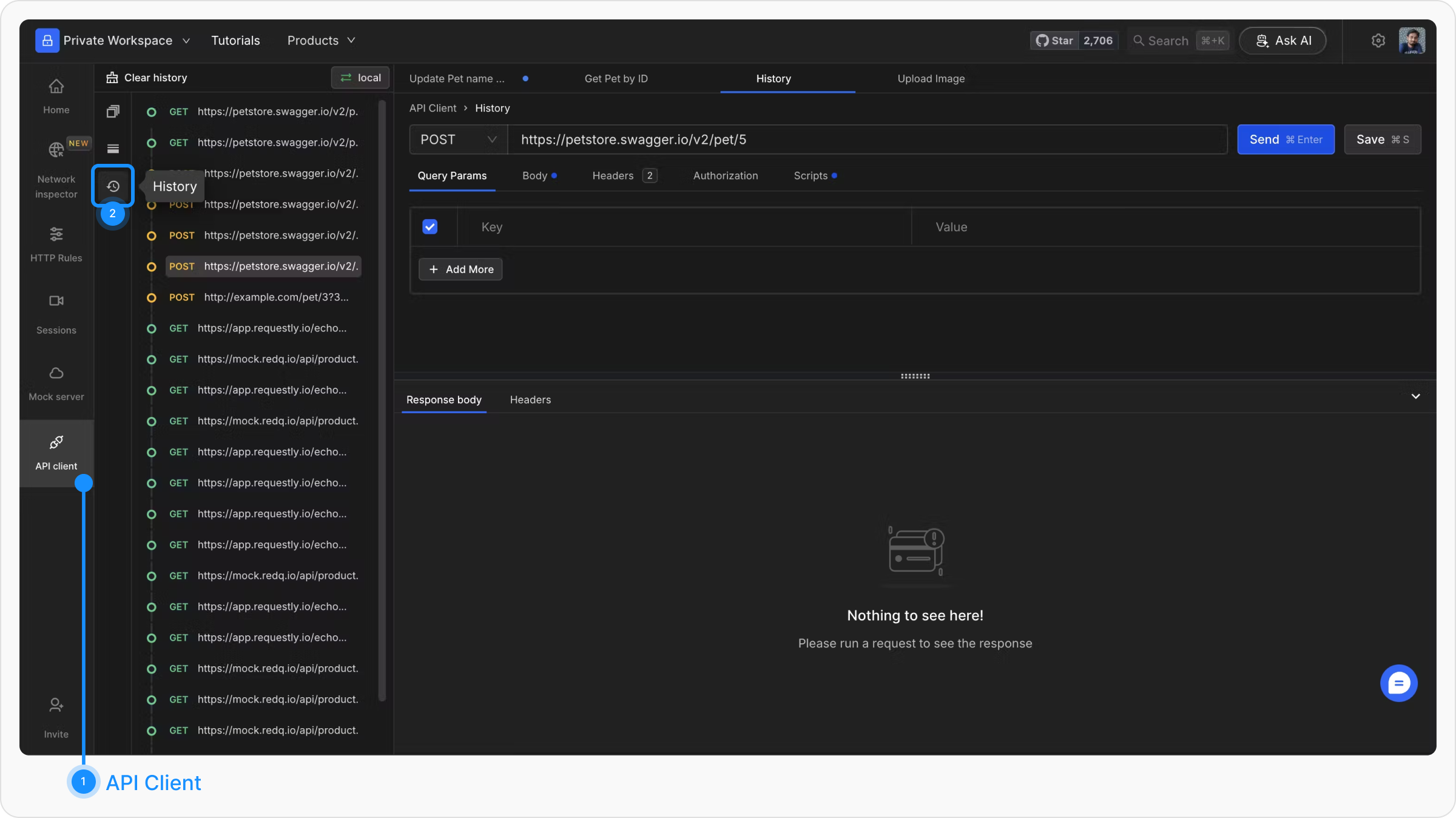
The API Call History feature allows users to track and manage all requests triggered from the API Client. The most recent request is displayed at the top of the history panel, providing a clear chronological view of interactions.
History is stored locally and is not synced to the cloud.
### Viewing API Call History
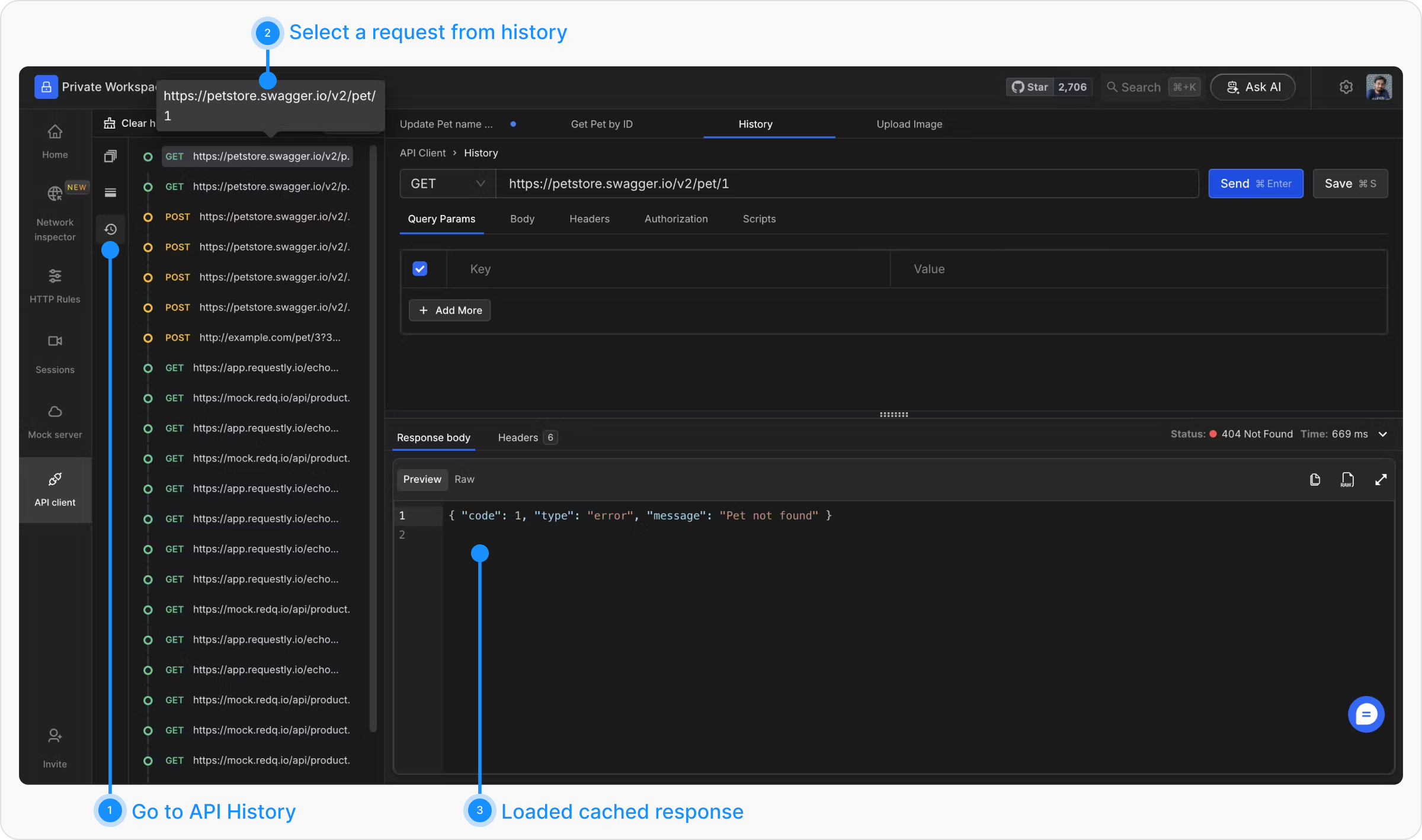
All API calls made from the client are listed in the left sidebar. Each entry can be clicked to load the request details back into the API Client. This enables users to quickly replay a request after editing some fields.
 Cached responses are session-only. If you refresh the page, all response data is cleared and requests must be re-sent to see their responses again.
Additionally, the response for any request made during the current session is cached and can be revisited without making a new call, provided the page has not been refreshed.
Cached responses are session-only. If you refresh the page, all response data is cleared and requests must be re-sent to see their responses again.
Additionally, the response for any request made during the current session is cached and can be revisited without making a new call, provided the page has not been refreshed.
 ### Clearing History
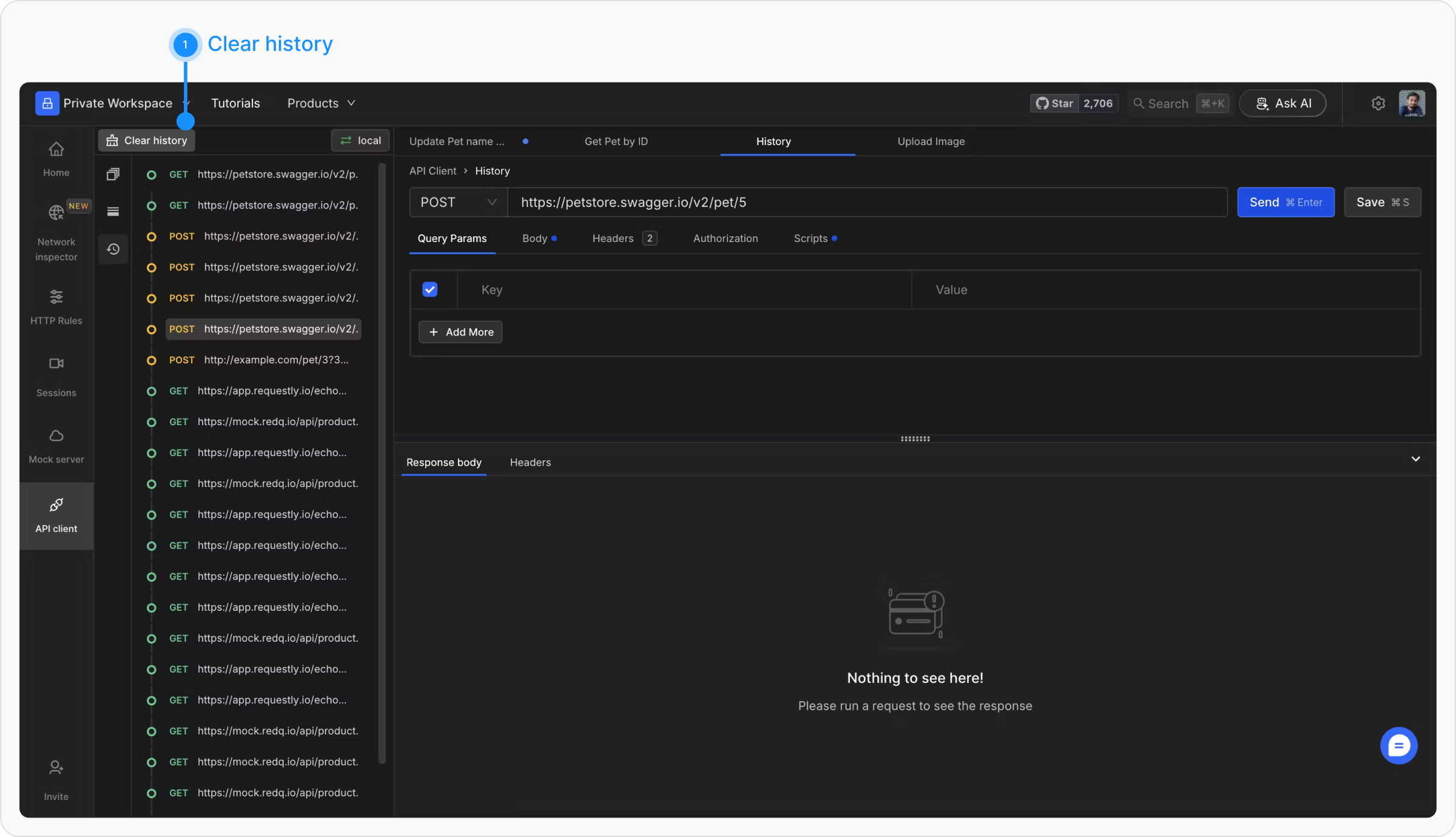
Click the "Clear History" button located at the top of the history sidebar. This will permanently remove all recorded requests.
### Clearing History
Click the "Clear History" button located at the top of the history sidebar. This will permanently remove all recorded requests.
 ## What's Next?
Permanently save frequently used requests in collections
Make requests reusable across different environments
Configure authentication for your API requests
## What's Next?
Permanently save frequently used requests in collections
Make requests reusable across different environments
Configure authentication for your API requests