> ## Documentation Index
> Fetch the complete documentation index at: https://docs.requestly.com/llms.txt
> Use this file to discover all available pages before exploring further.

# SOAP Requests

> Learn how to create and send SOAP requests in Requestly using XML bodies, endpoints, and variables.

SOAP (Simple Object Access Protocol) is a protocol for exchanging structured information using XML. Unlike REST, SOAP requests require a strict envelope structure and often rely on predefined contracts (WSDL).

<iframe src="https://www.youtube.com/embed/EaSmpUrqcS4" title="YouTube video player" frameborder="0" className="w-full aspect-video rounded-xl" allow="accelerometer; autoplay; clipboard-write; encrypted-media; gyroscope; picture-in-picture; web-share" allowfullscreen />

<Info>
  You can also import SOAP requests directly using the WSDL. See the [import guide](http://docs.requestly.com/api-client/import-export/import-from-wsdl) to get started.
</Info>

## Create your first SOAP request

<Steps>
  <Step title="Create a New Request">
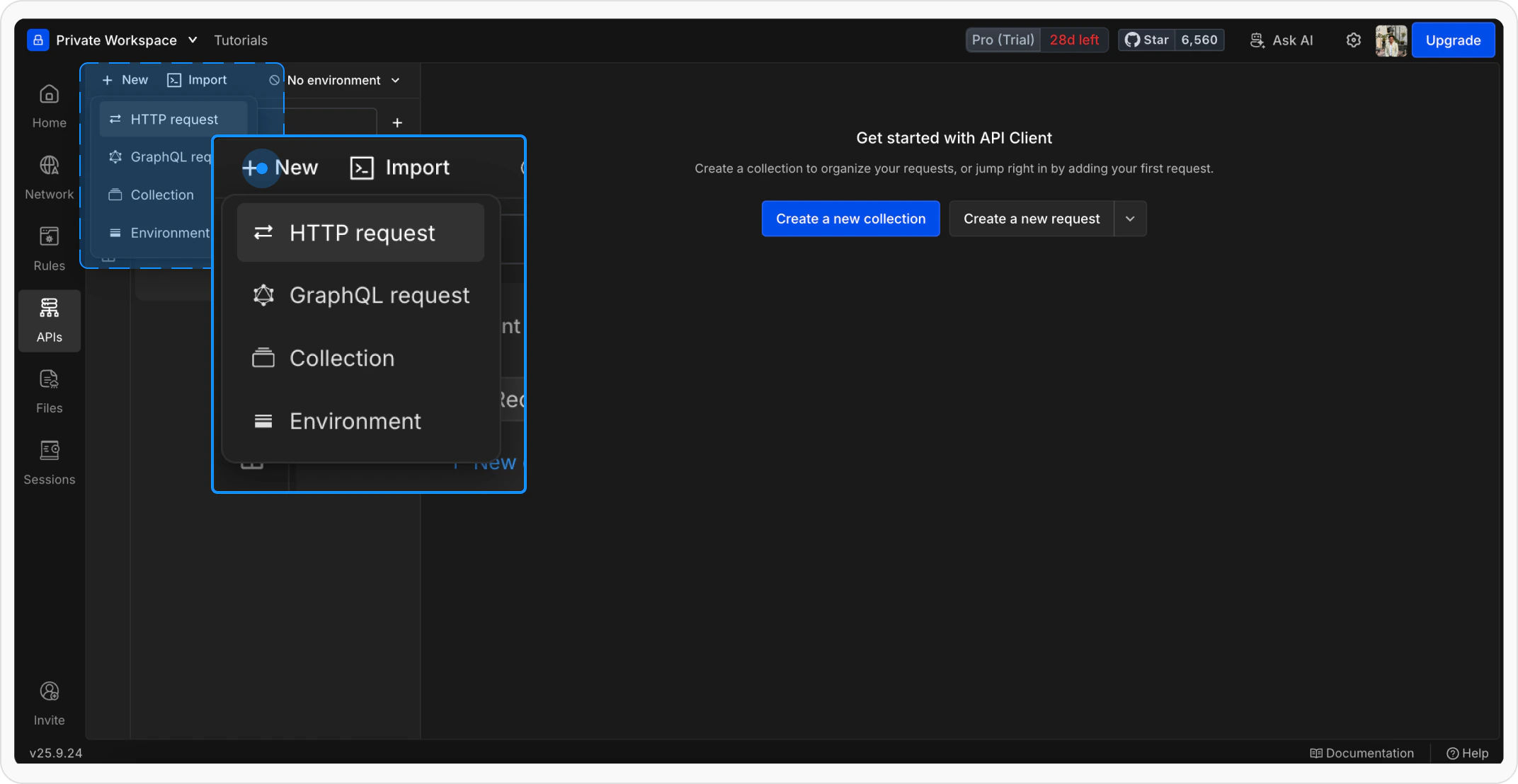
    Open **Requestly Desktop App**, then click the `+ New` button to create a new request. Select a standard **HTTP request** since SOAP works over HTTP.

    <Frame>
      <img src="https://mintcdn.com/requestly/R6m8uVxanKtHow4E/images/OpenrequestlyandCreateaNewRequest-2.png?fit=max&auto=format&n=R6m8uVxanKtHow4E&q=85&s=fa41f984bdfc150d105468975f2840ea" alt="Openrequestlyand Createa New Request 2" width="2144" height="1108" data-path="images/OpenrequestlyandCreateaNewRequest-2.png" />
    </Frame>
  </Step>

  <Step title="Name Your Request">
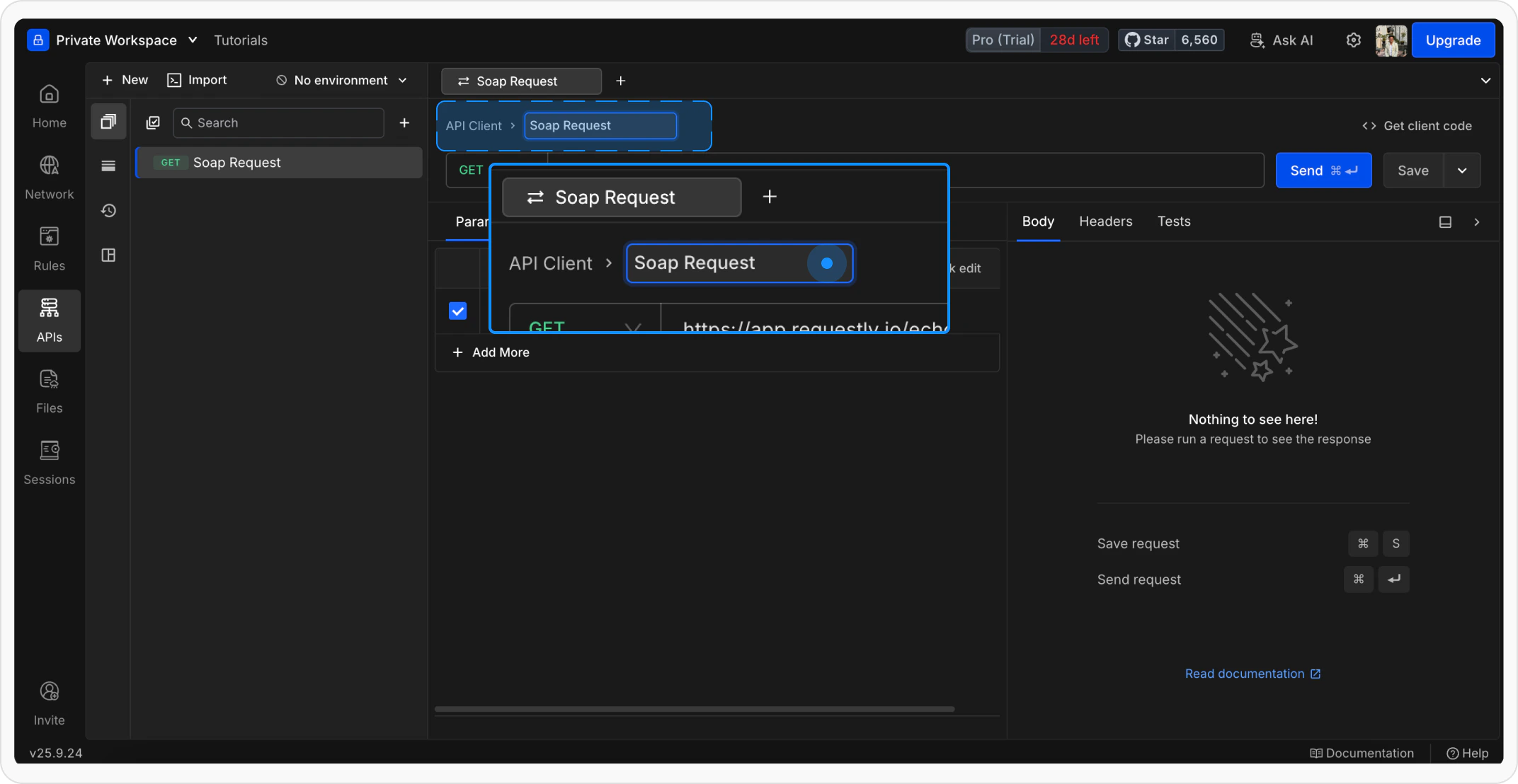
    Give your request a clear and descriptive name so it’s easy to identify later.

    <Frame>
      <img src="https://mintcdn.com/requestly/R6m8uVxanKtHow4E/images/NamingSoaprequest.png?fit=max&auto=format&n=R6m8uVxanKtHow4E&q=85&s=32bc8334678406aeb9659b208a7f8b15" alt="Naming Soaprequest" width="2144" height="1108" data-path="images/NamingSoaprequest.png" />
    </Frame>
  </Step>

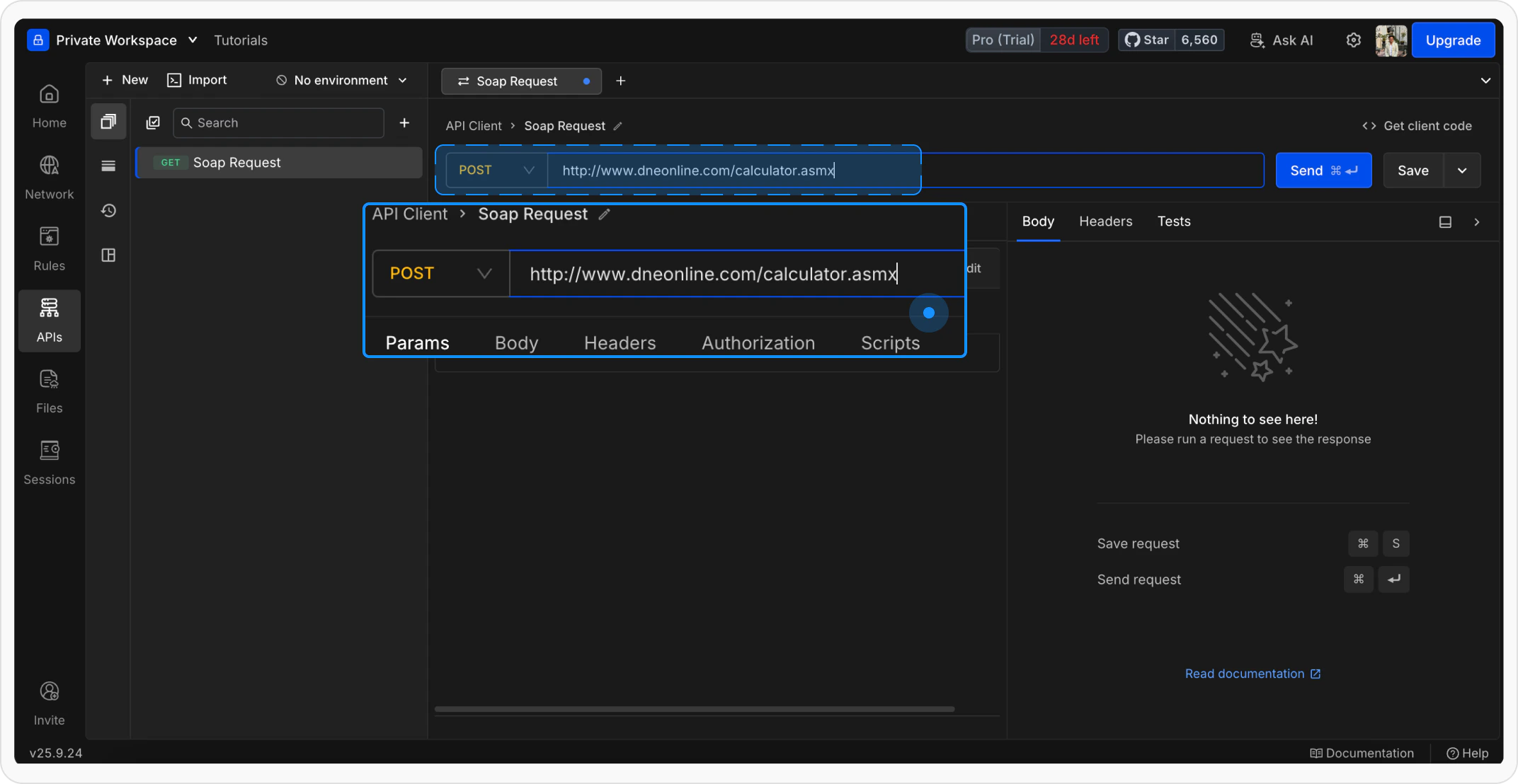
  <Step title="Enter the SOAP Endpoint">
    Add your SOAP service endpoint URL and set the method to **POST**:

    ```http theme={null}
    http://www.dneonline.com/calculator.asmx
    ```

    <Frame>
      <img src="https://mintcdn.com/requestly/R6m8uVxanKtHow4E/images/EntertheSOAPEndpoint.png?fit=max&auto=format&n=R6m8uVxanKtHow4E&q=85&s=fc75f222d2f1378d61d1e98ec2239057" alt="Enterthe SOAP Endpoint" width="2144" height="1108" data-path="images/EntertheSOAPEndpoint.png" />
    </Frame>
  </Step>

  <Step title="Add XML Body">
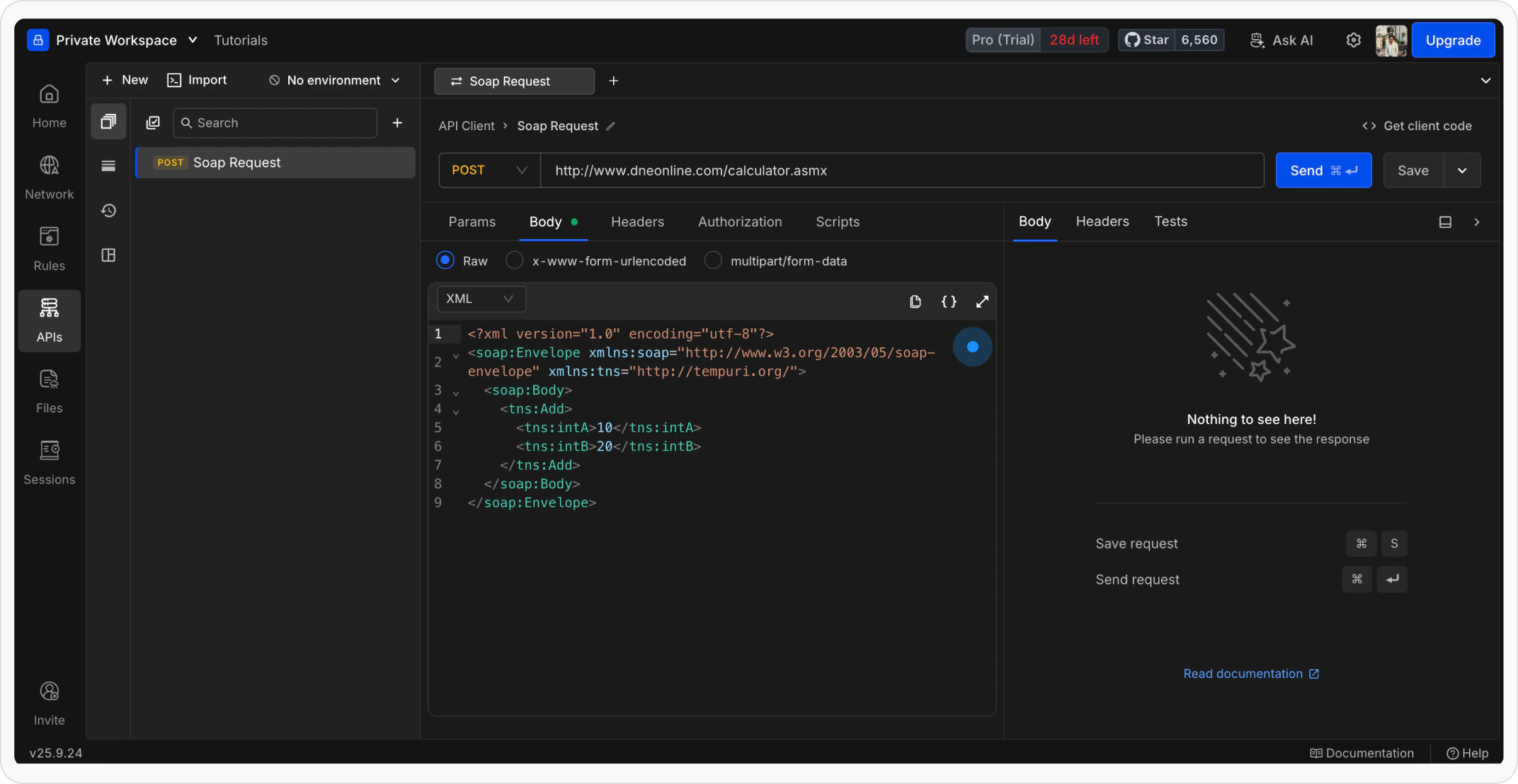
    Go to the **Body** tab, select **raw**, and choose **XML** format. Paste your SOAP request body:

    ```xml theme={null}
    <?xml version="1.0" encoding="utf-8"?>
    <soap:Envelope xmlns:soap="http://www.w3.org/2003/05/soap-envelope" xmlns:tns="http://tempuri.org/">
      <soap:Body>
        <tns:Add>
          <tns:intA>{{intA}}</tns:intA>
          <tns:intB>{{intB}}</tns:intB>
        </tns:Add>
      </soap:Body>
    </soap:Envelope>
    ```

    <Info>
      Your request must include the required SOAP structure such as **Envelope** and **Body**, along with proper namespaces.
    </Info>

    <Frame>
      <img src="https://mintcdn.com/requestly/R6m8uVxanKtHow4E/images/AddXMLBody.png?fit=max&auto=format&n=R6m8uVxanKtHow4E&q=85&s=8b72636a24769743c41ba32b5a0b5381" alt="Add XML Body" width="2144" height="1108" data-path="images/AddXMLBody.png" />
    </Frame>
  </Step>

  <Step title="Send the Request">
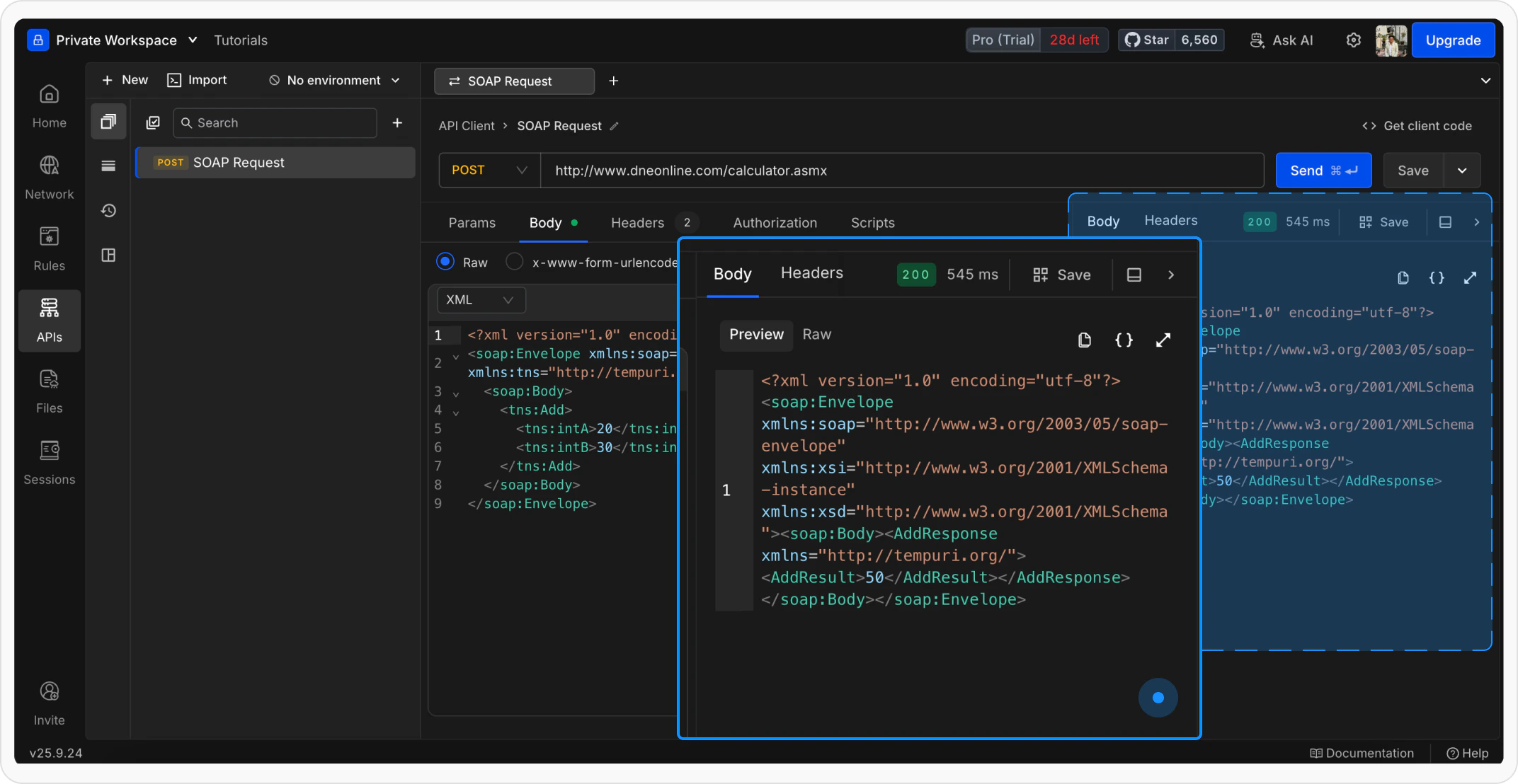
    Click **Send** to execute the request and view the response.

    <Frame>
      <img src="https://mintcdn.com/requestly/R6m8uVxanKtHow4E/images/SendtheSOAPRequest.png?fit=max&auto=format&n=R6m8uVxanKtHow4E&q=85&s=13f60f1f7ed52598053cae8a854b56a3" alt="Sendthe SOAP Request" width="2144" height="1108" data-path="images/SendtheSOAPRequest.png" />
    </Frame>
  </Step>
</Steps>

## What's Next?

<CardGroup cols={3}>
  <Card title="Add Authorization" icon="shield" href="/api-client/send-api-request/authorization">
    Secure your SOAP requests with API keys or tokens
  </Card>

  <Card title="Use Variables" icon="brackets-curly" href="/api-client/environments-and-variables">
    Make your SOAP requests dynamic with variables
  </Card>

  <Card title="Organize in Collections" icon="folder" href="/api-client/api-collections">
    Group related SOAP requests together
  </Card>
</CardGroup>