

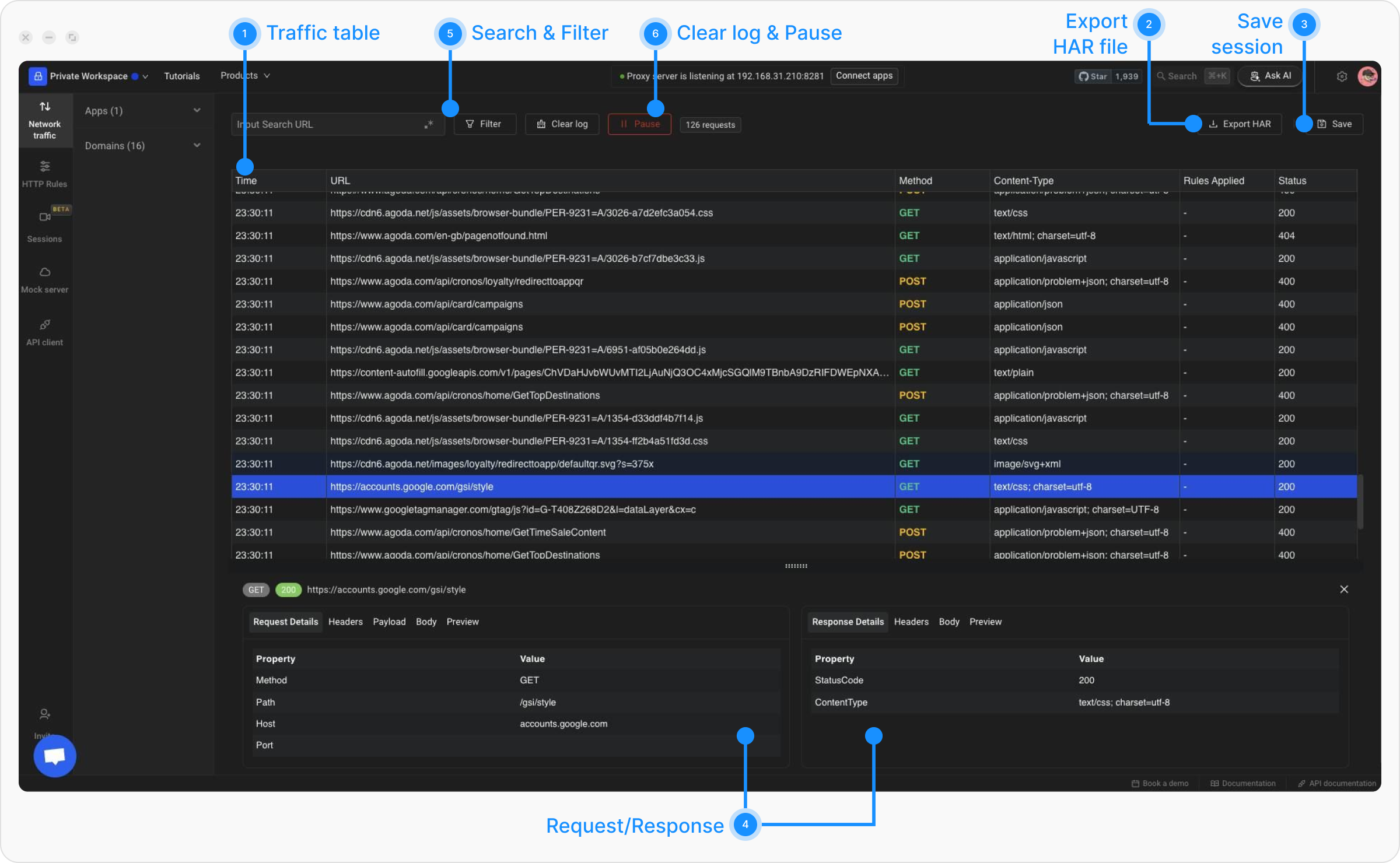
- Traffic Table - Displays all intercepted requests and responses with key details like URL, status, and time.
- Export HAR button - Export captured network traffic as a HAR file for analysis or sharing.
- Save Session Button - Save the current network session for future debugging or comparison.
- Request / Response Details - Show detailed headers, payloads, and cookies for selected requests or responses.
- Search and Filter options - Quickly find traffic entries using search keywords or advanced filters.
- Clear Logs or Pause Button - Clears logs or pauses traffic capture to reduce noise and focus.
- App and Domains Filter - Filters traffic by specific apps or domains for focused analysis.
Filtering Traffic
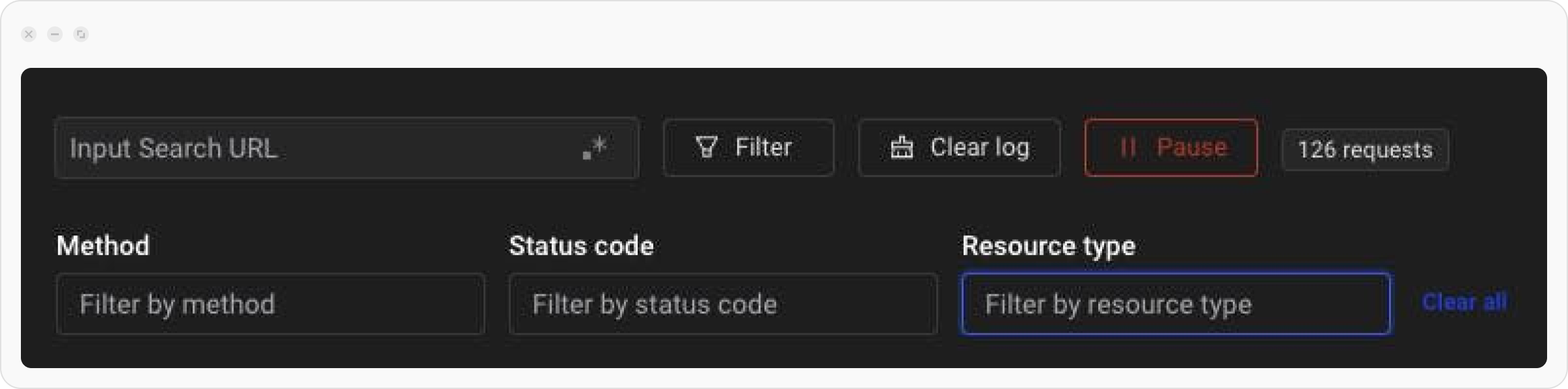
Use the filter option to find a set of particular requests from hundreds of intercepted requests. There are 4 types of filters available as follows:- URL: Filter requests by using a string search on the URL of the request.
- Method: Filter by HTTP methods such as: GET, POST, PUT, PATCH, or DELETE.
- Status Code: Narrow down by response status codes, including 1XX (Informational), 2XX (Success), 3XX (Redirection), 4XX (Client Errors), and 5XX (Server Errors).
- Resource Type: Focus on specific resource types like HTML, JSON, JavaScript, CSS, Images, Media (Audio and Video), FormData, or Fonts.
Network Modification
One of Requestly Interceptor’s most powerful capabilities is network modification, allowing you to dynamically alter requests and responses in real time. This feature helps in debugging, testing, and even bypassing certain network constraints. Here’s how you can modify network traffic: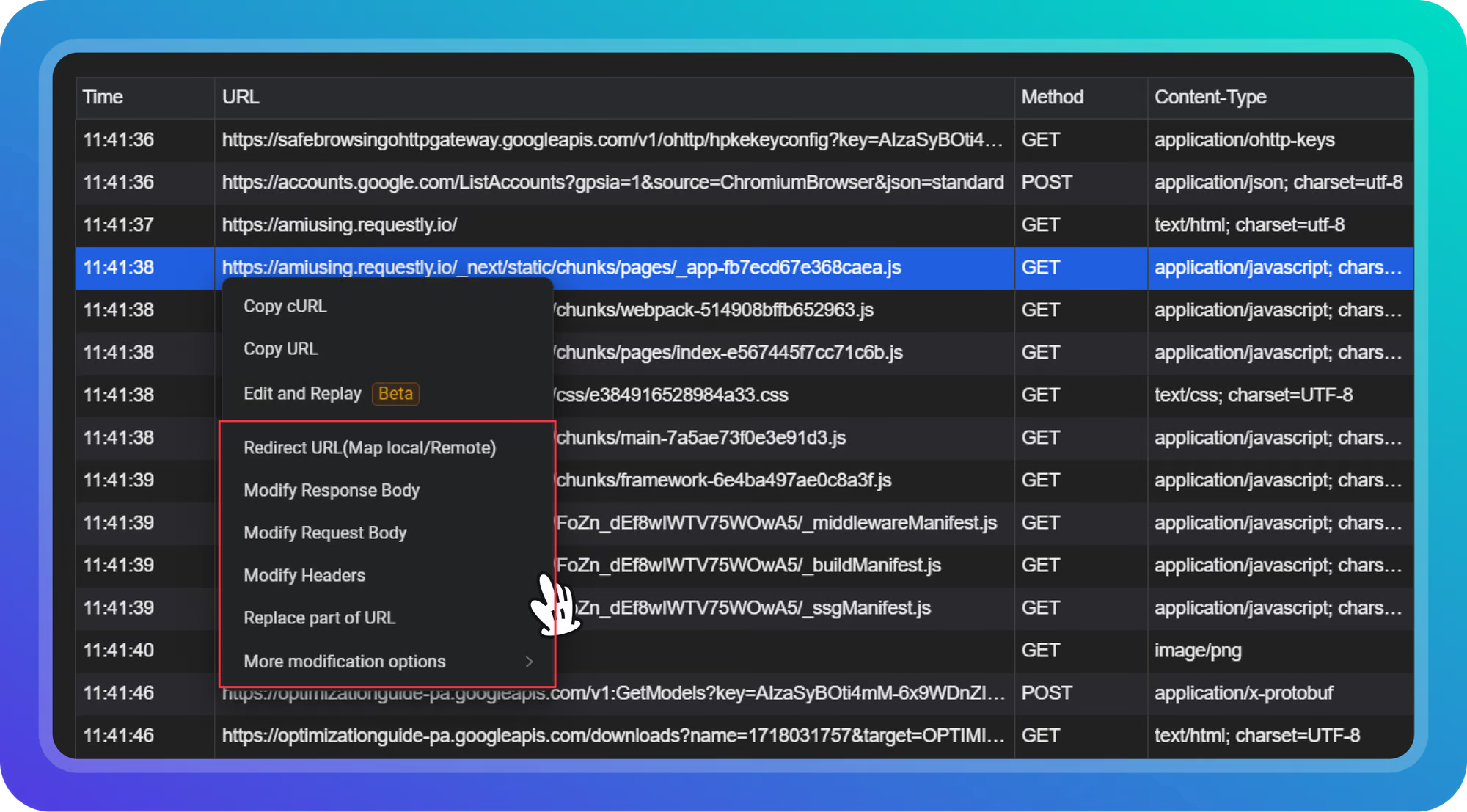
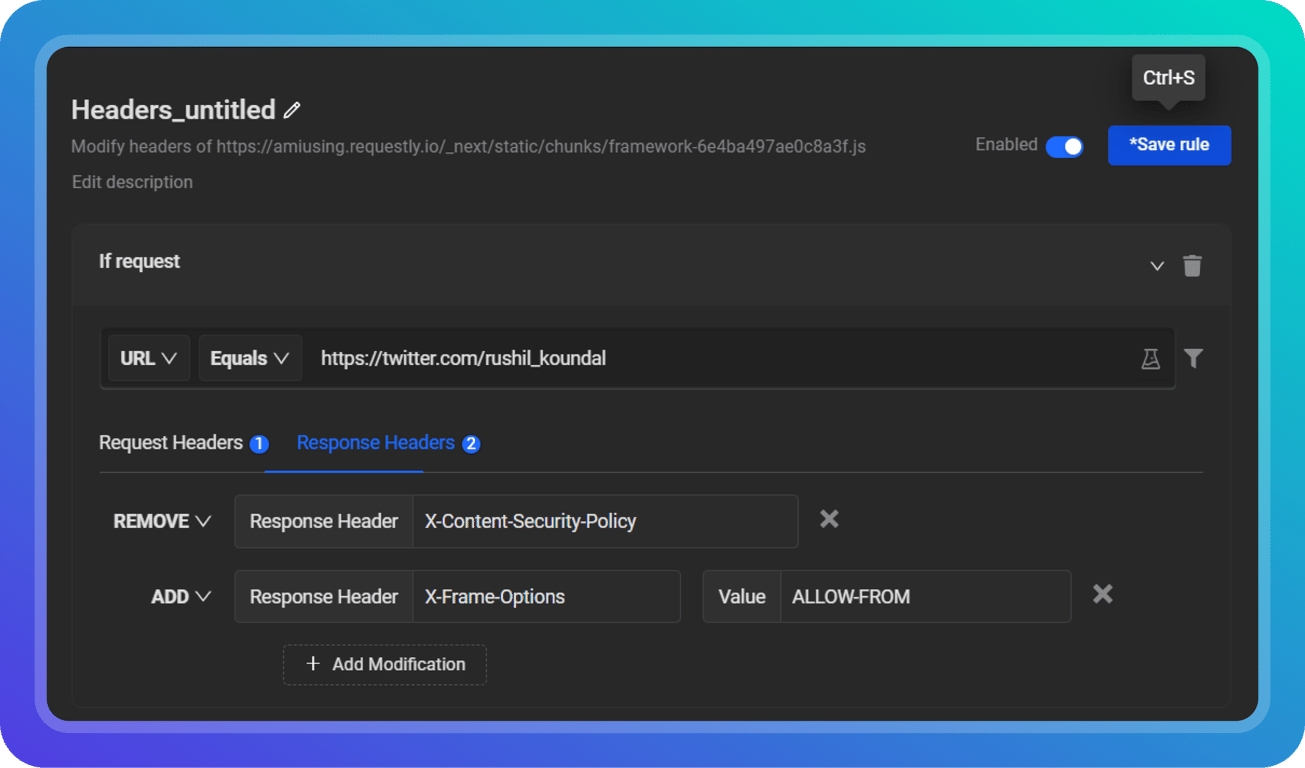
Testing Modification
Now, when the same request is triggered again, the request will be highlighted. This indicates that the Requestly Interceptor Rule is applied to the request.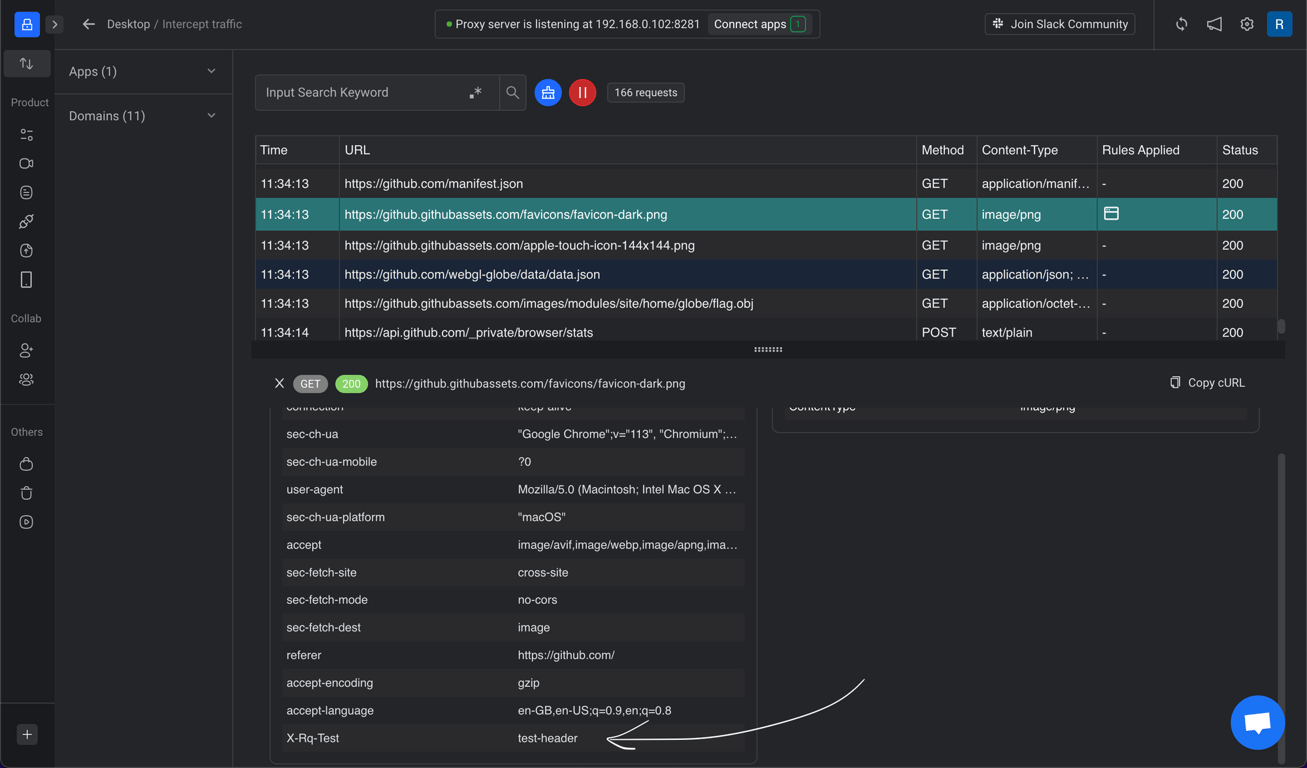 These modification tools provide developers with greater control over their network traffic, enabling deeper debugging and customization without needing backend changes.