

Once you’ve installed the Requestly Interceptor browser extension, you can start intercepting, inspecting, and modifying HTTP(S) traffic directly in your browser. This feature is great for testing APIs, debugging frontend issues, and simulating server responses, without touching your backend or deploying changes.Documentation Index
Fetch the complete documentation index at: https://docs.requestly.com/llms.txt
Use this file to discover all available pages before exploring further.
Steps to Intercept traffic in Browser DevTools
Once open, this tab will list out all the requests made by your browser. Here, you have two tabs:
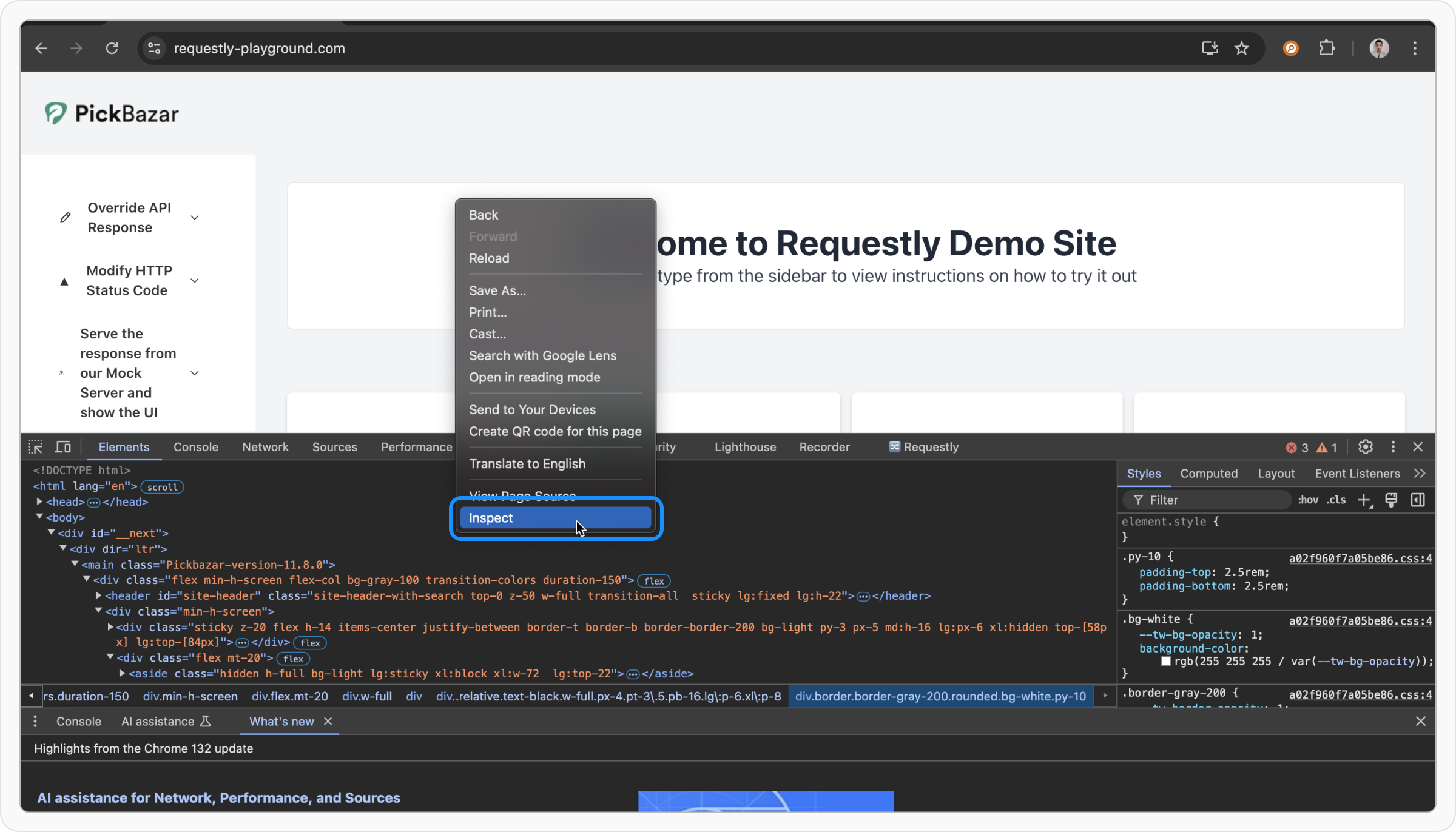
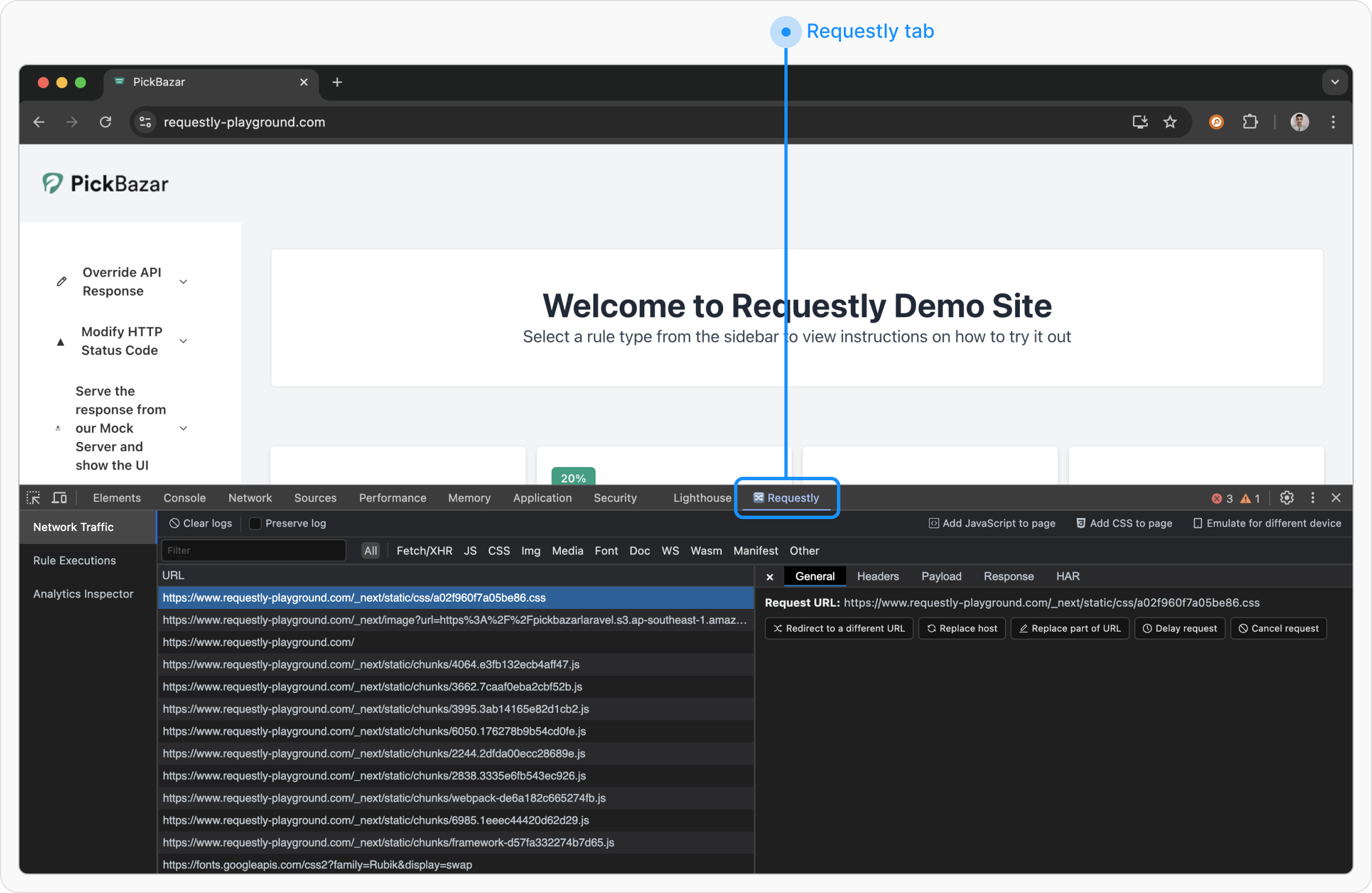
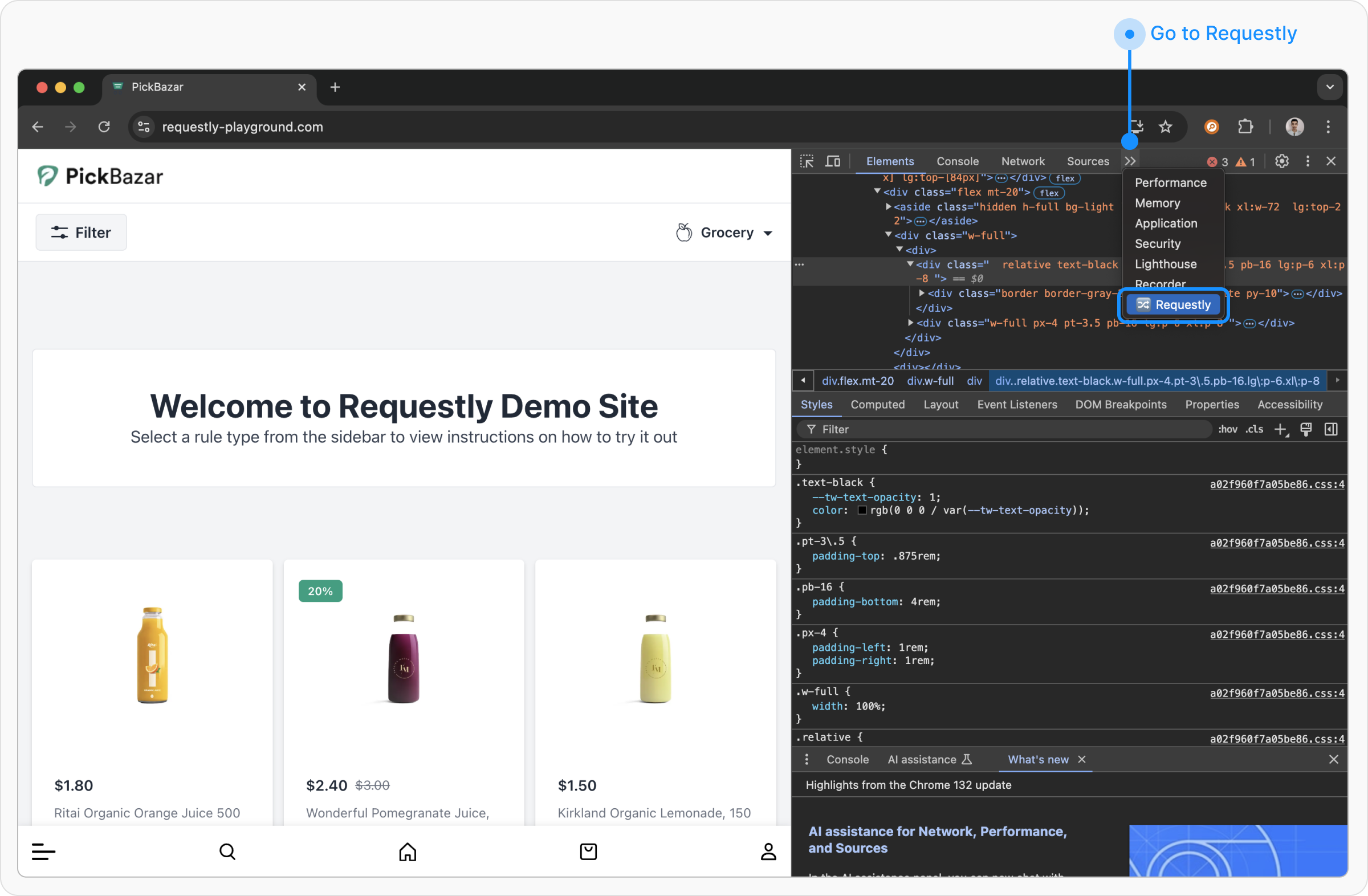
- Network Traffic
- Network Traffic
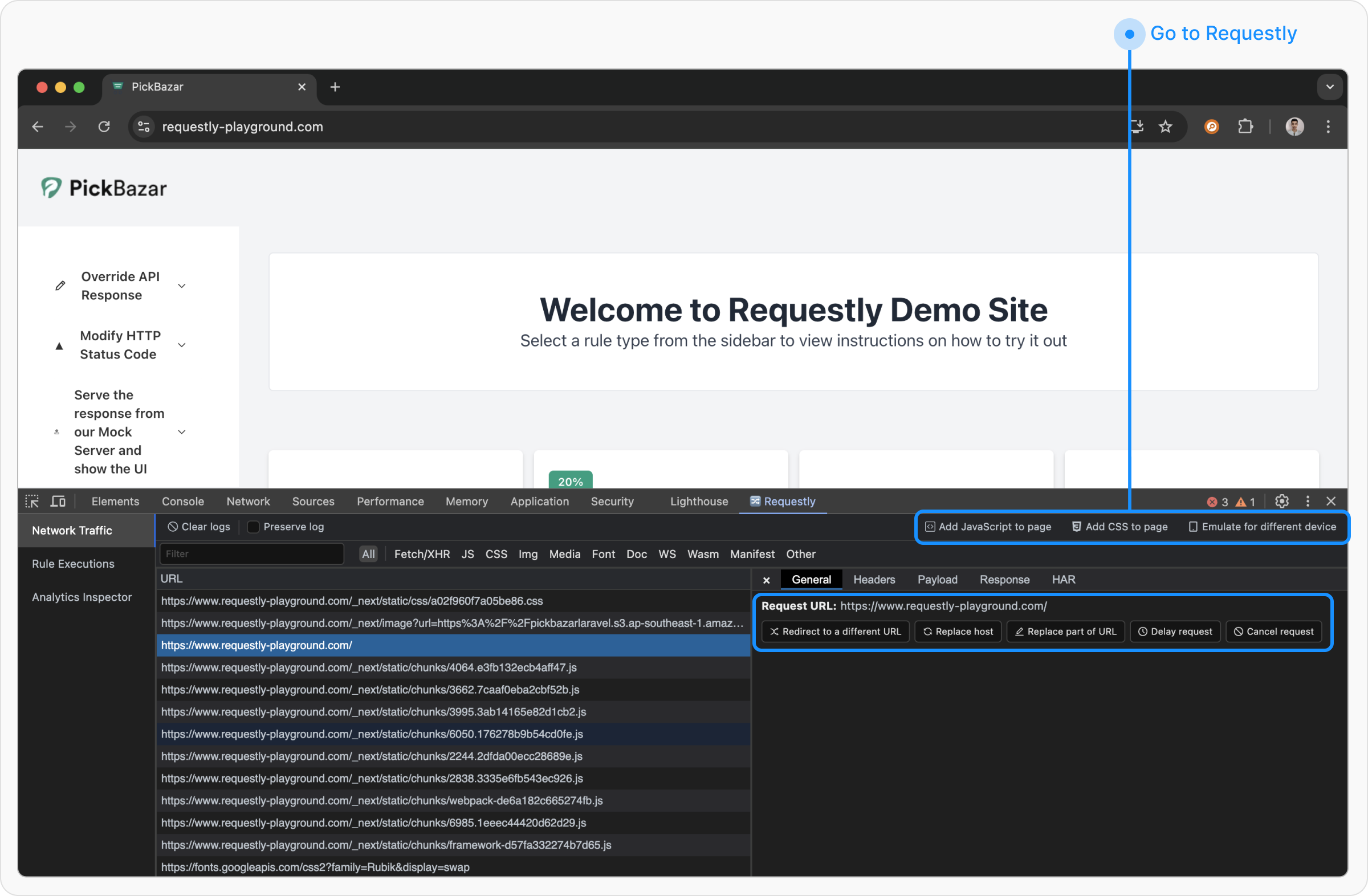
If you want to intercept traffic from another browser extension, please use the Requestly Interceptor Desktop App instead.
- Add JavaScript to Page: Injects custom JavaScript into the webpage.
- Add CSS to Page: Applies custom styles to the page.
- Emulate a Different Device: Simulates how the page renders on different devices.
- Redirect to Another URL
- Replace Host
- Replace Part of URL
- Delay Request
- Cancel Request