

Cloud-based mocks let you simulate API responses by hosting mock data online instead of running a local server. With Requestly Interceptor’s File Server, you can upload mock files like JSON or HTML and redirect real API requests to these files. It’s a fast, shareable, and reliable way to mock backend APIs for frontend development and testing in isolation.Documentation Index
Fetch the complete documentation index at: https://docs.requestly.com/llms.txt
Use this file to discover all available pages before exploring further.
How to Create a Cloud-based Mock
To create a cloud mock, you’ll first create a file in File Server and then set up a Redirect Rule to serve it in place of a real API.Step 1: Create a File in Requestly Interceptor File Server
Click "New File" or Upload:
Choose New File to create one from scratch, or upload an existing JSON file.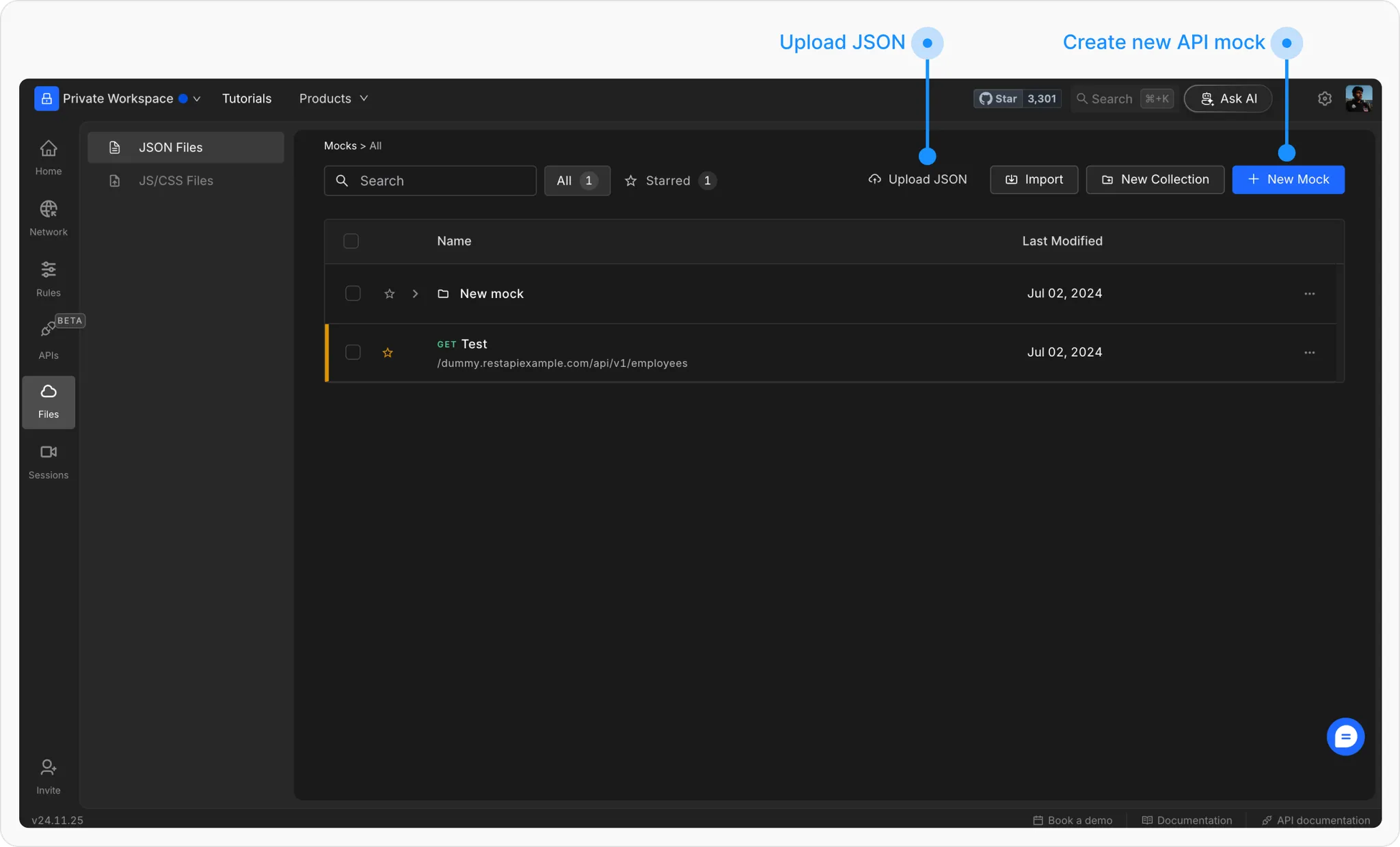
Configure the File and save the file:
Give it a descriptive name and fill in the following options: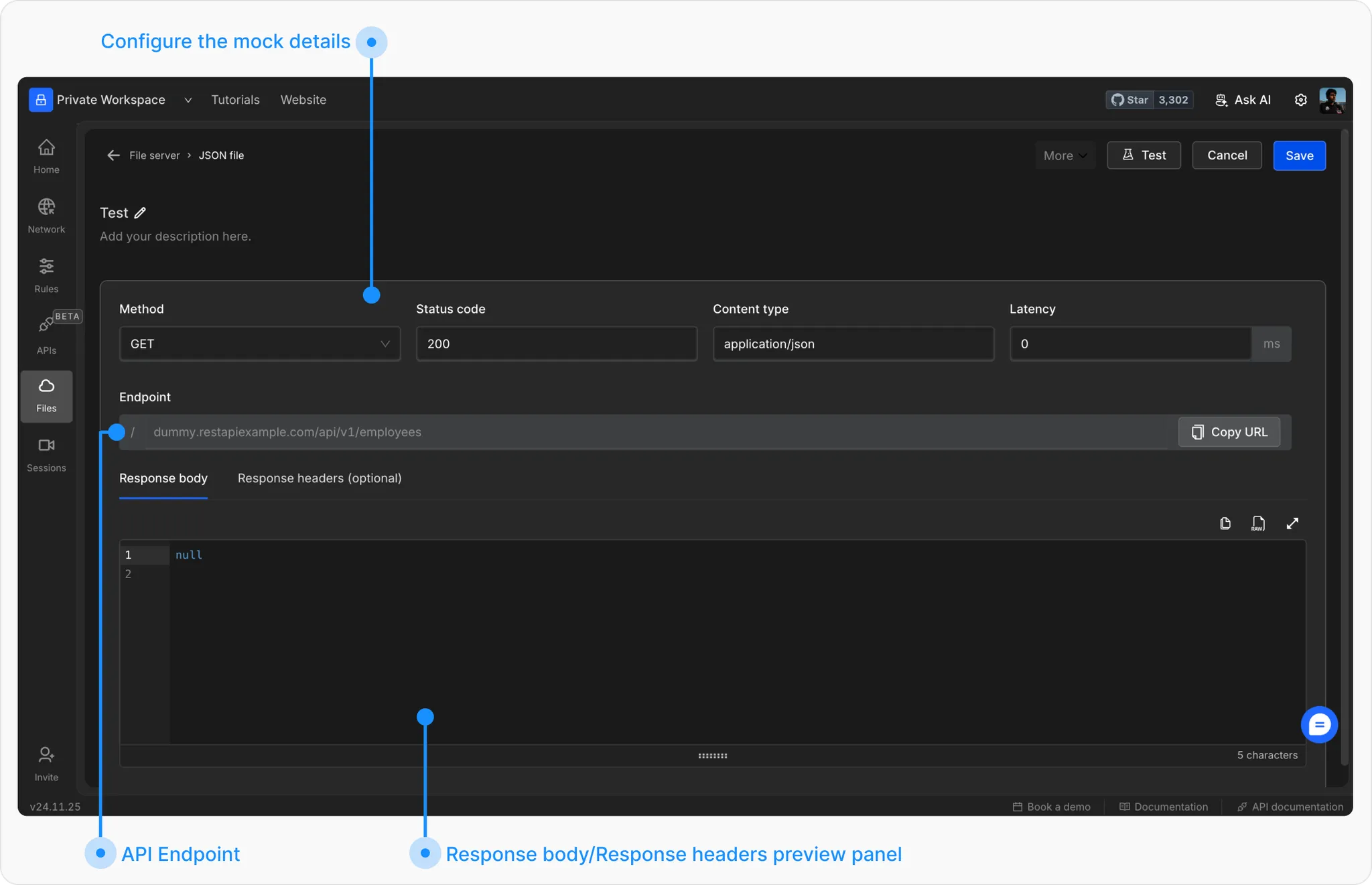
- Method: HTTP method to match (GET, POST, etc.)
- Status: Response code (e.g. 200 OK)
-
Content Type: e.g.
application/json - Latency (optional): Simulate response delay
- Endpoint: Define a unique URL path
- Response Body: Add your mock JSON/text
- Headers (optional): Add custom response headers
- Password Protection (optional): Secure with a query param password
Step 2: Redirect API Requests to File Server
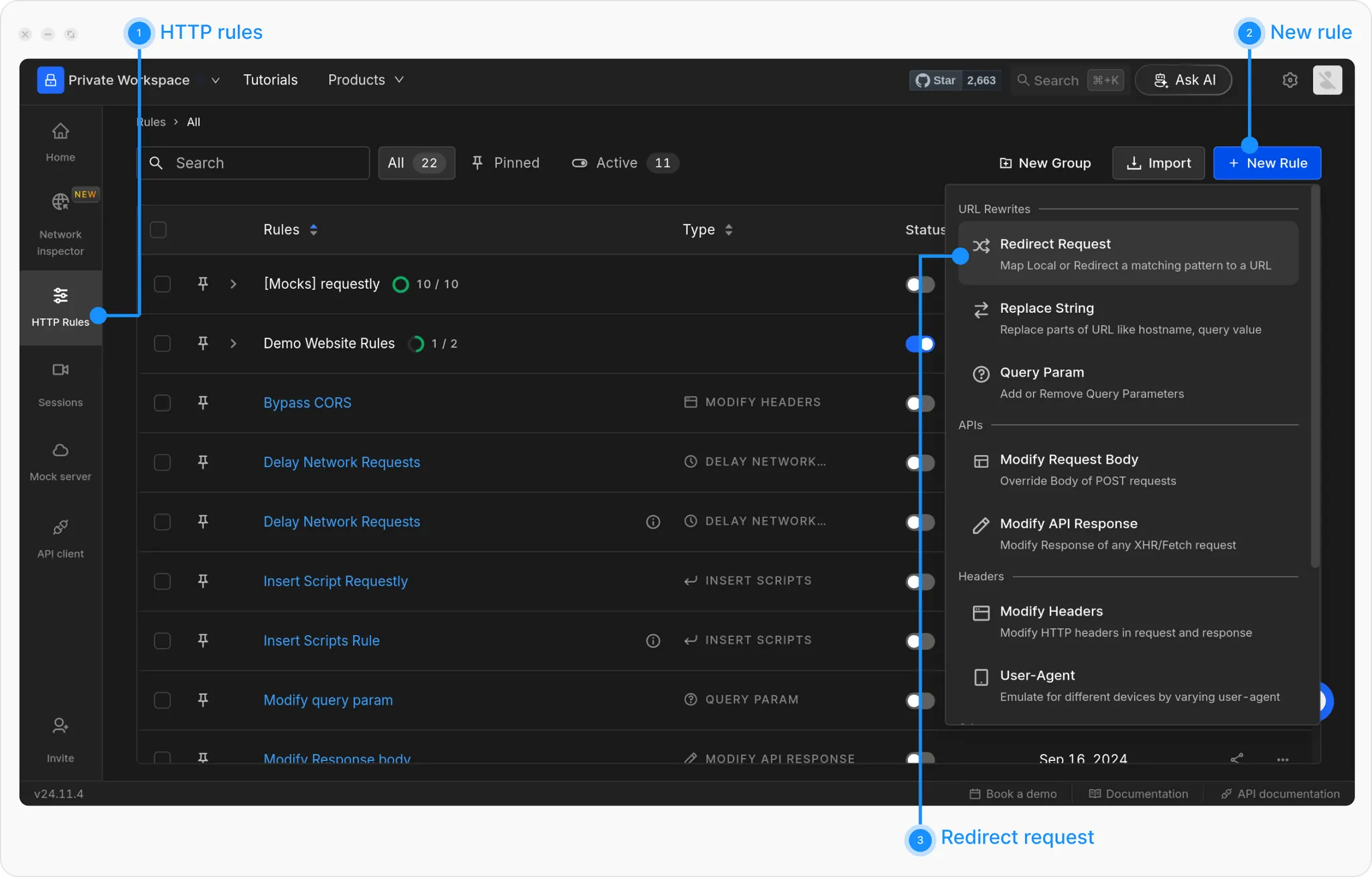
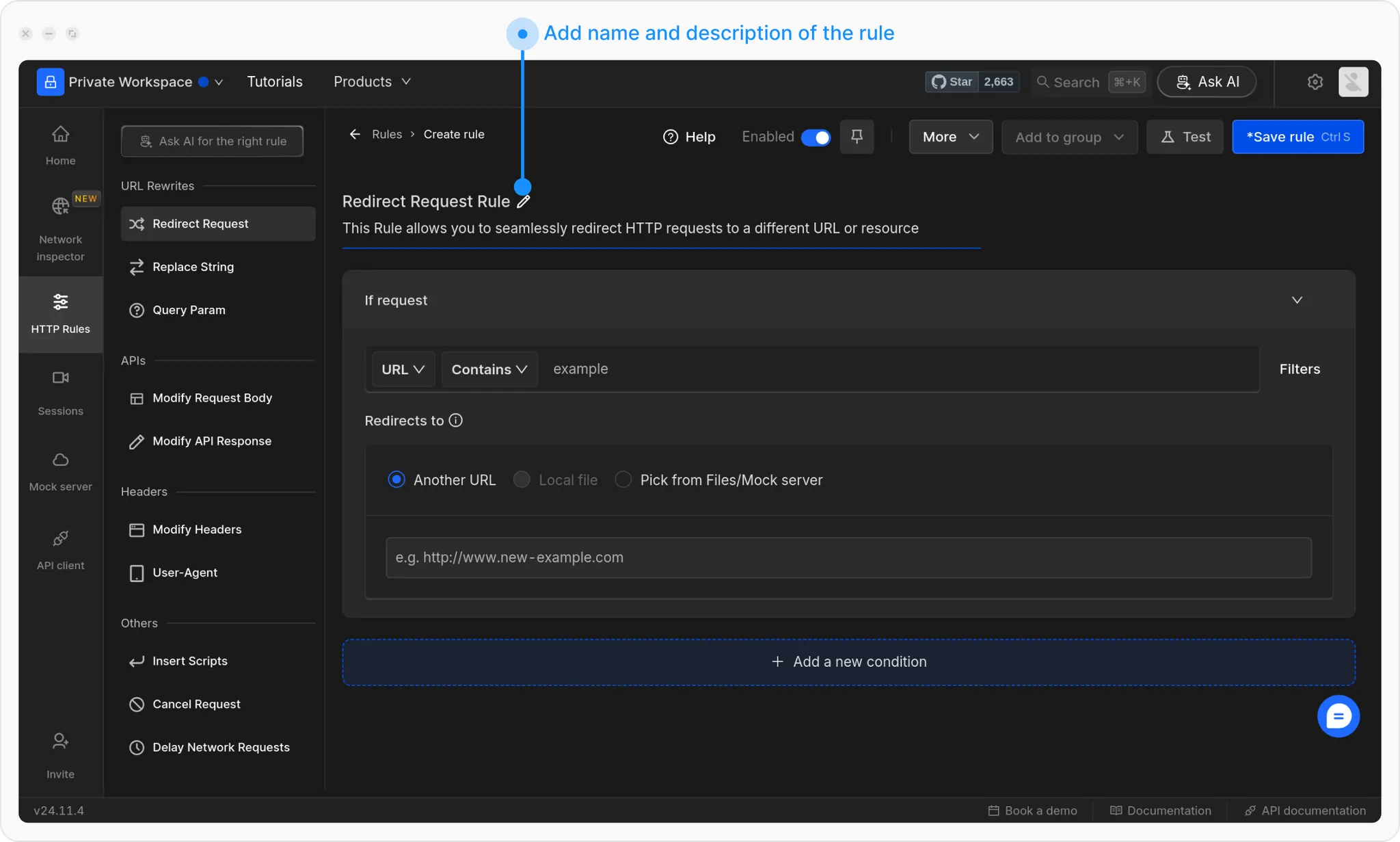
Set the Source Condition
Define when the rule should trigger. Use filters like URL Contains, Equals, Regex, or Advanced Filters.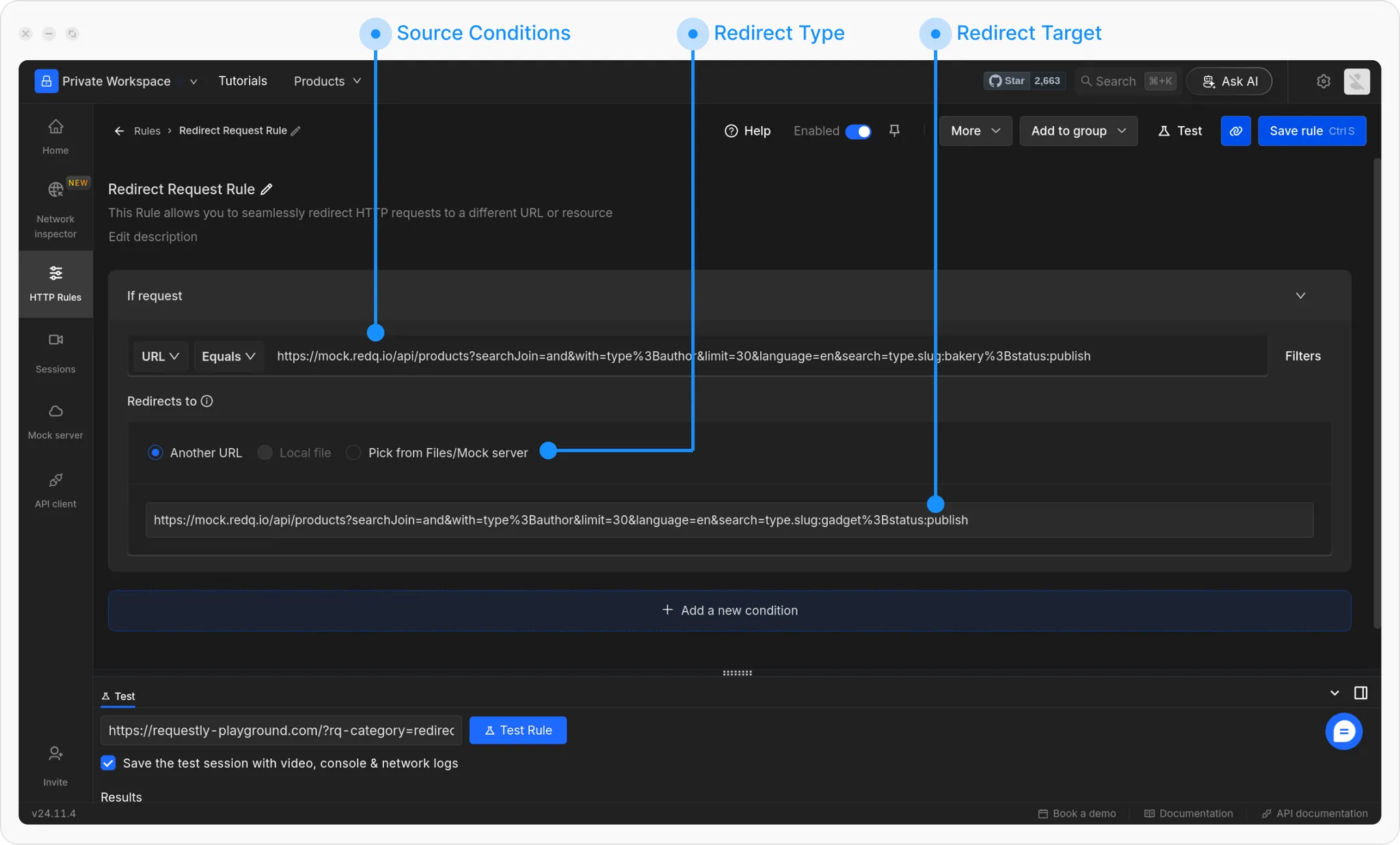
💡 Example:
Match the bakery products API in the Requestly Interceptor Playground:
https://rest.requestly-playground.com/api/products?searchJoin=and&with=type%3Bauthor&limit=30&language=en&search=type.slug:bakery%3Bstatus:publish
Set the Redirect Target:
Paste the File Server URL copied earlier. You can also select the file directly from File Server.