This guide provides detailed instructions on how to use Requestly Interceptor for mocking API requests to ensure reliable development workflows. Mocking will be accomplished using the Modify Response rule, which allows overriding the response of an API.Documentation Index
Fetch the complete documentation index at: https://docs.requestly.com/llms.txt
Use this file to discover all available pages before exploring further.
Recording traffic
- Connect an App: Launch a new app or connect an existing app with Requestly Interceptor to start intercepting network traffic. Learn more here.
-
Capture Network Traffic: Perform actions in your app to generate network traffic. Monitor and review this traffic within Requestly Interceptor.
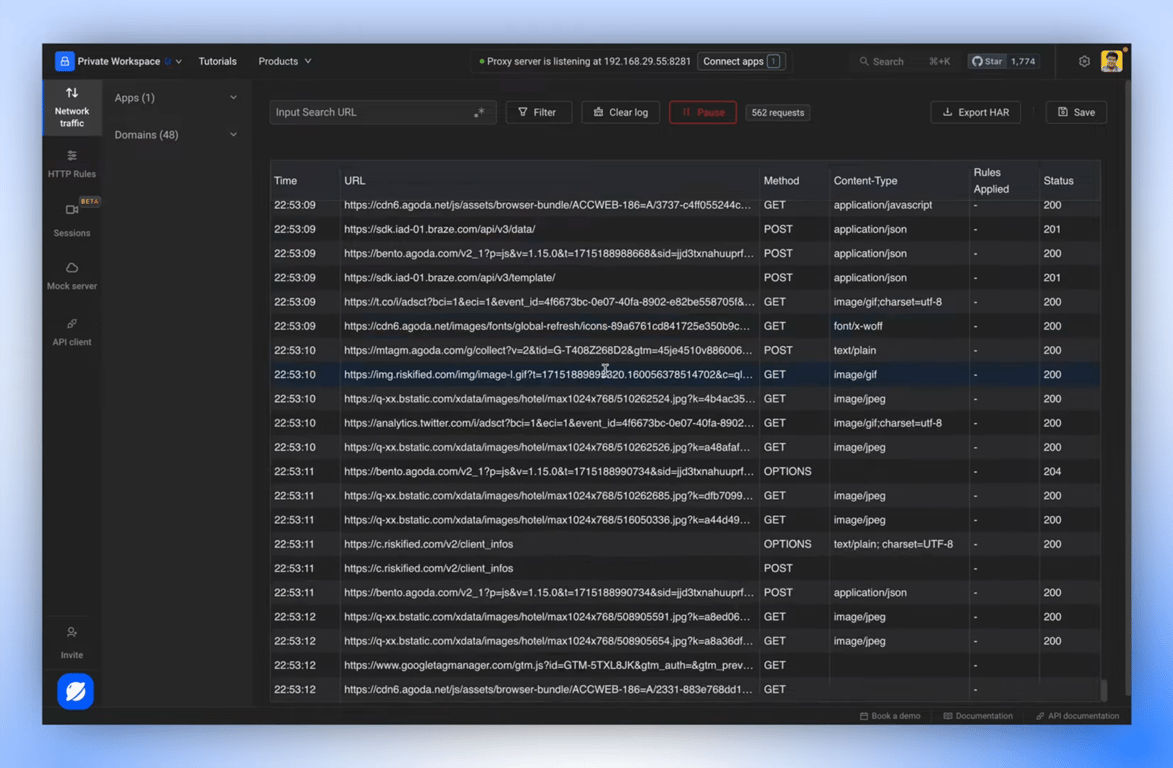
- Save and Navigate to the Captured Session: Once all desired requests are captured, save this data as a session and proceed to the session details.
Creating Mocks
-
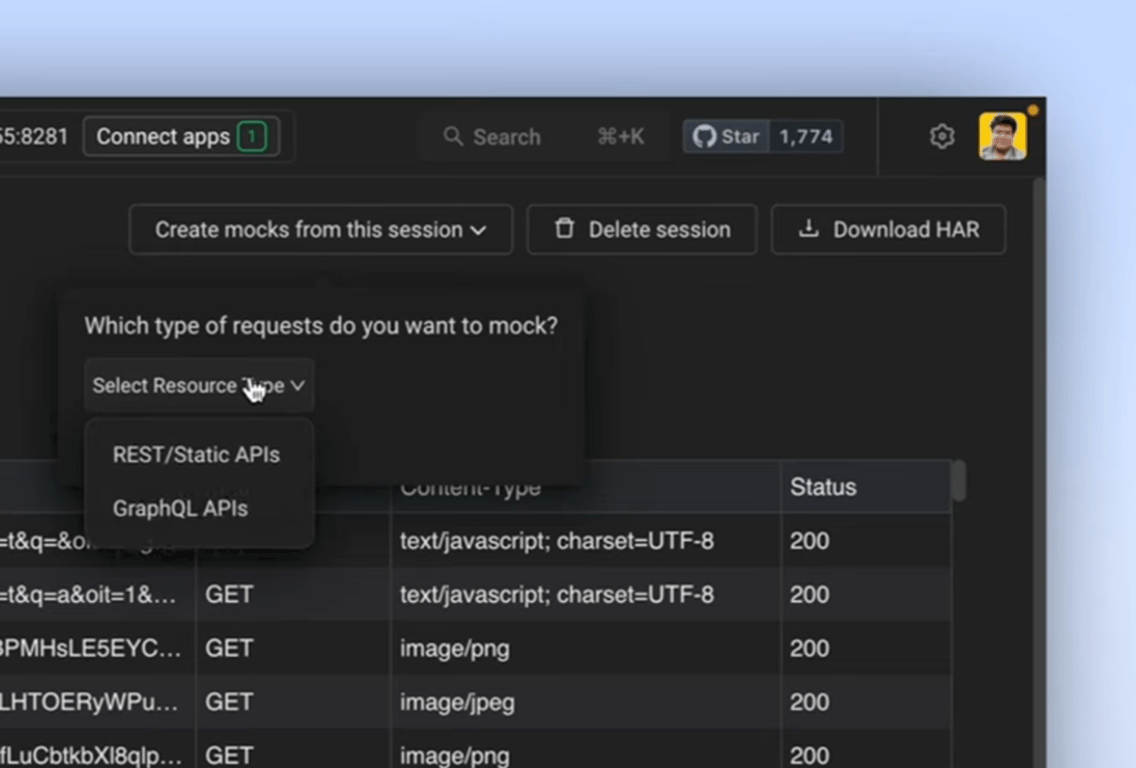
Create Mocks from the Session: Click on ‘Create Mocks from this Session’ button. Then, select the type of APIs you want to mock.
- For REST APIs: Filter and select the requests you wish to mock.
-
For GraphQL APIs: Apply a Payload Filter to find specific requests containing the desired key. Then, filter and select the requests you wish to mock.
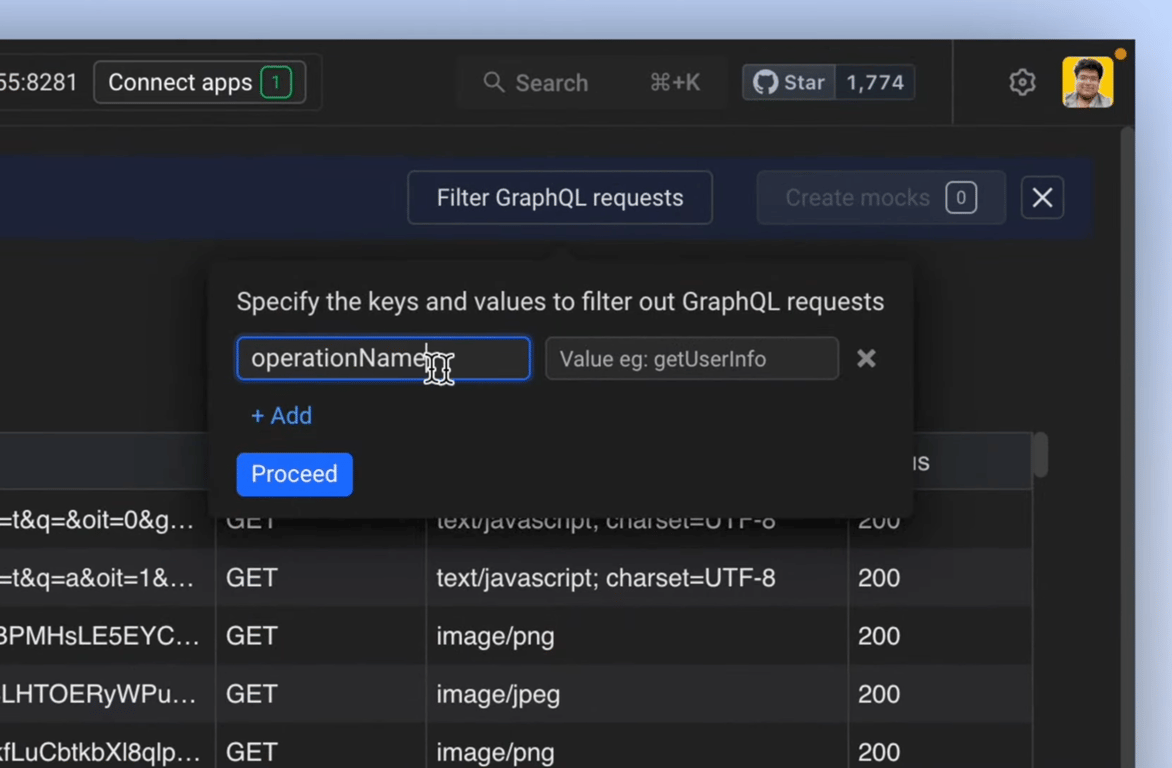
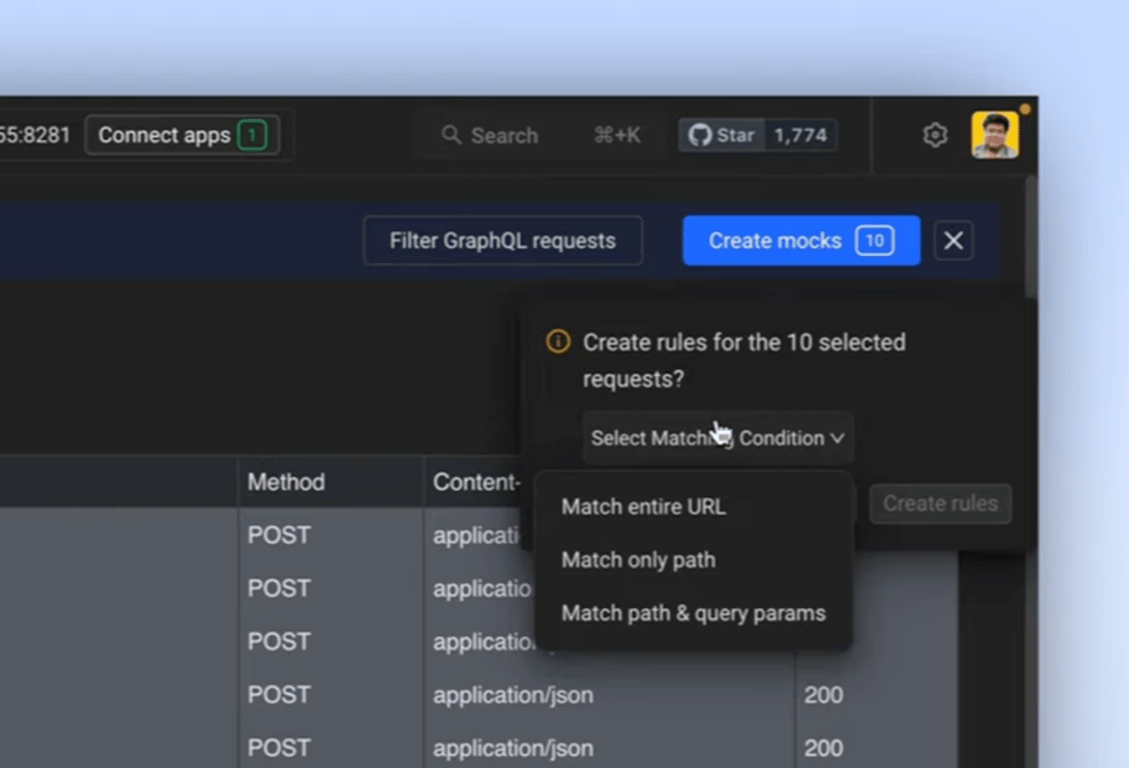
- Specify Matching Conditions to Create Rules: Define the rules for mocking by choosing matching conditions such as matching the entire URL, only the path, or both path and query parameters. Review the created rules in the rules index.
Testing the Mocks
- Navigate to the Traffic Interceptor: Use the sidebar to access the traffic interceptor section and reconnect your app.
-
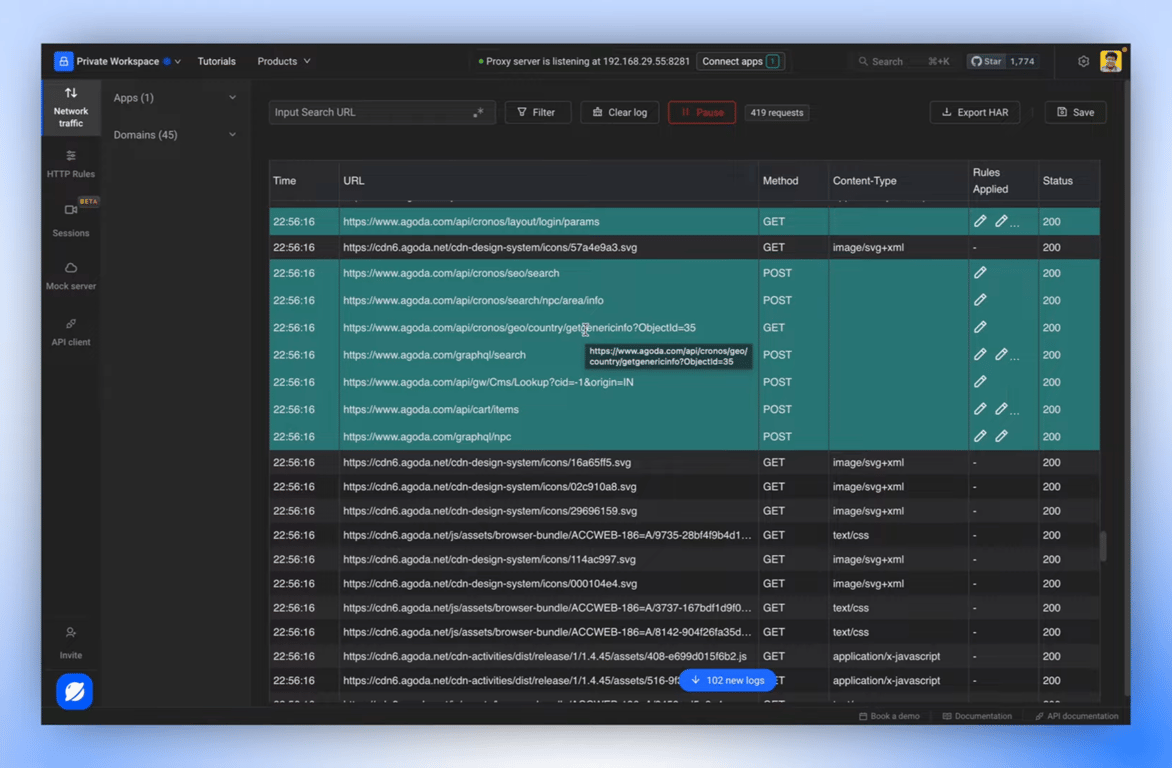
Retrace your flow to Test Mocks: Retrace the actions in your app to test the behaviour of the mocked requests. Look for highlighted requests in the logs, which indicate modifications by the mocking rules.
- Review and Edit Rules: Click on the applied rules icon on any modified request to view or edit the rule definitions directly.