

If your Requestly Interceptor rules are not applying, use this checklist in order. Most issues come from extension permissions, paused Requestly Interceptor state, inactive groups, or rule-type limitations.Documentation Index
Fetch the complete documentation index at: https://docs.requestly.com/llms.txt
Use this file to discover all available pages before exploring further.
Start Here
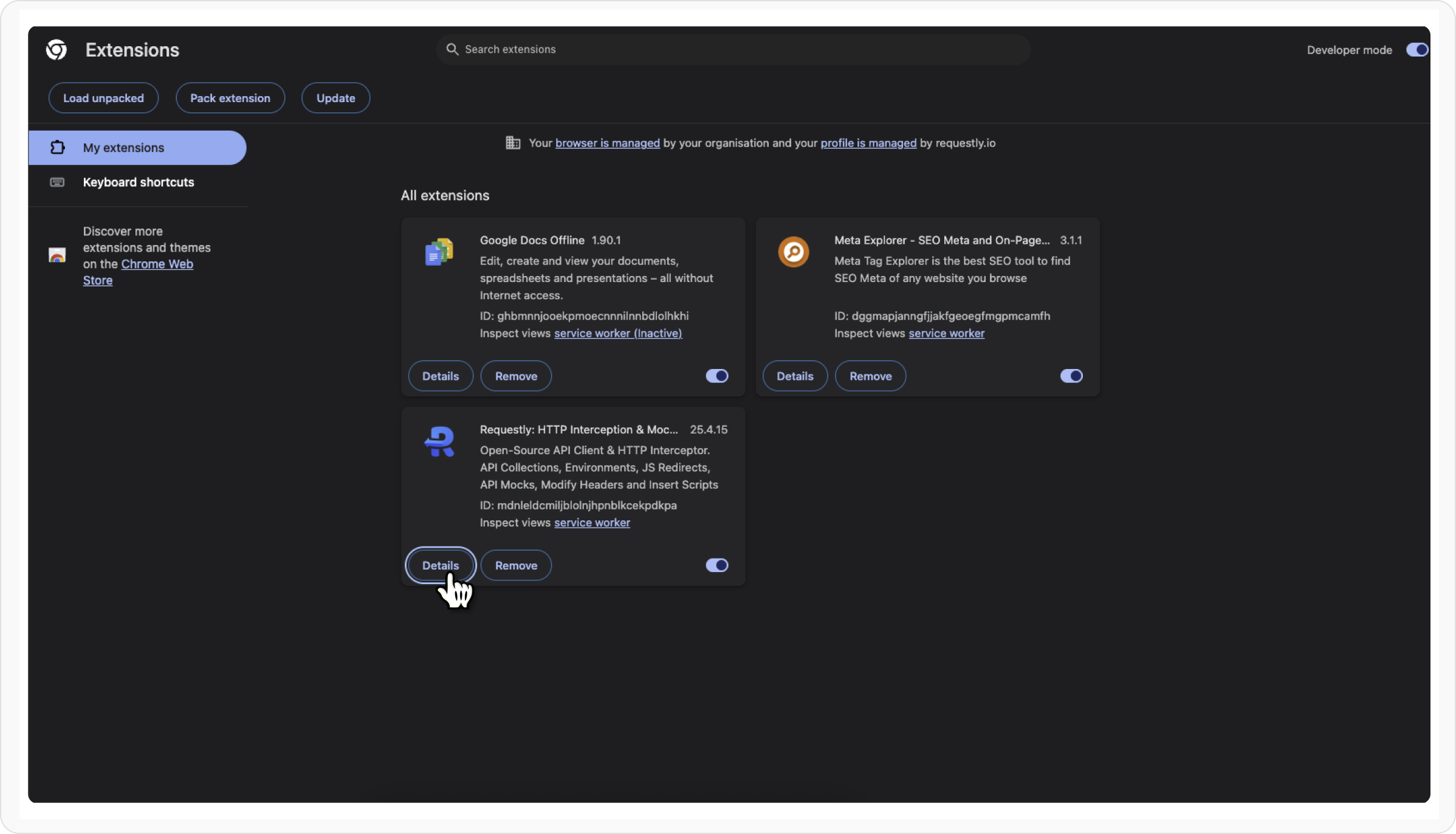
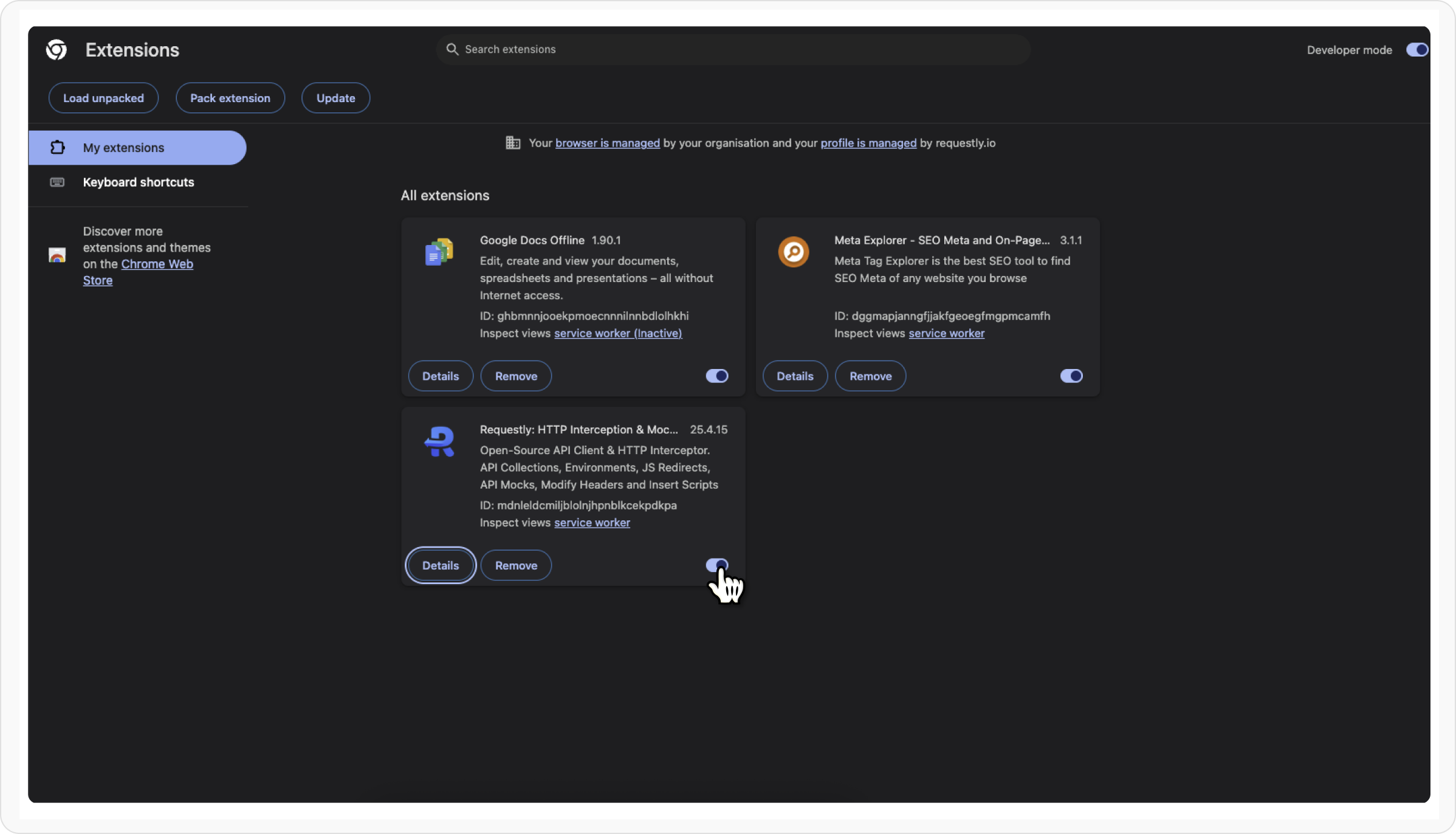
Check these basics first:- the Requestly Interceptor extension is installed and enabled
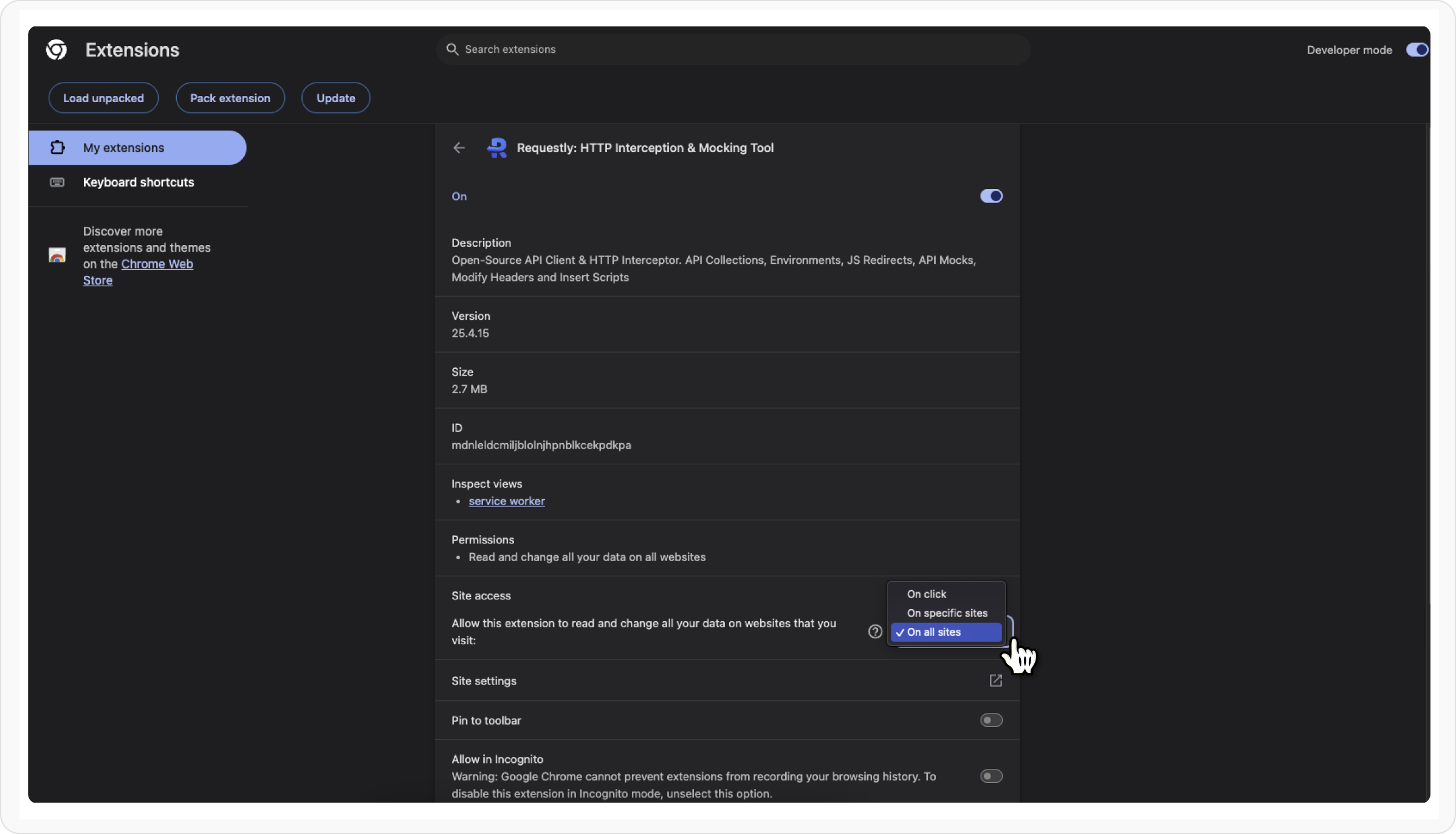
- site access is allowed for the page you are testing
- Requestly Interceptor is running and not paused
- the relevant rule group is turned on
- you refreshed the page or retriggered the request after saving the rule
1. Confirm Extension Permissions
2. Ensure the Extension Is Enabled
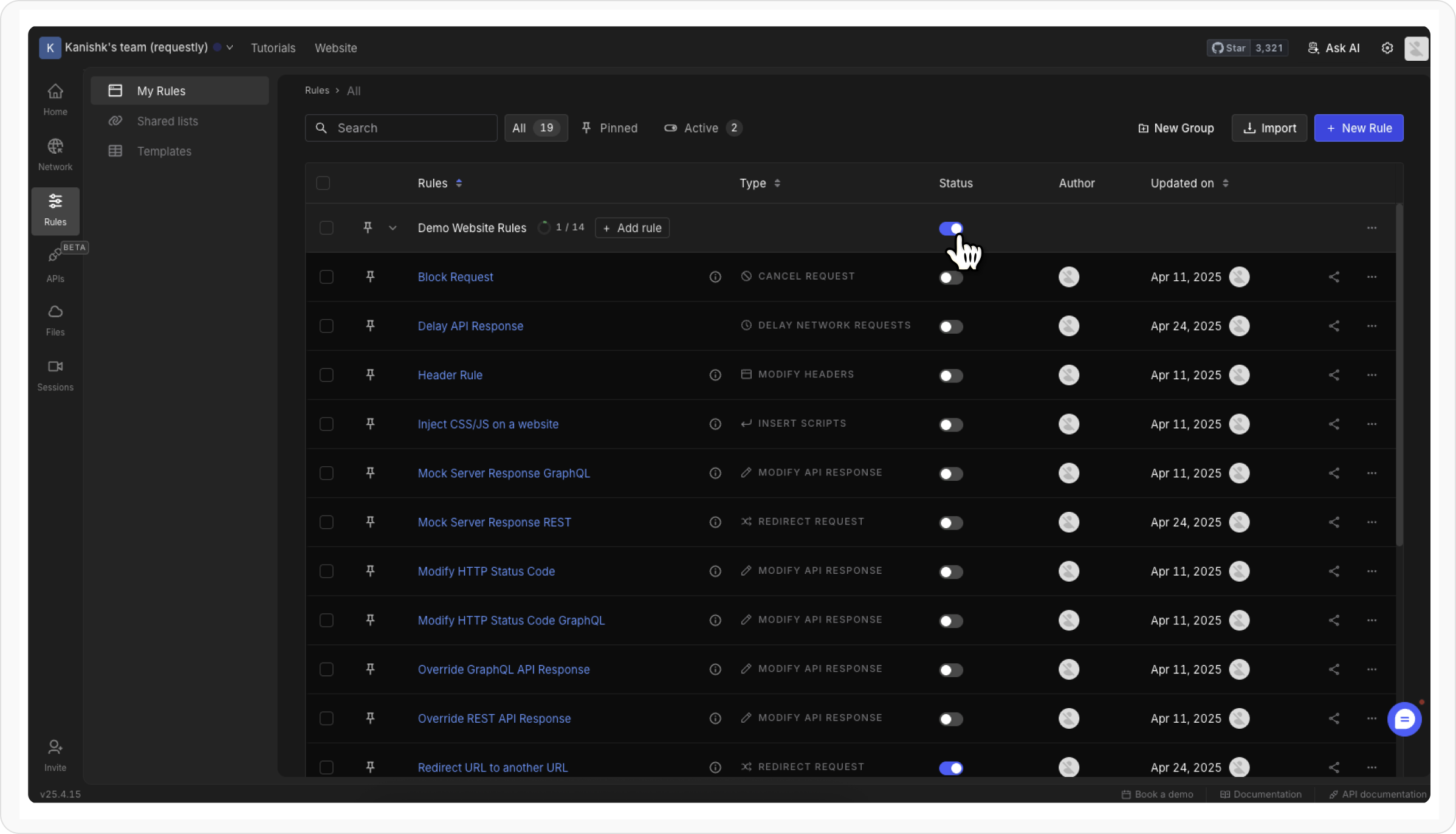
3. Check If the Rule Group Is Active
Groups allow you to organize rules into logical groups and enable/disable them in one go.Open the Dashboard
Visit the
Requestly Interceptor dashboard.
4. Activate the Extension (If Disabled)
Open Requestly Interceptor Popup
Locate and click the Requestly Interceptor icon in your browser’s toolbar to open the menu.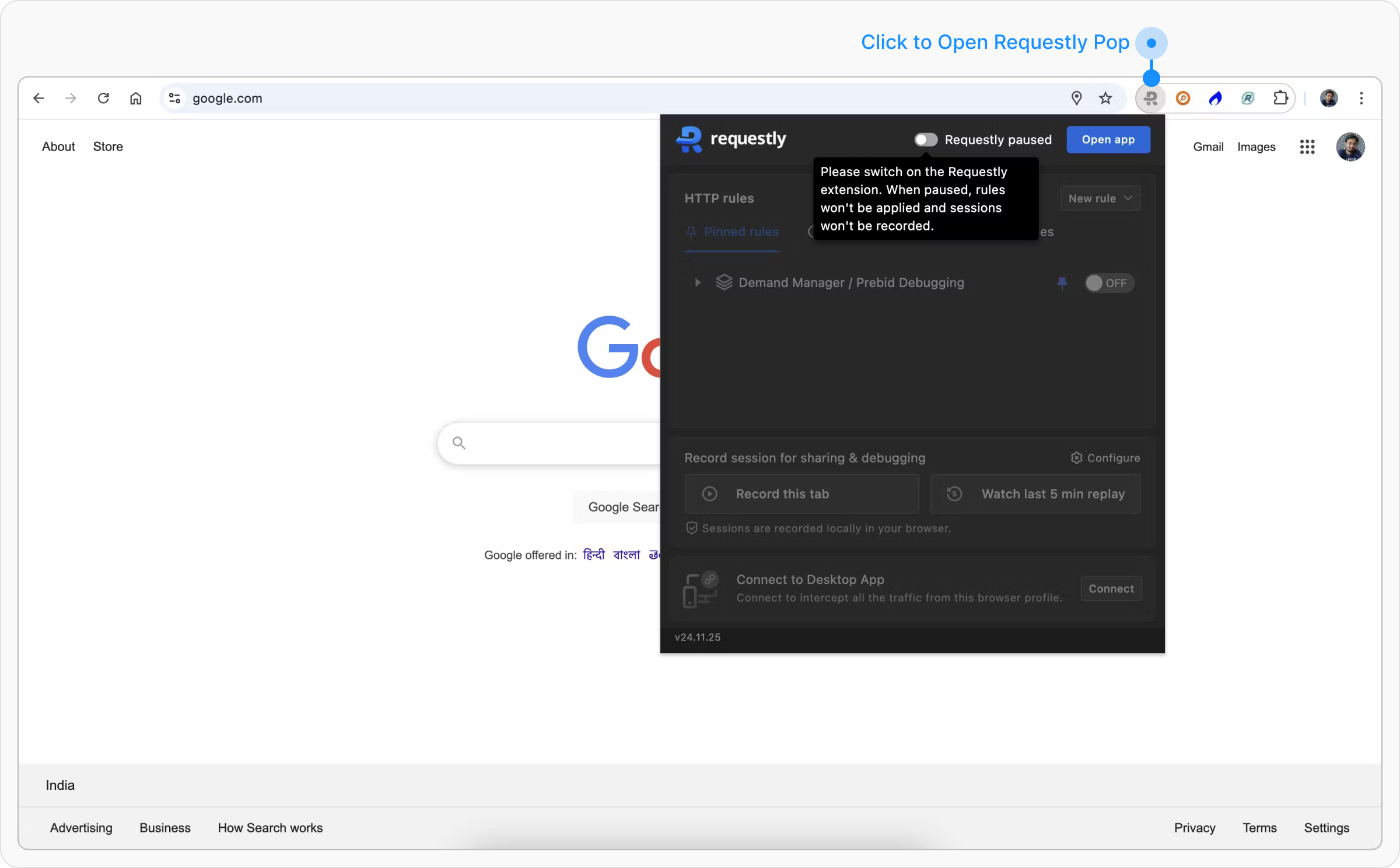
Enable Requestly Interceptor
Click the Requestly Interceptor icon in your browser’s toolbar and find the toggle labeled “Requestly Interceptor paused.” Click the toggle to activate Requestly Interceptor. The label will change to “Requestly Interceptor running,” confirming activation.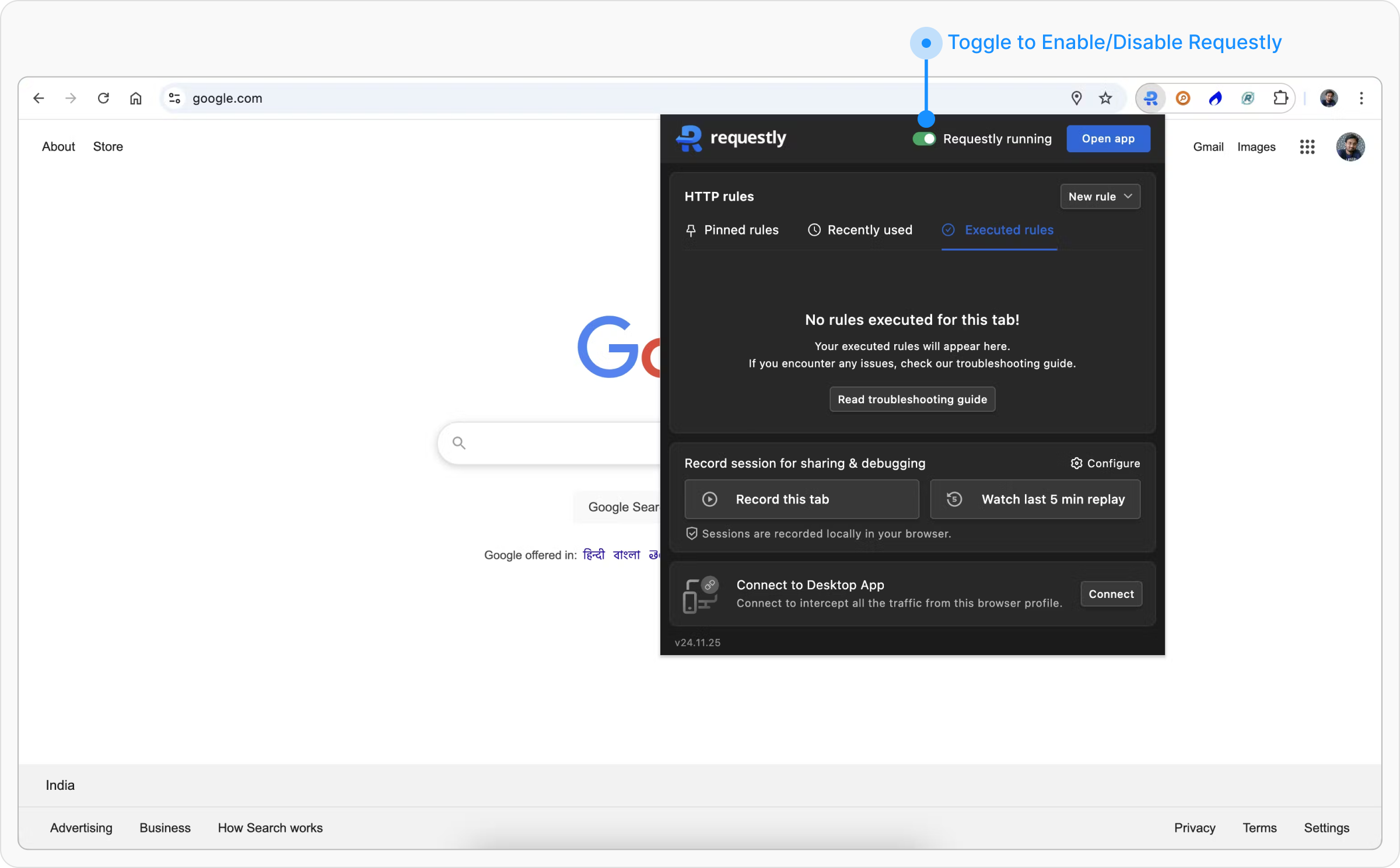
5. Recheck The Rule Match
Before assuming the rule is broken, confirm that it actually matches the request:- the URL condition matches the request you are testing
- the rule type supports the traffic you are trying to change
- the target page is not a browser-internal page such as
chrome://
Common Issues by Rule Type
Some rule types in Requestly Interceptor have specific behaviors or limitations. Here’s what you need to know for each one:
Modify API Response
Not visible in Chrome DevToolsAPI response modifications made by Requestly Interceptor don’t show up in the browser’s DevTools, but they’re still applied in the background. Only works with XHR/Fetch requests
Modify API Response can’t modify HTML, CSS, or other static files in the extension. For that, use the Desktop App.
Modify Request Body
Only works with XHR and Fetch requestsModify Response Headers
Response Headers modification done by Requestly Interceptor are not visible in Browsers devtool but they are actually modified.Delay Request
In the browser extension, delays are automatically capped to prevent performance issues. XHR/Fetch requests can be delayed up to 5,000 ms, while other resources (like JS, CSS, images) support up to 10,000 ms. For unlimited delays, switch to the Desktop AppInsert Script Rule
Inline JavaScript is ignored when using the URL optionWhen you choose the URL method, only the external script is loaded. Any inline JavaScript written between the
<script> tags will be completely ignored by the browser
Doesn’t run on internal browser pagesScripts won’t run on pages like
chrome://, file://, or other system-level pages. For testing, use a local server or the Desktop App.
Next Best Debugging Steps
Review HTTP Rules Overview
Revisit when to use each rule type and the recommended first workflows.
Inspect Traffic First
Use HTTP Interceptor if you need to confirm what request is actually leaving the app.
Modify Headers
Start with a simple rule type to validate your setup.
Use The Desktop App
Switch to the Desktop App for advanced traffic scenarios and larger delay limits.