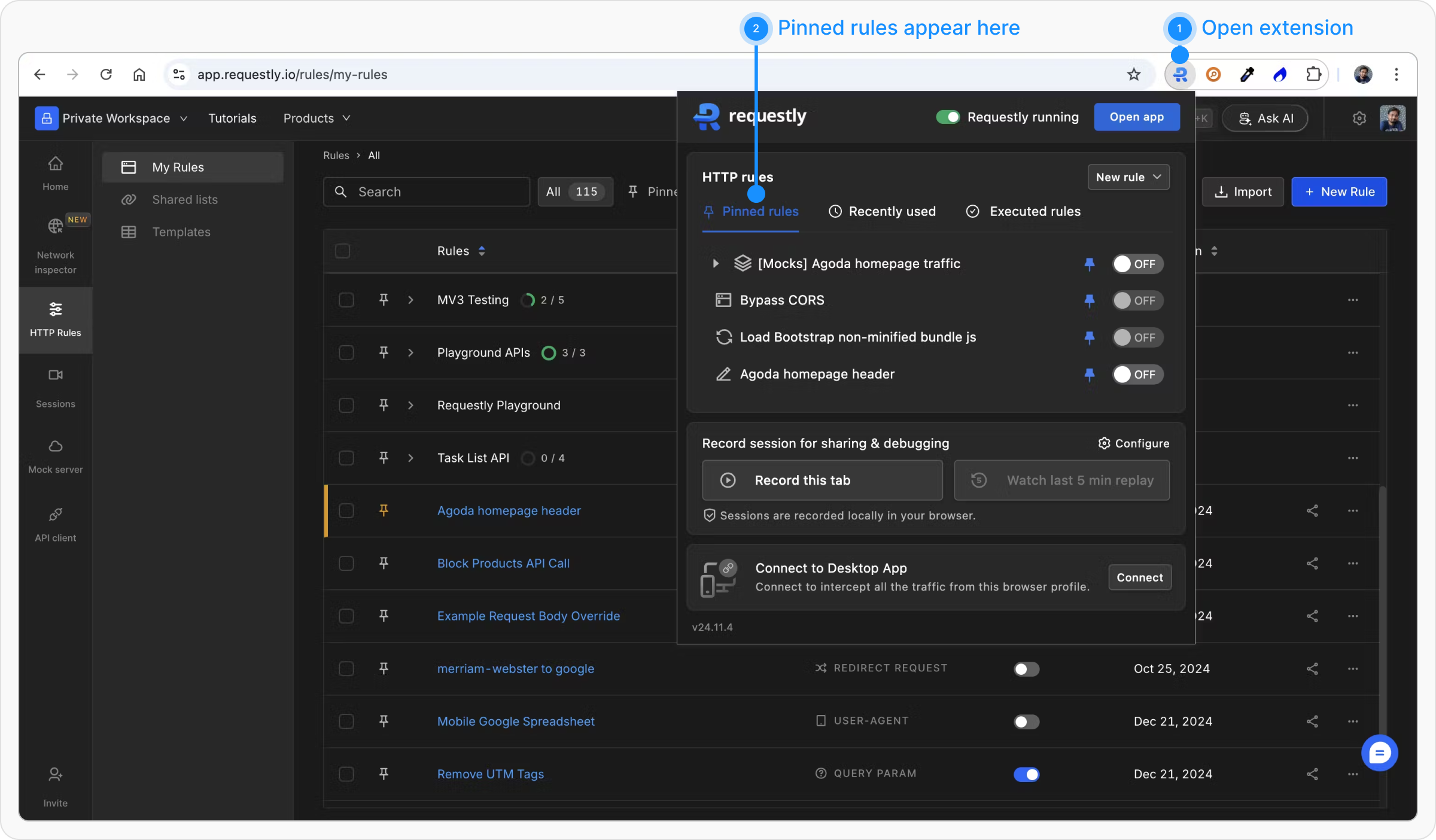
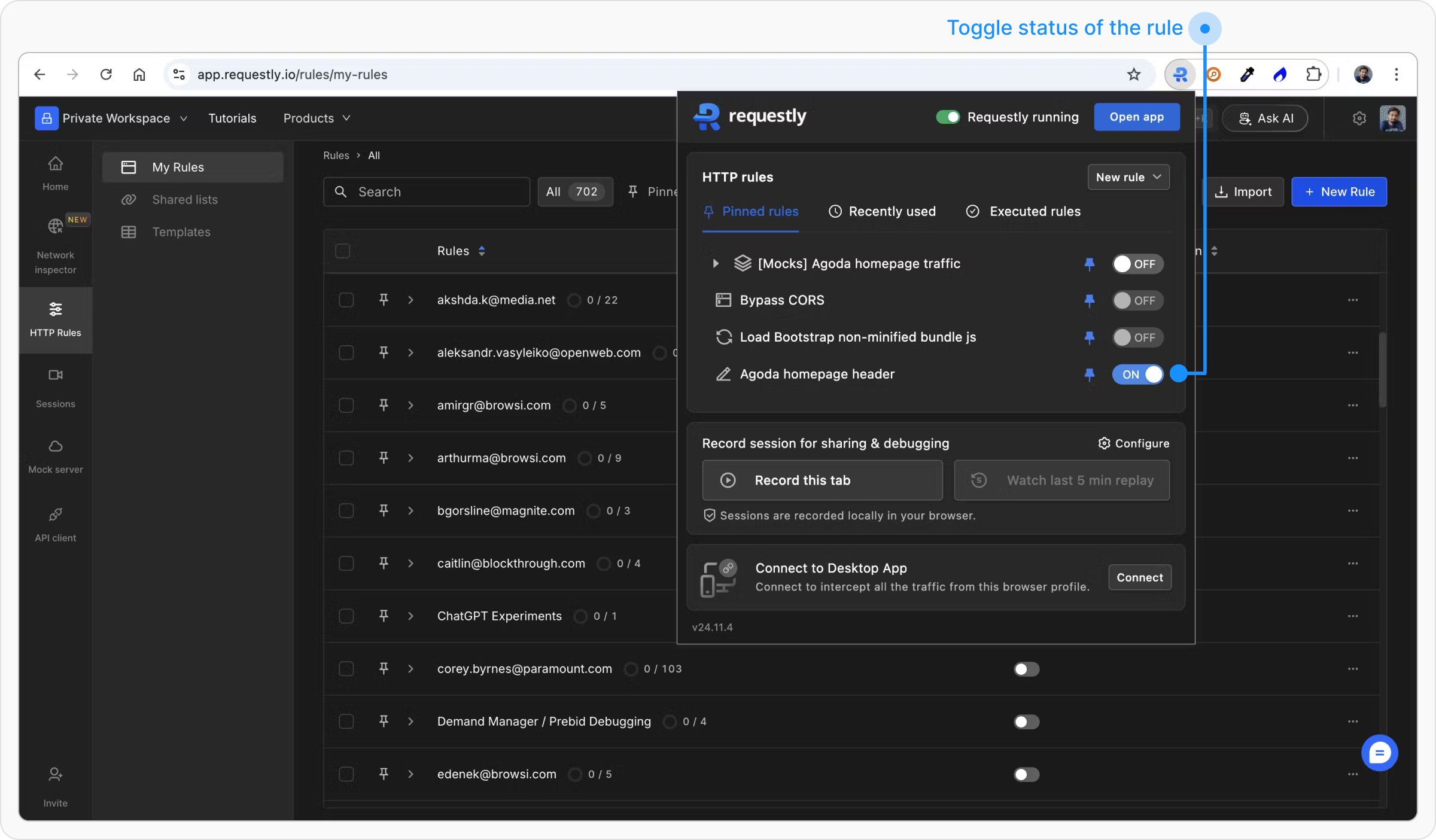
Pinning rules in Requestly Interceptor allows you to quickly access and manage your rules directly from the Chrome toolbar, streamlining your workflow without the need to open the Requestly Interceptor app. This feature is particularly useful for toggling rules on or off with ease.
Benefits of Pinning Rules
- Quick Access: Access frequently used rules directly from the toolbar.
- Simplified Management: Toggle rules on or off with a single click.
- Improved Workflow: Avoid the need to open the Requestly Interceptor app, streamlining your debugging or testing tasks.
How to Pin a Rule
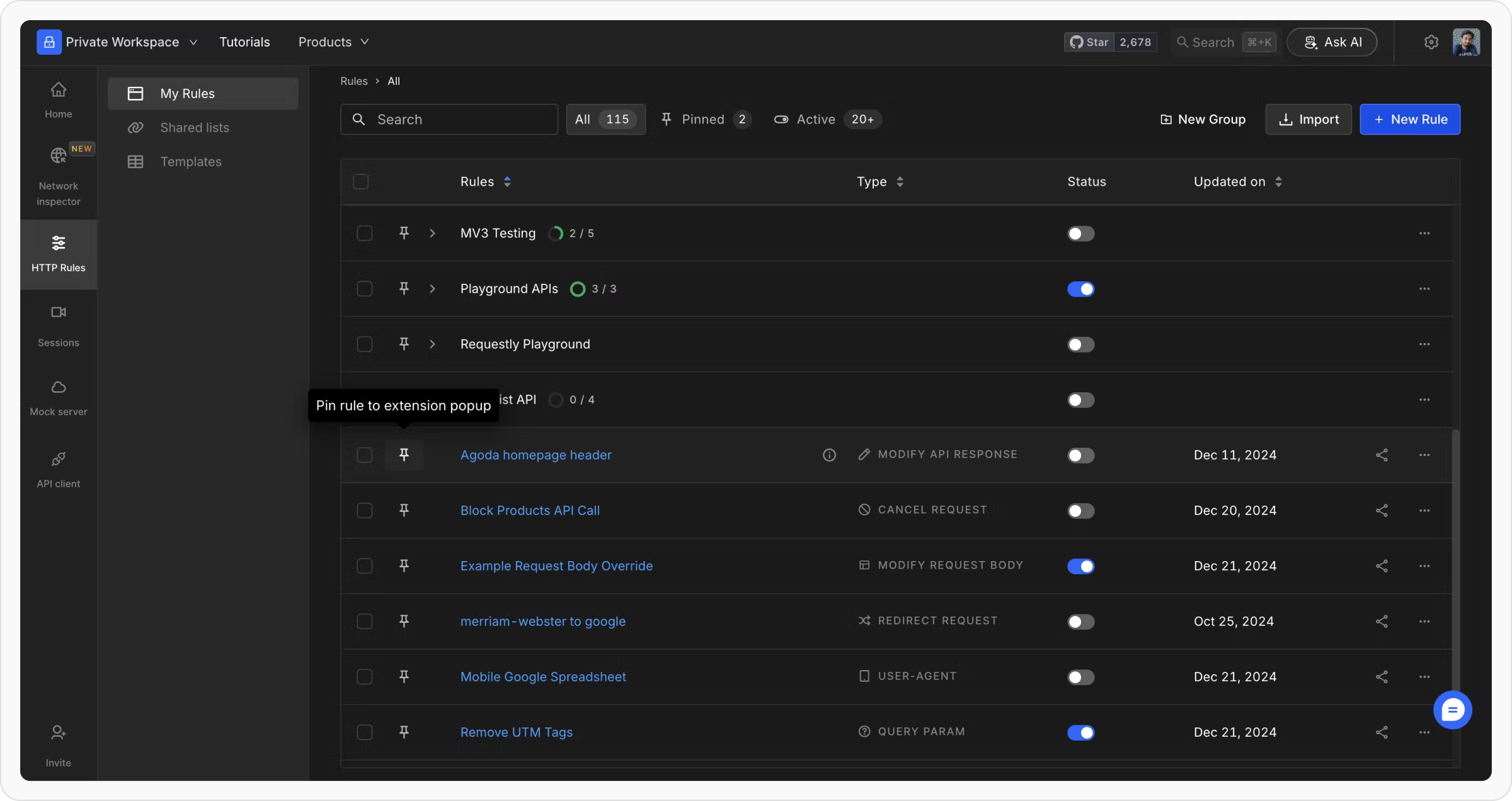
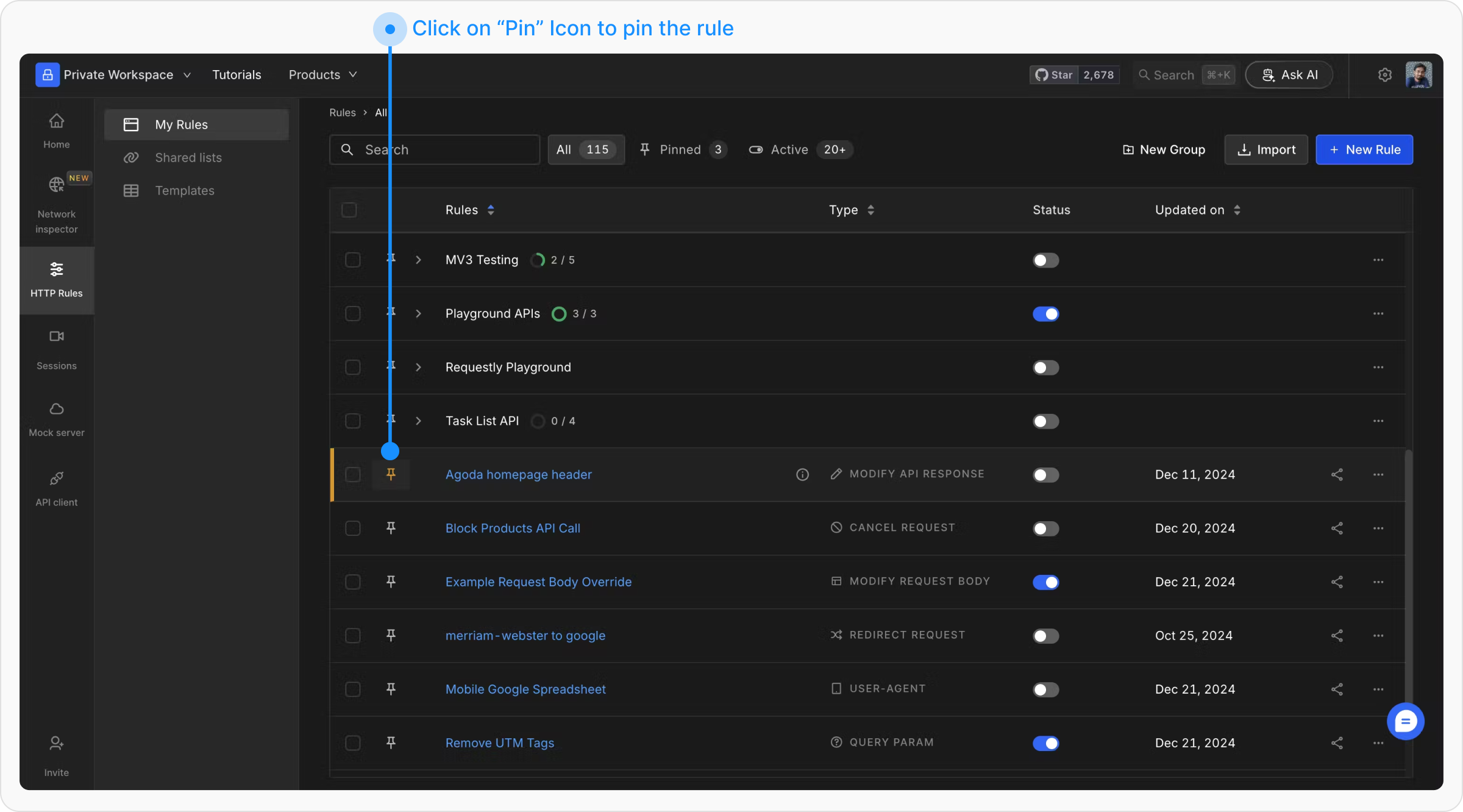
To pin a rule in Requestly Interceptor, follow these steps:
Once pinned, the rule will be accessible from the Requestly Interceptor icon in your Chrome toolbar.