

Troubleshooting Steps
Check if default port 8281 is available and identify the process
Verify that port 8281 is not being used by another application. Open Command Prompt and run:This will show you the Process ID (PID) using this port. Then identify which process is using the port by running (replace 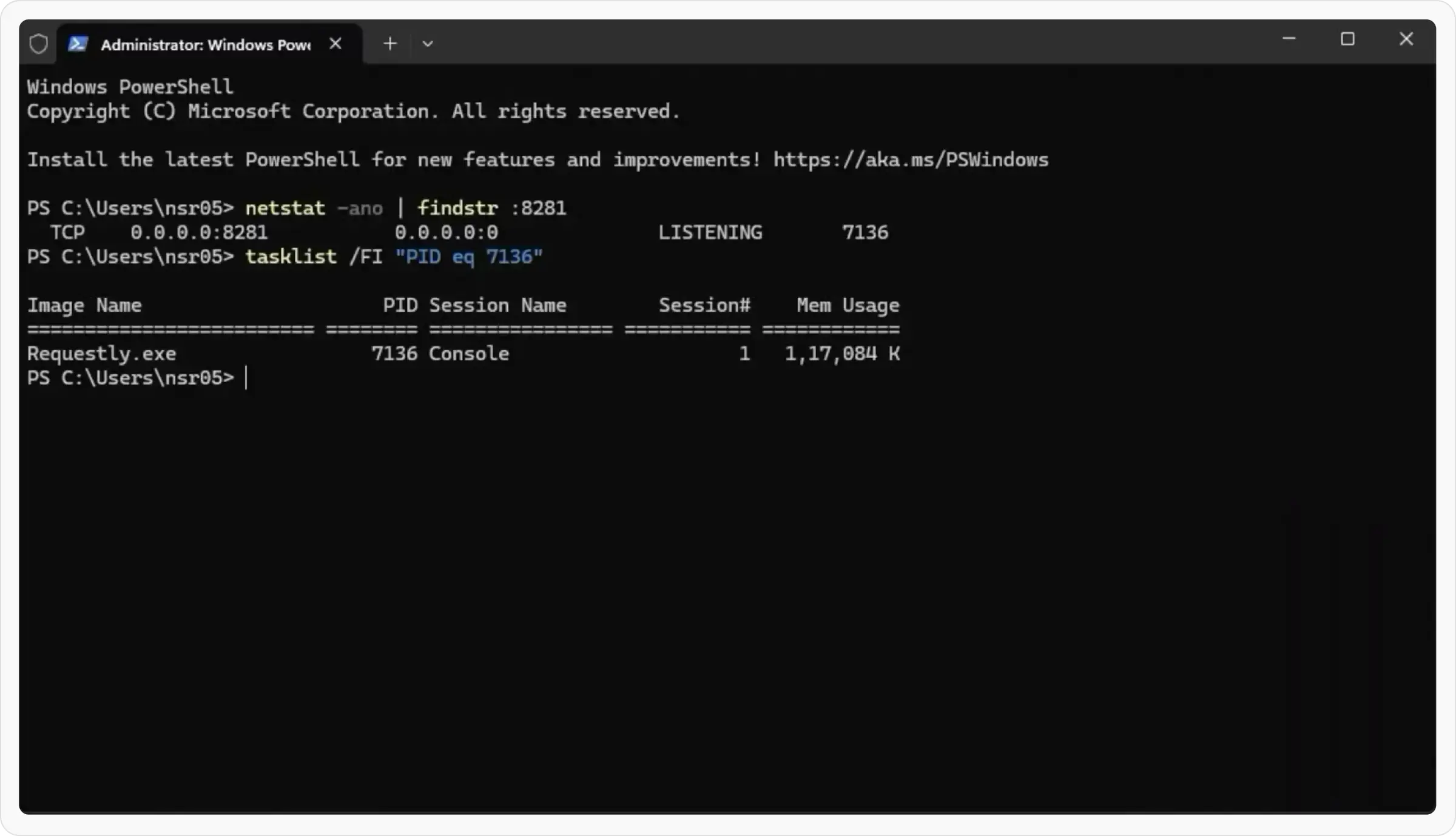
7136 with the PID from the previous command):Change default proxy port if needed
If the port is being used by an application other than Requestly Interceptor: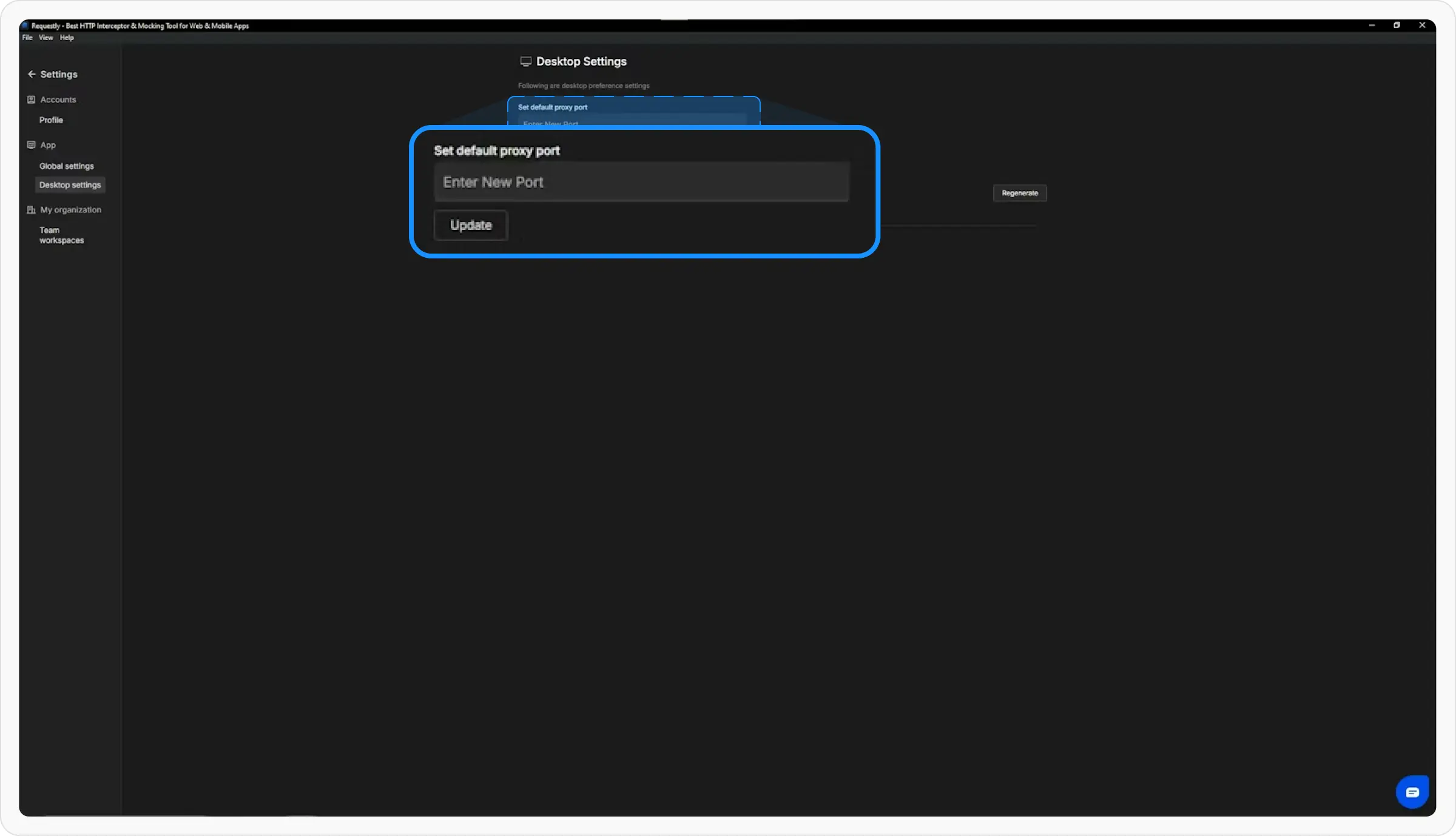
- Go to Requestly Interceptor Settings
- Change the default proxy port to an available port
Try manual proxy connection (if Requestly Interceptor is using the port)
If Requestly Interceptor is using port 8281 but you still see the “No Proxy” issue: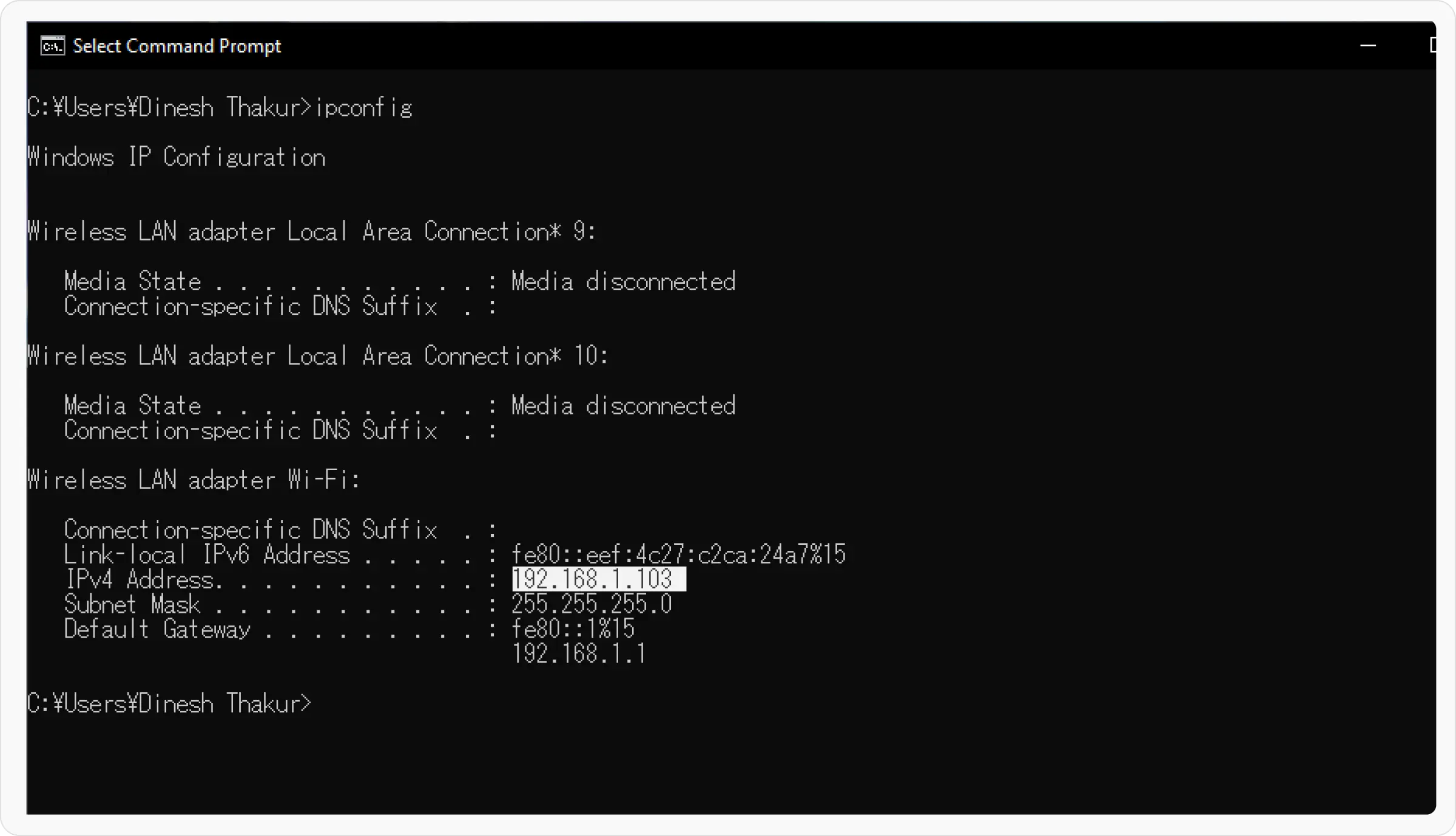
- Get your local
IPv4address by runningipconfigin Command Prompt - Try connecting to the proxy manually using your local IP and port 8281
- Configure your system or browser to use this proxy:
<your-local-ip>:8281