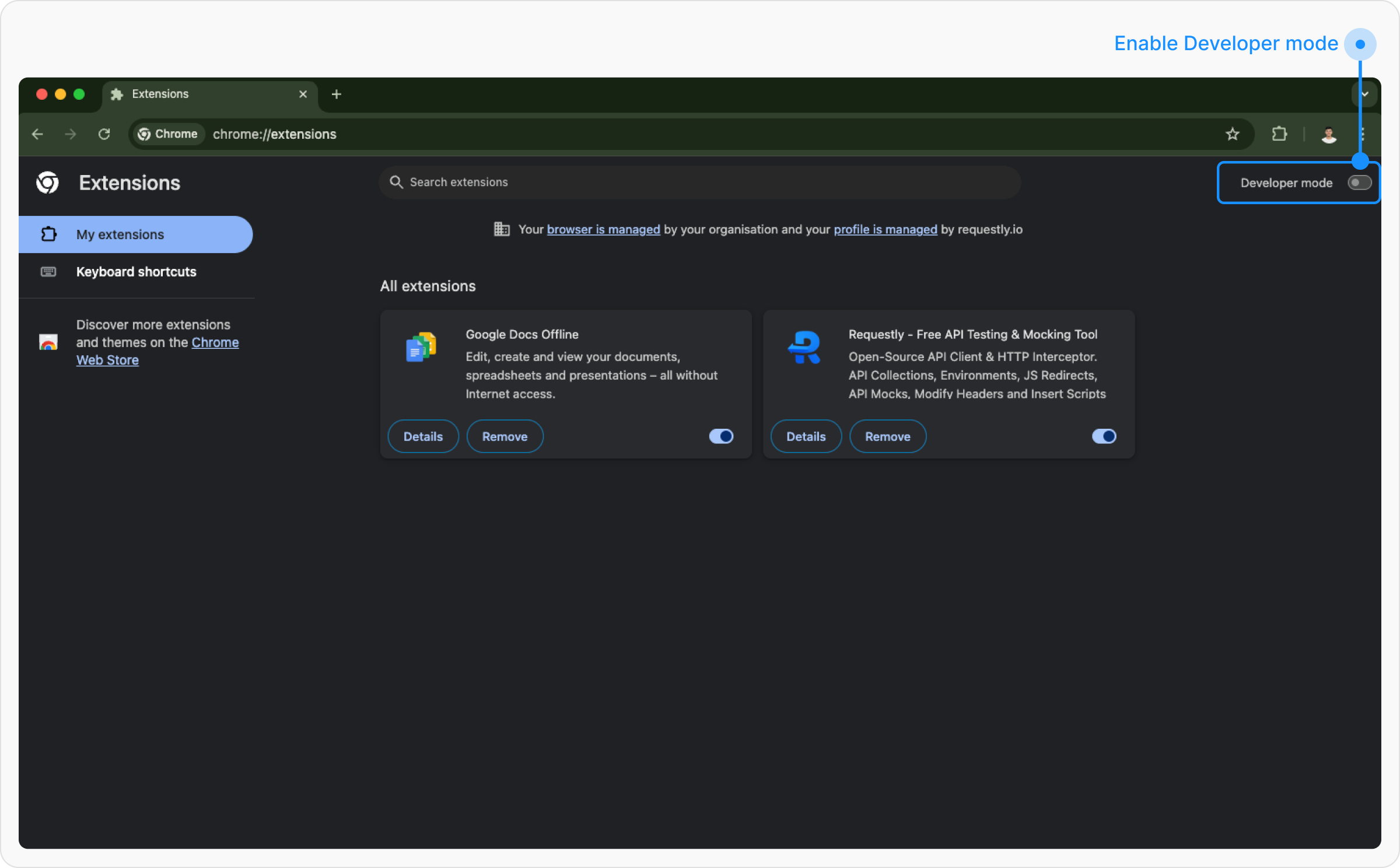
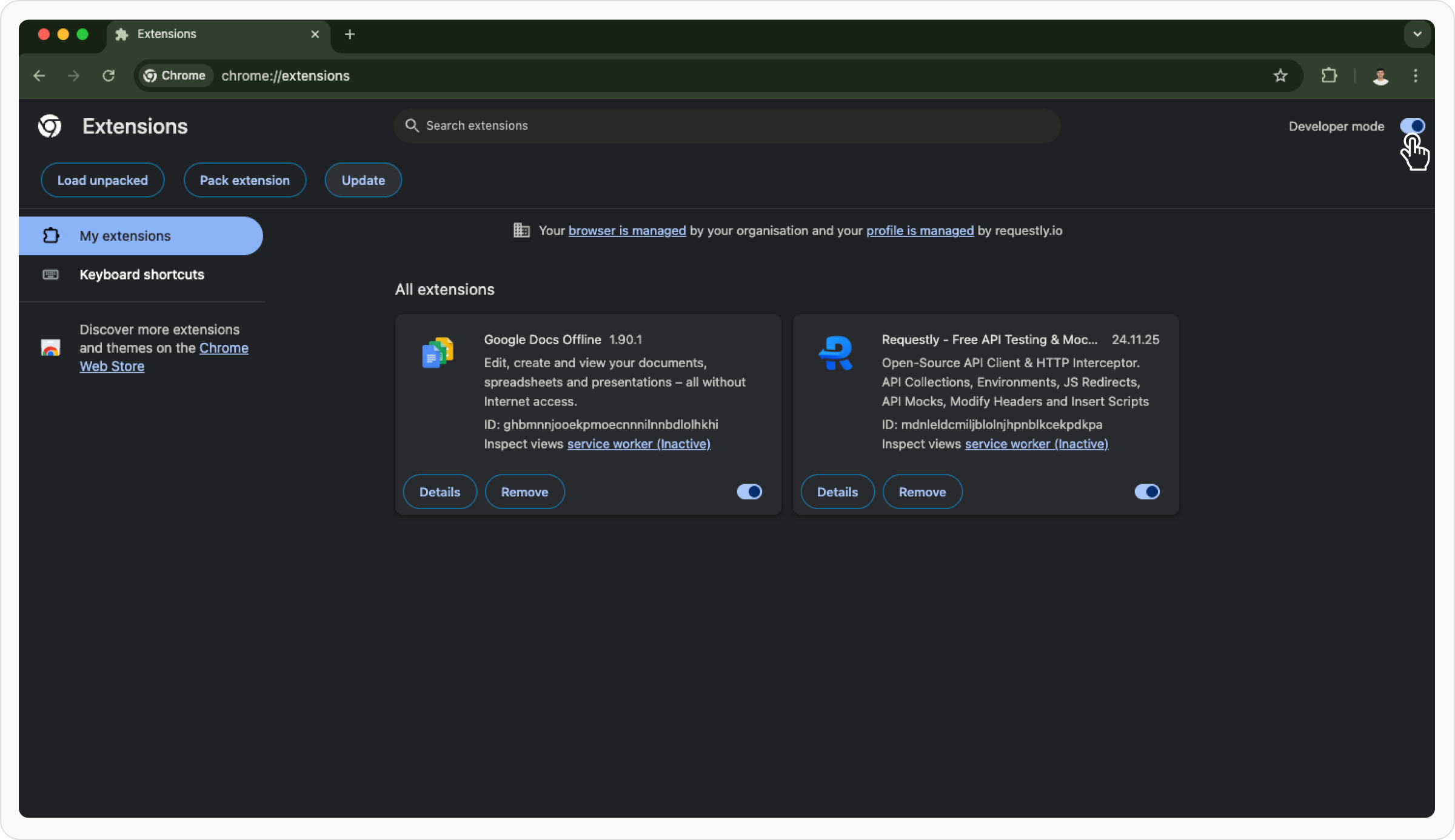
If Chrome hasn’t auto-updated Requestly Interceptor yet, here’s how to force the latest version instantly. By default, Chrome automatically updates extensions when a new version is published to the Chrome Web Store. However, this process can take anywhere from a few hours to a couple of days. If you want to update the Requestly Interceptor extension immediately, follow these steps:Documentation Index
Fetch the complete documentation index at: https://docs.requestly.com/llms.txt
Use this file to discover all available pages before exploring further.
Open Extensions Page
Go to your Chrome browser and type
chrome://extensions/ in the address bar. Hit Enter.