

Availability: The Test Authoring Agent requires a Pro plan or above and AI features enabled for your organization. It is rolling out gradually; if you don’t see it, update to the latest version.
Getting Started with AI Test Cases Generator
1
Send Your API Request
The Test Authoring Agent requires an actual API response to understand structure, values, and risk areas.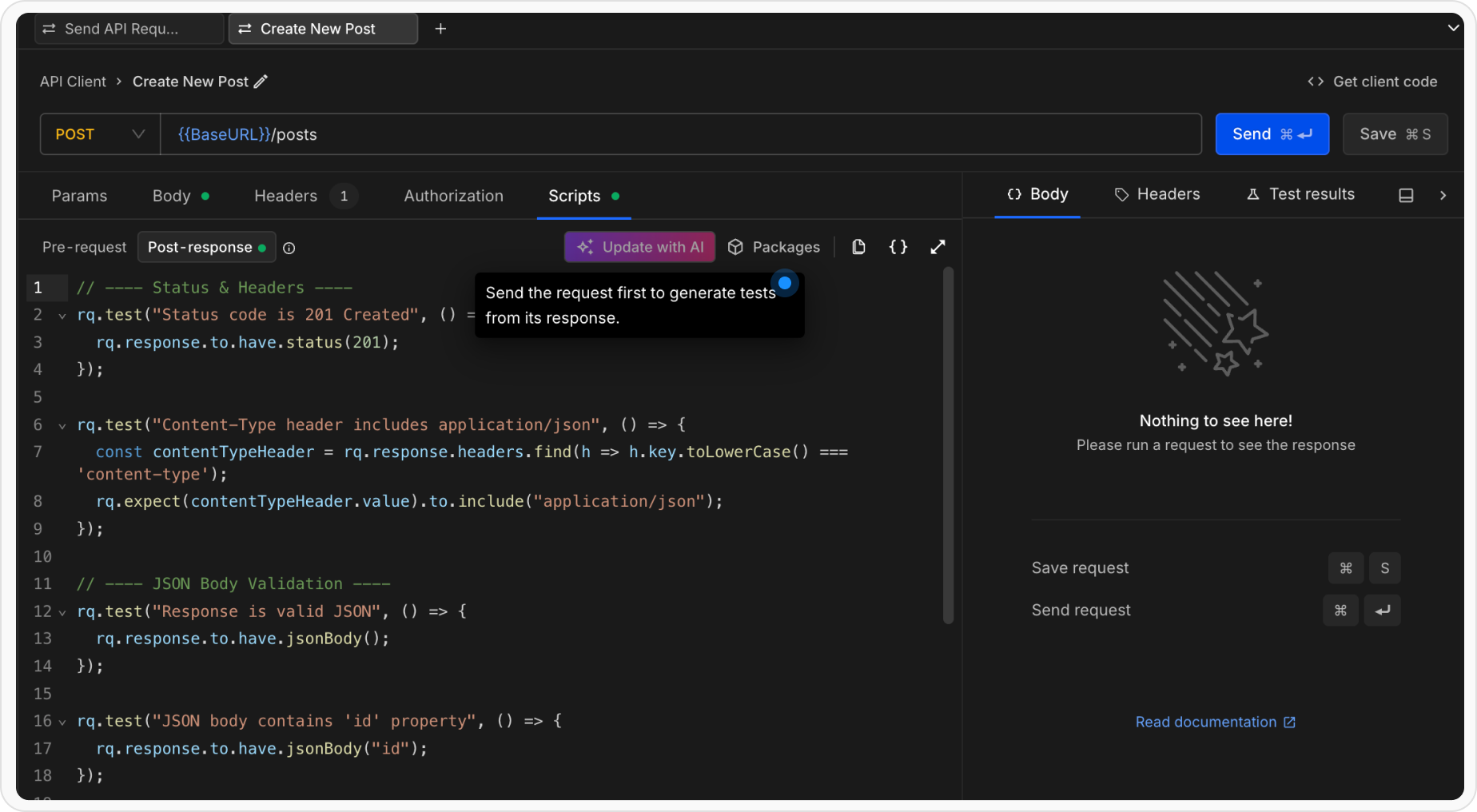
- Open any request in the API Client
- Click the Send button to execute the request
- Wait for the response to be received
2
Once you have a response
Once the response is available: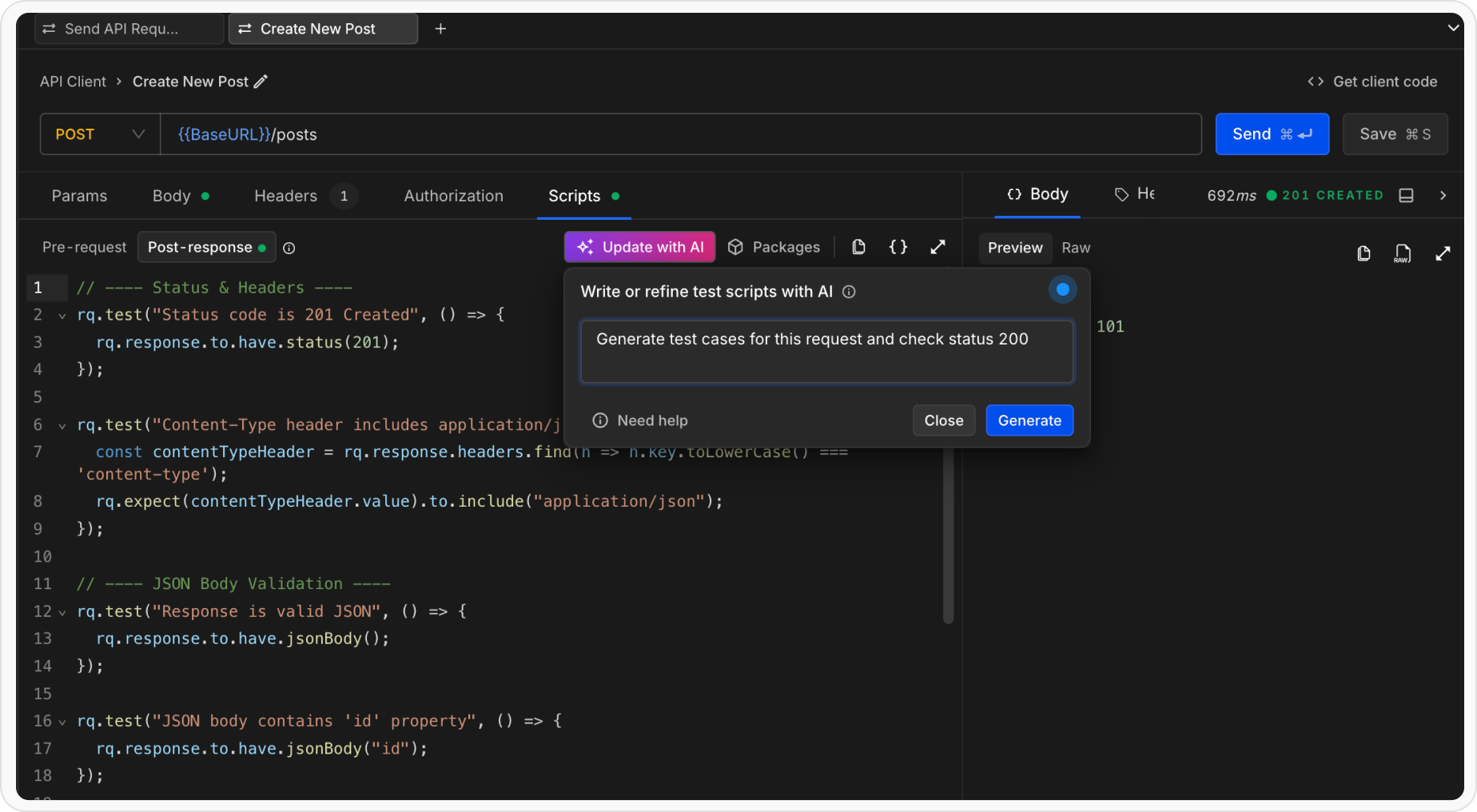
- Navigate to the Scripts section
- Open the Post-response tab
- Click Generate tests (the button reads Improve tests if the request already has a post-response script)
3
Enter Natural Language Instructions
Describe what the tests should validate using plain English. The agent understands API context, response payloads, and common testing patterns.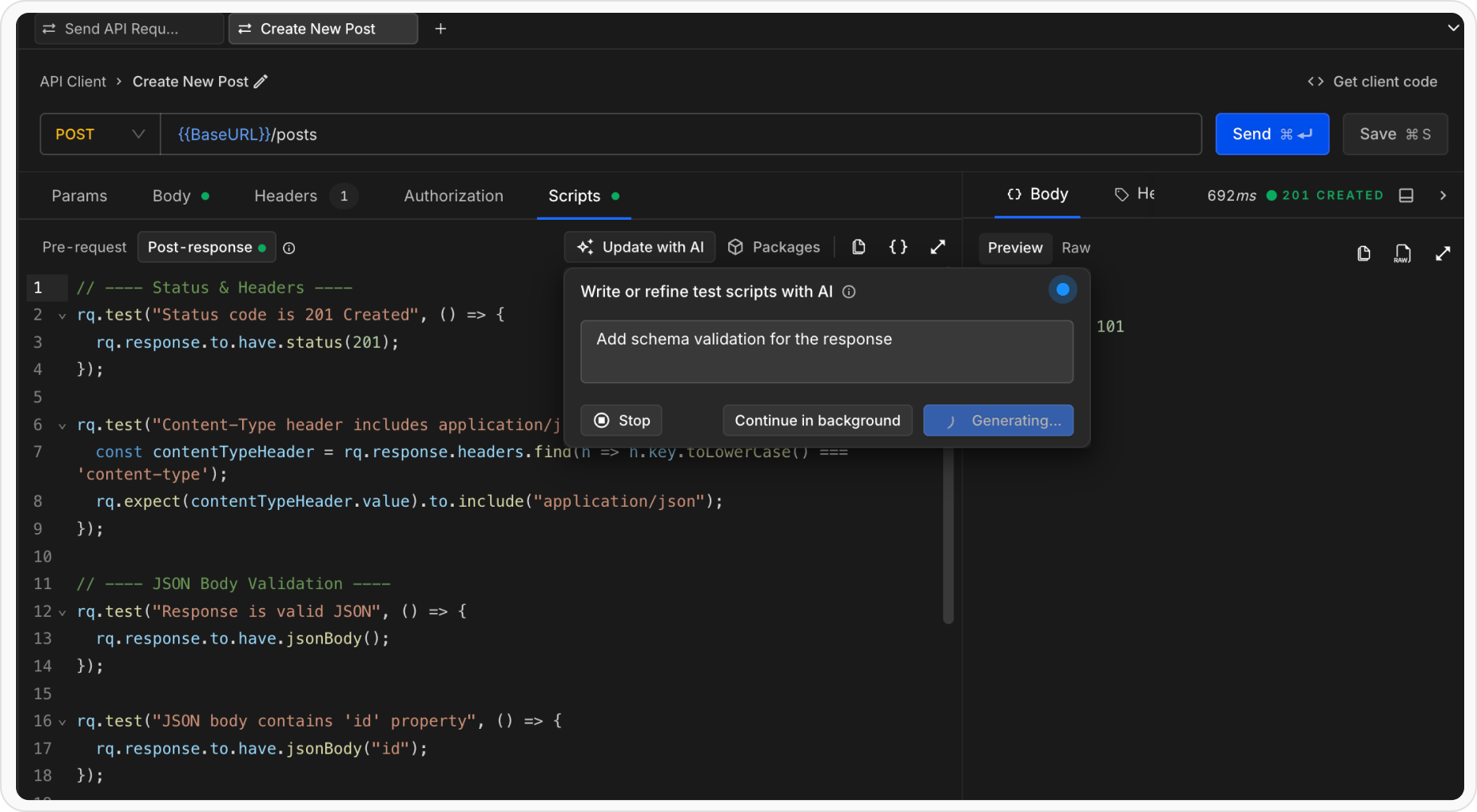
- “Generate test cases”
- “Test that status is 200 and success is true”
- “Ensure the response has id, name, and email fields”
- “Validate pagination fields like page, limit, and total”
- “Check that items array is not empty”
- “Verify all timestamps are valid ISO 8601 dates”
- “Add schema validation for the response”
- “Test missing required fields”
4
Review the Output
The Test Authoring Agent presents the generated output in a git-style diff view:.png?fit=max&auto=format&n=O0nig7kakQWmexIp&q=85&s=9f7f4d8286e551cbf39b14e6ab1c9a7b)
- Green lines show new tests that will be added
- Red lines show tests that will be removed
- Unchanged lines remain neutral
5
Accept, Edit, or Discard
After reviewing the diff, you can:
- Accept to replace the full Post-response script with the generated tests
- Edit prompt to refine your prompt and regenerate tests
- Close to discard all changes and keep the existing script
What the Test Authoring Agent Creates
The agent authors structured, runnable API test cases using:- rq.test blocks for clear test intent
- Chai-based assertions via rq.response and rq.expect
- Field-level, schema-level, and behavior-based validations
What the Test Authoring Agent Creates
The agent creates comprehensive test scripts using Requestly’srq.test and rq.expect APIs with Chai.js assertions.
Example Generated Tests
For a user API endpoint returning:Advanced Test Scenarios
The AI Test Generator can handle complex scenarios:Schema Validation
Instruction: “Validate the entire response structure against a schema” Generates schema validation tests that ensure the response conforms to the expected data structure.Tips for Better AI-Generated Tests
- Be Specific: Clearly state what you want to test. Instead of “test the response,” say “test that status is 200 and email is a valid email address”
- Reference Field Names: Mention specific fields you want validated. The AI understands JSON paths like “user.email” or “data.items[0].status”
- Use Examples: Phrases like “similar to POST requests” or “like production data” help the AI understand context
- Combine Multiple Concerns: You can ask for multiple validations in one instruction: “Validate status is 200, success is true, and items array is not empty”
- Iterative Refinement: Use the “Edit Instruction” feature to progressively enhance your tests
Current Limitations
- AI Test Generator currently generates Post-response scripts only
- Requires an actual API response to analyze.
- Best results when the response has a well-structured JSON format
Combining AI-Generated and Manual Tests
You don’t need to rely entirely on AI-generated tests. You can:- Start with AI: Let the AI generate basic validation tests
- Add Custom Logic: Manually add additional test cases or pre-request scripts
- Refine Iteratively: Use the Edit Instruction feature to improve generated tests over time
- Mix Approaches: Combine AI-generated assertions with custom JavaScript logic
Running and Debugging Tests
After accepting the AI-generated tests, you can:- Run Tests: Click the Send button again to execute the request and run all tests
- View Results: Check the test results in the Test Results panel
- Debug: Use
console.log()in the script to debug test execution - Modify: Edit the generated code directly if you need fine-grained control
Related Topics
- AI features and your data - What is sent to the AI service, what is masked first, and what to keep out
- Writing Tests - Learn about manual test writing and all available assertion methods
- Scripts - Understand Pre-request and Post-response scripts
- Collection Runner - Run multiple requests and tests in sequence
- RQ API Reference - Full documentation of the
rqobject and its methods