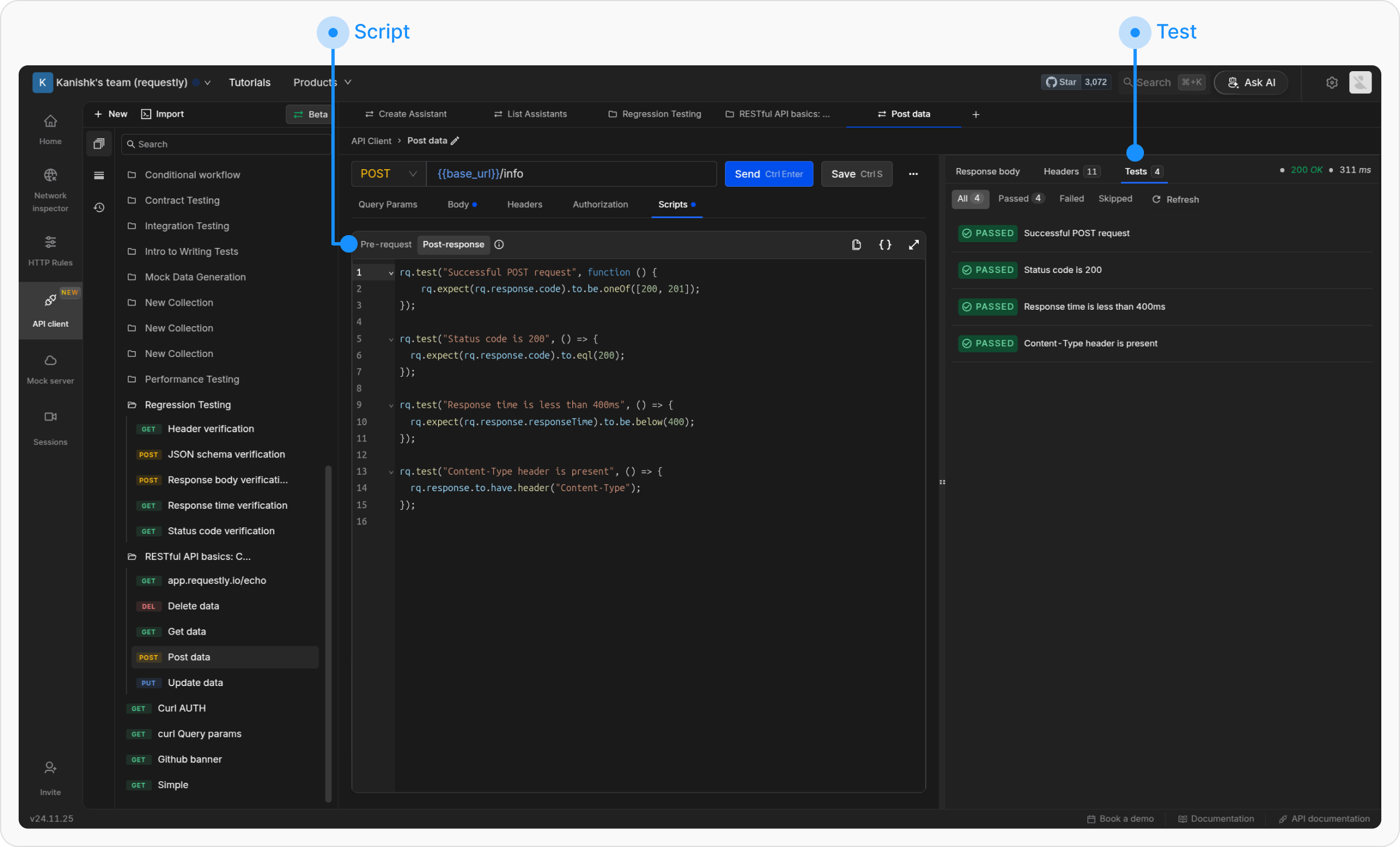
Learn to write and execute API tests in Requestly using JavaScript, including validations like status code checks and JSON body tests.
Automated API testing ensures endpoints function as expected. Requestly allows you to write tests using JavaScript with the rq object enabling validations, schema checks, and automated workflows.Common testing approaches include:
Contract Testing: Validate responses against JSON schemas.
Unit Testing: Test individual endpoints in isolation.
Error Handling: Verify API behavior for invalid inputs.
You can execute tests using either Pre-request scripts (run before a request is sent) or Post-response scripts (run after a response is received).The Pre-request and Post-response tabs provide a scripting environment that allows dynamic behavior for API requests.
The Scripts → Pre-request tab enables processing before sending a request, such as setting variable values or modifying headers.
The Scripts → Post-response tab runs after receiving the response and allows for test assertions, logging, and response validation. This tab includes the Chai.js library, supporting behavior-driven development (BDD) syntax for test assertions.
The .to API is supported only for response data in Post-response scripts.Status code assertions
// Success responsesrq.response.to.be.ok // 2XXrq.response.to.be.success // 200rq.response.to.be.accepted // 202// Client error responsesrq.response.to.be.badRequest // 400rq.response.to.be.unauthorized // 401rq.response.to.be.forbidden // 403rq.response.to.be.notFound // 404rq.response.to.be.rateLimited // 429rq.response.to.be.clientError // 4XX// Server error responsesrq.response.to.be.serverError // 5XX// Other status categoriesrq.response.to.be.error // 4XX or 5XXrq.response.to.be.info // 1XXrq.response.to.be.redirection // 3XX
.to.haveassertions
// Checks if response body exactly matches expected value.rq.response.to.have.body(expectedValue: string)// Checks response status code or text.rq.response.to.have.status(expectedValue: number | string)rq.response.to.have.status(200);rq.response.to.have.status("OK");// Checks if response has the specified header. The header name is matched// case-insensitively.rq.response.to.have.header(headerName: string)rq.response.to.have.header("Content-Type");// With a second argument, also checks the header's value. The value must match// exactly: the comparison is case-sensitive and whitespace is not trimmed.rq.response.to.have.header(headerName: string, expectedValue: string)rq.response.to.have.header("Content-Type", "application/json");// Validates that response body is valid JSON.rq.response.to.have.jsonBody();// Checks if a path exists in the response.rq.response.to.have.jsonBody(path: string)rq.response.to.have.jsonBody("user.name");// Checks if a JSON path has a specific value.rq.response.to.have.jsonBody(path: string, value: any)rq.response.to.have.jsonBody("user.name", "John");// Validates the response body against a JSON schema. Accepts optional Ajv configuration.rq.response.to.have.jsonSchema(schema: object, ajvOptions?: AjvOptions)rq.response.to.have.jsonSchema({ type: "object", required: ["id", "name"], properties: { id: { type: "number" }, name: { type: "string" }, email: { type: "string", format: "email" } }}, { allErrors: true });
Negation with.to.notAll the above assertions can be negated by inserting .not after .to:
.not.have.header() checks only that the header is absent. If you pass a
value as the second argument it is ignored, so
rq.response.to.not.have.header("Content-Type", "text/html") fails whenever
the header is present, whatever its value. To assert that a header exists but
holds a different value, compare it directly:
rq.expect(rq.response.headers.get("Content-Type")).to.not.equal("text/html").