

Postman is a popular API development tool widely used for testing and managing APIs. Requestly can import collections and environment files exported from Postman.
Export all the workspace data from Postman
Step 1: Click your profile icon in the top-right corner of Postman and select Settings.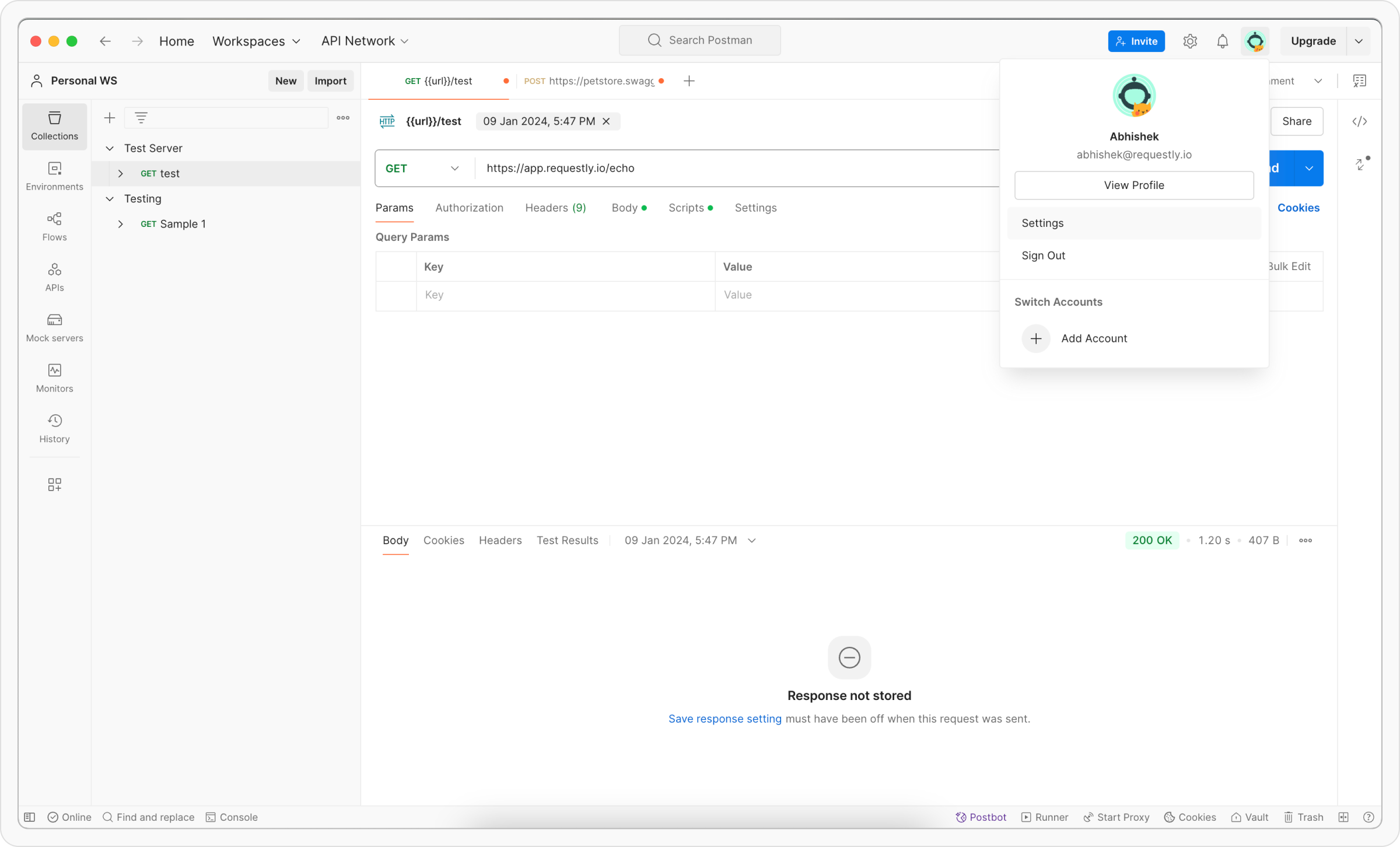
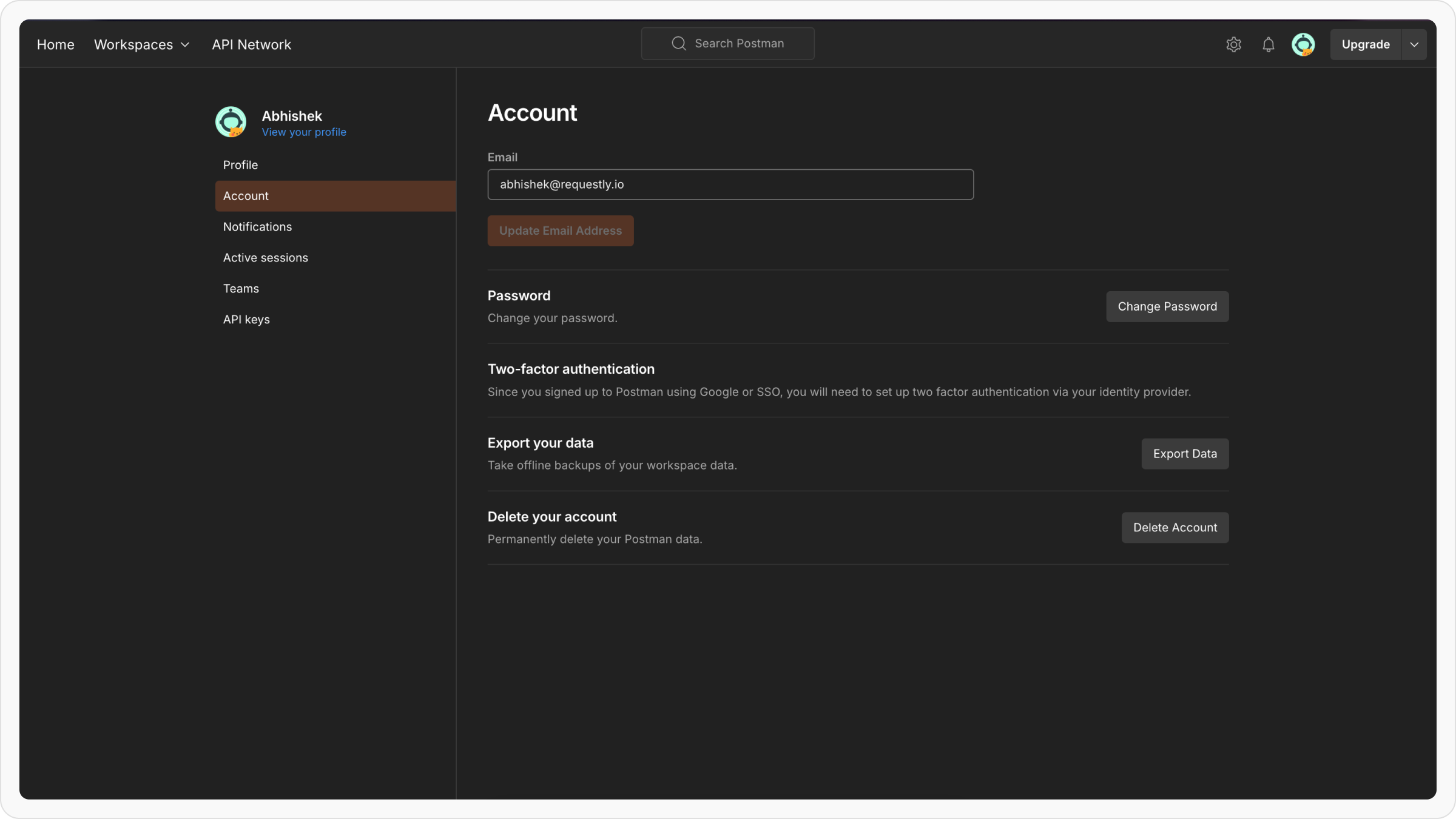
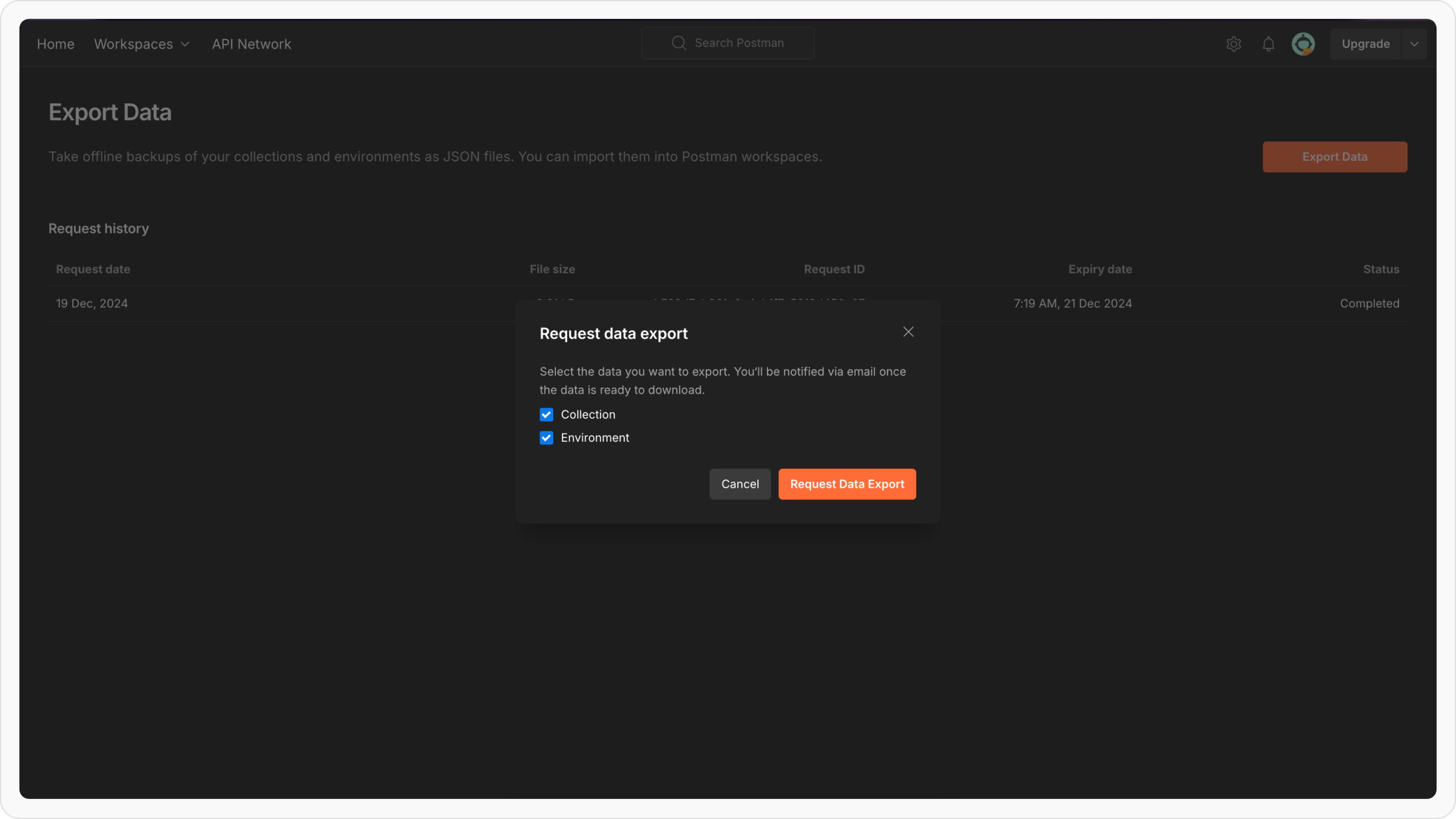
To use them in Requestly, you need to manually export global variables from Postman and import it into Requestly.
Importing into Requestly
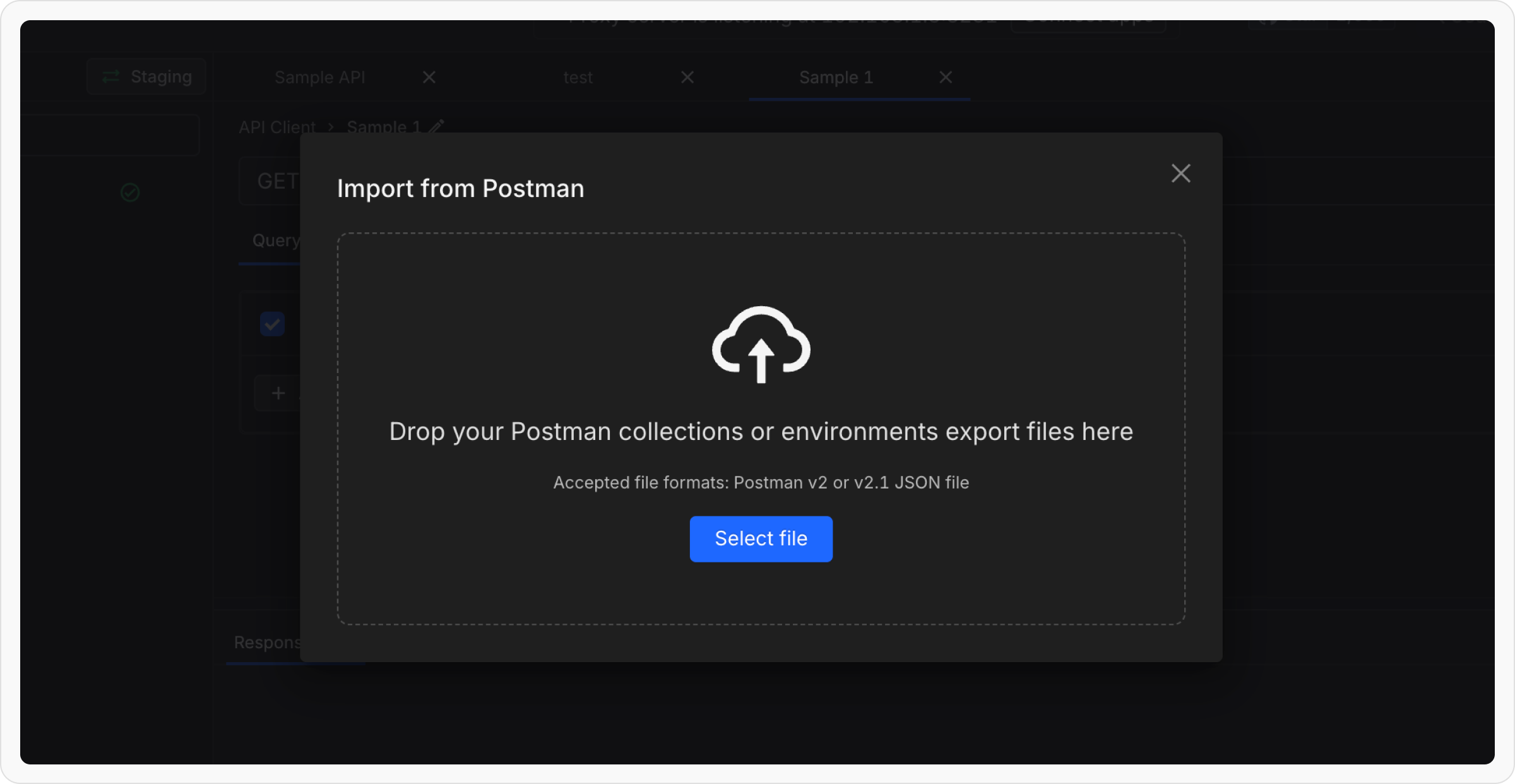
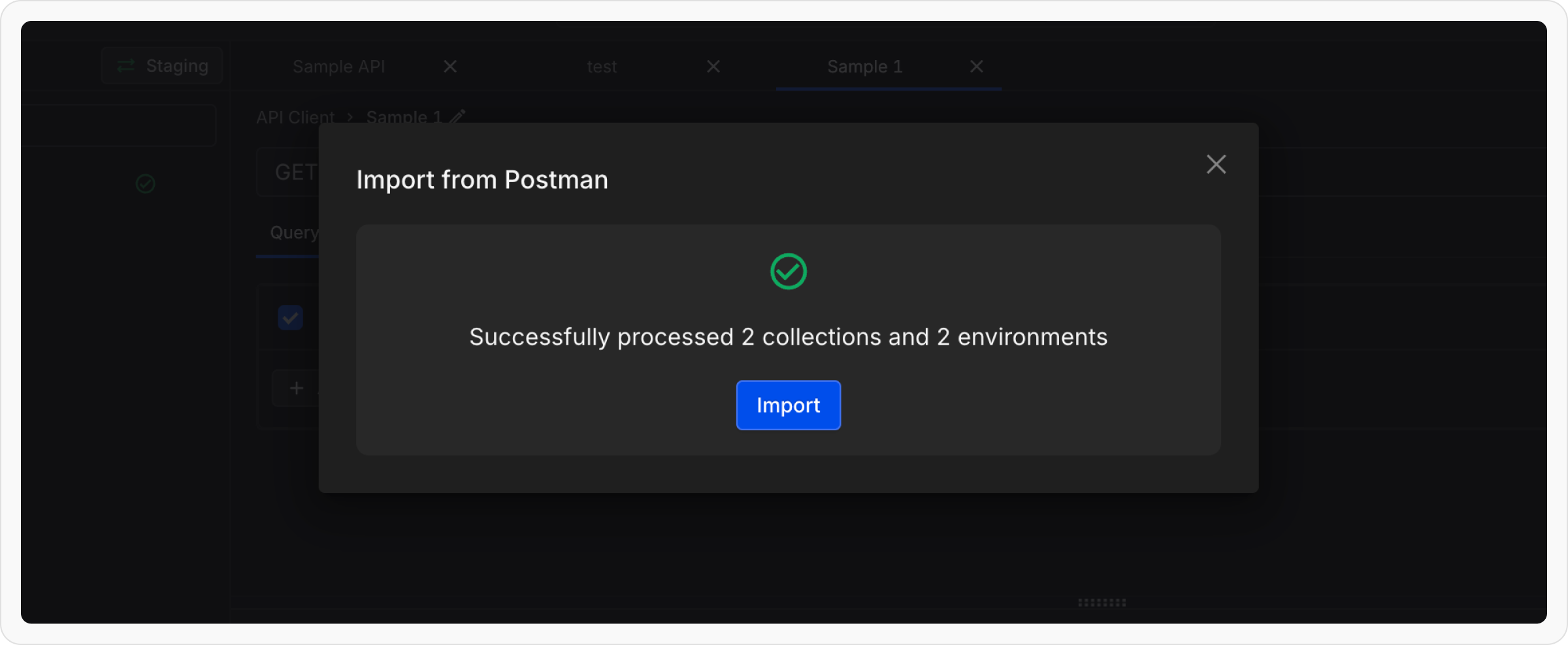
Step 1: Open Requestly Desktop App. Step 2: Click the Import button located in the sidebar header and choose Postman from the import options.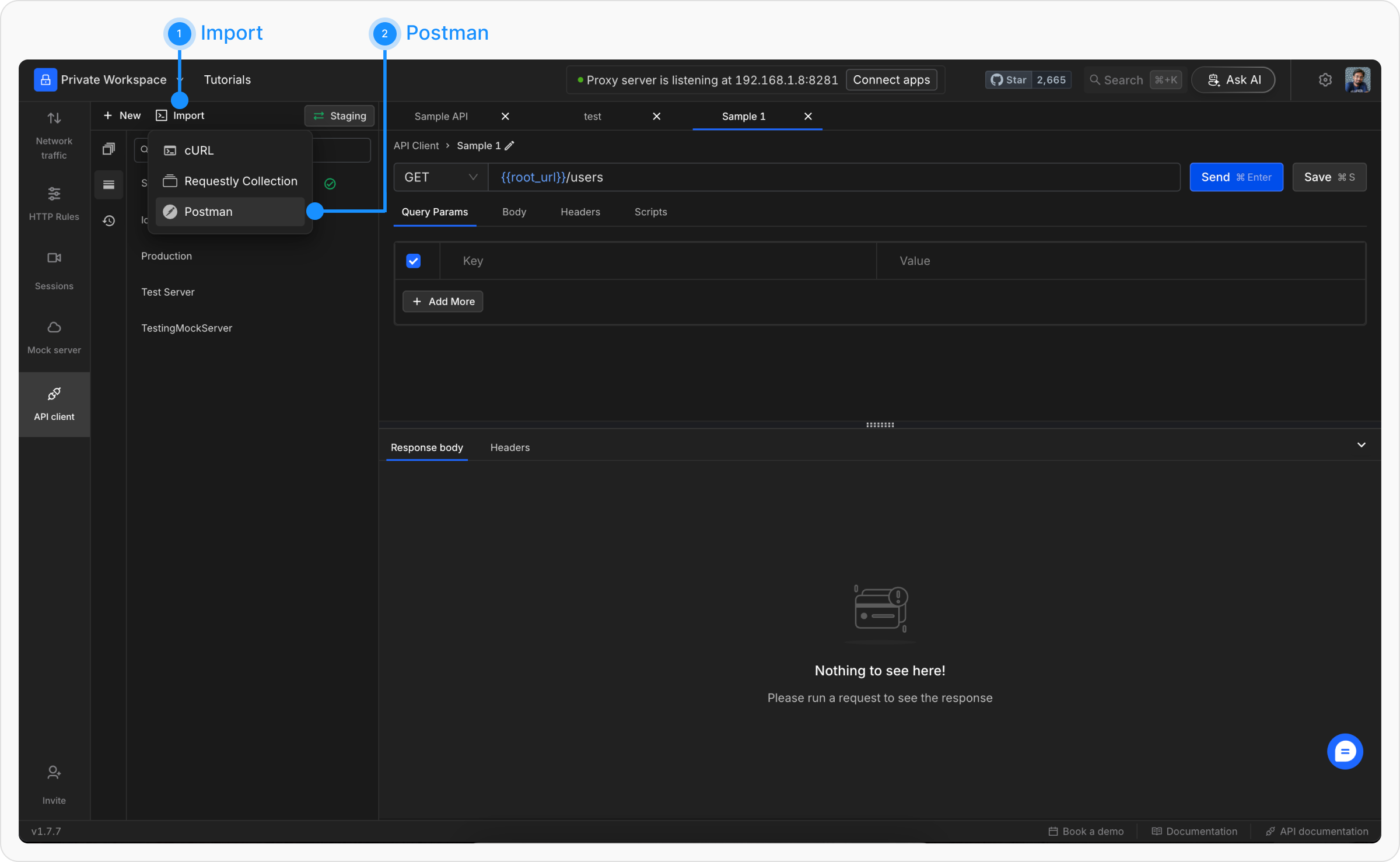
Exporting individual Collections from Postman
Step 1: Open Postman and navigate to the Collections tab in the left sidebar to view your collections.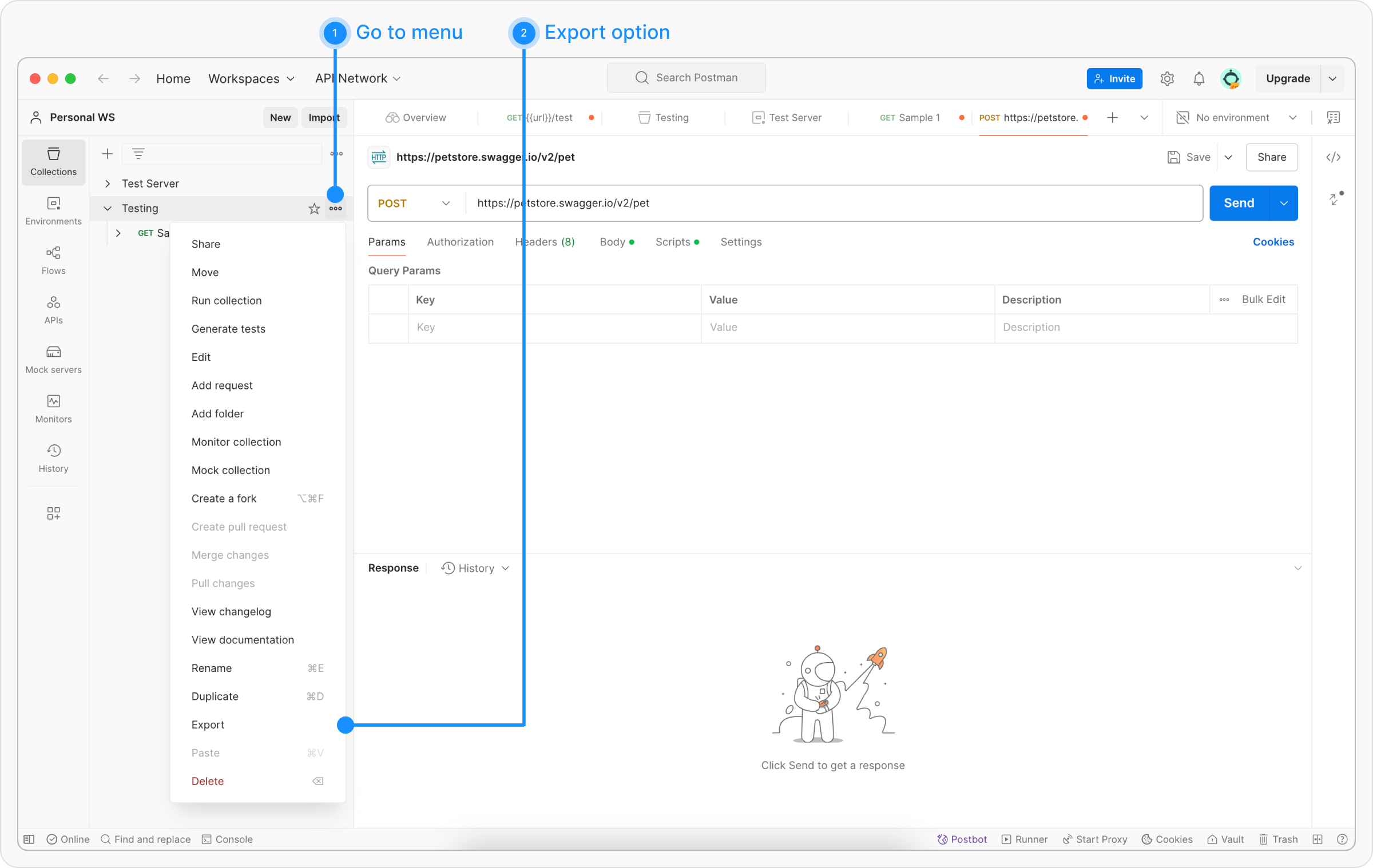
...) next to the collection you wish to export and select Export from the dropdown menu.
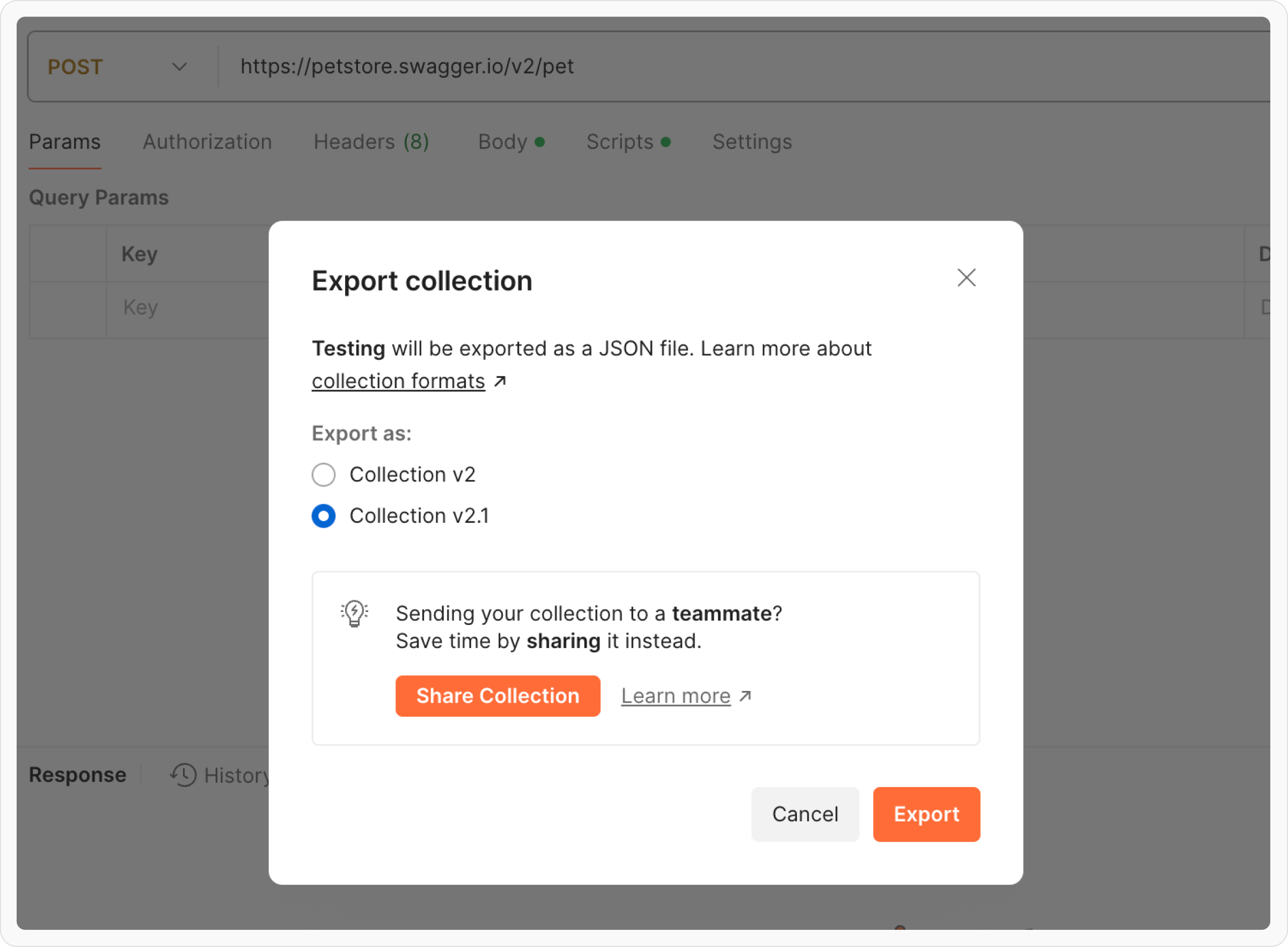
Step 3: In the export dialog, select either Collection v2 or Collection v2.1(Requestly supports both) as the export format. Click Export and save the file.
Exporting individual Environments from Postman
Step 1: Open Postman and go to the Environments tab in the left sidebar to view your environments.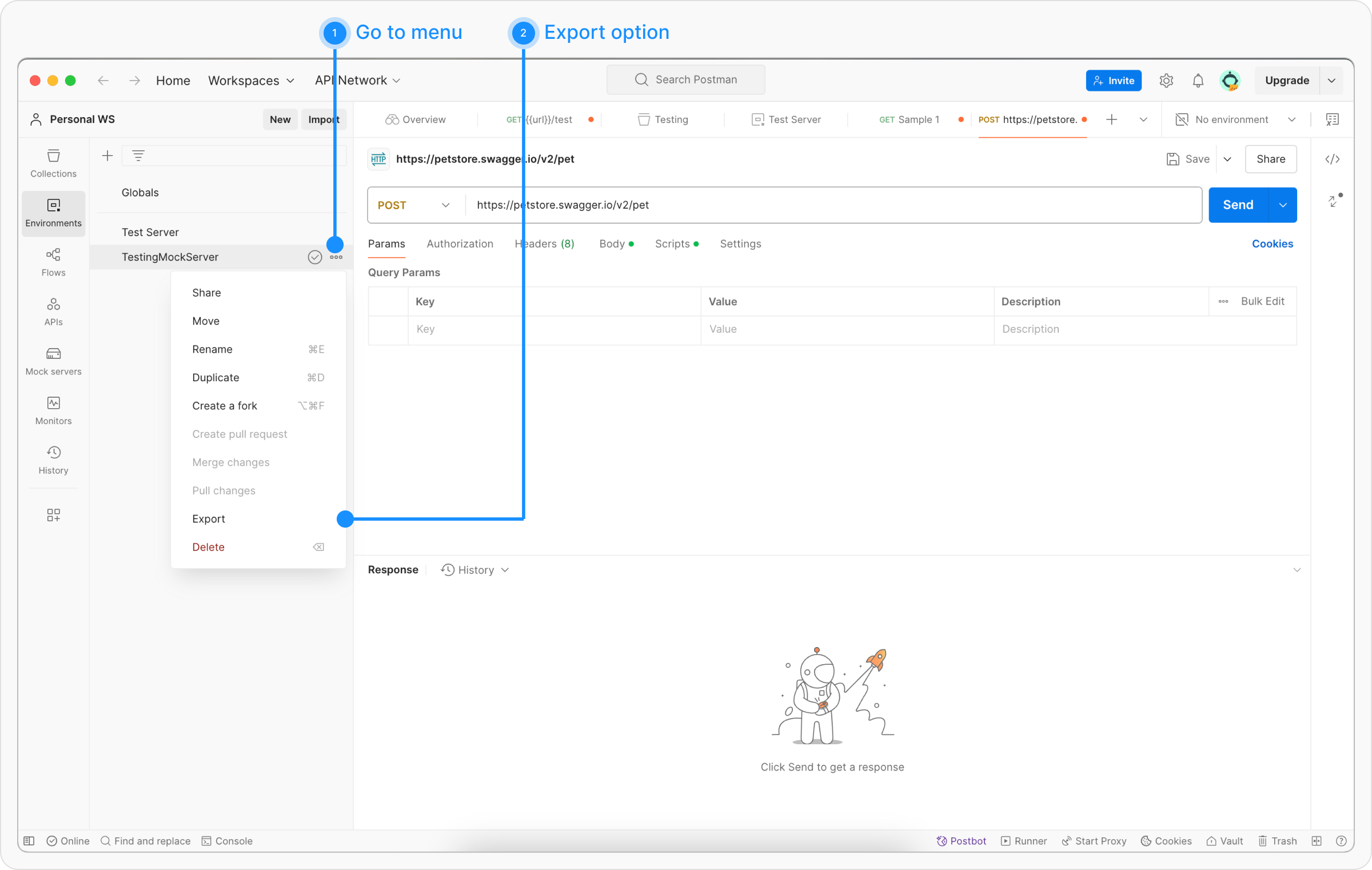
...) next to the environment you wish to export and select Export.
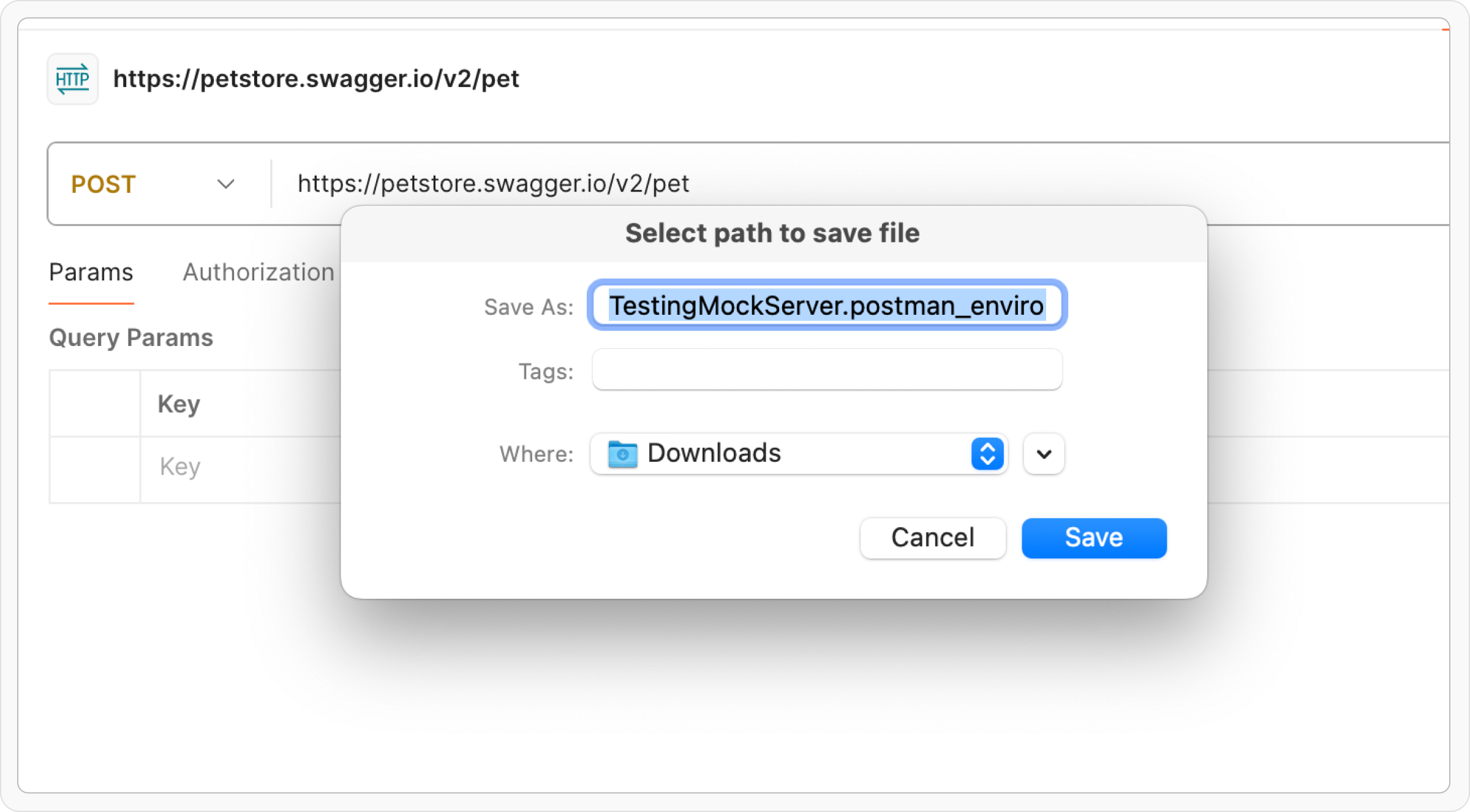
Step 3: Choose a location to save the exported environment file and click Save.
Known Limitations
Postman’s export format does not include everything in your Postman workspace. Be aware of these gaps before migrating:- gRPC collections are not exported. Postman does not include gRPC requests in its collection export files. There is no workaround - gRPC requests must be recreated manually in Requestly.
- WebSocket requests are not exported. Similar to gRPC, Postman does not include WebSocket requests in exported collections.
- Global variables require a separate export. Postman’s bulk data export does not include global variables. You need to export them manually from the Postman Environments sidebar (click the Globals entry, then Export) and import the resulting file into Requestly alongside your collections.
- Secret variable values are exported in plaintext. Postman does not encrypt secret variables in exported files. Review your exported files before sharing them.
- Binary body and file references are not preserved. Requests with binary file bodies or form-data file attachments lose the file reference on export. You will need to re-attach files manually after importing into Requestly.
-
Some Postman script APIs have no equivalent. Postman-specific APIs like
pm.vaultandpm.cookies.jardo not have Requestly equivalents. Scripts using these APIs will need manual updates. The importer translatespm.*calls torq.*automatically, and request mutation from pre-request scripts works as it does in Postman: headers, query parameters, the URL, the method, and the body (pm.request.body.update()) all change the request that is sent. The one exception is auth (pm.request.authorizeUsing()), which is not yet supported. Response visualizations are supported:pm.visualizerscripts are translated torq.visualizerand run without changes. - Collection-level scripts may need review. Collection-level pre-request and test scripts are imported, but differences between the Postman and Requestly scripting runtimes may require adjustments.
- External script references are skipped. Scripts that reference external URLs (instead of inline code) cannot be imported. Inline the script code before exporting from Postman.