

What You Can Import
The importer supports both YAML and JSON OpenAPI files. When you upload a spec, Requestly automatically reads the file and creates API collections and requests based on your defined endpoints.How It Imports
1
Open the API Client
Open Requestly Desktop App. Make sure you’re in the Project where you want to import your API collection.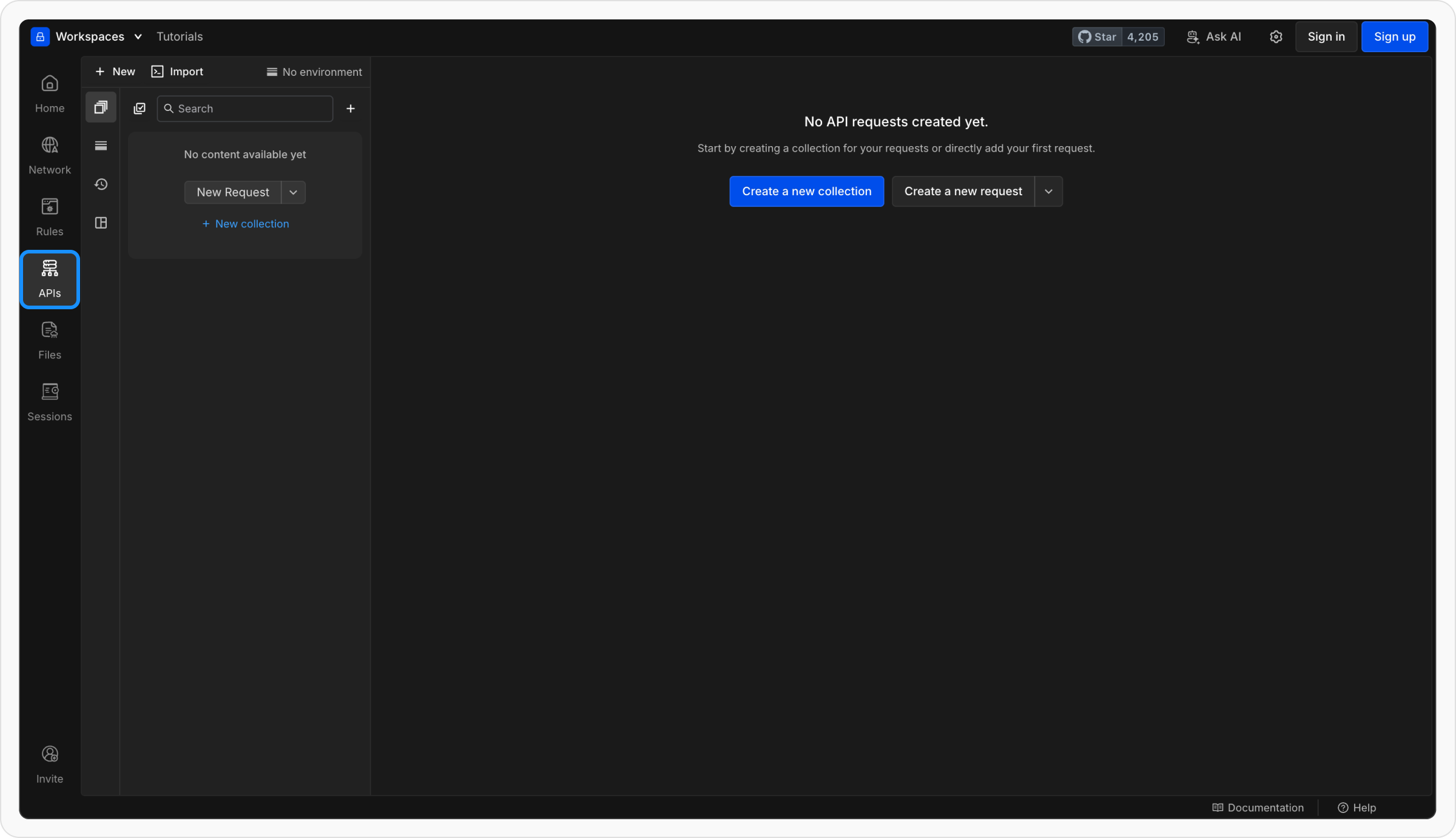
2
Import Your OpenAPI File
Click Import → OpenAPI and select your 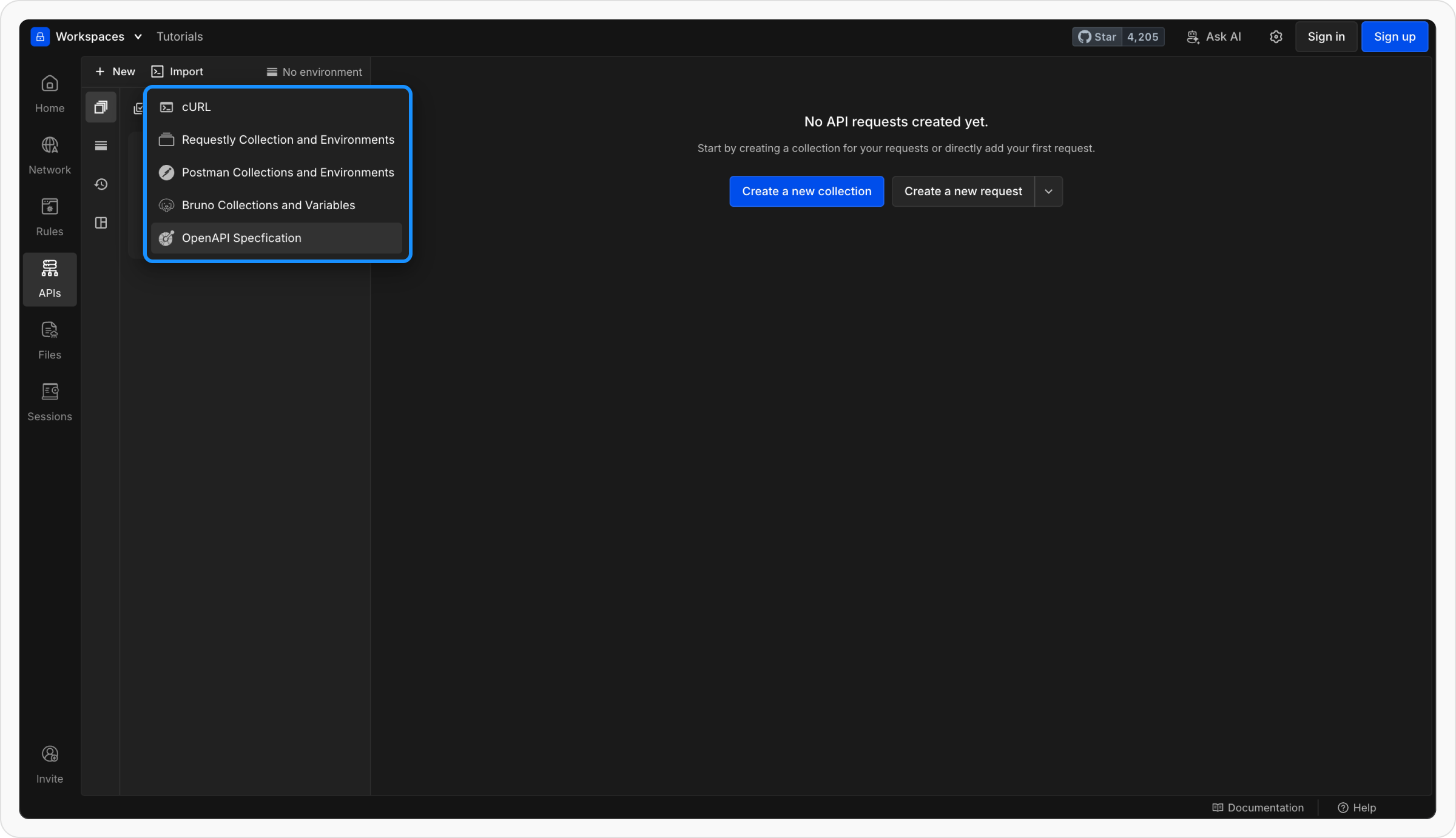
.yaml or .json file.3
Choose what to create
OpenAPI import offers four targets:
- Create a collection - turn the spec into an API collection of requests (the default).
- Create a spec - import the file as an editable API specification you can open and edit in the specification editor.
- Create a spec + collection - create the editable specification and a linked collection together. Afterwards you can push later spec changes into that collection, which only ever flows from the specification to the collection.
- Create a collection + mock server - import the collection and generate a running mock server from it in the same step.
4
Preview Before Import
Requestly will show a preview of what will be imported, including: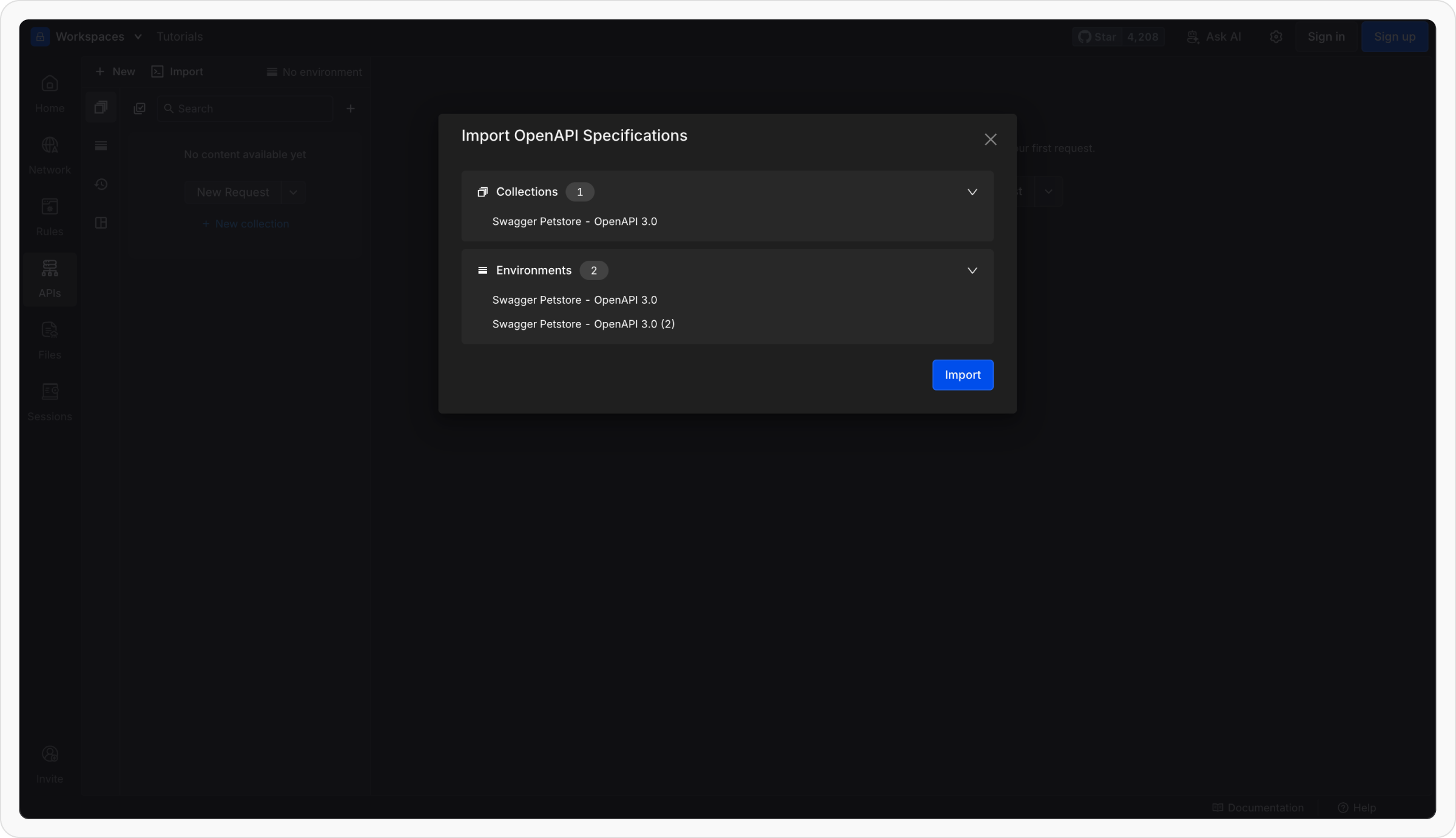
- The collections that will be created
- The environments and variables that will be set up
5
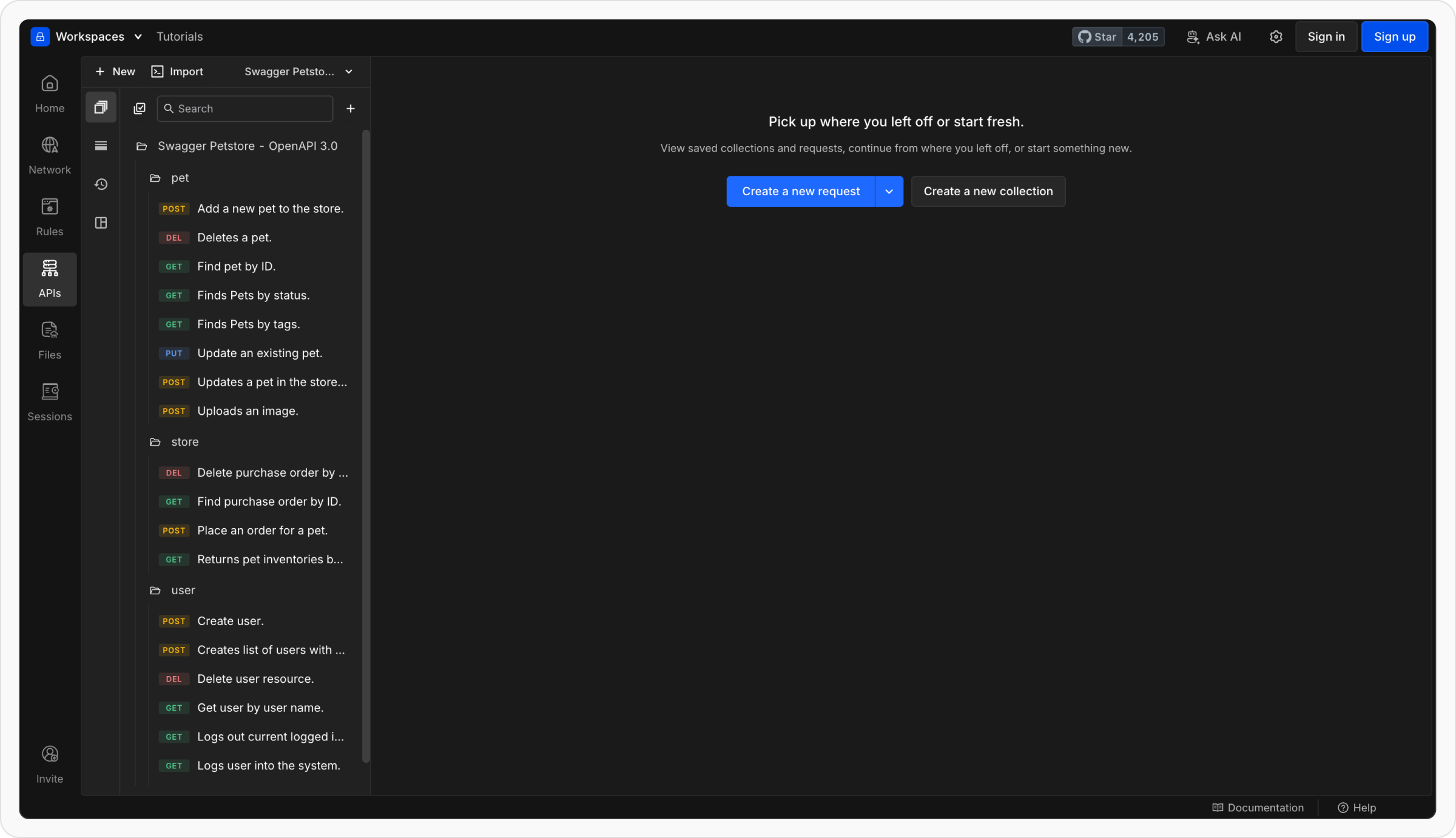
Requestly builds your collection
- Each path in your OpenAPI file becomes an individual request.
- Requests are grouped under collections named after your API or service.
- Requestly automatically fills in the method, URL, headers, and body (if defined in the spec).
6
Environments are created automatically
- If your spec defines multiple servers (e.g., staging, production), Requestly creates matching environments.
- Each environment includes a
{{base_url}}variable set to the server URL. - You can switch environments easily from the environment dropdown.
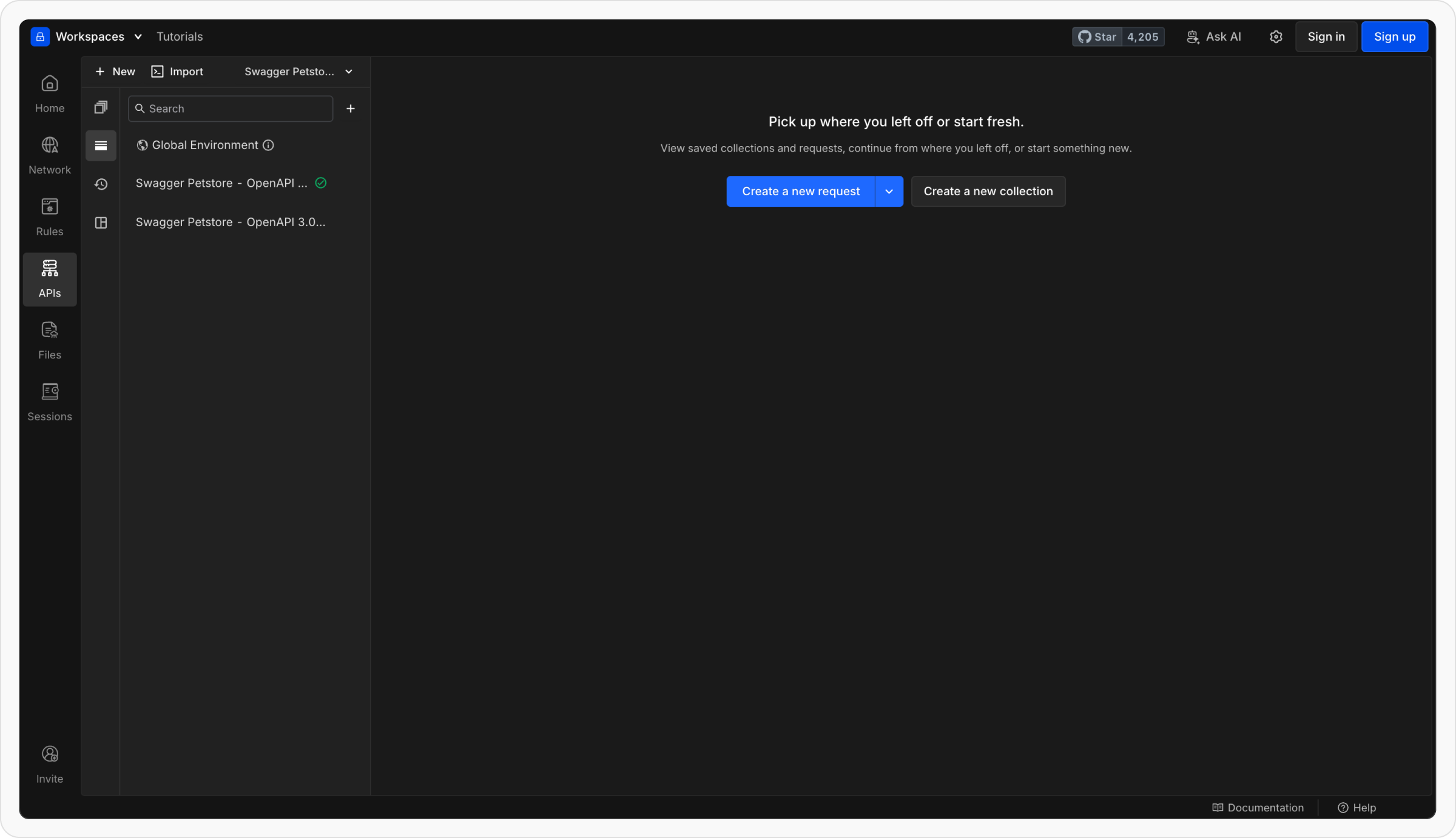
What Happens After Import
Once imported, Requestly automatically maps elements from your OpenAPI file to your project structure.Exporting an OpenAPI Spec
Need an OpenAPI definition for sharing or documentation? You can export any API collection as a standard OpenAPI (Swagger) file directly from Requestly.How to Export
1
Locate the Collection
Hover over the collection you wish to export and click the three‑dot menu (⋯).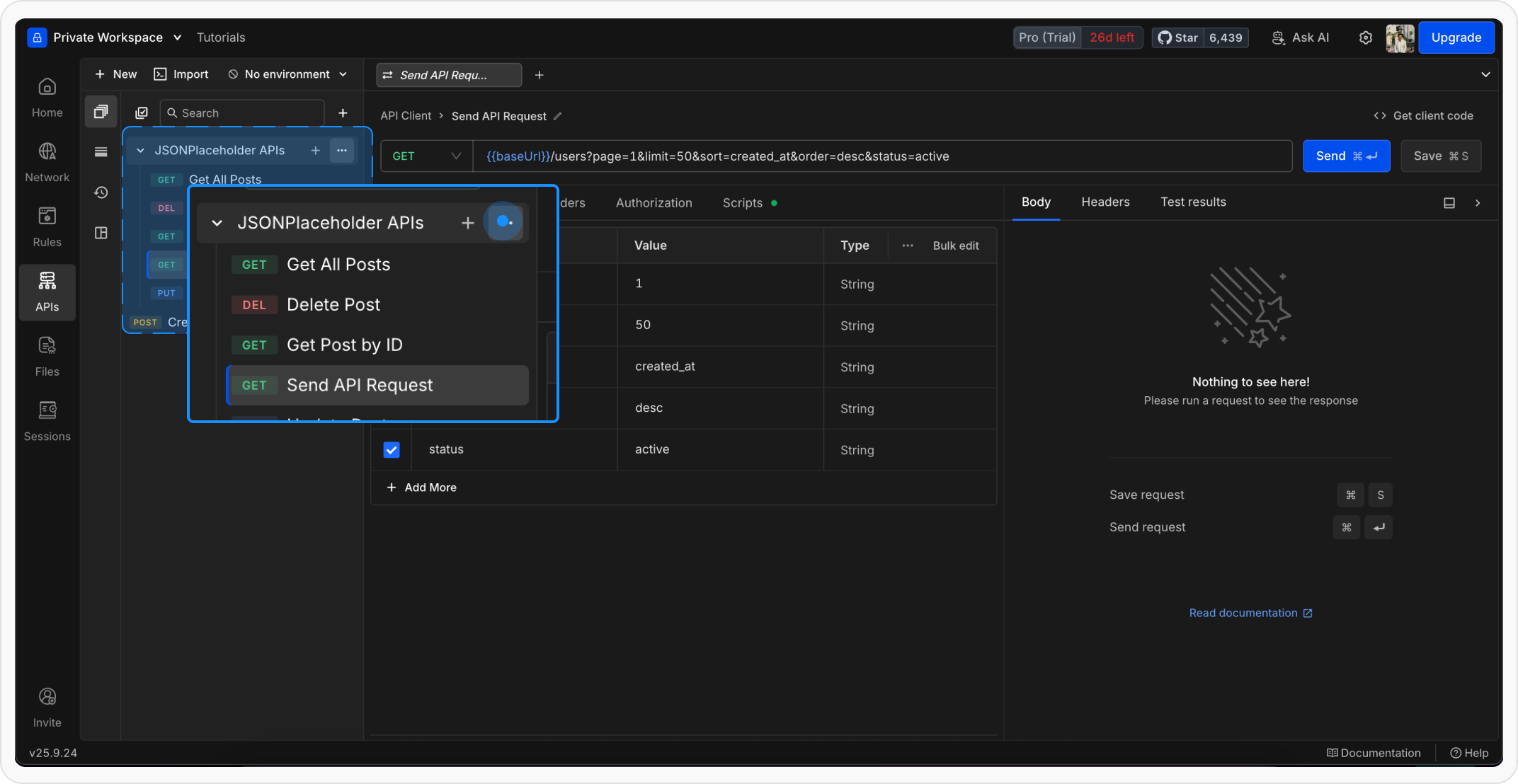
2
Choose the Export Option
Select Export → OpenAPI (or Export as OpenAPI Spec in some releases). Requestly will generate the spec based on the requests and variables in the collection.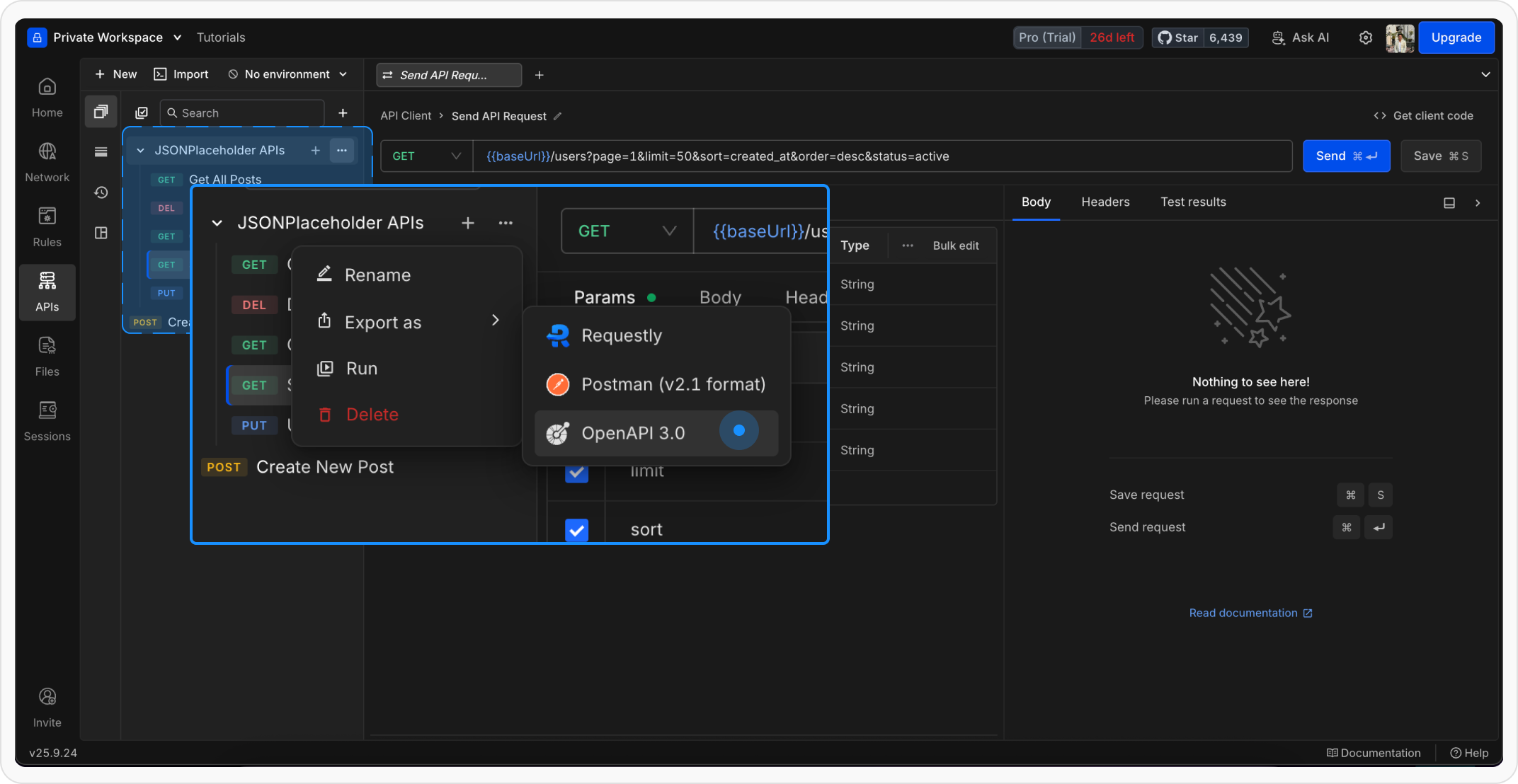
3
Download the Spec
A modal previews the generated file. Click Download to save the 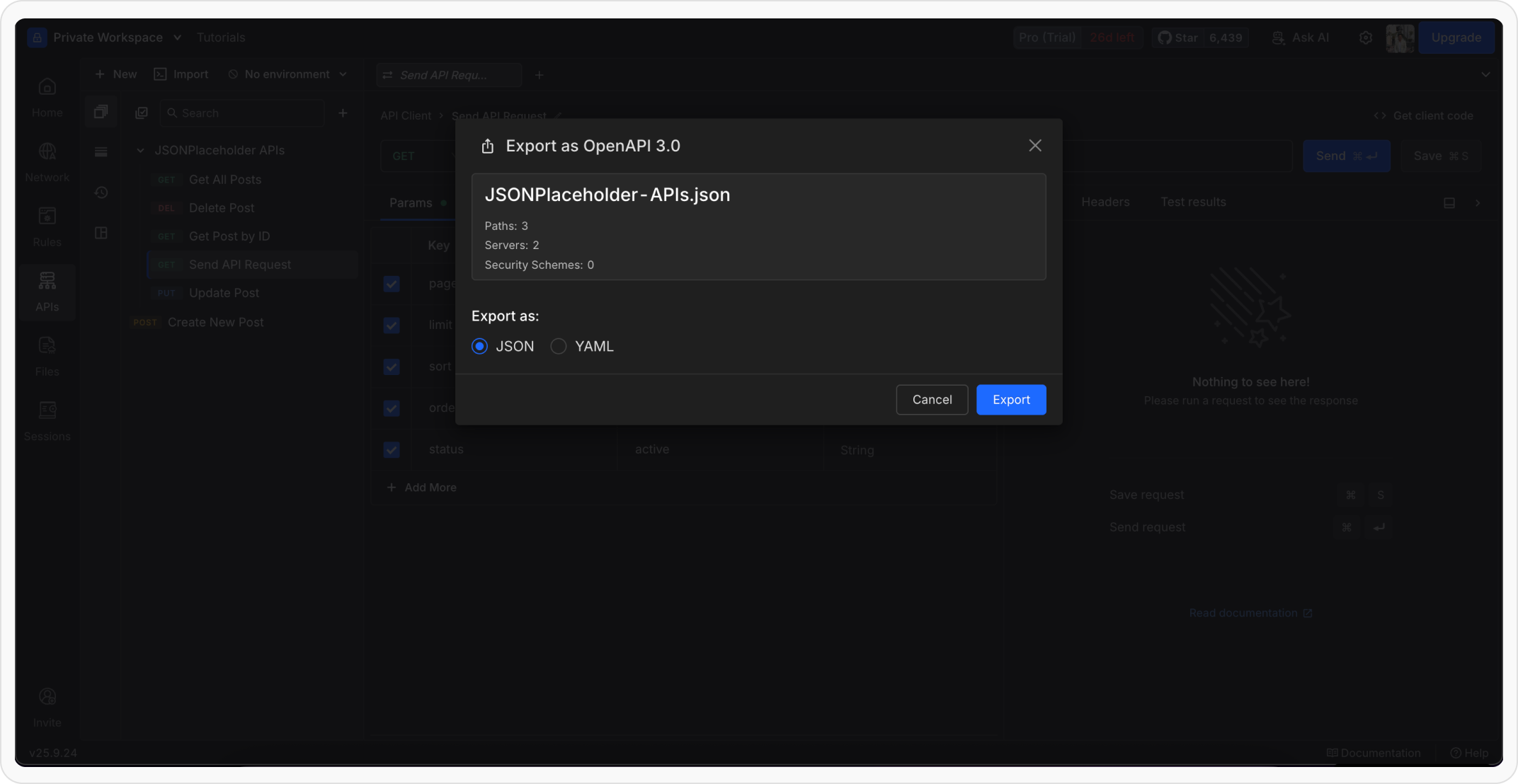
.yaml (or .json) spec to your device.