

Documentation Index

Fetch the complete documentation index at: https://docs.requestly.com/llms.txt

Use this file to discover all available pages before exploring further.

The script editor includes a library of ready-to-use code snippets for common scripting tasks - writing tests, reading and setting variables, and logging request or response details. Instead of typing these patterns from scratch, you can browse, search, and insert them with a single click.

Opening the snippets panel

In any pre-request or post-response script editor, click the Snippets button in the toolbar above the editor. A panel opens with a search box at the top and a categorized list of snippets below.
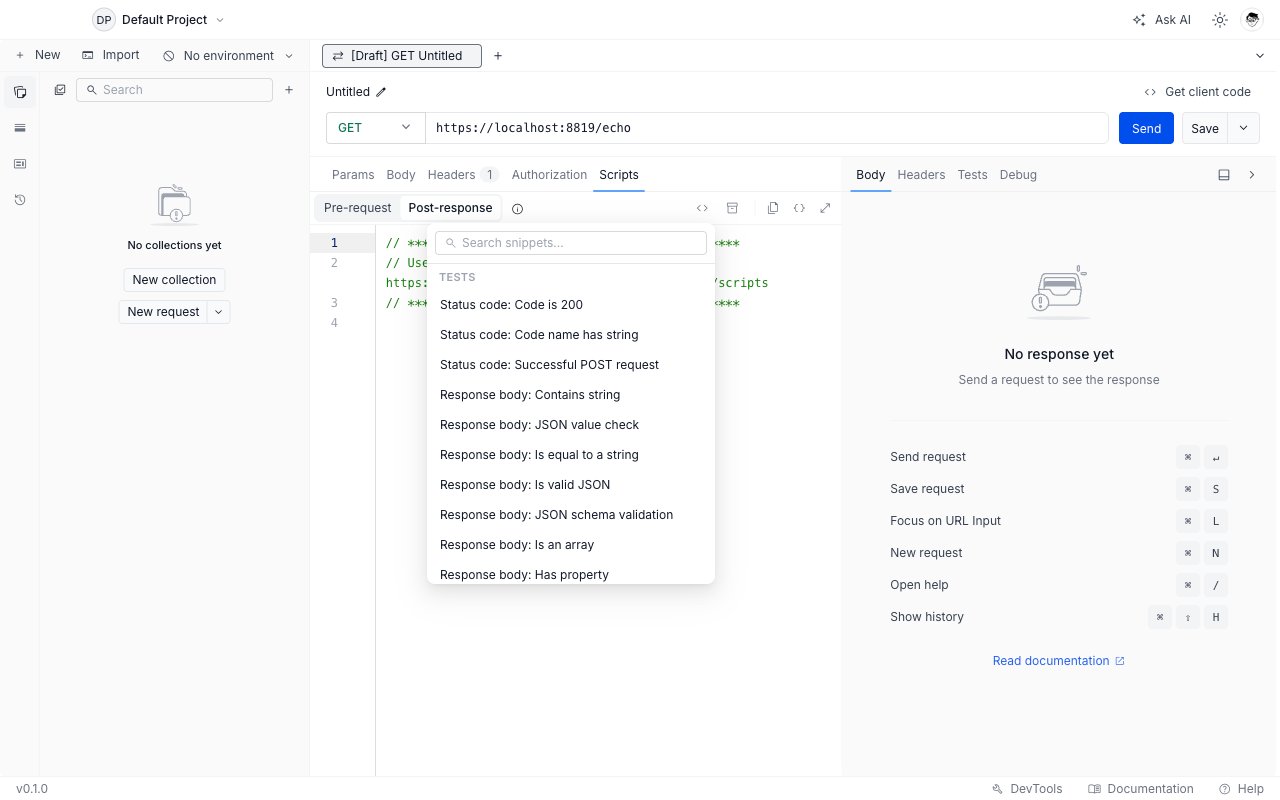
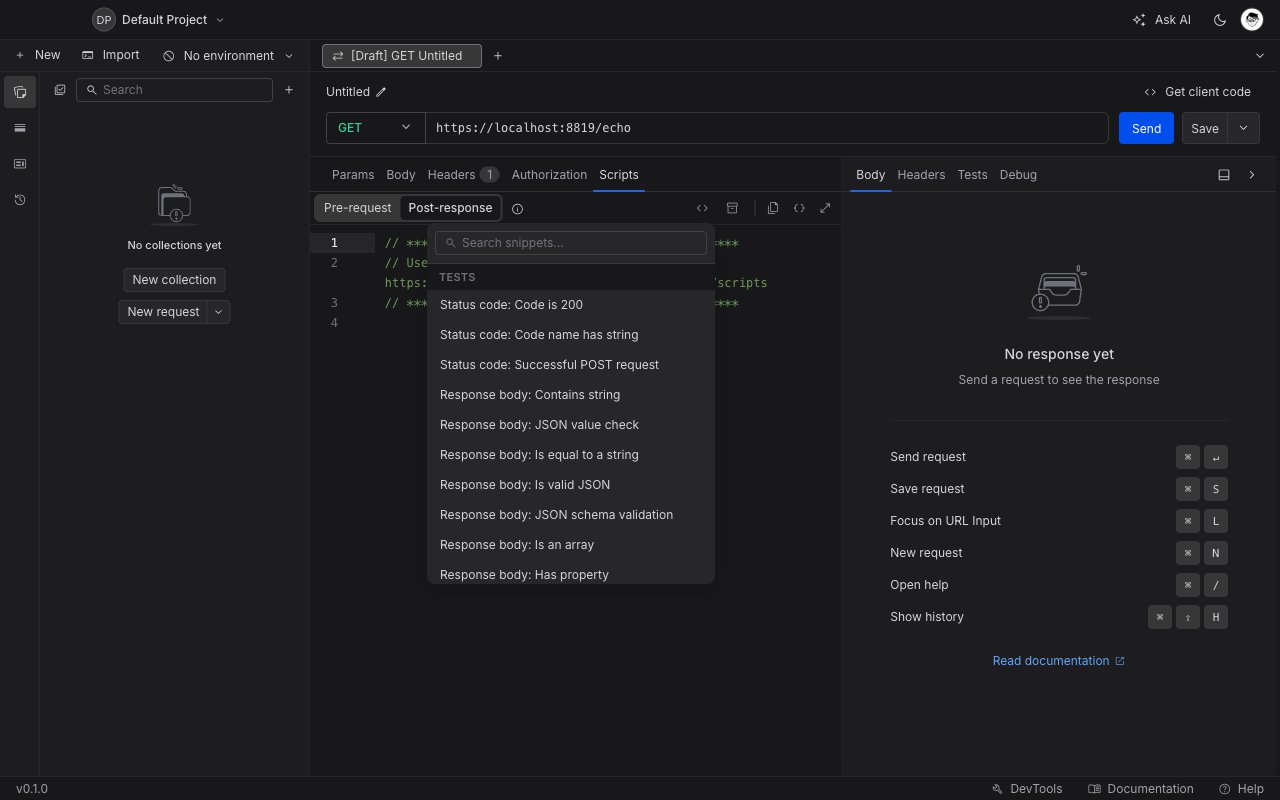
Snippets popover open in the post-response script editor showing categorized code snippets including Tests and Response body checks
The snippets shown adapt to the active script phase. For example, response assertions only appear when you are editing a post-response script - they are hidden in the pre-request editor where rq.response is not available.

Searching for a snippet

Type in the search box to filter snippets by name. The list narrows to matches as you type. Clear the search to return to the full list.

Inserting a snippet

Click any snippet name to insert its code at the current cursor position in the editor. The panel stays open so you can insert multiple snippets in one session.

Available snippets

Tests

These snippets are available in post-response scripts only.

Status code

SnippetCode inserted
Status code: Code is 200rq.test("Status code is 200", () => { rq.response.to.have.status(200); });
Status code: Code name has stringChecks rq.response.statusText includes "OK"
Status code: Successful POST requestAsserts rq.response.status is one of [201, 202]

Response body

SnippetWhat it tests
Response body: Contains stringBody includes a given string
Response body: JSON value checkA specific JSON field equals an expected value
Response body: Is equal to a stringEntire body equals an exact string
Response body: Is valid JSONBody is parseable JSON
Response body: JSON schema validationBody matches a JSON Schema object you define
Response body: Is an arrayBody is an array
Response body: Has propertyBody object has a specific property key
Example - JSON schema validation:
const schema = {
  type: "object",
  properties: {
    id: { type: "number" },
    name: { type: "string" },
  },
  required: ["id", "name"],
};

rq.test("Response matches schema", () => {
  rq.response.to.have.jsonSchema(schema);
});

Response headers

SnippetWhat it tests
Response headers: Content-Type checkResponse includes a content-type header

Response time

SnippetWhat it tests
Response time is less than 200msrq.response.responseTime is below 200

Variables

These snippets are available in both pre-request and post-response scripts.

Get a variable

SnippetCode inserted
Get a variablerq.variables.get("variable_key");
Get a global variablerq.globals.get("variable_key");
Get an environment variablerq.environment.get("variable_key");
Get a collection variablerq.collectionVariables.get("variable_key");

Set a variable

SnippetCode inserted
Set a variablerq.variables.set("variable_key", "variable_value");
Set a global variablerq.globals.set("variable_key", "variable_value");
Set an environment variablerq.environment.set("variable_key", "variable_value");
Set a collection variablerq.collectionVariables.set("variable_key", "variable_value");
A common pattern is to extract a token from a response and store it for use in subsequent requests:
// Post-response script on your login endpoint
const body = rq.response.json();
rq.environment.set("authToken", body.token);

Clear a variable

SnippetCode inserted
Clear a global variablerq.globals.unset("variable_key");
Clear an environment variablerq.environment.unset("variable_key");
Clear a collection variablerq.collectionVariables.unset("variable_key");

Request / Other

These snippets are available in both phases unless noted.
SnippetPhaseCode inserted
Log request detailsBothconsole.log("Request:", rq.request.method, rq.request.url);
Log response bodyPost-response onlyLogs rq.response.status and rq.response.body
Logs appear in the DevTools console tab, tagged with #script. See DevTools for details.