

Parameters and request bodies allow you to send data with your API requests. This guide covers query parameters, path variables, and different request body formats.Documentation Index
Fetch the complete documentation index at: https://docs.requestly.com/llms.txt
Use this file to discover all available pages before exploring further.
Path Variables
Path variables allow you to define dynamic segments in your API URL using the :variableName syntax. This is useful for RESTful APIs where resource identifiers are part of the URL path. For example, if your API endpoint is::userId and :postId) from the URL and displays them in the Params tab under Path Variables. You can then set values for each variable:
| Key | Value | Description |
|---|---|---|
| userId | 123 | The user’s unique identifier |
| postId | 456 | The post’s unique identifier |
Query Parameters
In the Query Params section, you can add query parameters as key-value pairs to send extra information with the URL. To add more parameters, click on the+ Add More button.
Each query parameter consists of:
- Key: The parameter name
- Value: The parameter value
- Type: An enum to enforce the value type
- Description (optional): Internal documentation explaining the purpose of the parameter
- Adding
uid=123tohttps://app.requestly.io/echoresults in:https://app.requestly.io/echo?uid=123
Bulk Edit Query Parameters
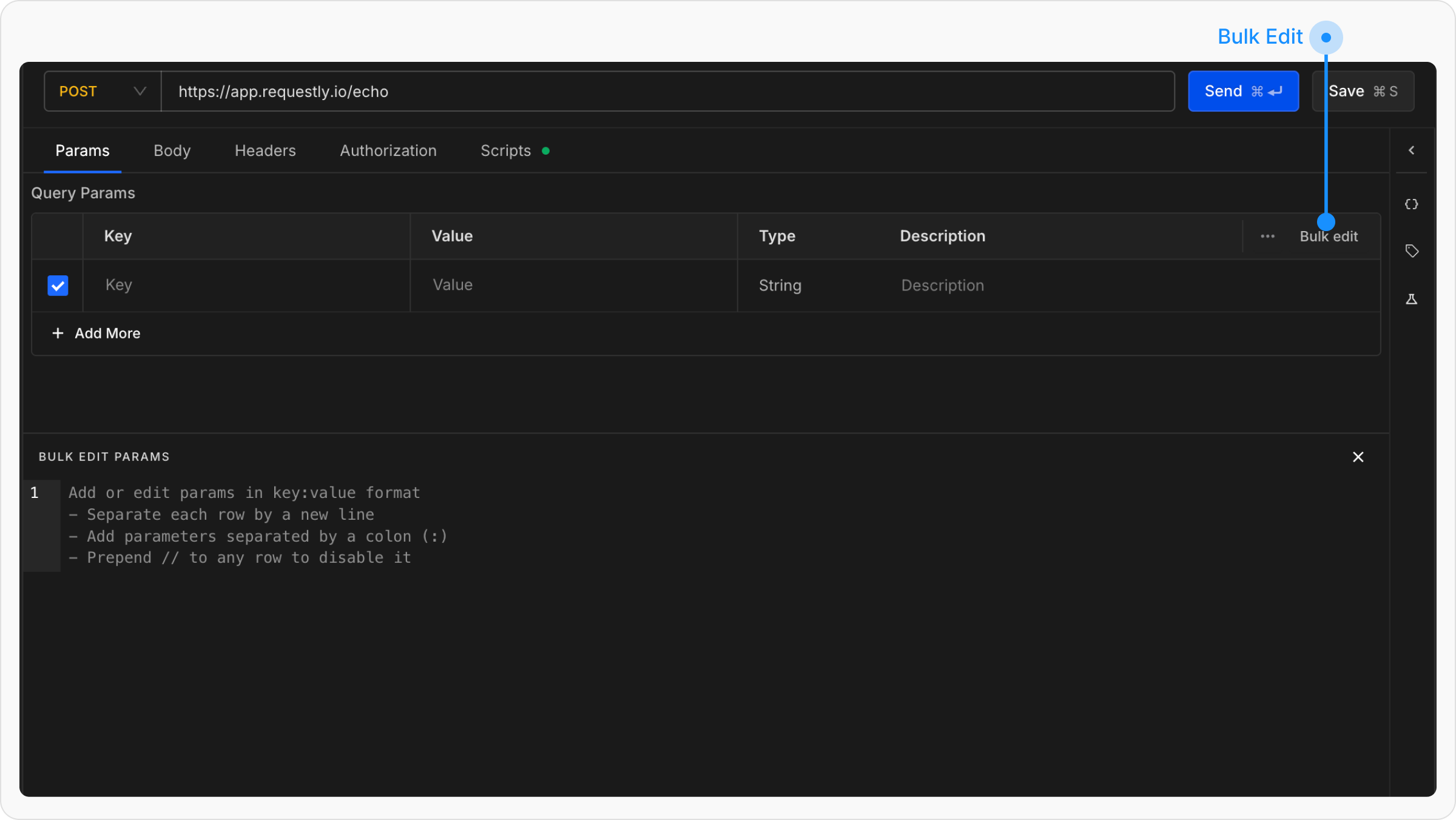
- Add one parameter per line
- Separate keys and values using a colon
: - Prefix any line with
//to disable that parameter
Request Body
For POST, PUT, or PATCH requests, use the Body tab to send data to the server. Requestly supports multiple body formats to accommodate different API requirements.Supported Body Types
- RAW (JSON/Text)
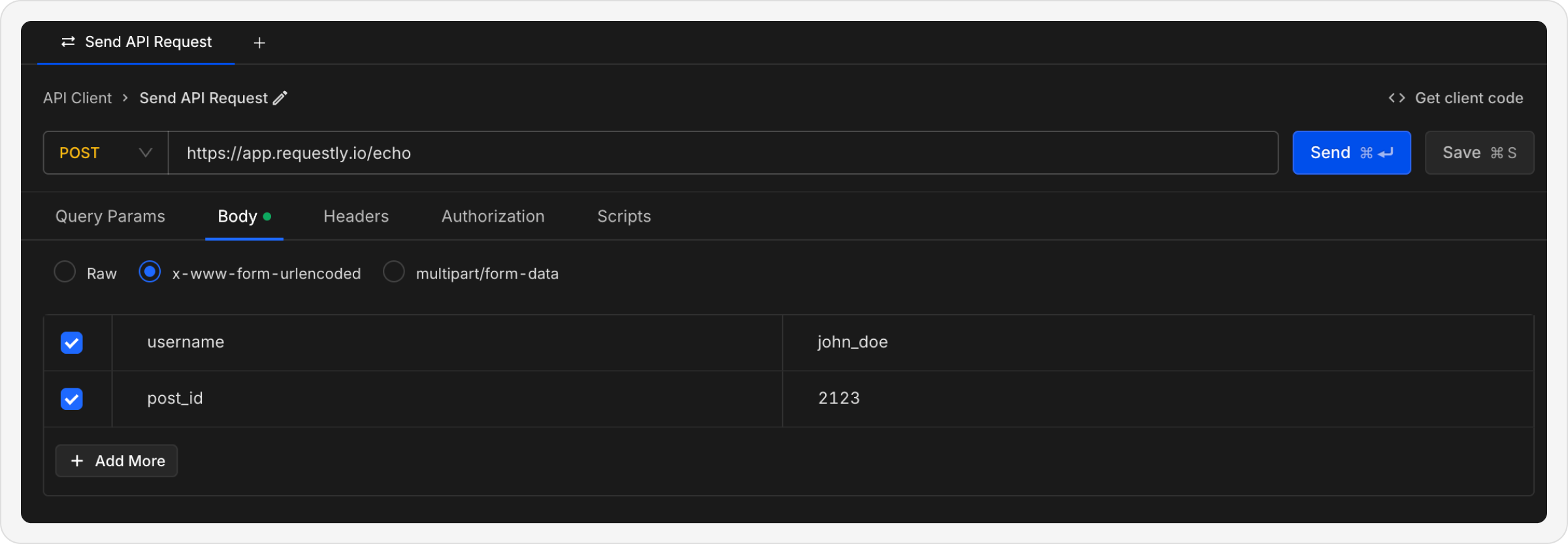
- x-www-form-urlencoded
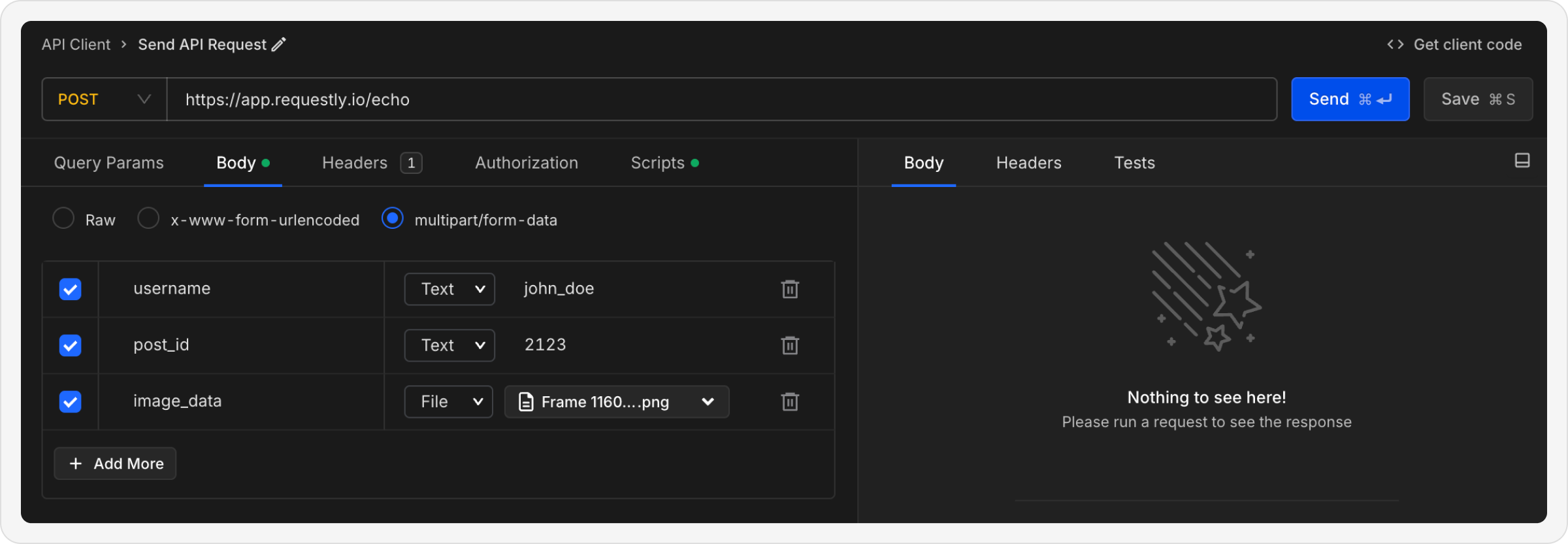
- multipart/form-data
- GraphQL
Send raw data as plain text or structured JSON.When to use: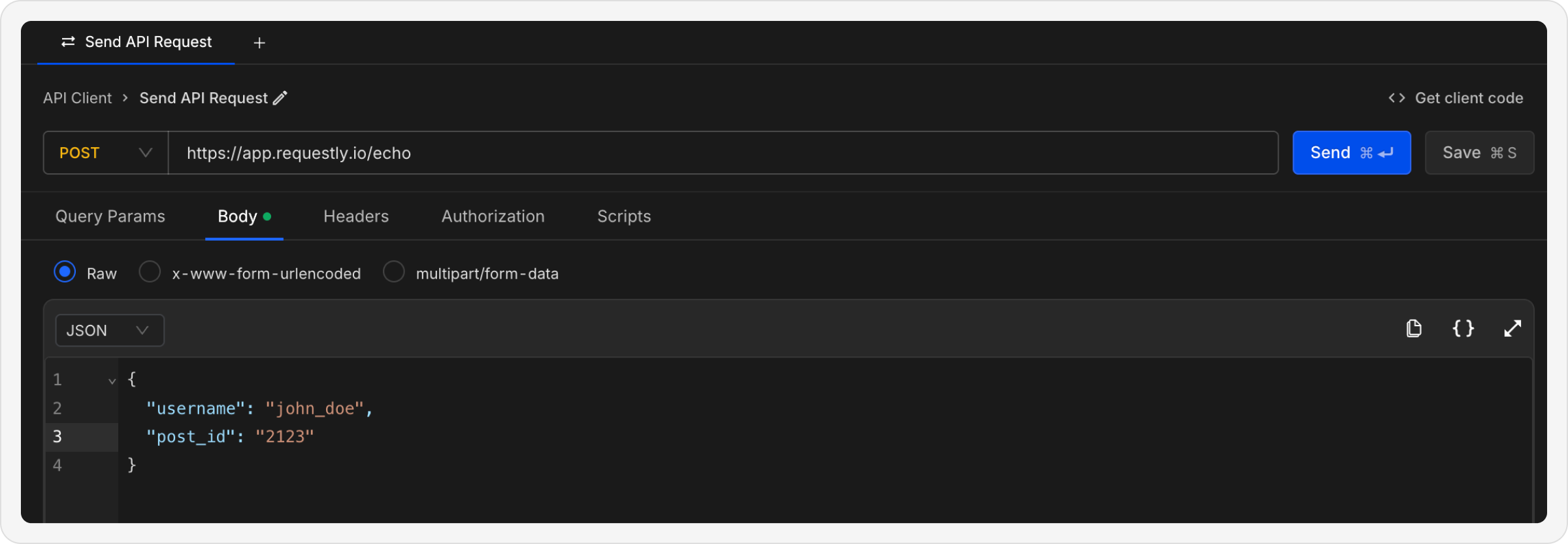
- Sending JSON data to REST APIs
- Posting XML or plain text
- Sending custom formatted data
- JSON – for structured data like API payloads
- Text – for plain string or unstructured data
- XML – for XML-based APIs
- HTML – for HTML content
Autogenerated Headers
Requestly will automatically add certain headers to your requests based on your request body selections. When you add a request body, Requestly automatically sets the appropriateContent-Type header:
| Body Type | Content-Type Header |
|---|---|
| RAW (JSON) | application/json |
| RAW (Text) | text/plain |
| RAW (XML) | application/xml |
| x-www-form-urlencoded | application/x-www-form-urlencoded |
| multipart/form-data | multipart/form-data |
What’s Next?
Configure Headers
Add authentication and custom headers to your requests
Add Authorization
Set up API authentication methods
Use Variables
Make your requests dynamic with variables