

.proto file, and supports unary as well as all three streaming method types.
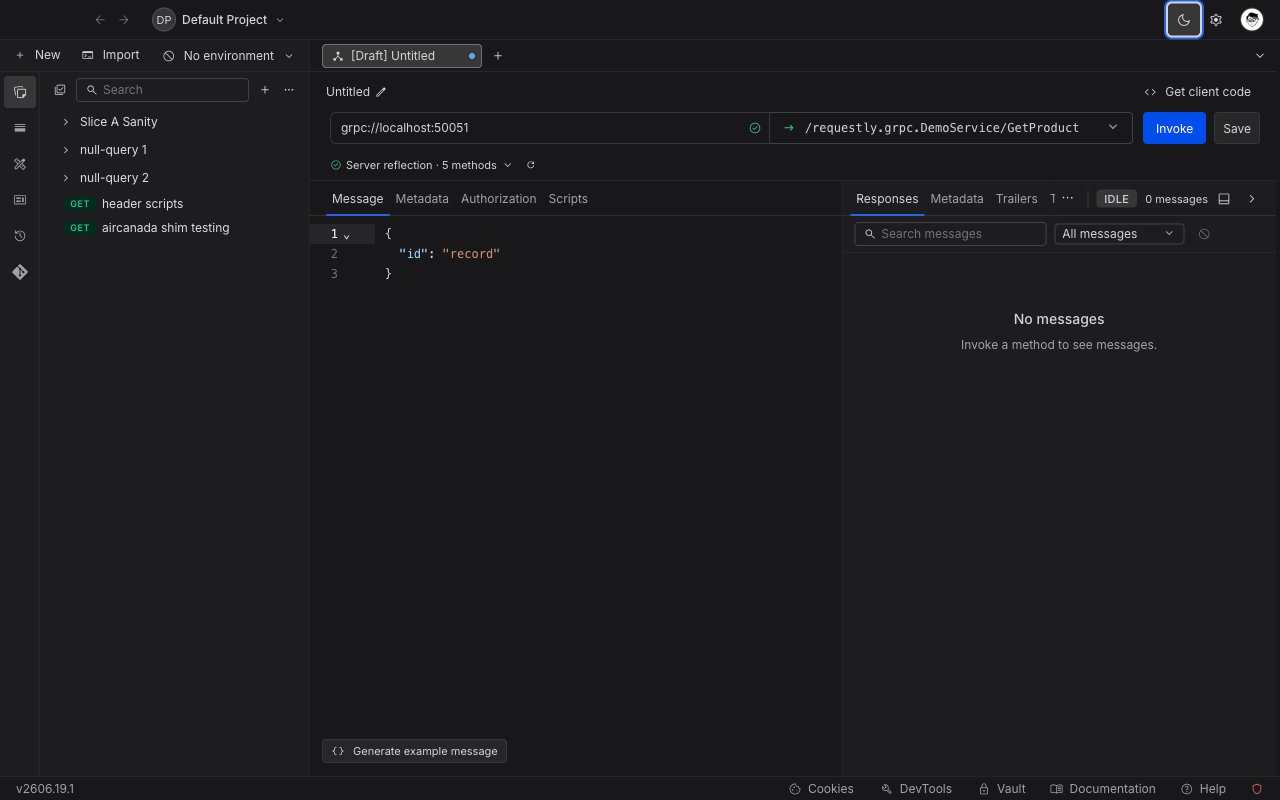
Availability: gRPC is a desktop-app feature and is rolling out gradually. If you don’t see gRPC request in the
+ New menu, update to the latest version.Create your first gRPC request
1
Create a new gRPC request
Open the Requestly Desktop App, click the
+ New button, and select gRPC request from the menu.2
Name your request
Give your request a clear, descriptive name so it’s easy to identify later.
3
Enter the server address
In the address bar, enter your gRPC server address in
host:port format, for example localhost:50051. An address without a scheme connects without TLS. For a server that requires TLS, prefix it with grpcs://, for example grpcs://grpc.example.com:443.As soon as you enter a reachable address, Requestly performs server reflection to discover the services and methods the server exposes. No extra setup is required if your server has reflection enabled.
4
Select a method
Open the Select method dropdown and choose the service method you want to call. Each method shows an icon indicating its type:
- Unary: a single request, a single response.
- Server streaming: a single request, a stream of responses.
- Client streaming: a stream of requests, a single response.
- Bidirectional: streams of requests and responses at the same time.
5
Build your message
Go to the Message tab and enter your request message as JSON. To start from a ready-made template, click Generate example message (see below).
6
Invoke the method
Click Invoke to call the method. The response panel opens with the received messages, response metadata, and trailers.
Generate an example message
Writing a request message by hand means knowing every field, its type, and its nesting. The Generate example message button, at the bottom of the Message tab, does this for you. It reads the selected method’s input message definition and writes a complete, correctly shaped JSON skeleton into the editor, so you only have to replace the placeholder values. The generated message includes every field in the request type, with a placeholder value chosen to match each field’s type:-
Strings get a sample word, numbers get a small sample number, and booleans get
trueorfalse. - Nested messages are expanded into nested objects, and repeated fields become single-element arrays so you can see the shape.
-
Enums use one of the defined values, and well-known types are filled with valid examples (for instance, a
google.protobuf.Timestampbecomes an ISO date such as2024-01-01T00:00:00Z).
Generating an example replaces the current contents of the Message editor. Generate first, then edit the values.
Discover services with a proto file
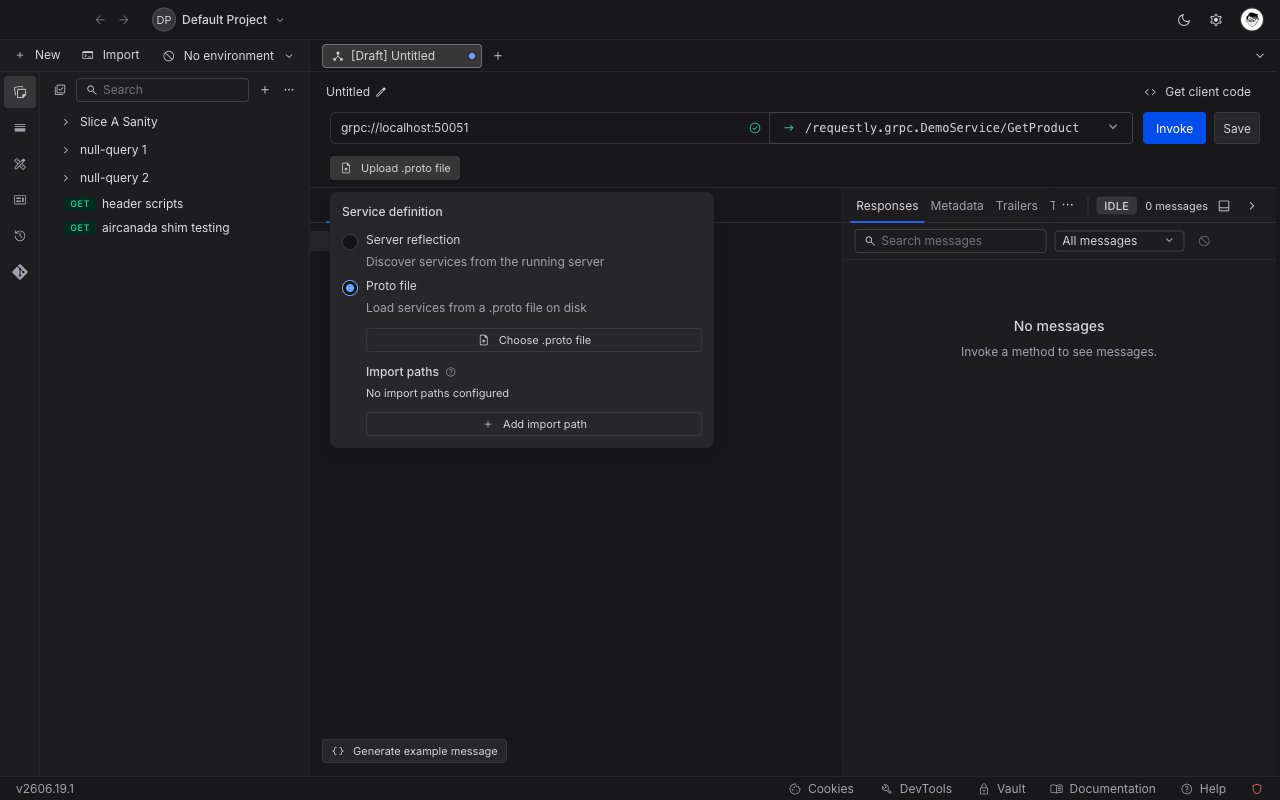
If your server does not support reflection, or you want to work against a local contract, you can load services from a.proto file instead.
1
Open the service definition source
Open the schema source control next to the address bar and switch from Server reflection to Proto file.
2
Choose your .proto file
Click Choose .proto file and select the file on disk. Requestly parses it and lists the discovered services and methods in the Select method dropdown.
3
Add import paths (optional)
If your
.proto file imports other definitions, use Add import path to point Requestly at the directories that contain them. Well-known types such as google.protobuf are resolved automatically.Add metadata
gRPC metadata works like request headers. Open the Metadata tab and add key/value pairs. You can enable or disable individual entries with the checkbox, and use{{variables}} for dynamic values.
Handle streaming methods
For server-streaming, client-streaming, and bidirectional methods, the call stays open after you invoke it instead of returning a single response. While a stream is active you have three controls:- Invoke starts the call. Once connected, the address bar’s button changes to Cancel, which closes the connection immediately in both directions.
- Send pushes the message currently in the editor onto the stream without closing it. Available on client-streaming and bidirectional methods, where the client can send more than one message.
- End streaming closes the request (client) side of the stream while leaving it open for the server to finish responding. Available on client-streaming and bidirectional methods.
Bidirectional streaming
A bidirectional method keeps both sides open at once: you can keep sending messages while the server keeps responding. Invoke the method to open the stream, use Send to push each new message, watch responses arrive in the panel, and click End streaming when you are done sending.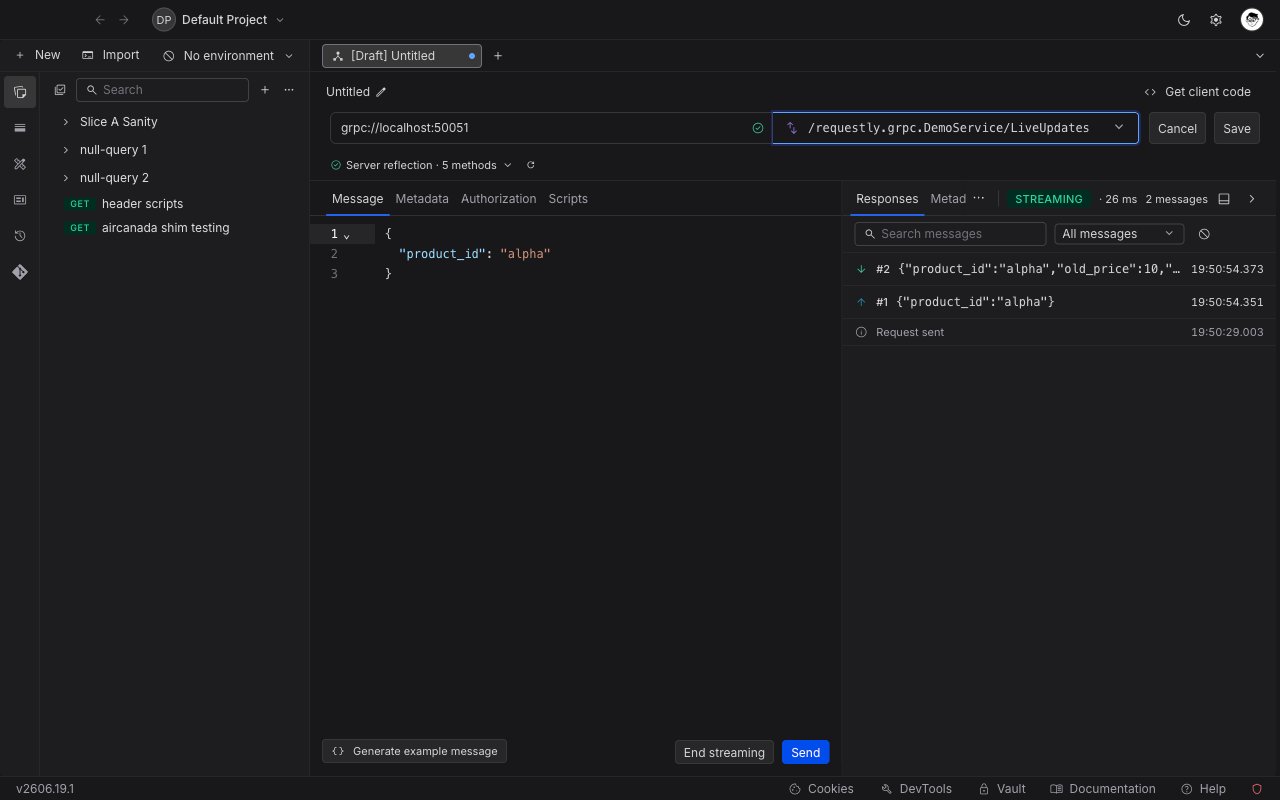
Read the response
The response panel shows:- Responses: each message sent and received, with timestamps and an expandable JSON body. Filter by direction or search across messages.
- Metadata: the response headers returned by the server.
-
Trailers: the trailing metadata, including the final gRPC status code and message (for example,
0 OKor12 UNIMPLEMENTED).
Get client code
Click Get client code to generate a ready-to-use code snippet for the current request in several languages.What’s Next?
Add Authorization
Secure your gRPC requests with API keys, tokens, or OAuth flows
Use Variables
Make your gRPC messages and metadata dynamic with variables
Organize in Collections
Group related gRPC requests together