

Method and path
Add a route with the + button above the routes list, then set two things in the response pane at the top:- Method: any standard HTTP verb (
GET,POST,PUT,DELETE, and so on), plus*to match any method. - Path: the path the route answers on, relative to the mock’s base URL. It supports path parameters (
:param) and wildcards (*), described below.
Path parameters
A path segment written as:name captures whatever appears in that position and exposes it to your response. The captured value is available both in response templates (as urlParam.name) and in matching rules via the URL Param target.
For example, a route GET /users/:id with this response body:
GET /users/:id matches /users/42 but does not match /users on its own, so a bare /users request finds no route and returns 404:
Wildcards
A* in the path matches any characters, including slashes, and captures them as urlParam.0. Pair it with method * to answer every HTTP method on that path.
For example, a route with method * and path /static/* and this body:
{{request.method}}, {{request.path}}, and {{request.urlParam.0}} placeholders above are dynamic values. See dynamic values for the full list.
Ordering and shadowing
Matching is first-match-wins by position: when two routes share the same method and path, the one higher in the list intercepts every request and the one below it is never reached. For example, with twoGET /shadow routes where the first returns 200 {"served":"first-route-wins"} and the second returns 500, the first always wins:
500 never appears. The editor flags the shadowed route with a strike-through and a warning icon, with the tooltip “Shadowed by an earlier route with the same method and path - this route is never served”, so you can spot and fix the conflict. Drag the route you want to win to the top, or change one route’s method or path so they no longer collide.
Routes with no response
A route only serves something if it has at least one response. A route with none is matched as normal and then returns404, which looks like a routing problem when it is really an empty route.
The routes list flags these with a No response badge, so you can spot them before your caller does. You see it on a route you just added with the + button and have not configured yet, on routes generated from a collection whose source request had no saved example, and on routes generated from an OpenAPI file whose operation declared no example response. Both generators count these on the summary as Routes with no response. Requestly checks a route’s responses when you select it, so on a mock you have just opened the badges appear as you walk down the list rather than all at once. The generation summary’s Routes with no response count is the complete figure.
The request log tells the two cases apart. A request that matched no route at all is logged as No route matched, while a route that matched but served nothing is logged as No response matched.
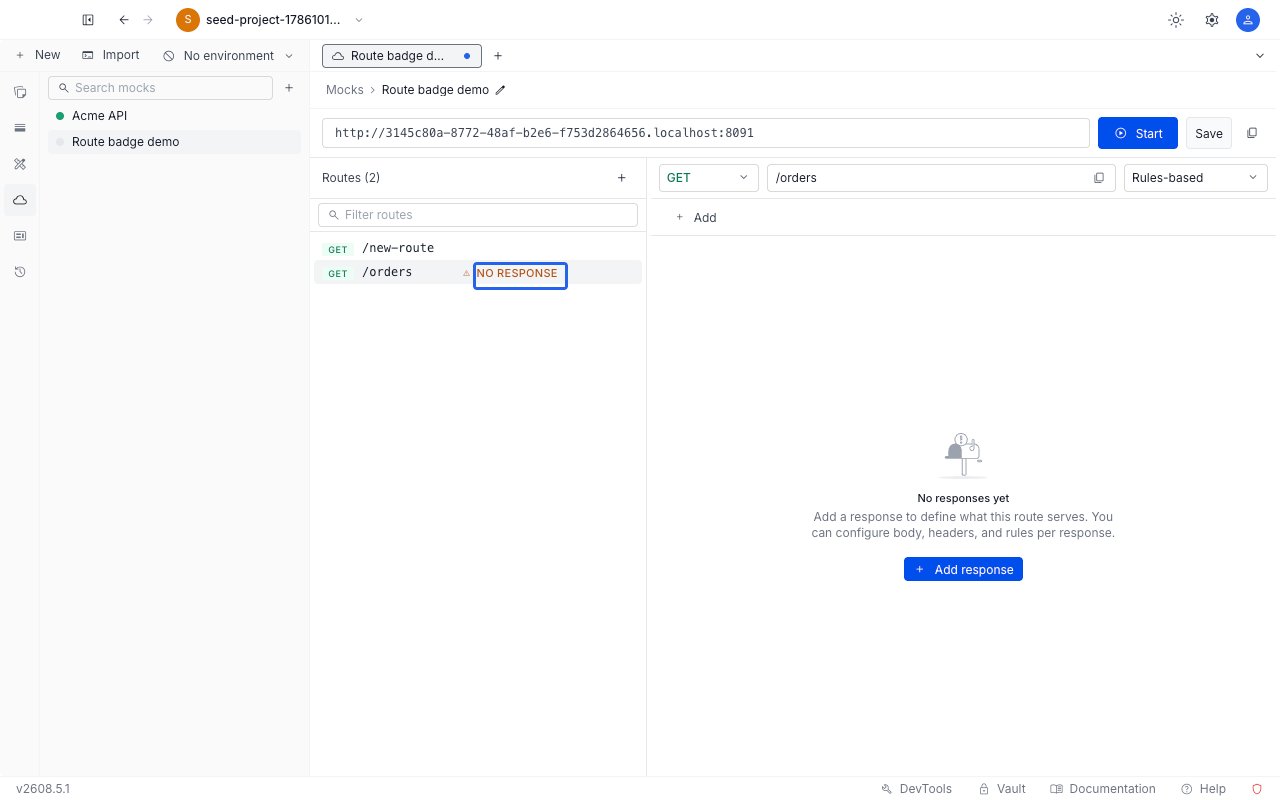
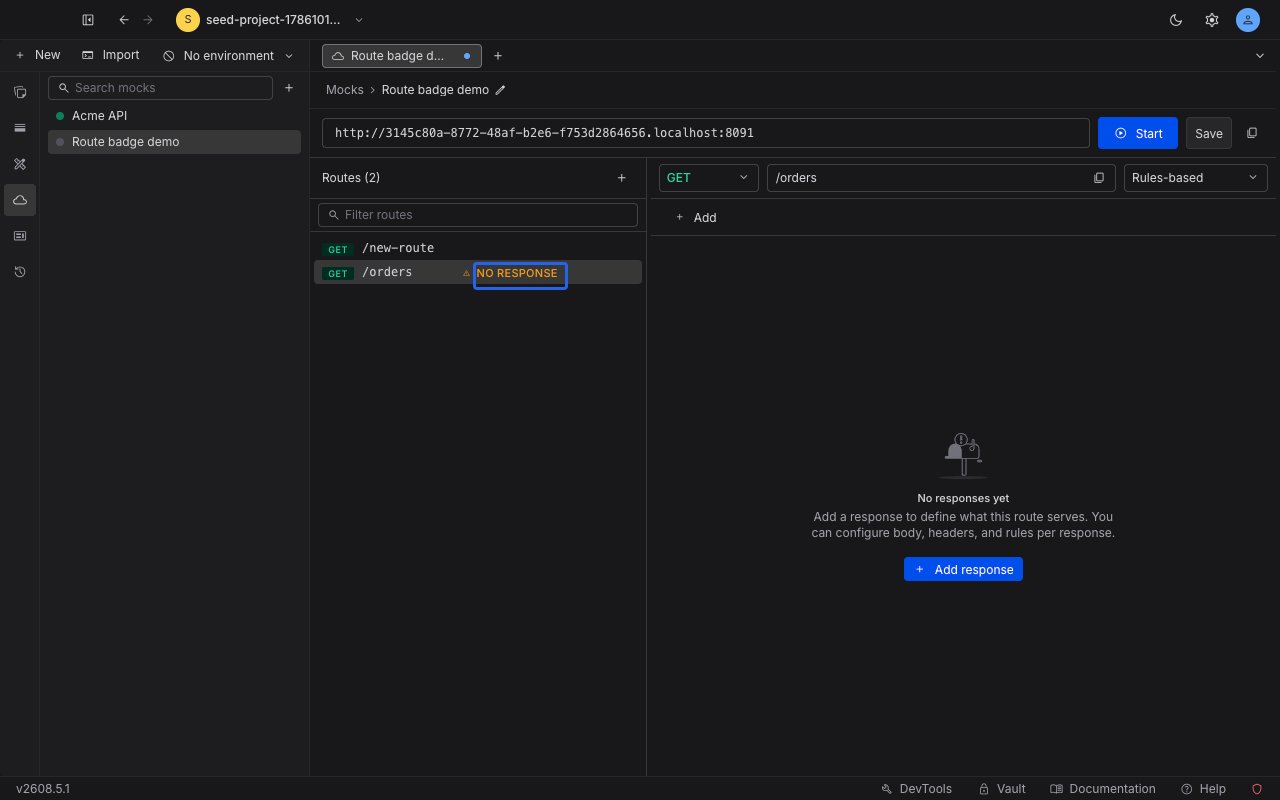
The badge clears as soon as the route has a response staged, even before you click Save. A shadowed route shows the shadowing warning instead, because adding a response would not make it serve.