

SSO is an enterprise-plan feature. Contact the Requestly team to enable it for your organization.
Step 1. Create and configure a SAML application in Okta
- Log in to your Okta account and head to the Applications page.
-
Click on
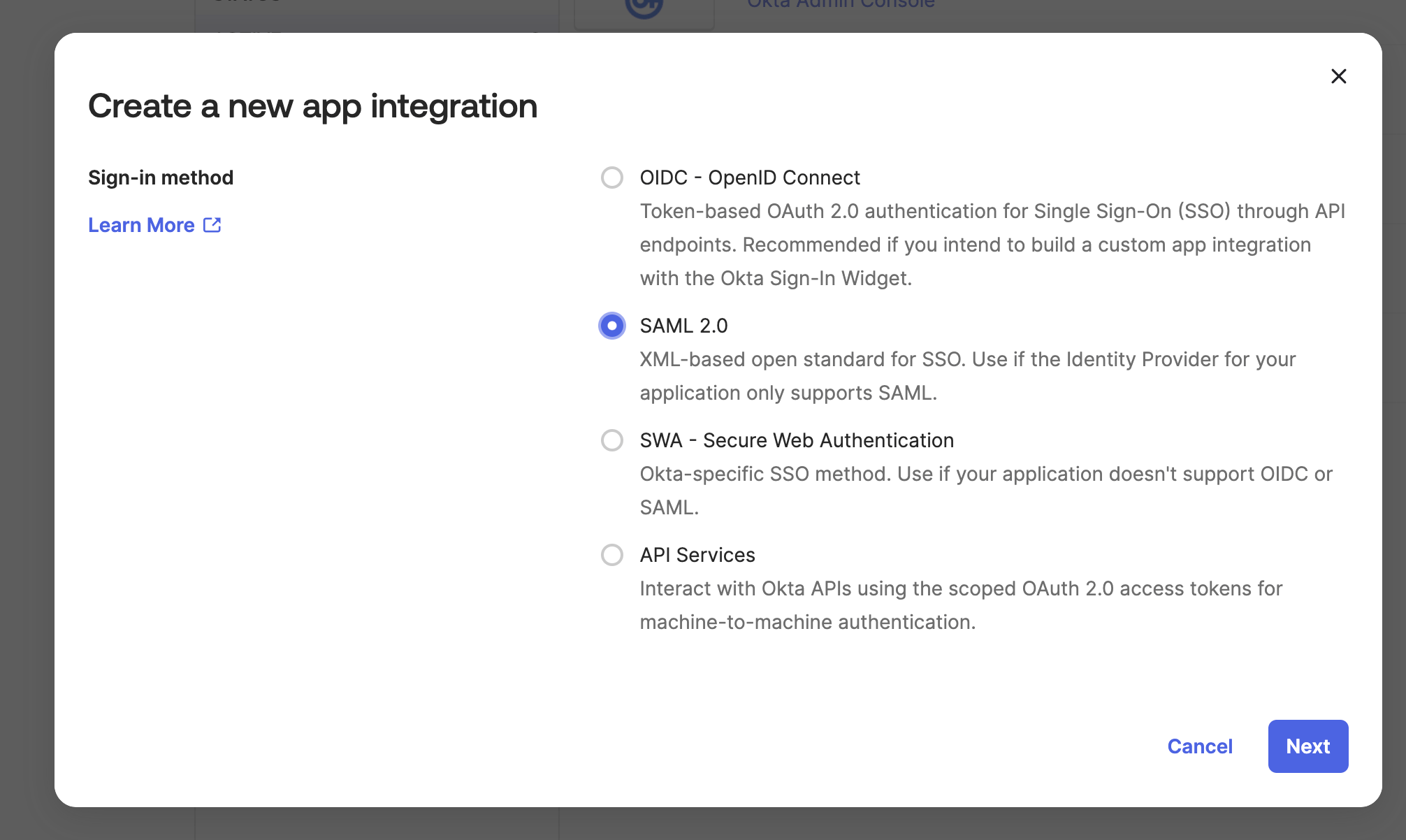
Create App Integrationand selectSAML 2.0
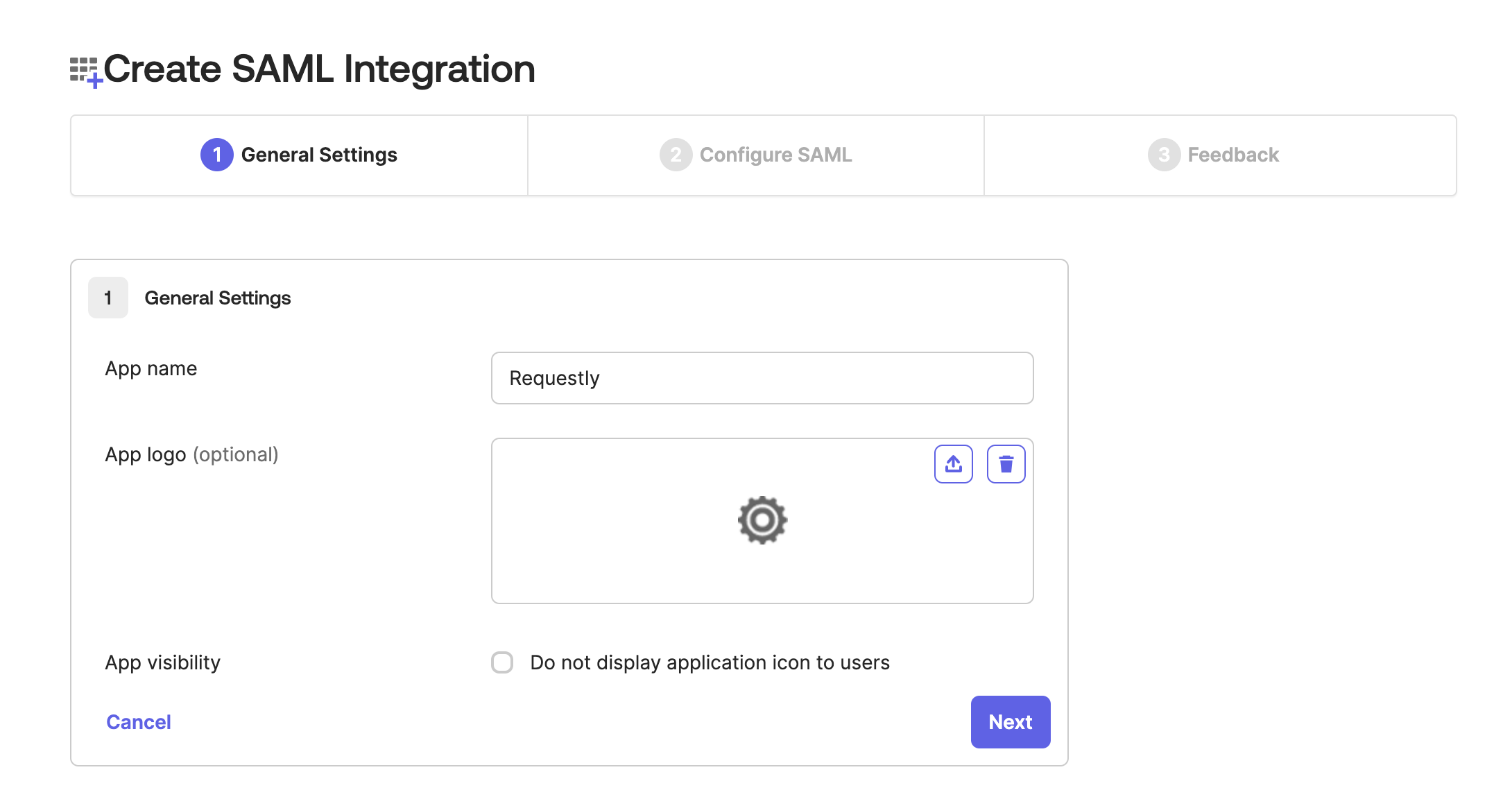
1. General Settings step, add App Name as Requestly and then click Next
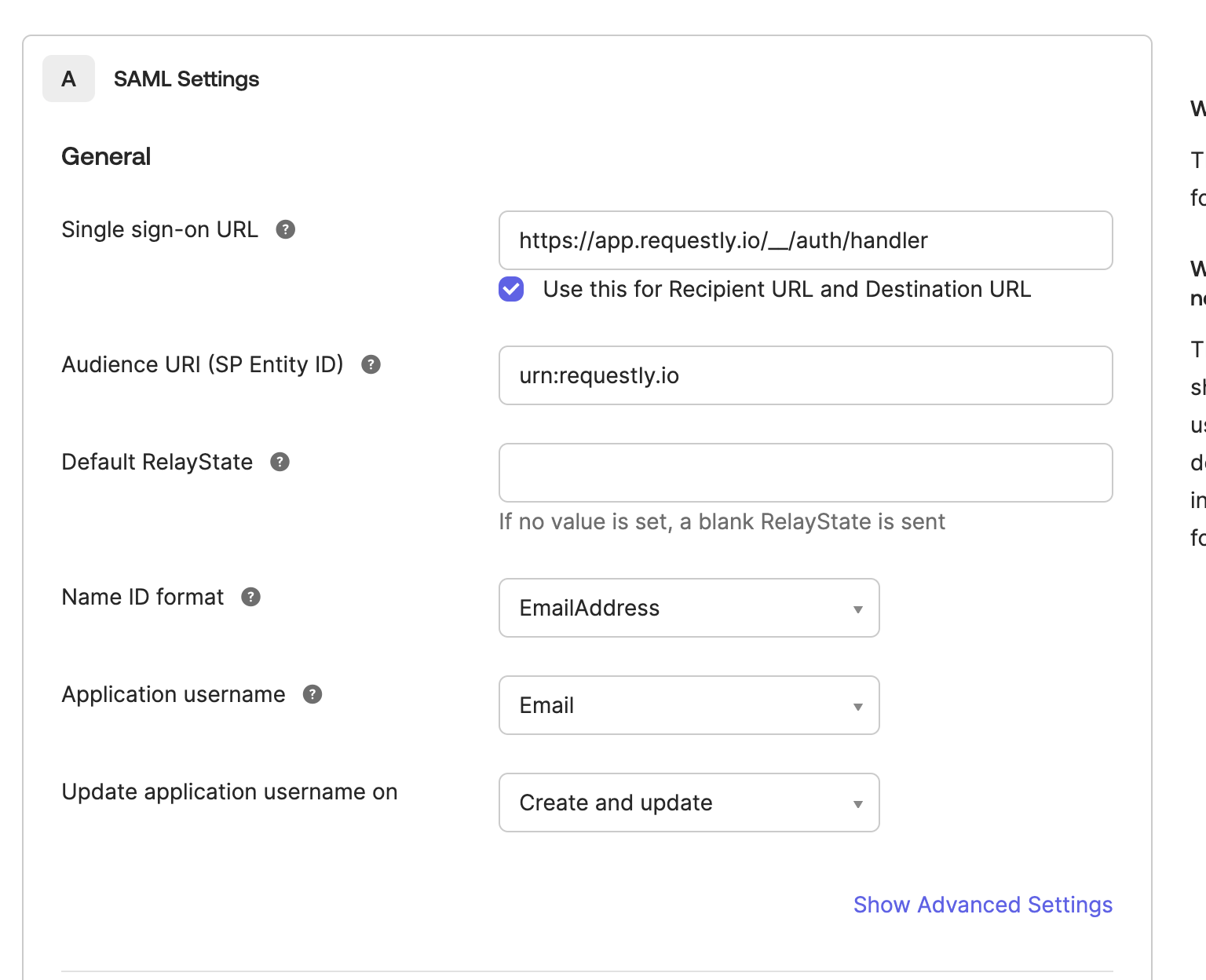
- In the
2. Configure SAMLstep, add the following details and then clickNext
Step 2. Share SAML metadata with Requestly
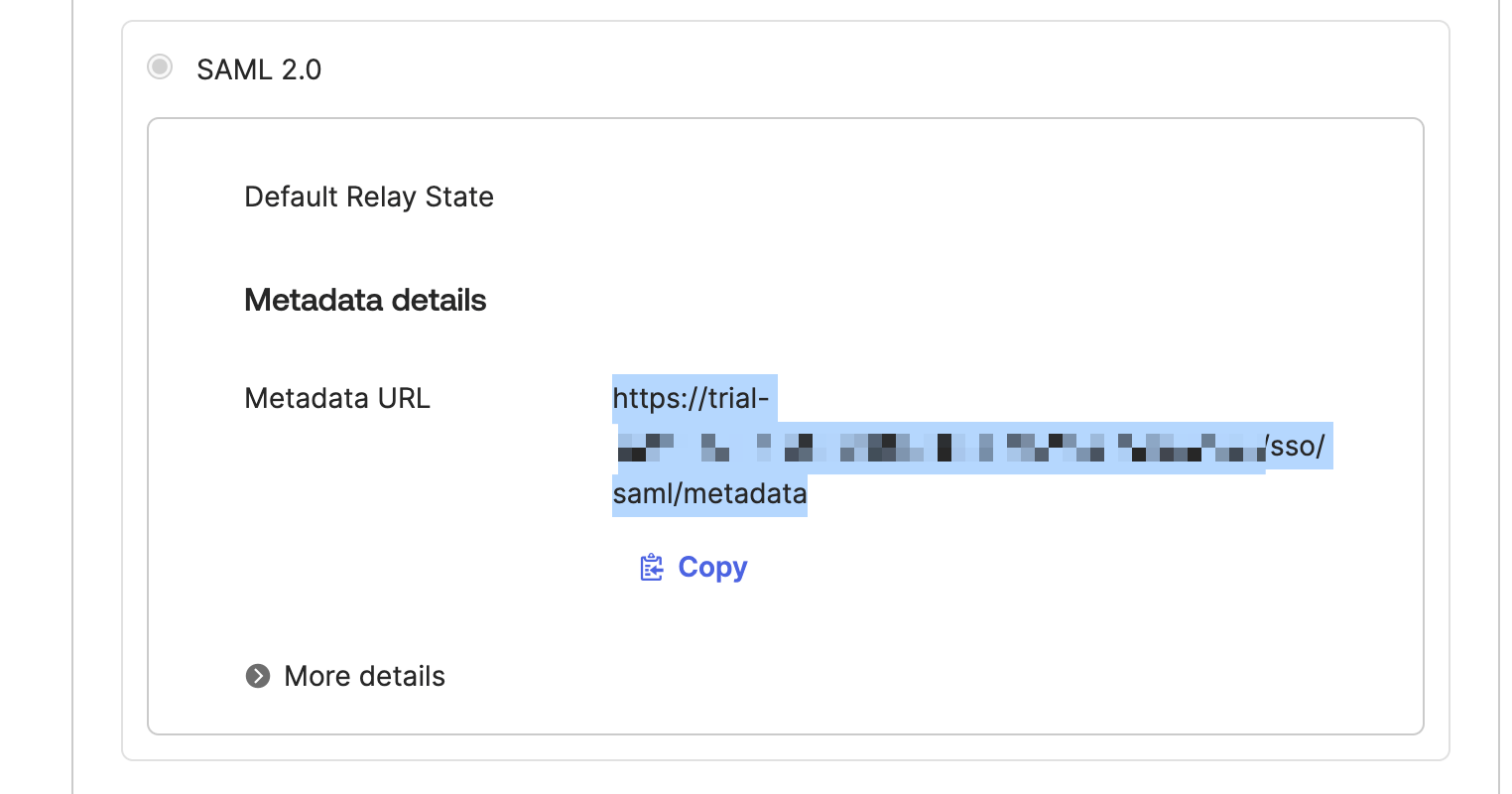
- Share the copied value with us
[email protected]