Once you’ve defined variables in Requestly—whether global, environment, collection, or subcollection — you can reference them directly in your API requests. This allows you to dynamically inject values into URLs, headers, request bodies, scripts, and more.
Use Variables in API Requests
Step 1: Create or Open a Request
Create or open an existing request in the API Client.
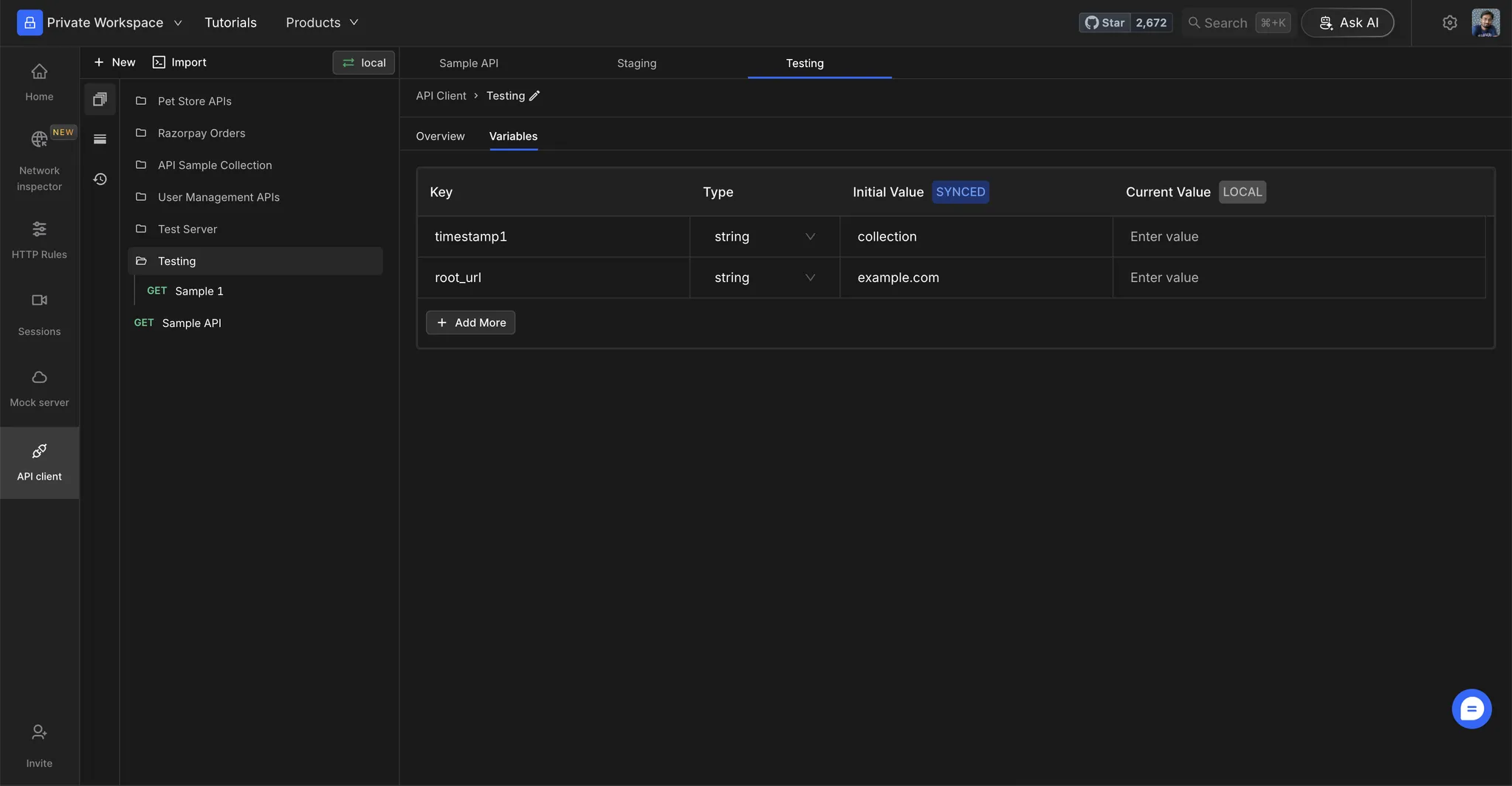
Step 2: Replace Static Values
Replace static values with your environment variables using the {{variable_name}} syntax.
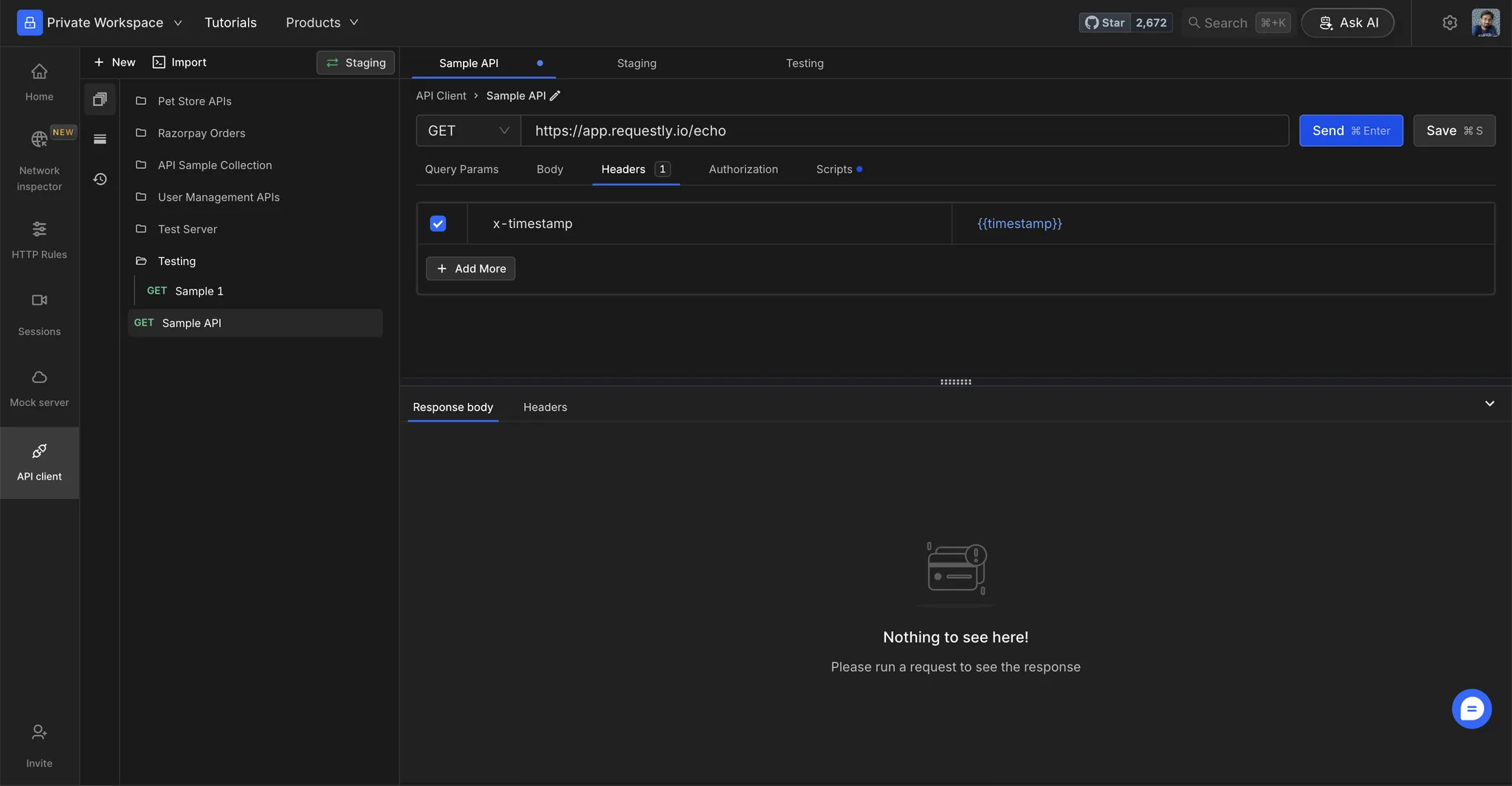
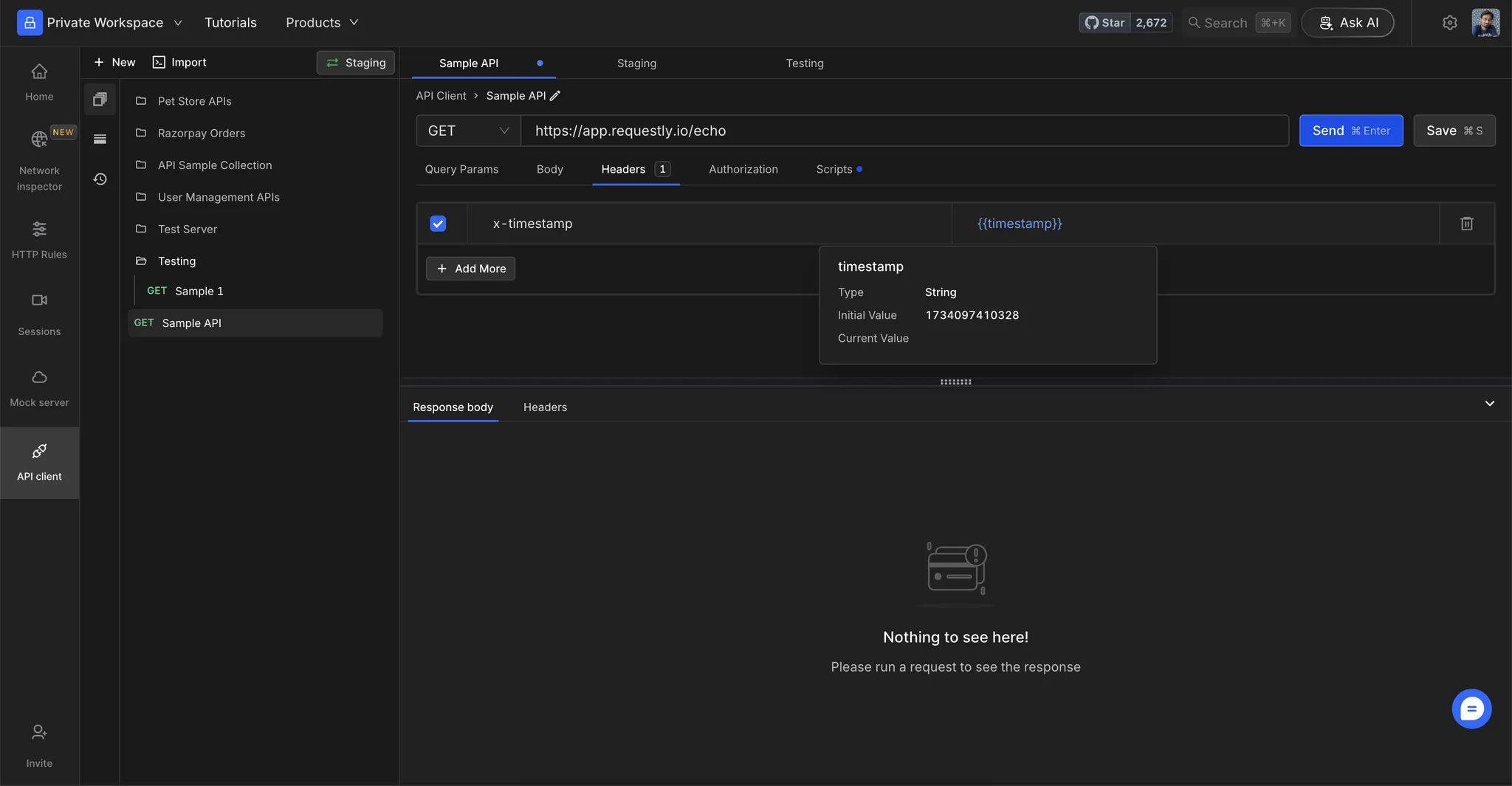
Step 3: View Variable Values
Hover over a variable to see its resolved value.
Test Your Setup
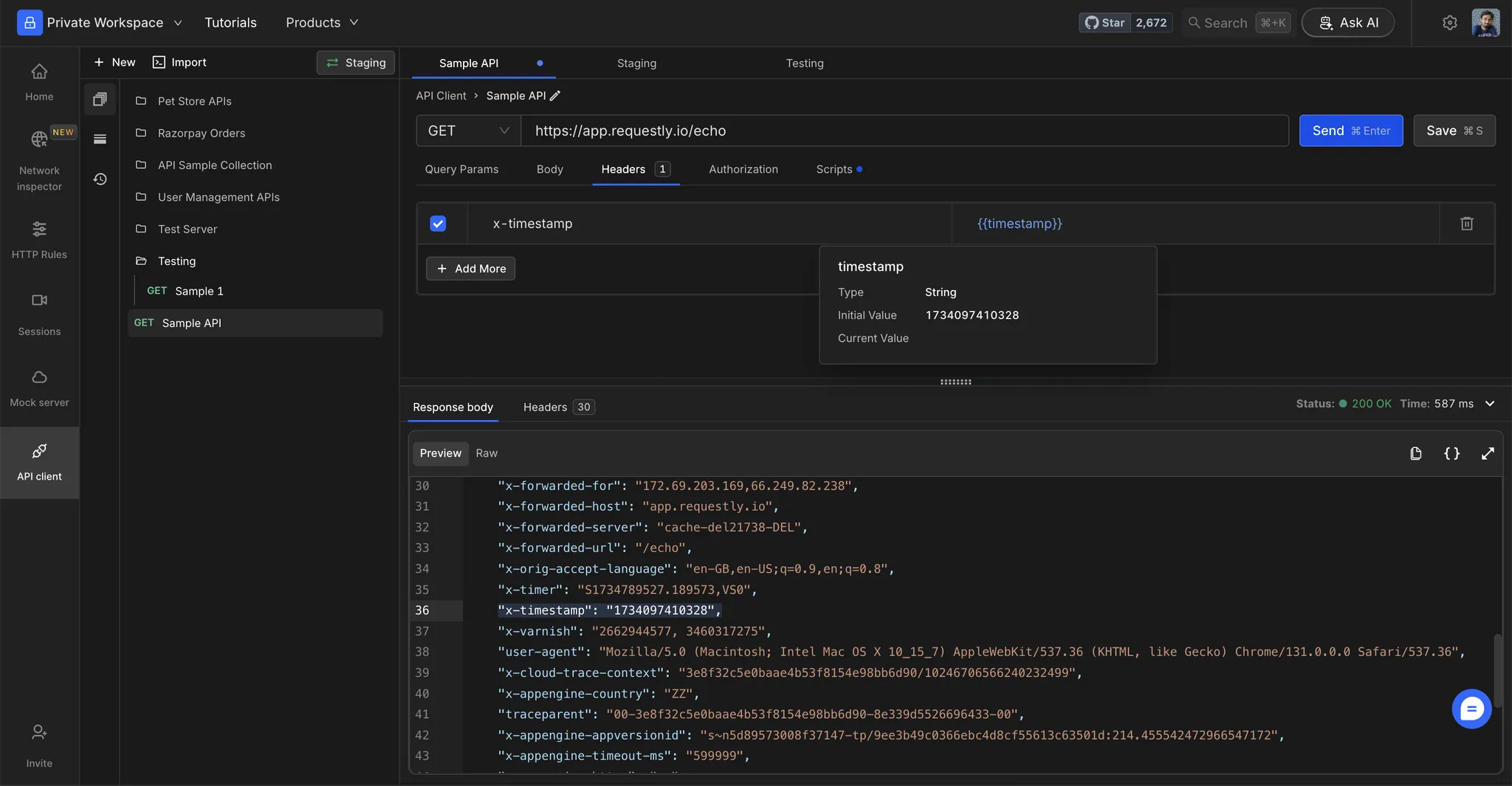
Step 1: Execute the Request
Click Send to execute the request.
Step 2: Verify Resolved Values
Check the resolved values in the Request Preview to ensure that variables are substituted correctly.
If a variable isn’t resolving, verify that the variable name matches exactly (case-sensitive) and is present in the selected environment.
Composite variables
Composite variables allow you to reference one variable inside another variable’s value. This is useful when you want to build dynamic values from other variables.
How it works
Define a variable that references another variable using the {{variable_name}} syntax:
| Variable Name | Value |
|---|
base_url | api.example.com |
api_endpoint | https://{{base_url}}/v1 |
api_endpoint is resolved, it becomes https://api.example.com/v1.
Example: Building dynamic URLs
You can chain multiple variables together:
| Variable Name | Value |
|---|
env | staging |
region | us-east |
base_url | {{env}}.{{region}}.api.example.com |
full_url | https://{{base_url}}/users |
full_url resolves to https://staging.us-east.api.example.com/users.
Circular dependency handling
If you create circular references (e.g., var_a = {{var_b}} and var_b = {{var_a}}), Requestly detects this and leaves the variables unresolved to prevent infinite loops.
Autocompletion and syntax highlighting for variable references inside the variables table is not currently supported.

