

$ prefix syntax:
Using dynamic variables
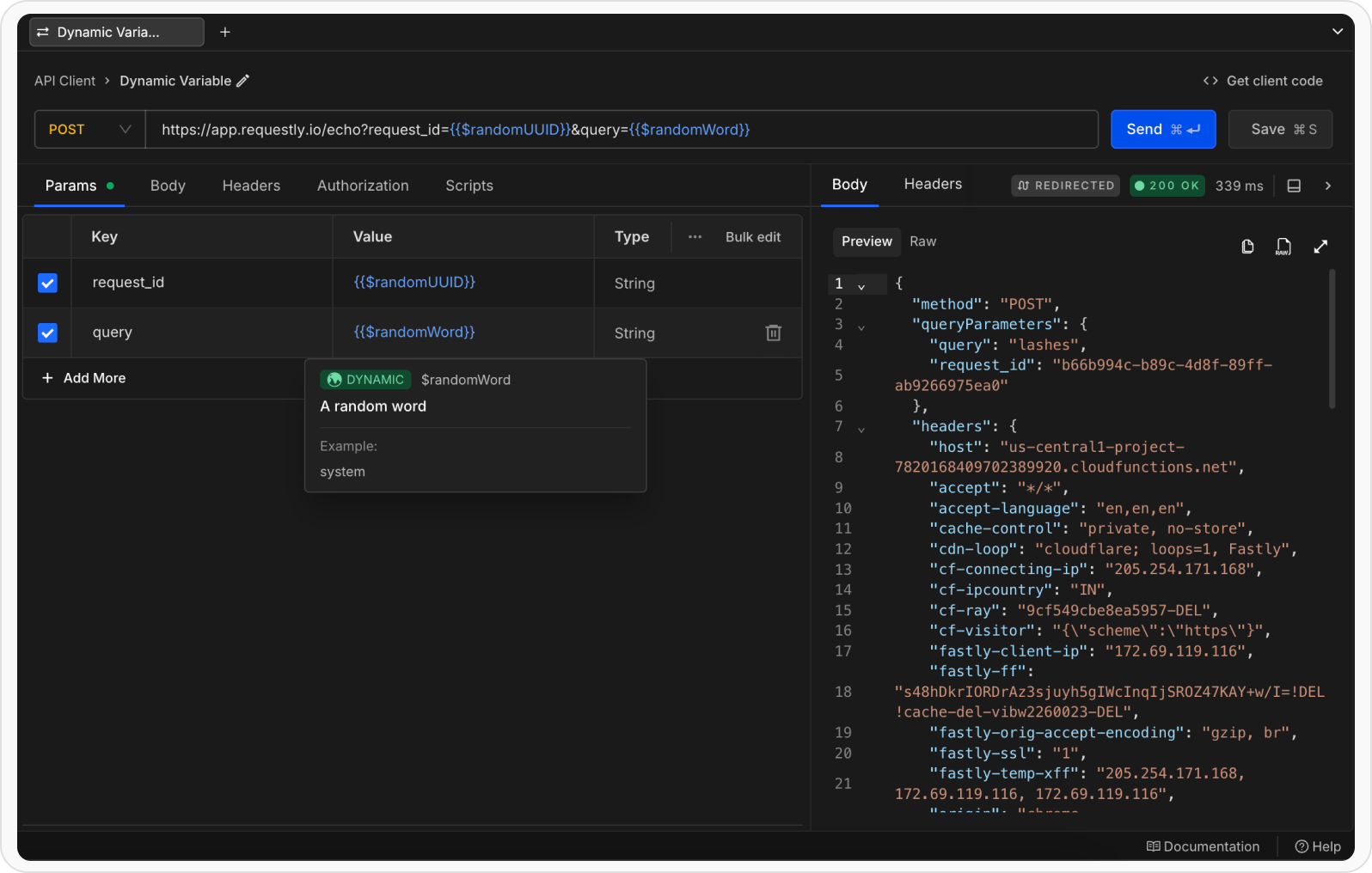
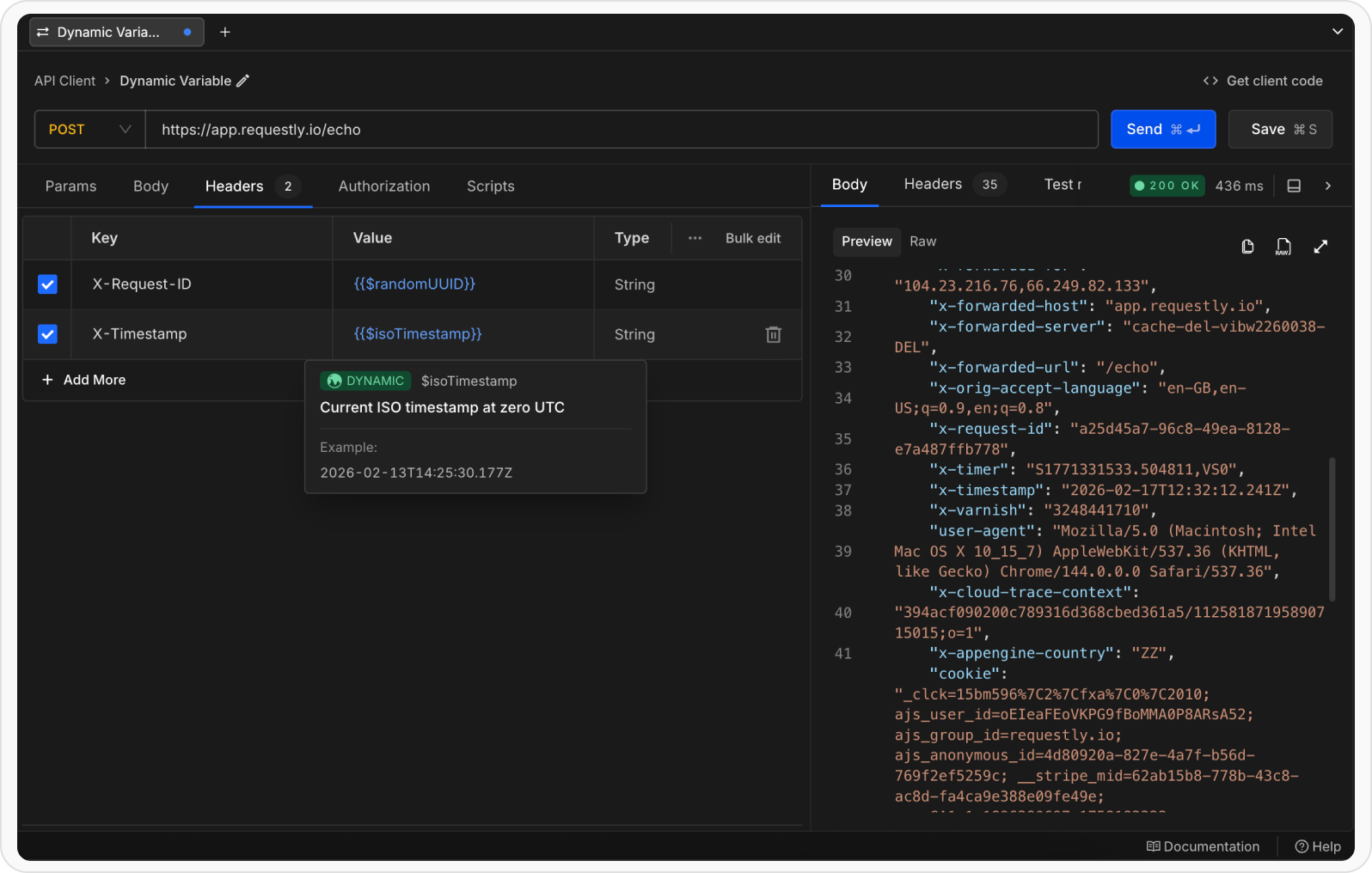
You can use dynamic variables anywhere in a request including the URL, headers, query params, and body.- Request Body
- URL Parameters
- Headers
- Script
{{$randomFirstName}}, {{$randomLastName}}, and {{$randomEmail}} to create unique user data for each request: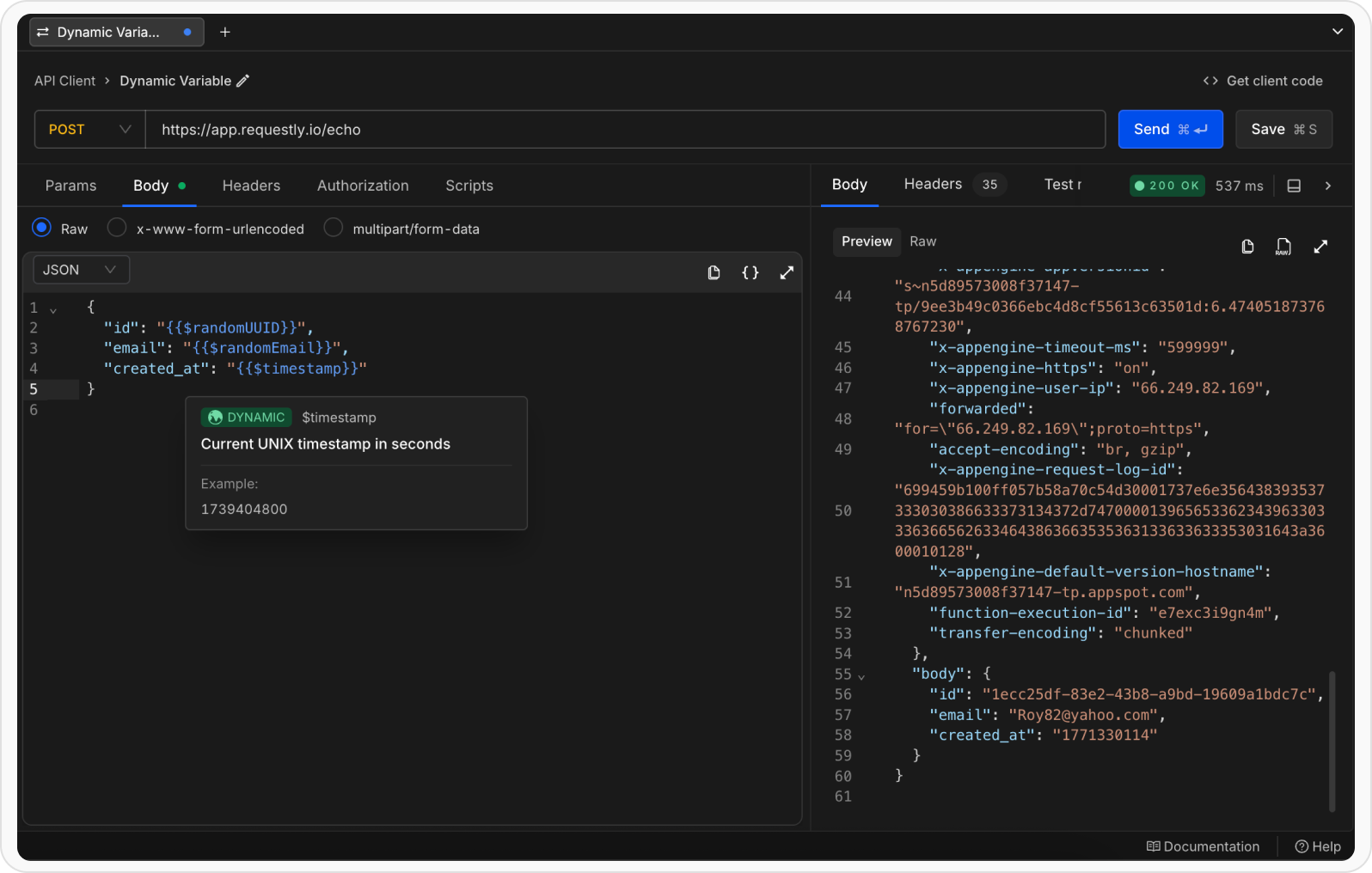
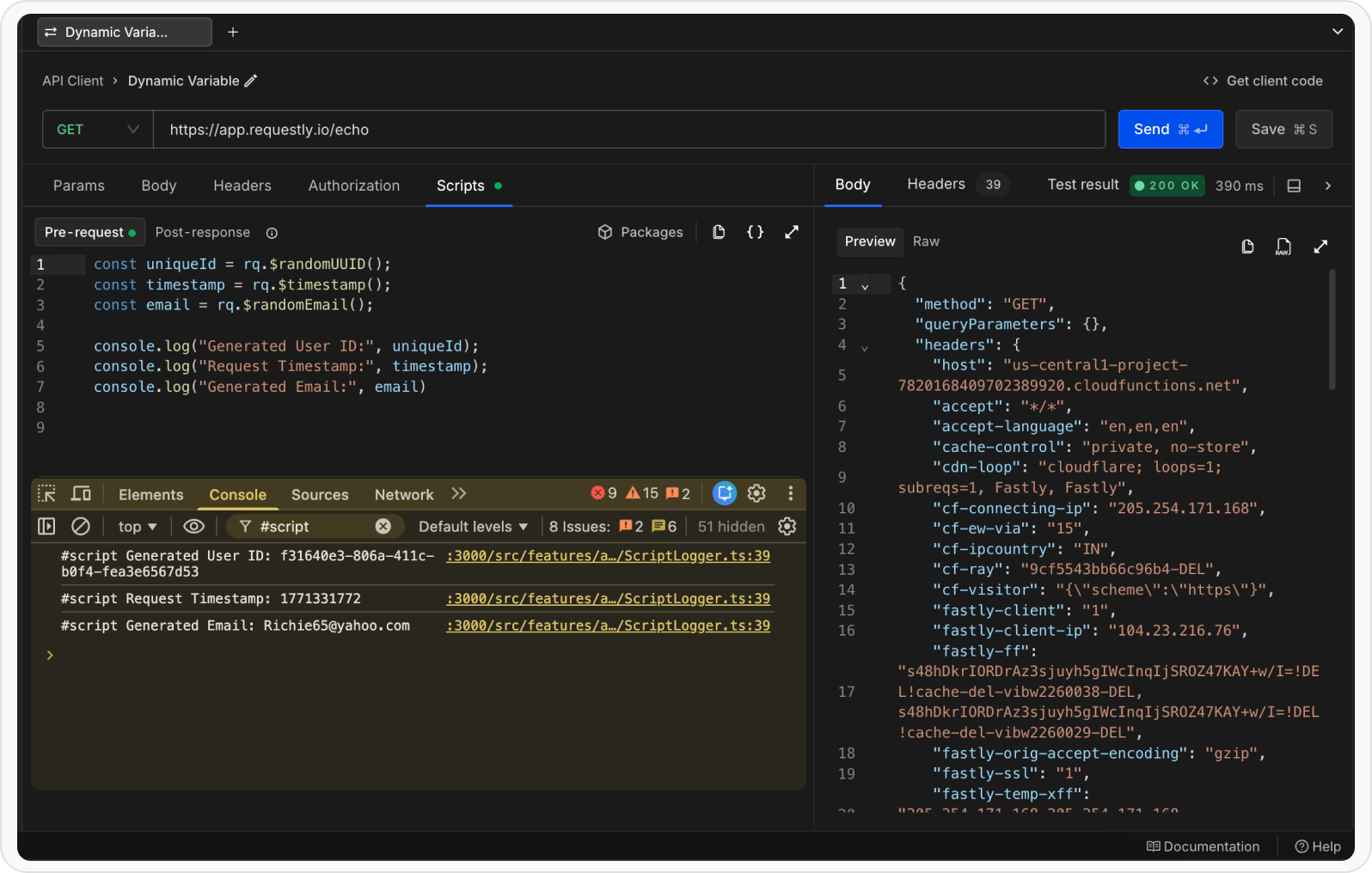
rq.$variableName() instead of the template syntax {{$variableName}}.Variable precedence
When the same variable name is defined as both a dynamic variable and a user-defined variable (environment, collection, or global), the user-defined variable takes precedence.Precedence order
User-defined variables (Runtime → Environment → SubCollection → Collection → Global) > Dynamic variables Example : If you define an environment variable named$randomUUID:
{{$randomUUID}} in your request, it will resolve to "123e4567-e89b-12d3-a456-426614174000" (your custom value), not the dynamic UUID value.
Use arguments with dynamic variables
Some dynamic variables support optional arguments to customize their output.Syntax
rq.$variableName(arg1,arg2 ...)Supported dynamic variables
Requestly provides a comprehensive set of built-in dynamic variables organized by category.Common
Text, Numbers and Colors
Internet and IP Addresses
Names
Profession
Phone, Address and Location
Images
Finance
Business
Catchphrases
Databases
Dates
Domains, Emails and Usernames
Files and Directories
Stores
Grammar
Lorem Ipsum
Variables with arguments
The following dynamic variables support optional arguments for customization.Common
$guid
$guid
version (4|7), refDate$randomUUID
$randomUUID
version (4|7), refDateText, Numbers and Colors
$randomAlphaNumeric
$randomAlphaNumeric
length | (min max), casing (upper|lower|mixed), exclude$randomBoolean
$randomBoolean
probability (0-1)$randomInt
$randomInt
max | (min max)$randomHexColor
$randomHexColor
format (hex|css|binary), includeAlpha (true|false), prefix, casing (upper|lower|mixed)Internet and IP Addresses
$randomIP
$randomIP
cidrBlock | network$randomMACAddress
$randomMACAddress
separator$randomPassword
$randomPassword
length, memorable (true|false), pattern, prefixNames
$randomFirstName
$randomFirstName
gender (male|female)$randomLastName
$randomLastName
gender (male|female)$randomFullName
$randomFullName
gender (male|female)$randomNamePrefix
$randomNamePrefix
gender (male|female)Phone, Address and Location
$randomPhoneNumber
$randomPhoneNumber
style (human|national|international)$randomStreetAddress
$randomStreetAddress
useFullAddress (true|false)$randomCountryCode
$randomCountryCode
variant (alpha-2|alpha-3|numeric)$randomLatitude
$randomLatitude
max | (min max), precision$randomLongitude
$randomLongitude
max | (min max), precisionImages
$randomImageUrl
$randomImageUrl
width, height$randomImageDataUri
$randomImageDataUri
width, height, color, type (svg-uri|svg-base64)Finance
$randomBankAccount
$randomBankAccount
length (default 8)$randomCreditCardMask
$randomCreditCardMask
issuer$randomBankAccountBic
$randomBankAccountBic
includeBranchCode (true|false)$randomBankAccountIban
$randomBankAccountIban
formatted (true|false), countryCode$randomBitcoin
$randomBitcoin
type (legacy|segwit|bech32), network (mainnet|testnet)Dates
$randomDateFuture
$randomDateFuture
years, refDate$randomDatePast
$randomDatePast
years, refDate$randomDateRecent
$randomDateRecent
days, refDate$randomWeekday
$randomWeekday
abbreviated (true|false), context (true|false)$randomMonth
$randomMonth
abbreviated (true|false), context (true|false)Domains, Emails and Usernames
$randomEmail
$randomEmail
firstName, lastName, provider, allowSpecialCharacters (true|false)$randomExampleEmail
$randomExampleEmail
firstName, lastName, allowSpecialCharacters (true|false)$randomUserName
$randomUserName
firstName, lastName$randomUrl
$randomUrl
protocol (http|https), appendSlash (true|false)Files and Directories
$randomFileName
$randomFileName
extensionCount | (min max)$randomFileExt
$randomFileExt
mimeTypeStores
$randomPrice
$randomPrice
max | (min max), dec, symbolGrammar
$randomNoun
$randomNoun
length | (min max), strategy (fail|closest|shortest|longest|any-length)$randomVerb
$randomVerb
length | (min max), strategy (fail|closest|shortest|longest|any-length)$randomAdjective
$randomAdjective
length | (min max), strategy (fail|closest|shortest|longest|any-length)$randomWord
$randomWord
length | (min max), strategy (fail|closest|shortest|longest|any-length)$randomWords
$randomWords
count | (min max)Lorem Ipsum
$randomLoremWord
$randomLoremWord
length | (min max), strategy (fail|closest|shortest|longest|any-length)$randomLoremWords
$randomLoremWords
count | (min max)$randomLoremSentence
$randomLoremSentence
wordCount | (min max)$randomLoremSentences
$randomLoremSentences
count | (min max), separator$randomLoremParagraph
$randomLoremParagraph
sentenceCount | (min max)$randomLoremParagraphs
$randomLoremParagraphs
count | (min max), separator$randomLoremSlug
$randomLoremSlug
count | (min max)$randomLoremLines
$randomLoremLines
count | (min max)