

HTTP Methods
Requestly supports all standard HTTP methods for API requests:- GET
- POST
- PUT
- PATCH
- DELETE
- HEAD
- OPTIONS
GET retrieves data from a server. It’s the most common method for fetching resources.Use cases:
- Fetch user data
- Get list of items
- Retrieve resource details
Setting Up Your Request URL
The request URL specifies where your API request should be sent. It consists of several components: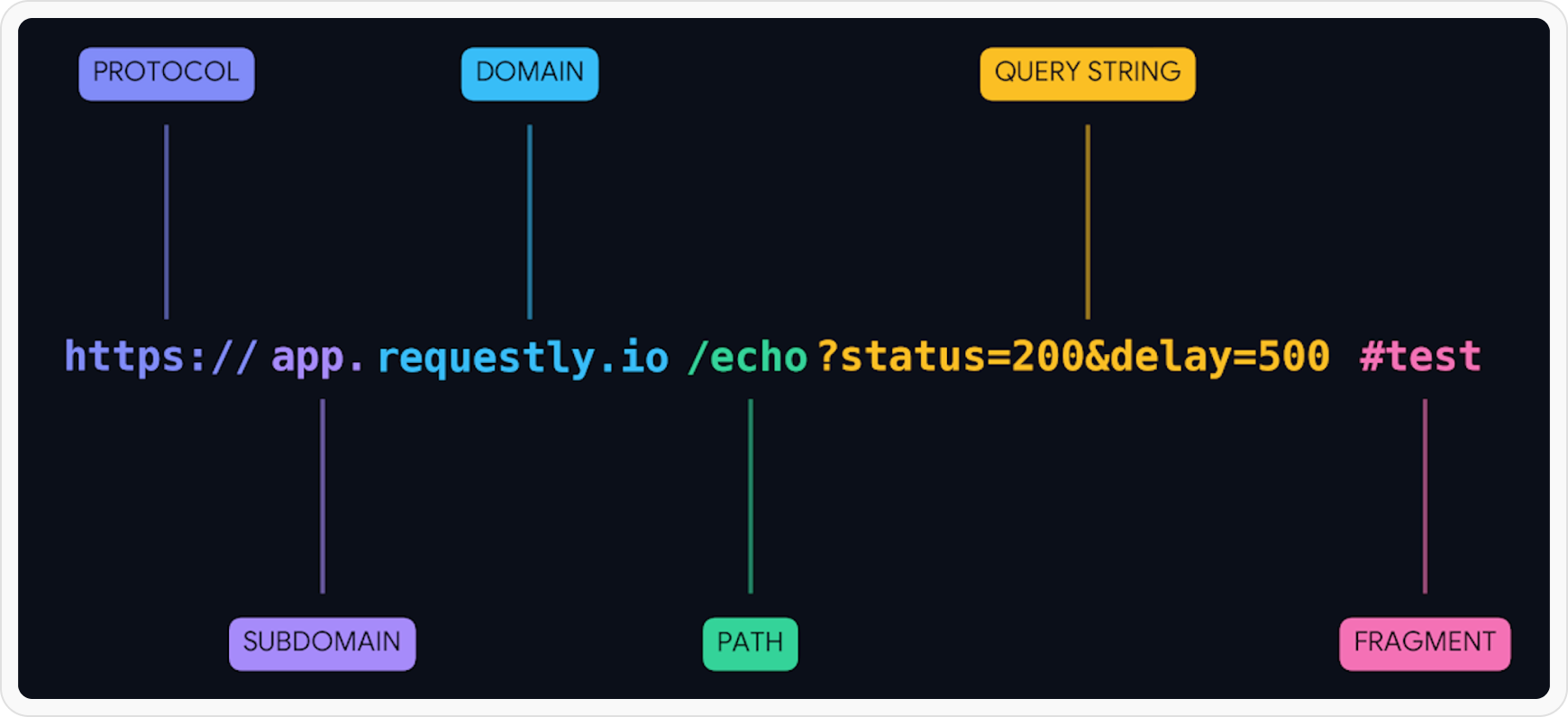
Naming Your Request
Give your request a clear, descriptive name to easily identify it later: Good naming examples:Get User ProfileCreate New OrderUpdate Product InventoryDelete Customer Account
TestRequest 1API Call
Sending Your Request
Once you’ve configured your request:1
Save Your Configuration
Click the Save button to preserve your request settings. This allows you to reuse it later without reconfiguring.
2
Click Send
Press the Send button to execute the request. It will display the response in the panel below.
3
Review Response
Check the response
status code, body, and headers to verify the request was successful.Common status codes:200 OK- Success201 Created- Resource created400 Bad Request- Invalid request401 Unauthorized- Authentication required404 Not Found- Resource doesn’t exist500 Server Error- Server-side issue
What’s Next?
Add Parameters
Learn how to add query params, path variables, and request body
Configure Headers
Set up authentication and custom headers