

Understanding Headers
Headers serve multiple purposes in HTTP requests:Authentication
Pass tokens, API keys, or credentials to authenticate with the API
Content Type
Tell the server what format your data is in (JSON, XML, etc.)
Accept Type
Specify what response format you expect from the server
Custom Metadata
Send additional information like user agent, tracking IDs, or custom flags
Adding Headers
The Headers tab allows you to add Request Headers in your API request. Each header consists of:- Key: The header name (e.g.,
Authorization,Content-Type) - Value: The header value
- Description (optional): Internal documentation to explain the purpose of this header
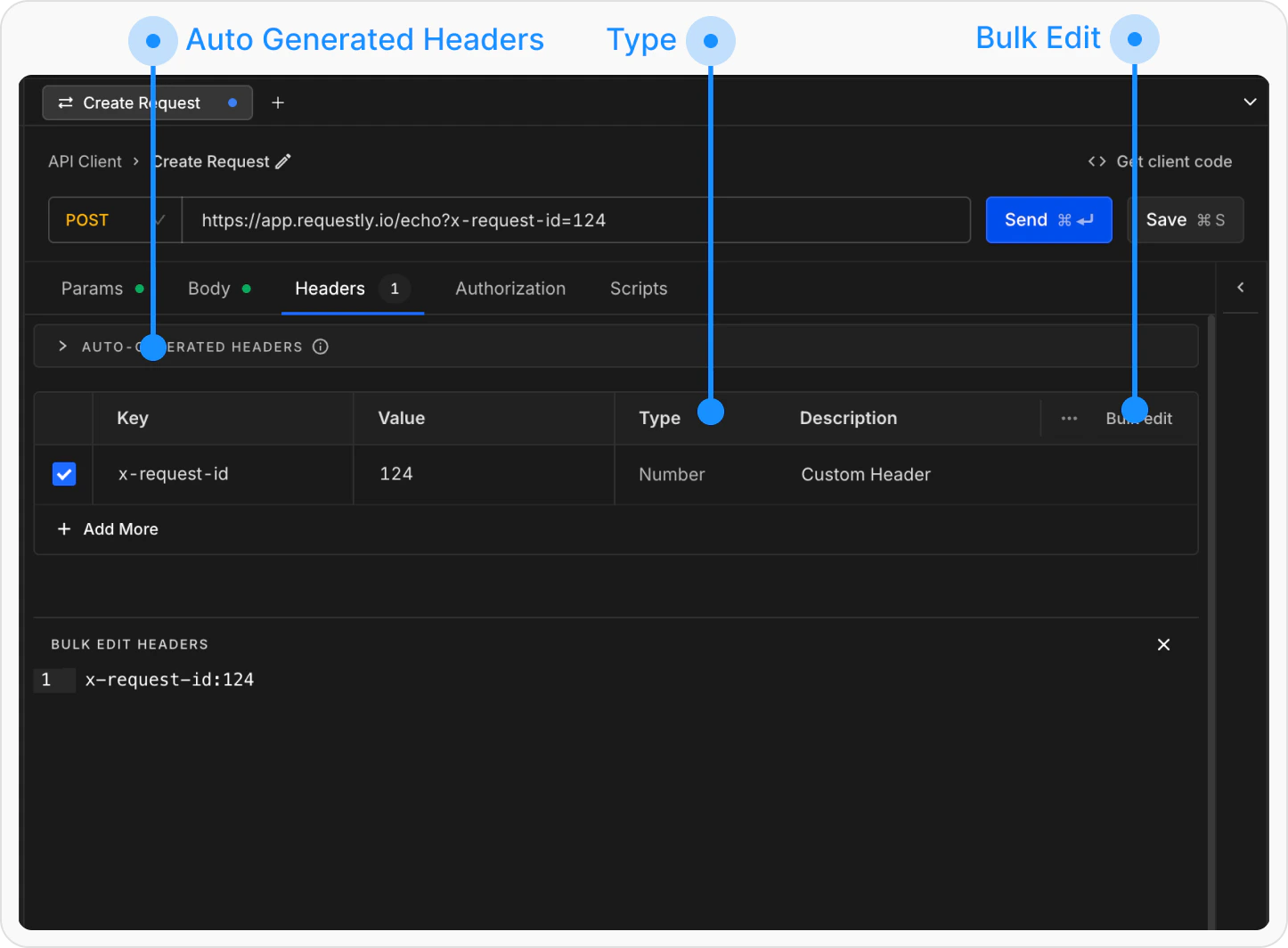
Bulk Edit Headers
You can also manage headers using Bulk Edit. This allows you to add or update multiple headers at once in akey:value format.
How to use:
- Click the Bulk Edit button in the Headers tab
- Add one header per line
- Separate keys and values using a colon
: - Prefix any line with
//to disable that header
Using Variables in Headers
You can use variables in header values to make them dynamic:Learn more about using variables in Variables and Environments.
Header Inheritance
Headers can be inherited from collections, making it easy to apply common headers across multiple requests: Collection-Level Headers → Request-Level Headers → Authorization Tab- Collection-Level Headers: Set headers at the collection level to apply them to all requests in that collection.
- Request-Level Headers: Override collection-level headers with the same key.
- Authorization Tab: Applied last. A header the Authorization tab adds replaces any header with the same name, whether you added it to the request or a script set it. Auth that adds nothing, such as an empty bearer token, leaves your header in place.
Headers are resolved from most-specific to least-specific. Request-level headers always win over collection-level headers when both define the same key.
What’s Next?
Add Authorization
Use the Authorization tab for easier authentication setup
Use Scripts
Dynamically generate headers with pre-request scripts
Environment Variables
Learn how to use variables in headers