

How to Generate Client Code
1
Open API Request
Navigate to the API request for which you want to generate code.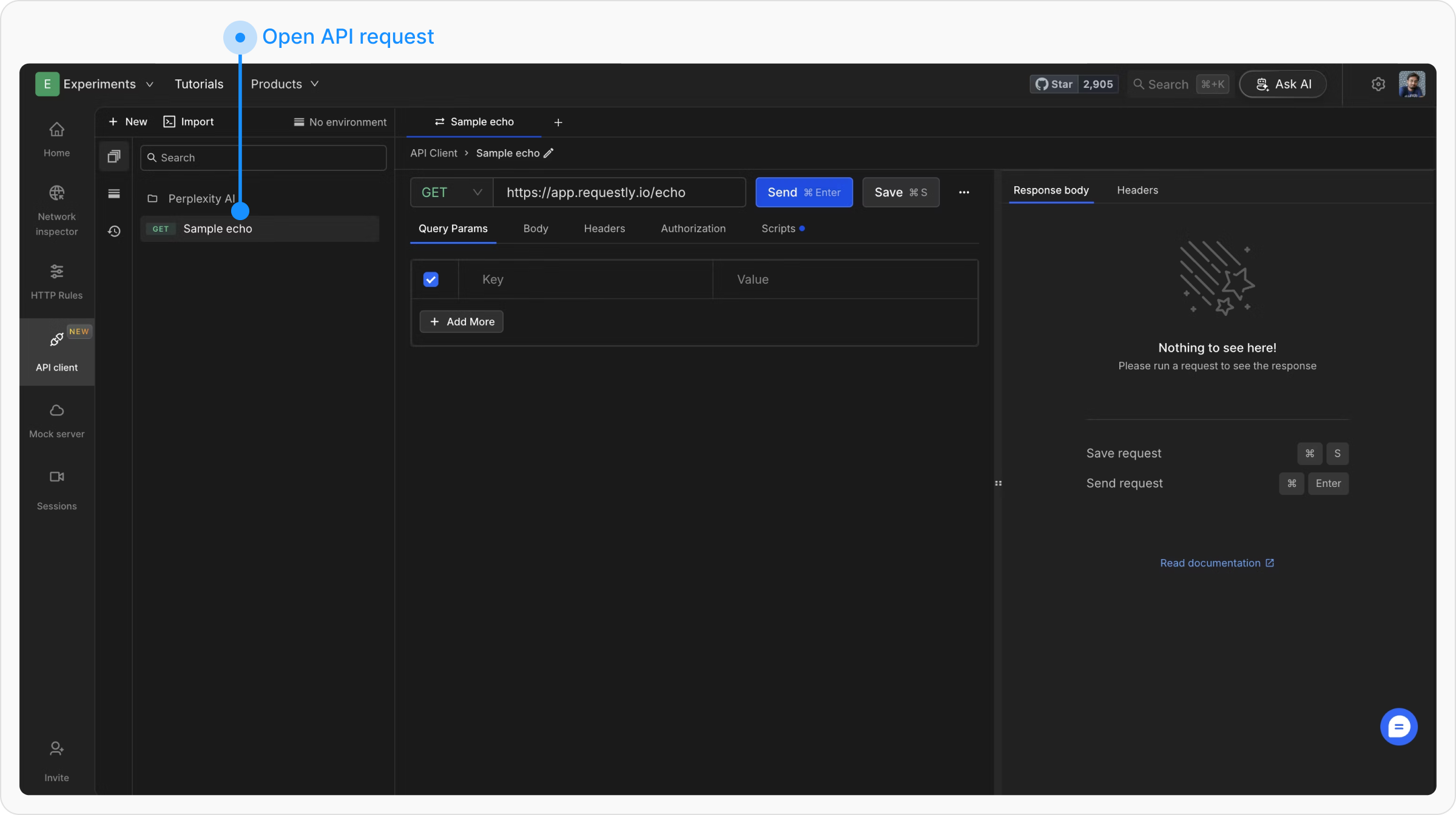
2
Open the code snippet
Click the Get client code button in the request editor header (next to the request actions).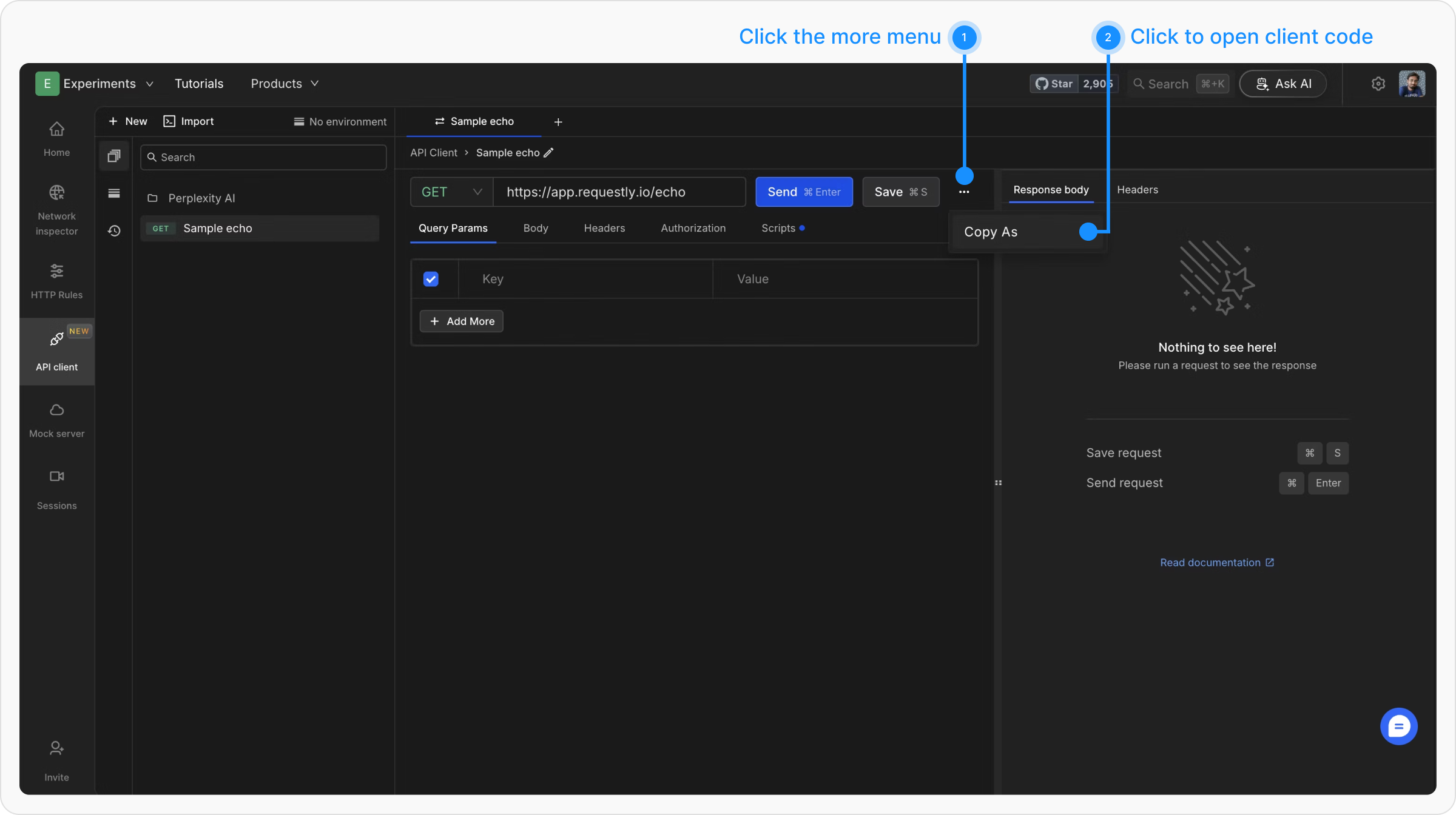
3
Choose a Programming Language
A modal opens with the generated code. Use the dropdown at the top left to switch languages.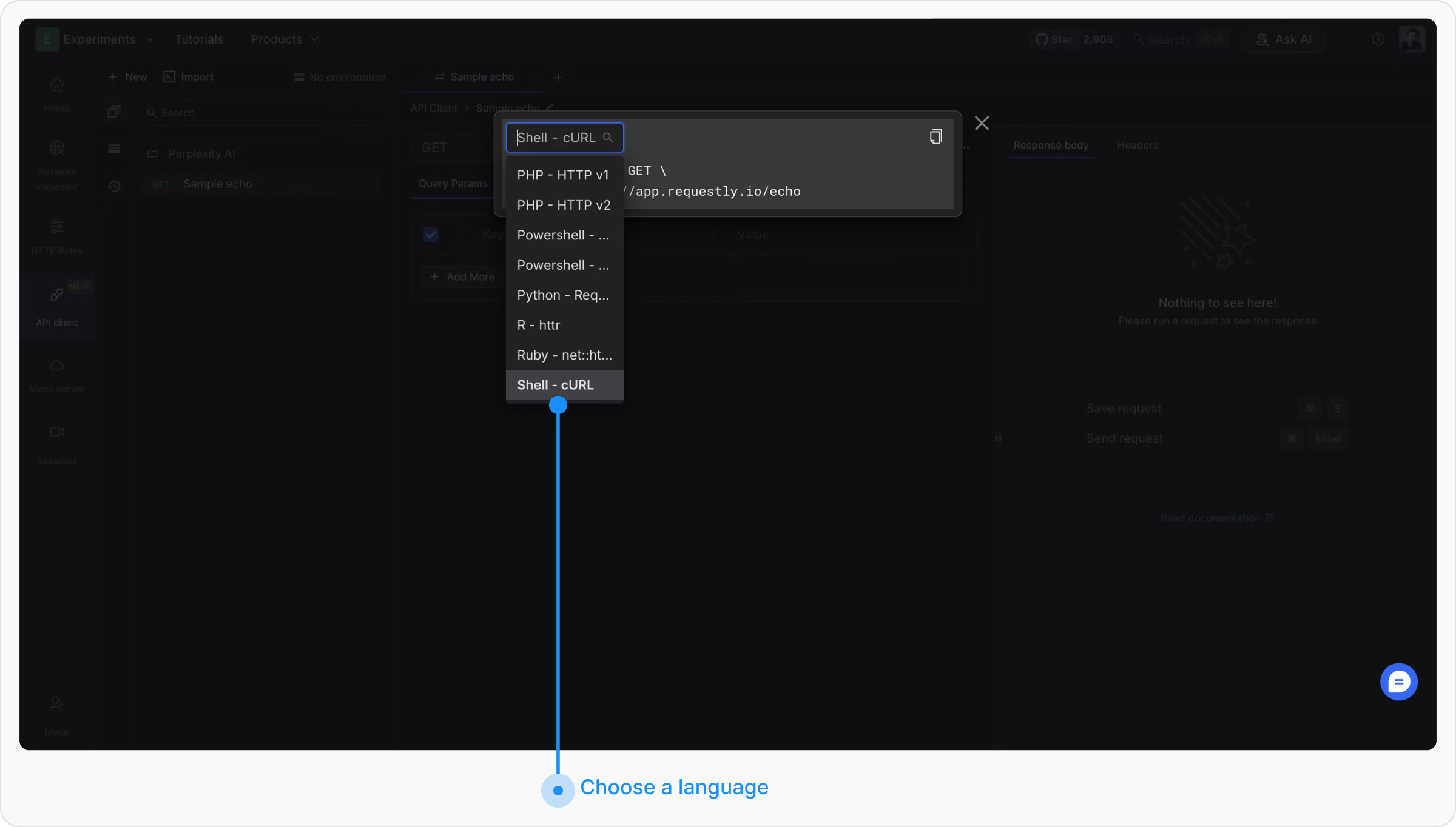
4
Copy the Code
Click Copy in the top right corner to copy the snippet to your clipboard.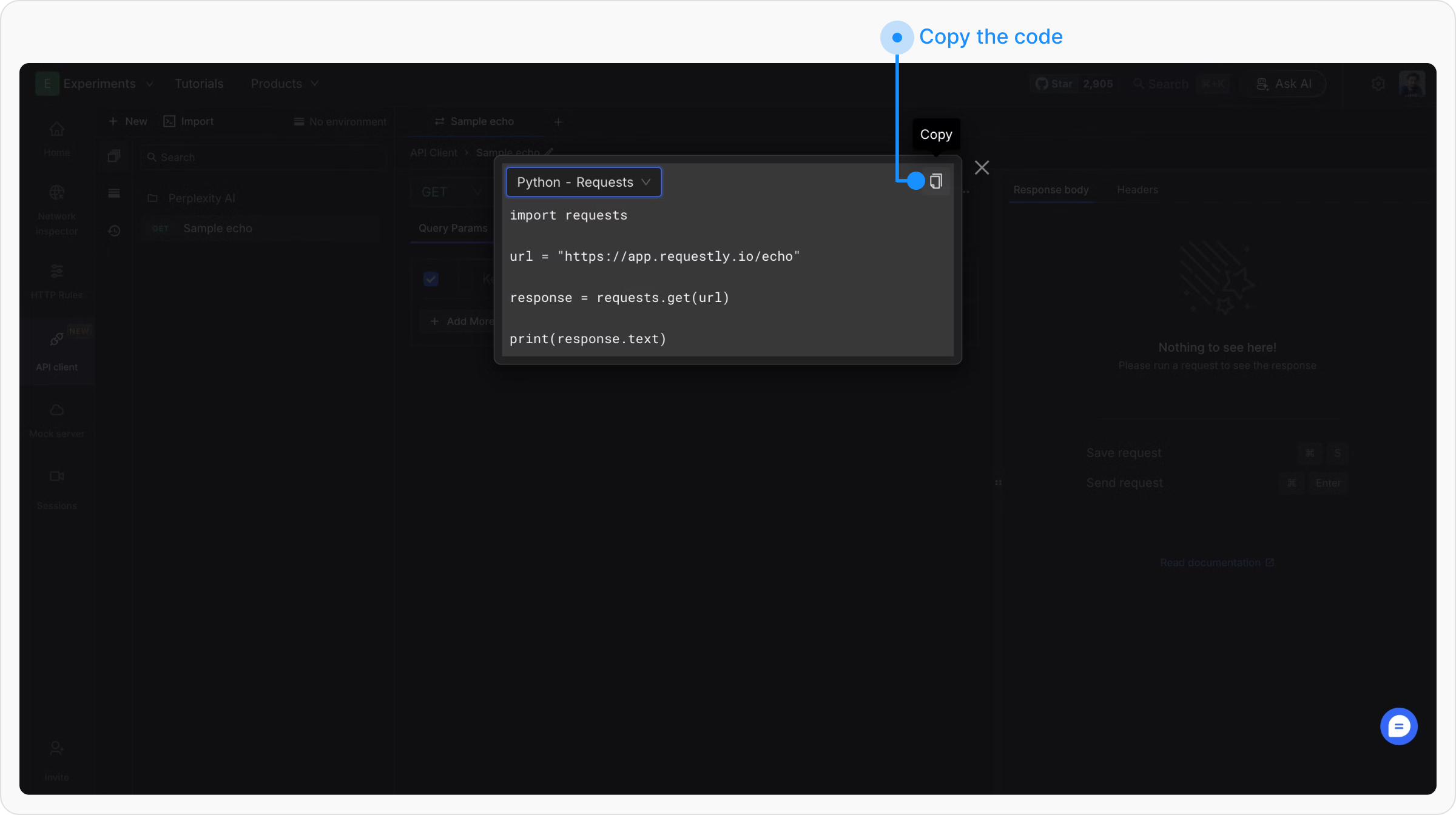
Example Output
For aPOST https://api.example.com/users request with a JSON body and a Bearer token, here is what the generated code looks like per language:
- Shell - cURL
- JavaScript - Fetch
- Python - Requests
- Go - Native
- Java - OkHttp
- C# - HttpClient
- Swift - URLSession
- PHP - cURL
- PowerShell
- Ruby - net::http